
STRONG SRT32HG6733C
STRONG SRT32HG6733C 32-inch HD Android Smart TV User Manual
Model: SRT32HG6733C
pengenalan
This manual provides essential information for the setup, operation, and maintenance of your STRONG SRT32HG6733C 32-inch HD Android Smart TV. Please read these instructions carefully before using the product to ensure proper functionality and safety.
Apa yang ada dalam Kotak
Setelah membuka bungkusan, pastikan semua barang yang disenaraikan di bawah ada dan dalam keadaan baik:
- STRONG SRT32HG6733C TV Unit
- Remote control with voice recognition
- 2 x bateri AAA
- Manual Pengguna (dokumen ini)

Image: The STRONG SRT32HG6733C TV unit with its central stand, remote control, and included accessories.
Persediaan
1. Memasang Pendirian
Carefully place the TV screen-down on a soft, clean surface to prevent scratches. Align the central stand with the mounting holes on the bottom of the TV. Secure the stand using the provided screws. Ensure the stand is firmly attached before proceeding.

Imej: Belakang view of the TV showing the central stand attachment points and various input ports.
2. Kuasa Penyambung
Pasangkan kord kuasa ke input kuasa TV, kemudian ke soket dinding. TV akan memasuki mod siap sedia.
3. Persediaan Awal dan Sambungan Rangkaian
Upon first power-on, the TV will guide you through the initial setup process. This includes language selection, country, and network connection. For optimal Smart TV functionality, connect to your Wi-Fi network. You can also connect via an Ethernet cable for a stable wired connection.

Image: The TV screen displaying connectivity options, highlighting Wi-Fi and Bluetooth symbols.
Arahan Operasi
Fungsi Asas
- Hidupkan/Mati Kuasa: Tekan butang kuasa pada alat kawalan jauh atau TV.
- Pemilihan Saluran: Use the CH+/- buttons or the number pad on the remote.
- Kawalan Kelantangan: Use the VOL+/- buttons.
- Sumber Input: Press the SOURCE button to select between HDMI, AV, DVB-T/T2, DVB-C, DVB-S/S2 inputs.
Smart TV Features (Google TV)
Your TV runs on Google TV, providing access to a wide range of applications and services.
- Skrin Utama: Access your favorite apps, movies, and shows directly from the customizable home screen.
- Aplikasi Penstriman: Pre-installed apps include Netflix, Prime Video, YouTube, and Disney+. Additional apps can be downloaded from the Google Play Store.
- Pembantu Google: Use the voice recognition remote to control your TV, search for content, and get information by pressing the Google Assistant button and speaking your command.
- Google Cast: Stream content from your compatible smartphone or tablet directly to the TV.

Image: The TV screen showing the Google TV interface with icons for Netflix, YouTube, Prime Video, Disney+, and other streaming services.

Image: A user holding the voice-controlled remote, with a visual representation of Google Assistant responding to a voice command on the TV screen.
Ketersambungan
TV menawarkan pelbagai port untuk menyambungkan peranti luaran:
- Port HDMI (x2): Connect Blu-ray players, game consoles, or other HDMI-enabled devices.
- Port USB (x1): Mainkan media files (foto, video, muzik) daripada peranti storan USB.
- Pelabuhan Ethernet (RJ45): Untuk sambungan internet berwayar.
- Antenna (ANT in) / Satellite (SAT in) Inputs: Connect your terrestrial or satellite antenna for live TV.
- Slot CI: Untuk Modul Akses Bersyarat (CAM) untuk menyahsulit saluran yang disulitkan.
- Output SPDIF: Untuk output audio digital ke bar bunyi atau sistem teater rumah.
- AV Dalam: Untuk menyambungkan peranti lama menggunakan video komposit dan audio stereo.
- Output Fon Kepala: Untuk menyambungkan fon kepala.

Imej: Bahagian belakang terperinci view of the TV highlighting all available input and output ports, including AV in, HDMI, USB, Ethernet, S/PDIF, ANT in, SAT in, CI slot, and Headphone output.
Video: Pratonton ringkasview demonstrating the TV's use in a mobile setting, such as a camper van, showing its compact size and clear display for entertainment on the go.
Penyelenggaraan
Membersihkan TV
Untuk membersihkan skrin, lap perlahan-lahan dengan kain lembut yang tidak berbulu. Untuk tanda degil, sedikit dampen the cloth with water or a screen-cleaning solution. Avoid using harsh chemicals or abrasive materials. Clean the TV casing dengan kain kering dan lembut.
Kemas Kini Perisian
Your Android TV may receive software updates periodically. Ensure your TV is connected to the internet to receive these updates. Updates can improve performance, add new features, and enhance security. You can check for updates manually in the TV's settings menu.
Menyelesaikan masalah
| Masalah | Penyelesaian yang Mungkin |
|---|---|
| Tiada kuasa | Periksa sama ada kord kuasa dipasang dengan selamat ke dalam TV dan alur keluar dinding. Pastikan saluran keluar berfungsi. |
| Tiada gambar, tetapi bunyi hadir | Sahkan sumber input yang betul dipilih. Semak sambungan kabel ke peranti luaran. |
| Tiada bunyi, tetapi ada gambar | Semak tahap kelantangan dan status redam. Pastikan kabel audio disambungkan dengan betul jika menggunakan pembesar suara luaran. |
| Alat kawalan jauh tidak berfungsi | Gantikan bateri. Pastikan tiada halangan antara alat kawalan jauh dan penderia IR TV. |
| Tidak dapat menyambung ke Wi-Fi | Pastikan penghala anda dihidupkan dan berfungsi. Masukkan semula kata laluan Wi-Fi. Cuba mulakan semula TV dan penghala. |
| Smart TV apps are slow or unresponsive | Check your internet connection speed. Close unused applications. Restart the TV. |
Spesifikasi
| Ciri | Perincian |
|---|---|
| Nombor Model | SRT32HG6733C |
| Saiz Skrin | 32 inci (81 cm) |
| Teknologi Paparan | LED |
| Resolusi | Sedia HD (1366 x 768p) |
| Sistem Operasi | Google TV |
| Ketersambungan | Wi-Fi, Bluetooth, 2x HDMI, 1x USB, Ethernet (RJ45), AV In, SPDIF, ANT in, SAT in, CI Slot |
| Penala | DVB-T/T2, DVB-C, DVB-S/S2 (HEVC 265 codec) |
| Ciri Khas | Google Assistant, Google Cast, Dolby Audio |
| Dimensi (W x D x H) | 71.8 x 22.3 x 45.2 cm (dengan dirian) |
| Komponen yang Disertakan | TV, Voice Remote, 2x AAA Batteries, Manual |
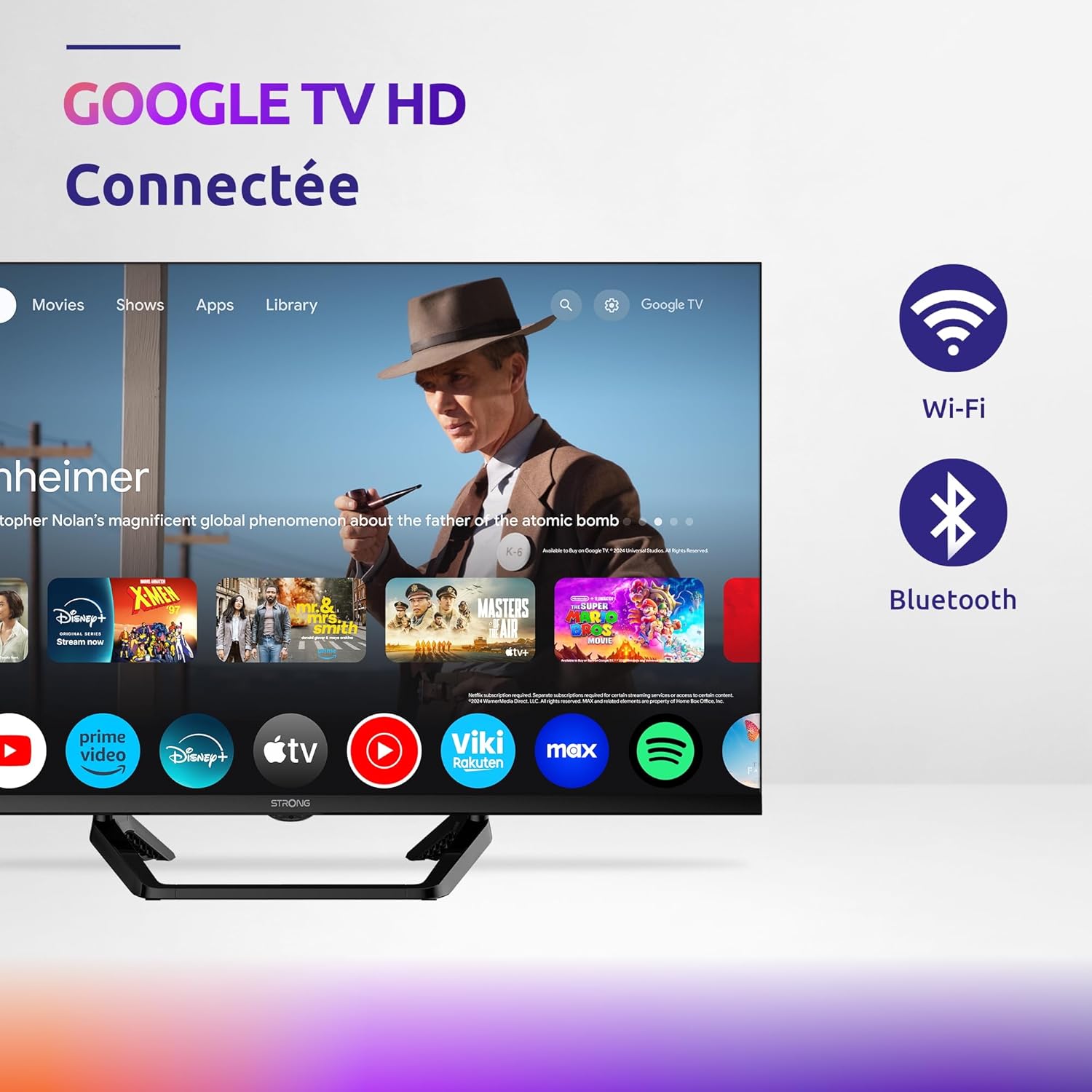
Image: Diagram showing the dimensions of the STRONG SRT32HG6733C TV, including width, height, and depth with the central stand.
Waranti dan Sokongan
This product comes with a manufacturer's warranty of 24 months. For warranty claims or technical support, please refer to the contact information provided on the official STRONG webtapak atau dokumentasi pembelian anda.
For frequently asked questions and additional resources, visit the STRONG Brand Store.


Images: Icons representing warranty information and frequently asked questions.
Ask a question about this manual
Ask about setup, troubleshooting, compatibility, parts, safety, or missing instructions. Manuals+ will review the question and use this page’s manual context to help answer it.