
pengenalan
This manual provides instructions for the goopow T97 Mini Karaoke Machine. This portable Bluetooth speaker, accompanied by wireless microphones, is designed for audio playback and interactive singing. Please read this manual thoroughly before operating the device to ensure proper use and maintenance.
Kandungan Pakej
- goopow T97 Mini Karaoke Machine Speaker
- Wireless Microphones (2 included)
- Kabel Pengecasan USB Jenis-C
- Manual Pengguna (dokumen ini)
Produk Selesaiview
Familiarize yourself with the components and features of your goopow T97 Mini Karaoke Machine.

Imej 1: The goopow T97 Mini Karaoke Machine speaker and two wireless microphones. The speaker features a blue fabric top and a white base with a colorful LED light ring around the control panel. The microphones are blue with black grilles.
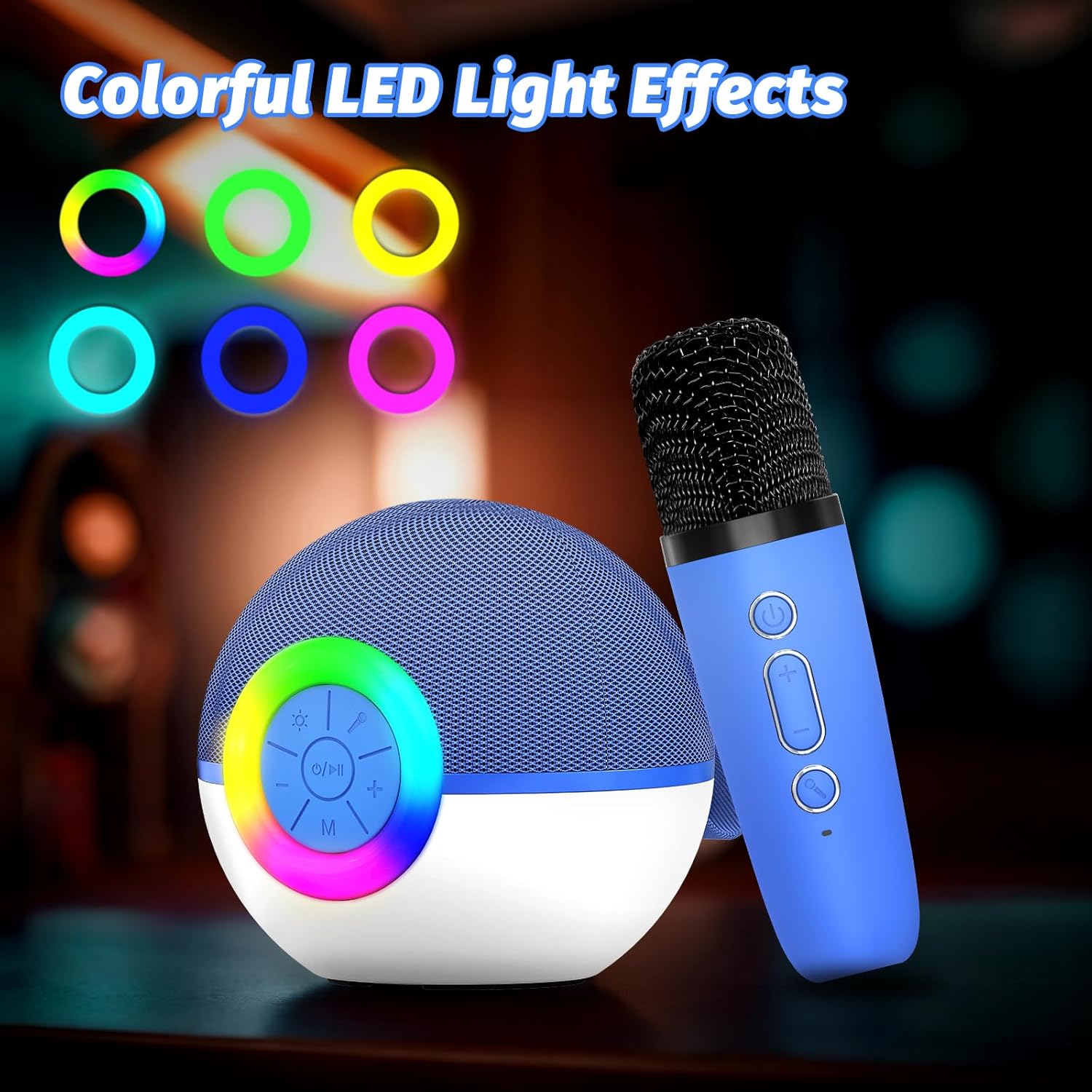
Imej 2: Detail of the speaker's control panel. It includes buttons for power/play/pause, volume up/next track, volume down/previous track, and mode selection. The surrounding ring illuminates with various LED colors.

Imej 3: belakang view of the speaker, highlighting the AUX input, USB Type-C charging port, and TF (Micro SD) card slot for various audio input options.

Imej 4: This image demonstrates the Bluetooth connectivity of the karaoke machine, showing it paired with a smartphone, laptop, and tablet. It also indicates support for TF Card and AUX input.

Imej 5: Two wireless microphones are shown in use, highlighting the dual microphone capability for duets or shared singing experiences.

Imej 6: The compact size of the goopow T97 speaker and microphone is illustrated, emphasizing its portability for various settings.
Persediaan
1. Pengecasan Awal
Before first use, fully charge the karaoke machine speaker and both microphones. Connect the provided USB Type-C cable to the charging port on the speaker and a compatible USB power adapter (not included). The charging indicator will show the charging status. A full charge typically takes 2-3 hours.
2. Menghidupkan/Mematikan
- To power on the speaker: Press and hold the power button (O / Saya) on the speaker's control panel until the LED lights illuminate.
- To power on the microphones: Press and hold the power button on each microphone.
- To power off: Repeat the steps above for both the speaker and microphones.
3. Berpasangan Bluetooth
- Ensure the speaker is powered on and in Bluetooth pairing mode (indicated by a flashing blue light or an audible prompt).
- Pada peranti mudah alih anda (telefon pintar, tablet, komputer riba), dayakan Bluetooth dan cari peranti yang tersedia.
- Select "goopow T97" from the list of devices.
- Sebaik sahaja dipasangkan, pembesar suara akan memberikan pengesahan yang boleh didengar dan lampu penunjuk Bluetooth akan menjadi pekat.
The microphones automatically connect to the speaker when both are powered on and within range.
Arahan Operasi
1. Memainkan Muzik
- Bluetooth: Selepas pasangan berjaya, mainkan muzik daripada peranti anda yang disambungkan.
- Kad TF: Masukkan kad Micro SD (TF) dengan audio MP3 files into the TF card slot on the speaker. The speaker will automatically switch to TF card mode and begin playback.
- Input AUX: Connect an external audio device using a 3.5mm AUX cable (not included) to the AUX port on the speaker.
2. Kawalan Pembesar Suara
- Kuasa / Main / Jeda: Tekan ke O / Saya button once to play or pause music. Press and hold to power on/off.
- Jilid Naik / Laluan Seterusnya: Tekan + button to increase volume. Press and hold to skip to the next track.
- Turunkan Volume / Lagu Sebelumnya: Tekan - button to decrease volume. Press and hold to go to the previous track.
- Mod (M): Tekan ke M button to switch between Bluetooth, TF Card, and AUX input modes.
- Lampu LED: Press the light button (sun icon) to cycle through different LED light modes or turn them off.
3. Kawalan Mikrofon
- Kuasa: Press and hold the power button on the microphone to turn it on or off.
- Kelantangan Mikrofon: Gunakan + dan - buttons on the microphone to adjust its volume.
- Kesan Suara: Press the voice effect button (microphone icon) to cycle through available voice changing effects (e.g., Monster Voice, Female Voice, Male Voice, Robot Voice, Baby Voice).
Mengecas
The goopow T97 Mini Karaoke Machine and its microphones are equipped with rechargeable batteries. Use the provided USB Type-C cable for charging.
- Pengecasan pembesar suara: Connect the USB Type-C cable to the speaker's charging port and a 5V/1A USB power source.
- Pengecasan Mikrofon: Each microphone has its own USB Type-C charging port. Connect them individually to a 5V/1A USB power source.
- Masa Pengecasan: Kira-kira 2-3 jam untuk cas penuh.
- Masa main: The speaker provides approximately 4-6 hours of playtime on a full charge. Actual playtime may vary based on volume level, audio content, and usage of LED lights.
Penyelenggaraan
- Jauhkan peranti daripada air, kelembapan dan suhu yang melampau.
- Bersihkan peranti dengan kain lembut dan kering. Jangan gunakan pembersih atau pelarut yang melelas.
- Simpan peranti di tempat yang sejuk dan kering apabila tidak digunakan.
- Elakkan daripada menjatuhkan peranti atau terkena impak yang kuat.
Menyelesaikan masalah
| Masalah | Penyelesaian yang Mungkin |
|---|---|
| Peranti tidak dihidupkan. | Pastikan peranti dicas sepenuhnya. Sambungkan ke sumber kuasa dan cuba lagi. |
| Tiada bunyi dari pembesar suara. | Check speaker volume and the volume on your connected device. Ensure the correct input mode (Bluetooth, TF Card, AUX) is selected. |
| Mikrofon tidak berfungsi. | Ensure the microphone is powered on and fully charged. Verify it is within range of the speaker. Adjust microphone volume. |
| Gandingan Bluetooth gagal. | Ensure the speaker is in pairing mode. Turn off Bluetooth on other nearby devices. Try restarting both the speaker and your device's Bluetooth. |
| Kualiti bunyi yang buruk. | Ensure the speaker and connected device are within close range without obstructions. Check the audio source quality. |
Spesifikasi
| Ciri | Perincian |
|---|---|
| Nombor Model | T97 |
| Jenama | goopow |
| Teknologi Ketersambungan | Bluetooth |
| Input Audio | Wireless Microphone, Bluetooth |
| Sumber Kuasa | Dikuasakan Bateri |
| Jenis Penyambung | USB Jenis C |
| bahan | plastik |
| Berat Barang | 14.5 auns (410 Gram) |
| Dimensi Produk (L x W x H) | 3.66 x 3.66 x 3.62 inci |
| Bilangan Saluran | 1 |
| Respons Kekerapan | 10 KHz |
| Bateri | 1 Bateri Bukan Standard (termasuk) |
Waranti dan Sokongan
Specific warranty details are not provided in the product information. For warranty claims, technical support, or further assistance, please contact the manufacturer directly or refer to the official goopow webtapak.
Note: Keep your purchase receipt as proof of purchase for any warranty-related inquiries.