
pengenalan
The DOOGEE R20 is a rugged tablet designed for durability and high performance. It features a 10.4-inch 2.4K display, a powerful Helio G99 Octa-Core processor, and a massive 21600 mAh battery. This manual provides essential information on how to set up, operate, maintain, and troubleshoot your DOOGEE R20 tablet.

Imej: Selesaiview of the DOOGEE R20 Rugged Tablet, highlighting its robust features including a large battery, high-resolution display, powerful processor, ample memory, and military-grade durability ratings.
1. Bermula
1.1 Kandungan Pakej
Verify that all items are present in your DOOGEE R20 package:
- 1 x DOOGEE R20 Rugged Tablet
- 1 x Kabel USB Jenis-C
- 1 x Pengecas 33W
- 1 x Alat Pengeluar SIM
- 1 x Anti-explosion Film (pre-applied)
- 1 x Manual Pengguna
- 1 x Kad Waranti
- 1 x Tablet Wrist Strap Support
- 1 x TPU Case

Image: The complete set of items included in the DOOGEE R20 tablet retail box.
1.2 Susun atur Peranti
Familiarize yourself with the physical components of your DOOGEE R20 tablet.
Imej: A terperinci view of the DOOGEE R20 tablet, showcasing its rugged exterior and screen.
1.3 Pemasangan Kad SIM dan Storan
The DOOGEE R20 supports dual Nano-SIM cards and expandable storage via a TF card (up to 2TB).
- Cari dulang kad SIM di sisi tablet.
- Masukkan alat ejektor SIM ke dalam lubang kecil di sebelah dulang untuk membukanya.
- Letakkan kad Nano-SIM dan/atau kad TF anda ke dalam slot yang ditetapkan pada dulang. Pastikan ia diletakkan dengan betul.
- Tolak dulang kembali ke dalam tablet dengan lembut sehingga ia terpasang dengan klik di tempatnya.

Image: Illustration of how to insert SIM cards into the DOOGEE R20 tablet's tray.
1.4 Menghidupkan/Mematikan dan Mengecas
To power on your tablet, press and hold the power button until the DOOGEE logo appears. To power off, press and hold the power button, then select 'Power off' from the options. The tablet comes with a 21600 mAh battery and supports 33W fast charging.
- Connect the USB Type-C cable to the tablet's charging port and the other end to the 33W charger.
- Palamkan pengecas ke salur keluar kuasa.
- Penunjuk pengecasan akan muncul di skrin.

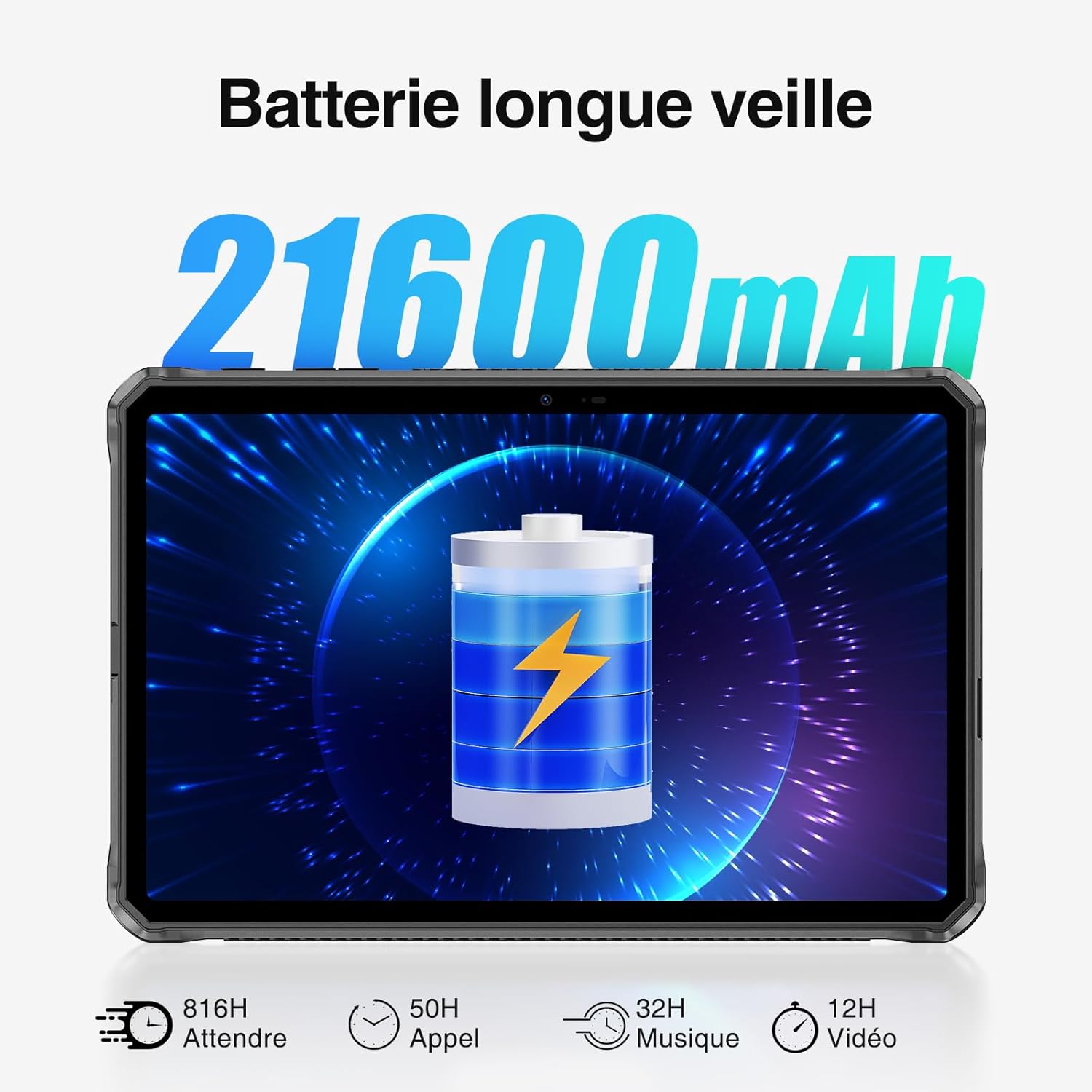
Image: Visual representation of the DOOGEE R20's 21600mAh battery capacity and charging capabilities.
2. Operasi Asas
2.1 Paparan dan Navigasi
The DOOGEE R20 features a 10.4-inch FHD+ 2.4K IPS display with a resolution of 1200 x 2000 pixels, offering vibrant visuals with 16.7 million colors and a 1000:1 contrast ratio. The screen is protected by Corning Gorilla Glass 5 for enhanced durability.
- Ketik: Pilih item atau buka aplikasi.
- Leret: Navigasi melalui skrin atau tatal kandungan.
- Cubit: Zum masuk atau keluar pada imej dan web muka surat.

Image: The DOOGEE R20's 10.4-inch FHD+ 2.4K IPS display, highlighting its visual quality and key display specifications.

Image: The DOOGEE R20 tablet featuring Corning Gorilla Glass 5 for enhanced screen durability.
2.2 Sistem Pengoperasian Android 13
The DOOGEE R20 runs on Android 13, offering an advanced and user-friendly experience with enhanced privacy features and customization options. It is Google certified, providing access to popular Google services and the Google Play Store.

Image: The DOOGEE R20 tablet running the Android 13 operating system, demonstrating its interface and features.
2.3 Fungsi Kamera
Capture moments with the DOOGEE R20's 50MP main camera and take clear selfies with the 16MP front camera. The tablet supports 4K UHD 2160p video recording.

Image: The DOOGEE R20's 50MP main camera and 16MP front camera, illustrating their use for capturing photos and videos.
2.4 Ketersambungan
Stay connected with the DOOGEE R20's comprehensive connectivity options:
- Wi-Fi: Supports 5G WiFi 6 (802.11n, 2.4/5GHz) for fast internet access.
- Selular: Dual 4G LTE support for mobile data and calls.
- Bluetooth: Bluetooth 5.2 for connecting wireless accessories.
- GPS: Integrated GPS, Beidou, Galileo, Glonass, and AGPS for accurate positioning and navigation.

Image: The DOOGEE R20 tablet displaying its advanced GPS and positioning system capabilities.
2.5 Ciri Keselamatan
The DOOGEE R20 offers multiple security options to protect your data:
- ID Wajah: Buka kunci tablet anda menggunakan pengecaman wajah.
- Buka kunci cap jari: Sensor cap jari yang dipasang di sisi menyediakan akses yang cepat dan selamat.

Image: Visuals demonstrating the Face Recognition and side Fingerprint Unlock features of the DOOGEE R20 tablet.
2.6 OTG and Widevine L1
The DOOGEE R20 includes useful features for versatility and entertainment:
- OTG (Semasa Bergerak): Use your tablet to charge other electronic devices, acting as a portable power bank.
- Sokongan L1 Widevine: Enjoy high-resolution video streaming from popular platforms like Disney+, Amazon Prime Video, HBO Max, and Hulu.

Image: The DOOGEE R20 tablet demonstrating its OTG reverse charging capability.

Image: The DOOGEE R20 tablet showcasing Widevine L1 support for high-definition streaming content.
3. Penyelenggaraan dan Ketahanan
3.1 Reka Bentuk Lasak
The DOOGEE R20 is built to withstand harsh environments, complying with military-grade standards:
- IP68: Kalis air sehingga 1.5 meter selama 30 minit.
- IP69K: Resistant to high-pressure, high-temperature water jets and dust ingress.
- MIL-STD-810H: Certified for resistance against drops, shocks, and extreme temperatures.

Image: The DOOGEE R20 tablet demonstrating its IP68, IP69K, and MIL-STD-810H ruggedness ratings in various challenging environments.
3.2 Pembersihan dan Penjagaan
To maintain your tablet's performance and appearance:
- Lap skrin dan badan dengan kain lembut,amp kain. Elakkan pembersih yang kasar.
- Pastikan semua penutup port ditutup rapat untuk mengekalkan kalis air dan habuk.
- Avoid exposing the tablet to extreme temperatures outside its operating range for prolonged periods.
3.3 Persekitaran Operasi
The DOOGEE R20 is designed to operate in a wide range of temperatures, from -40°C to 70°C, making it suitable for various outdoor and industrial settings.
4. Penyelesaian masalah
If you encounter issues with your DOOGEE R20 tablet, try the following basic troubleshooting steps:
- Tablet tidak boleh dihidupkan: Pastikan bateri dicas. Sambungkan pengecas dan tunggu beberapa minit sebelum cuba menghidupkan semula.
- Skrin tidak bertindak balas: Mulakan semula tablet dengan menekan butang kuasa selama lebih kurang 10 saat.
- Isu sambungan (Wi-Fi/4G): Check if Wi-Fi or cellular data is enabled. Restart your router or contact your service provider if problems persist.
- Aplikasi ranap: Close background applications. Clear the cache of the problematic app or reinstall it.
- Prestasi perlahan: Close unused apps, clear storage space, or restart the tablet.
For more complex issues, please refer to the support section.
5. Spesifikasi
| Ciri | Spesifikasi |
|---|---|
| Jenama | DOOGEE |
| Nombor Model | R20 |
| Sistem Operasi | Android 13 |
| Pemproses | MediaTek Helio G99 Octa-Core (2x Cortex-A76 @ 2.2 GHz, 6x Cortex-A55 @ 2.0 GHz) |
| RAM | 8GB (up to 20GB with 12GB virtual extension) |
| Storan Dalaman | ROM 256GB |
| Storan Boleh Dikembangkan | TF card up to 2TB |
| Saiz Paparan | 10.4 inci |
| Jenis Paparan | FHD+ 2.4K IPS |
| Resolusi Paparan | 1200 x 2000 piksel |
| Nisbah Aspek | 16:10 |
| Perlindungan Skrin | Corning Gorilla Glass 5 |
| Kamera Belakang | 50 Megapiksel |
| Kamera Depan | 16 Megapiksel |
| Rakaman Video | 4K UHD 2160p |
| Kapasiti Bateri | 21600 mAh |
| Mengecas | Pengecasan Pantas 33W |
| Hayat Bateri (Bersedia) | Sehingga 1781 jam |
| Hayat Bateri (Cakap) | Sehingga 125 jam |
| Battery Life (Video Playback) | Sehingga 27 jam |
| Wi-Fi | 5G WiFi 6 (802.11n, 2.4GHz/5GHz) |
| Rangkaian Selular | Dual 4G LTE (Dual Nano-SIM) |
| Bluetooth | Bluetooth 5.2 |
| Kedudukan | GPS, Beidou, Galileo, Glonass, AGPS |
| Penderia | ID Wajah, Sensor Cap Jari Sisi |
| Bicu Audio | 3.5 mm |
| Kekasaran | IP68, IP69K, MIL-STD-810H |
| Suhu Operasi | -40°C hingga 70°C |
| warna | Hitam |
6. Waranti dan Sokongan
DOOGEE provides a 2-year assistance service for the R20 tablet. If you encounter any problems or require technical support, please do not hesitate to contact our customer service team. Refer to the warranty card included in your package for specific terms and conditions.
For support inquiries, please visit the official DOOGEE webtapak atau hubungi peruncit tempat anda membeli produk tersebut.