
pengenalan
The Noise Buds Connect 2 are true wireless earbuds designed to provide a high-quality audio experience with advanced features. This manual provides detailed instructions for setting up, operating, maintaining, and troubleshooting your earbuds to ensure optimal performance.
Apa yang ada dalam Kotak
Upon unboxing your Noise Buds Connect 2, you will find the following items:
- 1N Bluetooth Headphone (Earbuds)
- Kes Pengecasan 1N
- Kabel Pengecasan 1N
- Manual Pengguna 1N
- Kad Pendaftaran Waranti 1N
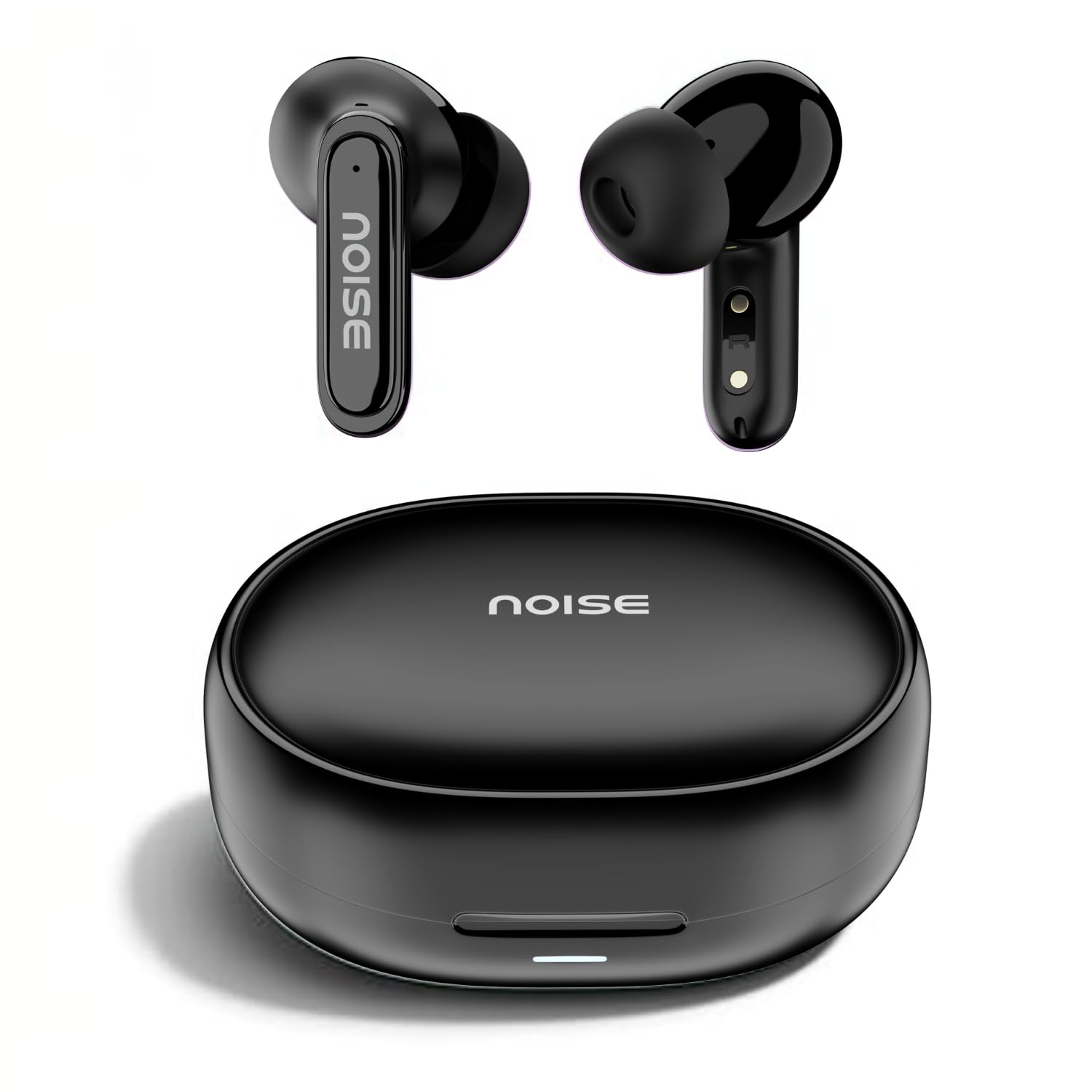
Image: Noise Buds Connect 2 earbuds and their charging case.
Persediaan
1. Mengecas Fon Telinga Anda
Before first use, fully charge the earbuds and the charging case. Connect the provided charging cable to the charging case and a power source. The indicator light on the case will show the charging status.
- Purata Hayat Bateri: Hingga 50 jam (dengan cas pengecasan)
- Masa Pengecasan Bateri: Kira-kira 1.5 jam untuk cas penuh.
- Caj masuk: 10 minutes of charge provides up to 120 minutes of playtime.

Image: Noise Buds Connect 2 earbuds placed inside their charging case.
2. Gandingan Awal
- Buka bekas pengecas. Fon telinga akan memasuki mod berpasangan secara automatik.
- Pada peranti anda (telefon pintar, tablet, komputer riba), dayakan Bluetooth.
- Cari untuk 'Noise Buds Connect 2' in the list of available Bluetooth devices.
- Select 'Noise Buds Connect 2' to connect. A voice prompt will confirm successful pairing.

Image: Earbuds connected to a device via Bluetooth 5.3, showing music playback.
3. Penggandingan Peranti Dwi
The Noise Buds Connect 2 support dual device pairing, allowing you to connect to two devices simultaneously and switch between them seamlessly.
- Pasangkan fon telinga dengan peranti pertama anda seperti yang diterangkan di atas.
- Putuskan sambungan fon telinga daripada tetapan Bluetooth peranti pertama.
- Pasangkan fon telinga dengan peranti kedua anda.
- Reconnect the earbuds to the first device from its Bluetooth settings. The earbuds are now paired with both devices.

Image: Noise Buds Connect 2 earbuds shown with a smartphone and a laptop, illustrating dual device pairing.
Arahan Operasi
Kawalan Sentuh
The earbuds feature touch controls for easy management of music and calls. Specific gestures for play/pause, track skipping, volume adjustment, and call handling are typically detailed in the quick start guide included with your product. Refer to that guide for precise touch commands.
Pengesanan Dalam Telinga
The earbuds are equipped with in-ear detection. Music playback will automatically pause when you remove an earbud from your ear and resume when you place it back in.

Image: A person wearing Noise Buds Connect 2, demonstrating the in-ear detection feature.
Ciri-ciri
- Quad Mic with Environmental Noise Cancellation (ENC): Ensures clear voice calls by filtering out ambient noise.
- Rintangan Air IPX5: Protects your earbuds from sweat and light splashes, making them suitable for workouts and outdoor activities.
- Low Latency (up to 40ms): Provides a synchronized audio-visual experience, ideal for gaming and video playback.
- Bluetooth v5.3: Offers stable and efficient wireless connectivity with a range of up to 10 meters.
Image: Noise Buds Connect 2 earbuds highlighting the Quad Mic with ENC feature for enhanced call clarity.

Image: Noise Buds Connect 2 showcasing its IPX5 water resistance feature.
Penyelenggaraan
Pembersihan
- Lap perlahan fon telinga dan bekas pengecas dengan kain lembut, kering dan tidak berbulu.
- Jangan gunakan bahan kimia yang keras, pelarut pembersih atau detergen yang kuat.
- Clean the charging contacts on both the earbuds and the case regularly to ensure proper charging.
Penyimpanan
- Simpan fon telinga dalam bekas pengecasnya apabila tidak digunakan untuk melindunginya dan memastikan ia dicas.
- Avoid exposing the earbuds to extreme temperatures, humidity, or direct sunlight.
Menyelesaikan masalah
- Fon telinga tidak berpasangan: Pastikan kedua-dua fon telinga berada dalam bekas pengecasan, kemudian buka penutup untuk memulakan mod berpasangan. Semak tetapan Bluetooth peranti anda dan cuba pasangkan semula.
- Satu fon telinga tidak berfungsi: Letakkan kedua-dua fon telinga kembali ke dalam bekas, tutup penutupnya, tunggu beberapa saat, kemudian bukanya semula. Ini selalunya akan menetapkan semula sambungan.
- Isu pengecasan: Clean the charging contacts on both the earbuds and the case. Ensure the charging cable is securely connected and the power source is active.
- Kelantangan rendah atau kualiti bunyi yang lemah: Check the volume on both your device and the earbuds. Ensure the earbuds are properly seated in your ears. Clean any debris from the earbud nozzles.
- In-ear detection not working: Ensure the sensors are clean and unobstructed.
Spesifikasi
| Ciri | Spesifikasi |
|---|---|
| Jenama | bising |
| Nama Model | Buds Connect 2 |
| Nombor Model | AUD-HDPHN-BUDSCONNECT-2-BLK |
| warna | Arang Hitam |
| Penempatan Telinga | Di Telinga |
| Faktor Bentuk | Wayarles Benar |
| Kawalan Bunyi | Pembatalan Kebisingan Alam Sekitar (ENC) |
| Purata Hayat Bateri | 50 Jam |
| Masa Pengecasan Bateri | 1.5 Jam |
| Julat Kekerapan | 20 Hz - 20 kHz |
| Jenis Pemacu Audio | Pemandu Dinamik |
| Ciri-ciri Produk | Fast Charging, Lightweight, Microphone Included, Rechargeable Battery, Sweatproof |
| Bahan Kepungan | Polikarbonat (PC) |
| Tahap Ketahanan Air | Tahan Air IPX5 |
| Versi Bluetooth | 5.3 |
| Julat Bluetooth | 10 Meter |
| Jenis Kawalan | Kawalan Media |
| Kaedah Kawalan | Sentuh |
Waranti dan Sokongan
The Noise Buds Connect 2 come with a 1-year assured warranty from the date of purchase, provided by the manufacturer. For warranty claims, technical support, or further information, please refer to the warranty registration card included in your package or visit the official Noise brand store.
Kedai Jenama Rasmi: Kedai Noise di Amazon.in
Video Produk Tamatview
Watch this video for a brief overview of the Noise Buds Connect 2 features and contents.
Video: Pratonton ringkasview highlighting key features of the Noise Buds Connect 2 earbuds.