
pengenalan
The Geeni Smart Water Alarm Leak Detector with Siren is designed to provide early warning of water leaks in your home. This device helps prevent potential water damage by detecting leaks and alerting you through its built-in siren and mobile application. It integrates with your home Wi-Fi network for remote monitoring and smart home automation.
Ciri-ciri Utama
- Instant Leak Detection: Rapidly identifies the presence of water.
- Makluman Masa Nyata: Sends immediate notifications to your smartphone.
- Built-in 80dB Alarm: Emits a loud siren to alert occupants.
- Monitor from Anywhere: Access device status and alerts remotely via the Geeni app.
- Integrasi Rumah Pintar: Compatible with other Geeni smart home products for automated responses.
- Makluman Bateri Rendah: Memberitahu anda apabila bateri perlu diganti.
- Persediaan Mudah: Designed for quick and straightforward installation.
- 24/7 Peace of Mind: Continuous monitoring for enhanced home safety.
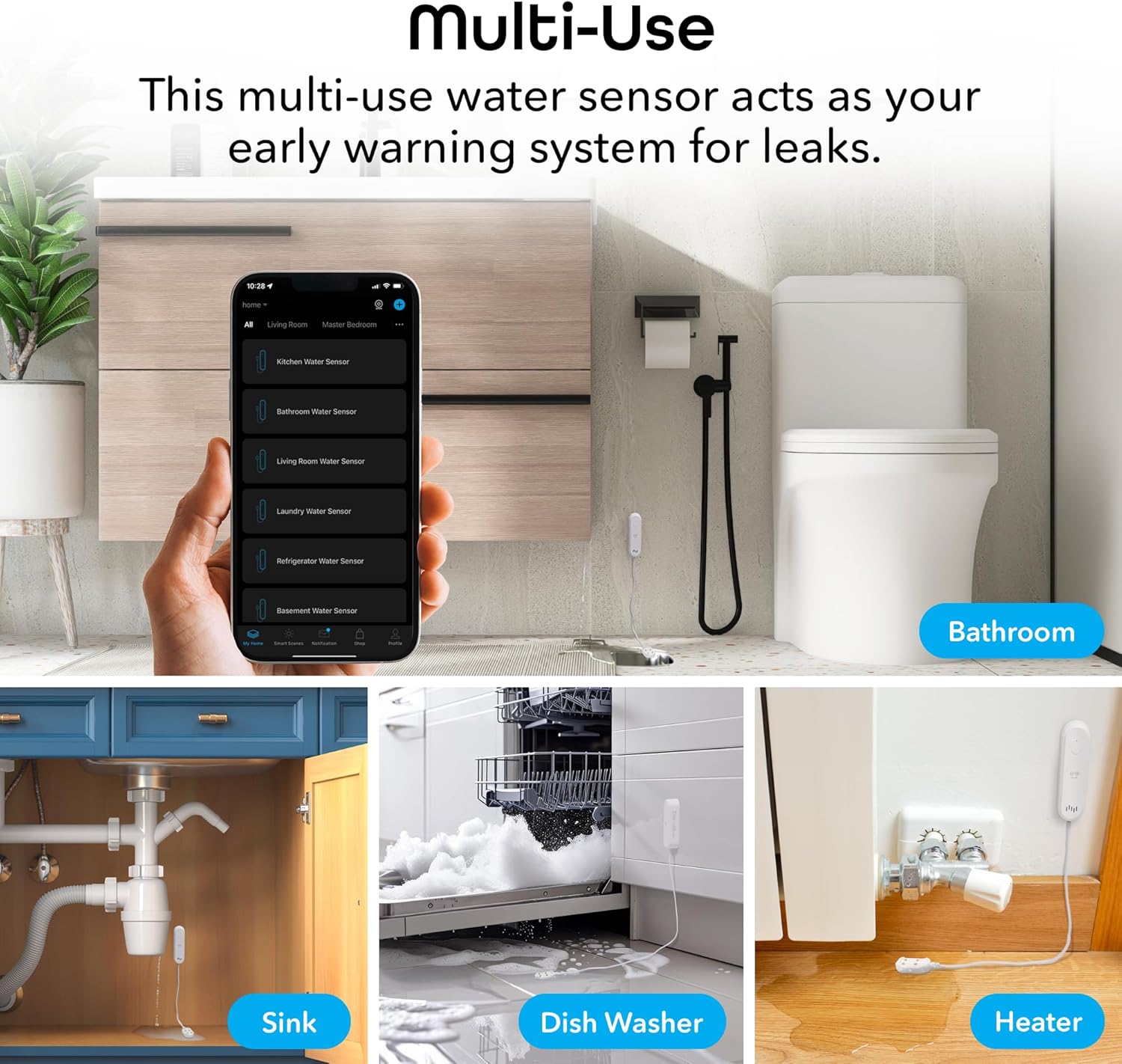
Figure 1: Key features of the Geeni Smart Water Alarm Leak Detector.
Kandungan Pakej
Sahkan bahawa semua item terdapat dalam pakej:
- 1x Geeni Smart Water Sensor
- 1x Siren Mounting Adhesive
- 1x Manual Pengguna
- 2x Bateri AAA
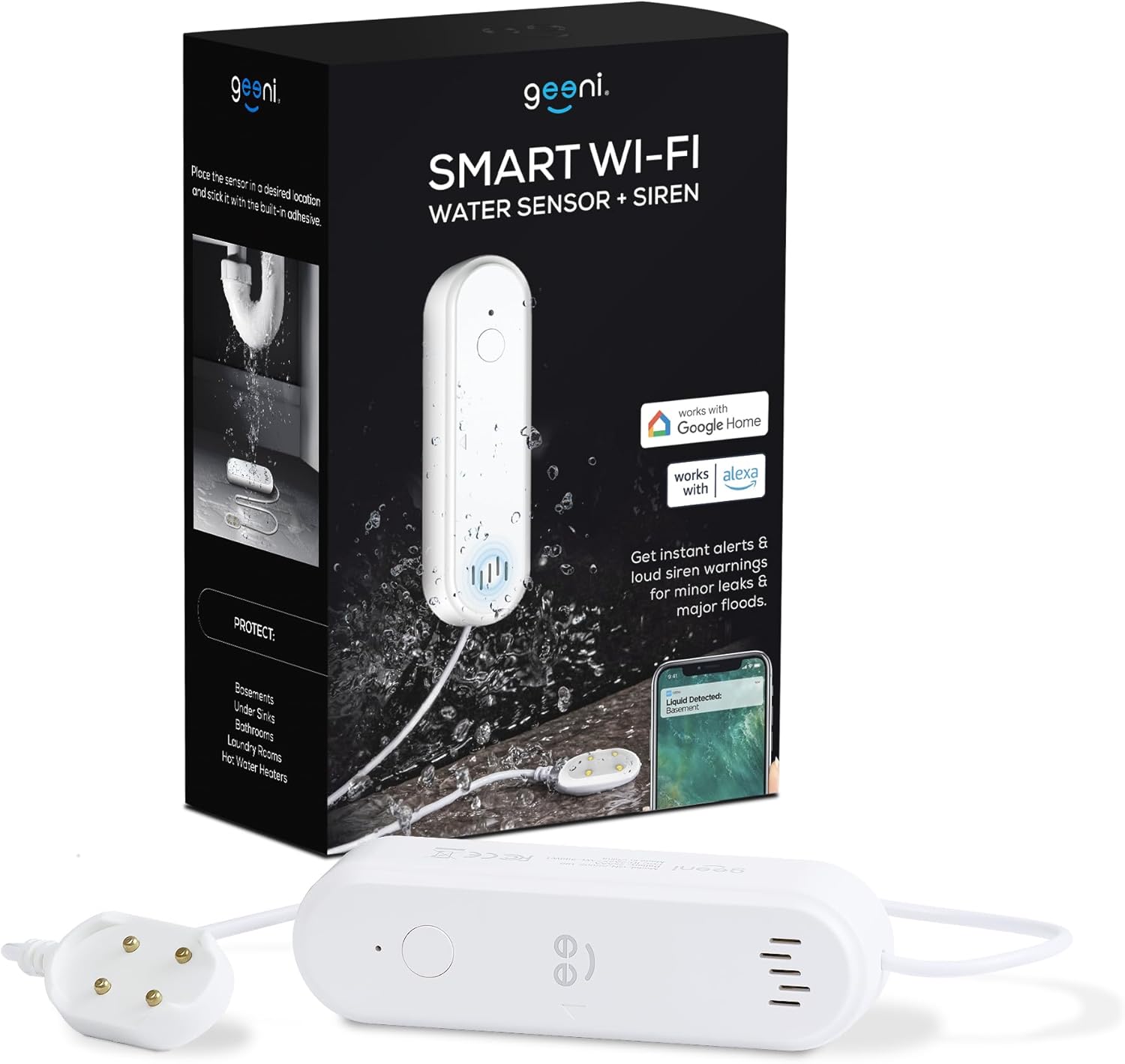
Rajah 2: Kandungan yang disertakan dalam pakej produk.
Produk Selesaiview
Familiarize yourself with the components of your Geeni Smart Water Alarm Leak Detector:
- Lampu LED: Indicates device status (e.g., pairing mode, leak detected).
- Tetapkan Kunci: Digunakan untuk memasangkan dan menetapkan semula peranti.
- Penceramah: Emits the 80dB siren alarm.
- Probe Sensor: The part that detects water. Must be placed flat on the surface where leaks may occur.
- Petak Bateri: Holds 2x AAA batteries.
- Panjang kabel: The sensor probe is connected to the main unit by a 3.28 ft (1 m) cable.

Rajah 3: Depan dan belakang view of the device with labeled components and dimensions.
Persediaan
1. Pasang Bateri
- Open the battery compartment on the back of the main unit.
- Masukkan 2x bateri AAA, memastikan kekutuban yang betul.
- Tutup petak bateri dengan selamat.
2. Download and Install the Geeni App
- Cari untuk "Geeni" di Apple App Store atau Google Play Store.
- Muat turun dan pasang apl.
- Daftar untuk akaun baharu atau log masuk jika anda sudah mempunyai akaun.
3. Pair the Device with Wi-Fi
- Ensure your smartphone is connected to a 2.4 GHz Wi-Fi network. The device does not support 5 GHz networks.
- Open the Geeni app and tap the "+" icon to add a new device.
- Follow the on-screen instructions in the app to put the water sensor into pairing mode and connect it to your Wi-Fi network. The LED light on the device will indicate its pairing status.
4. Peletakan Peranti
Strategically place the water sensor in areas prone to leaks:
- Bawah sinki (dapur, bilik mandi)
- In basements
- Berhampiran pemanas air
- In laundry rooms
- Behind dishwashers or refrigerators
Use the provided mounting adhesive to secure the main unit. Ensure the sensor probe lies flat on the surface where water might accumulate first.

Gambar 4: Cthamples of multi-use placement for the water sensor.
Operasi
Pengesanan dan Amaran Kebocoran
Once installed and connected, the Geeni Smart Water Alarm continuously monitors for water. When the sensor probe detects water:
- The device will emit a loud 80-decibel siren.
- You will receive an immediate notification on your smartphone via the Geeni app.
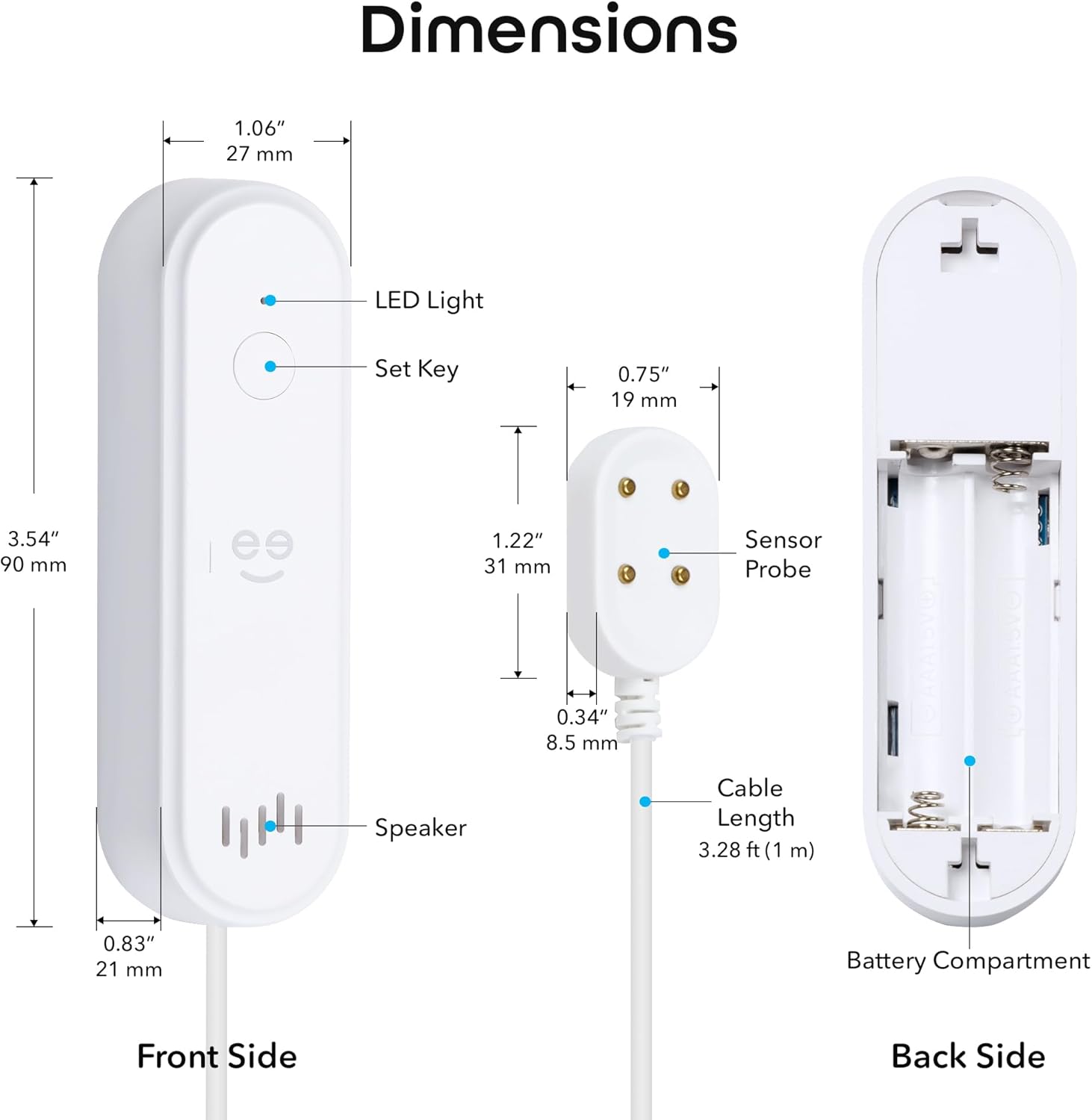
Figure 5: Real-time leak detection and app notification.
Melaraskan Tetapan Penggera
You can customize the alarm settings through the Geeni app:
- Kelantangan Siren: Adjust the volume from mute (0dB) up to 80dB.
- Tempoh Penggera: Set the duration of the siren from 30 seconds to 180 seconds.

Figure 6: Alarm volume and duration adjustment options.
Penyelenggaraan
Penggantian Bateri
The device is powered by 2x AAA batteries with an expected lifespan of 3-4 months. The Geeni app will send a low battery alert when replacement is needed.
- When a low battery alert is received, open the battery compartment.
- Remove the old batteries and insert two new AAA batteries, observing correct polarity.
- Tutup petak bateri.
Menguji Peranti
It is recommended to periodically test the water sensor to ensure it is functioning correctly:
- Place a small amount of water (e.g., a few drops) onto the sensor probe.
- Verify that the siren sounds and you receive a notification on your smartphone.
- Keringkan prob sensor dengan teliti selepas ujian.
Menyelesaikan masalah
- Peranti tidak bersambung ke Wi-Fi:
Ensure your Wi-Fi network is 2.4 GHz. The device does not support 5 GHz. Try moving the device closer to your Wi-Fi router. If issues persist, try deleting the device from the Geeni app and re-pairing it following the setup instructions. - Tiada pemberitahuan aplikasi:
Check your smartphone's notification settings for the Geeni app to ensure notifications are enabled. Also, verify that the device is properly connected to Wi-Fi and has sufficient battery power. - Siren not sounding or too quiet:
Check the battery level. Ensure the siren volume is not set to mute in the Geeni app settings. - Sensor not detecting water:
Ensure the sensor probe is lying flat and making good contact with the surface where water might collect. Clean the sensor contacts if they appear dirty. - Device appears offline in app:
Check your Wi-Fi connection. If the Wi-Fi network is down or unstable, the device may appear offline. Replace batteries if they are low.
For further assistance, refer to the support section within the Geeni app or visit sokongan.mygeeni.com.
Spesifikasi
| Jenama | gen |
| Model | B0D47W56TY |
| Sumber Kuasa | Dikuasakan Bateri (2x AAA) |
| Hayat Bateri | Approximately 3-4 months |
| Peranti Serasi | Android, iOS (Smartphone, Tablet) |
| Dimensi Produk (Unit Utama) | 3.54" L x 1.97" W x 5.12" H (90mm L x 50mm W x 130mm H) |
| Kaedah Kawalan | Geeni App |
| Bunyi Yang Boleh Didengar | 80 Desibel |
| Jenis Pemasangan | Adhesive (for main unit), Sensor probe placed on surface |
| Teknologi Sensor | Sensor Kenalan |
| Cable Length (Sensor) | 3.28 kaki (1 m) |
| Kesambungan Wi-Fi | 2.4 GHz sahaja |
| Penarafan IP | IP44 |
Waranti dan Sokongan
Maklumat Waranti
Produk Geeni ini didatangkan dengan Waranti terhad 1 tahun dari tarikh pembelian. Sila simpan bukti pembelian anda untuk tuntutan waranti. Waranti melindungi kecacatan pada bahan dan mutu kerja di bawah penggunaan biasa.
Sokongan Pelanggan
If you encounter any issues or have questions regarding your Geeni Smart Water Alarm Leak Detector, please contact Geeni customer support:
- Sokongan dalam talian: melawat sokongan.mygeeni.com
- Sokongan Dalam Apl: Access support directly through the Geeni mobile application.