
1. Pengenalan
This manual provides detailed instructions for the operation and maintenance of your ORDRO B320 1080P Camcorder. Please read this manual thoroughly before using the device to ensure proper functionality and to maximize your user experience. This camcorder is designed for capturing Full HD 1080P video at 30 frames per second and 30MP still images, featuring IR night vision, an 18X digital zoom, and a 3.0-inch IPS screen.

Figure 1: ORDRO B320 1080P Camcorder.
2. Apa yang ada di dalam Kotak
Upon opening your ORDRO B320 Camcorder package, you should find the following items:
- ORDRO B320 Camcorder
- Cap Lens
- 2 x Bateri Litium Ion
- Kad SD 16GB
- Pembaca Kad USB
- Kabel Pengecas USB
- Penyesuai Kuasa
- Alat Kawalan Jauh
- Manual Arahan
- Penutup Lensa
- DV Bag
3. Produk Lebihview
Familiarize yourself with the main components and controls of your camcorder:

Figure 2: Key components of the ORDRO B320 Camcorder, including the lens, screen, and control buttons.
- Kanta: Main optical component for capturing images and video.
- Skrin IPS 3.0 inci: Rotatable display for viewdalam hidup footage, main balik dan navigasi menu.
- Power/IR Button: Toggles power and activates infrared night vision.
- Mode/OK Button: Switches between video, photo, and playback modes, and confirms selections.
- Butang Menu: Accesses the camcorder's settings menu.
- Butang Navigasi (Atas/Bawah/Kiri/Kanan): Used for menu navigation and digital zoom control.
- Record/Stop Key: Memulakan dan menghentikan rakaman video.
- Kunci Foto: Menangkap imej pegun.
- Output USB: Connects the camcorder to a computer for data transfer or webfungsi cam.
- Input MIC: For connecting an external microphone (not included) for enhanced audio.
- Hot Shoe Interface: For attaching external accessories like lights or microphones.
4. Persediaan
4.1. Pemasangan dan Pengecasan Bateri
- Open the battery compartment cover located on the bottom of the camcorder.
- Insert a fully charged battery into the compartment, ensuring correct polarity.
- Tutup penutup petak bateri dengan selamat.
- To charge the battery, insert the battery into the camcorder, then connect the camcorder to the power adapter using the provided USB cable. The camcorder can record while charging.
4.2. Pemasangan Kad SD
- Locate the SD card slot, usually near the battery compartment or on the side.
- Insert the provided 16GB SD card into the slot until it clicks into place. Ensure the card is inserted in the correct orientation.
- Untuk mengeluarkannya, tolak kad ke dalam dengan lembut sehingga ia terkeluar.
4.3. Kuasa Awal Hidup
To power on the camcorder, simply open the 3.0-inch IPS screen. The device will automatically power on. Close the screen to power off the device.
5. Arahan Operasi
5.1. Basic Video Recording
- Ensure the camcorder is powered on and in video recording mode (indicated by a video camera icon on the screen).
- Tekan ke Record/Stop Key to begin recording. A red indicator light will typically appear.
- Tekan ke Record/Stop Key sekali lagi untuk menghentikan rakaman.
5.2. Capturing Still Images
- Switch to photo mode using the Butang Mod/OK (indicated by a camera icon).
- Bingkaikan tangkapan anda menggunakan skrin.
- Tekan ke Kunci Foto untuk menangkap imej.
5.3. Zum Digital
Use the navigation buttons (Up/Down) to control the 18X digital zoom. Press 'Up' to zoom in and 'Down' to zoom out.

Figure 3: Visual representation of key camcorder features such as digital zoom and webfungsi cam.
5.4. IR Night Vision
To activate the infrared night vision function, press the Power/IR Button. This allows for clear recording in low-light conditions, though footage will appear in black and white.

Figure 4: Comparison of normal and infrared night vision recording capabilities.
5.5. WebFungsi cam
Connect the camcorder to your computer via the USB cable. Select the webcam option on the camcorder's screen to use it for video calls or live streaming. This also allows for file pindahkan ke komputer anda.
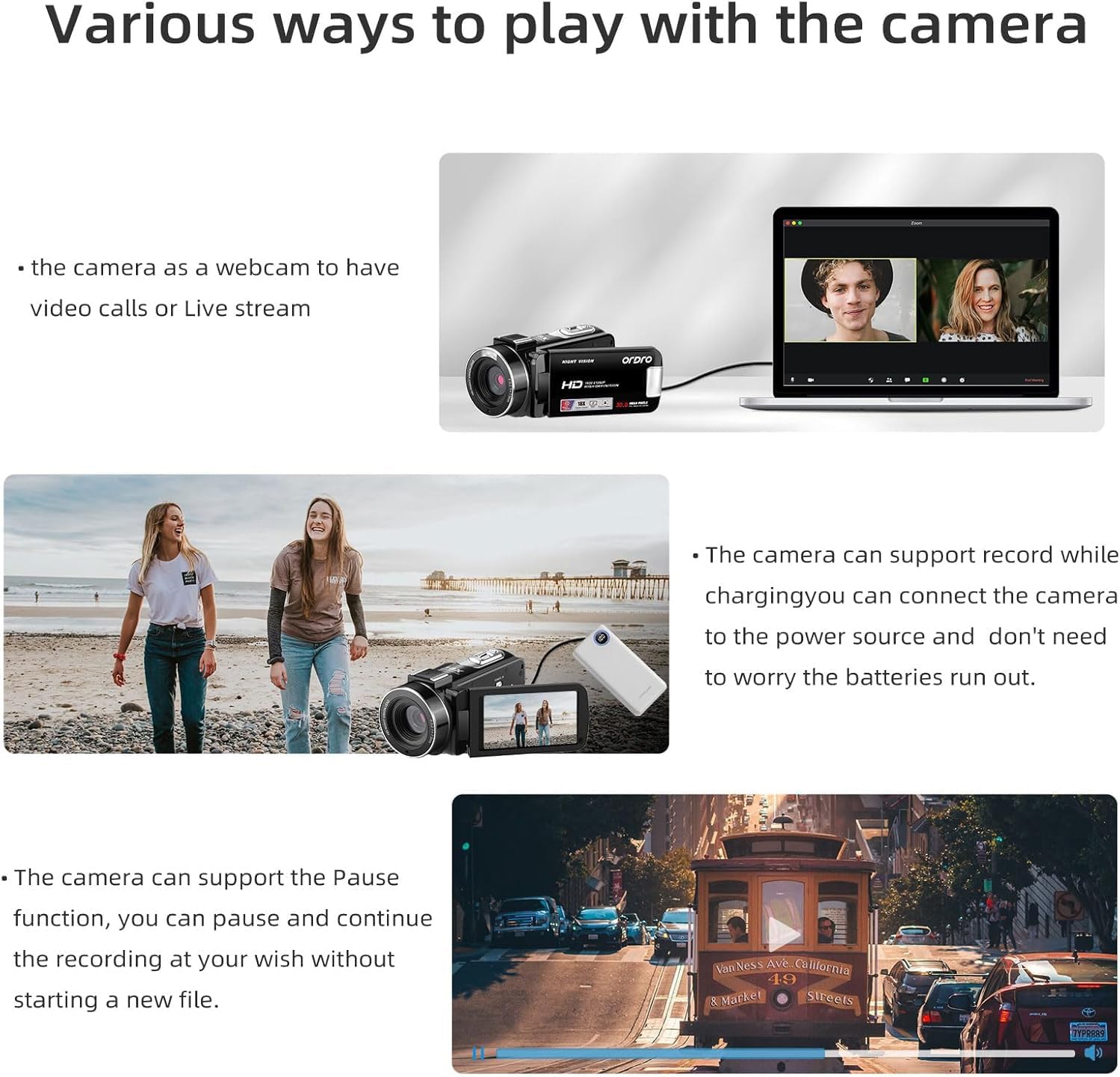
Figure 5: The camcorder connected to a laptop, demonstrating its webfungsi cam.
5.6. Tetapan Menu
Tekan ke Butang Menu to access various settings. Use the navigation buttons to scroll and the Butang Mod/OK to select. Available settings include:
- Mode Set: Auto, Night, Portrait, Landscape, Backlight, Sport, Party, Beach, High Sensitivity.
- Saiz Filem: Adjust video resolution (e.g., FHD 1920x1080, HD 1280x720, VGA 640x480).
- Beauty Face: Hidup/Mati.
- Dedahan: Adjust EV values (+3 to -3).
- Imbangan Putih: Auto, Daylight, Cloudy, Fluorescent, Tungsten.
- Ketajaman: Sharp, Normal, Soft.
- Kesan: Normal, B&W, Sepia, Red, Green, Blue, Sunset, Warm, Cool, Over Exposure, IR, Binary, Vivid, Undertone, Dog Eye, Aibao, Gothic, Japan Style, LOMO, Negative.
- ISO: Auto, 100, 200, 400.
- Tarikh Stamp: Off, Date, Date & Time.
- Persediaan: Language, Set Date, Power Save, Beep, Frequency, Format, Default.
Video 1: Tamatview of the ORDRO B320 1080p Video Camera, demonstrating its features and various settings.
6. Penyelenggaraan
To ensure the longevity and optimal performance of your ORDRO B320 Camcorder, follow these maintenance guidelines:
- Keep the lens clean using a soft, lint-free cloth. Avoid abrasive materials.
- Store the camcorder in its protective DV bag when not in use to prevent dust and scratches.
- Avoid exposing the camcorder to extreme temperatures, humidity, or direct sunlight for extended periods.
- Ensure batteries are fully charged before long periods of storage and recharge them periodically.
7. Penyelesaian masalah
If you encounter issues with your ORDRO B320 Camcorder, refer to the following common problems and solutions:
- Kamera tidak dihidupkan: Ensure the battery is correctly inserted and fully charged. The screen must be open for the camera to power on.
- Kualiti imej/video yang lemah: Check the lens for smudges or dirt. Ensure you are in appropriate lighting conditions for your selected mode. Adjust exposure, white balance, and sharpness settings in the menu.
- Kabur footage, especially for small details: The camcorder may have limitations in focusing on very small or close-up details. While there are sharpness settings, they may not fully resolve issues with fine text or intricate objects at close range. Ensure sufficient lighting and try adjusting the distance to the subject.
- Ralat kad SD: Ensure the SD card is properly inserted. Try formatting the SD card via the camera's setup menu (this will erase all data). If the issue persists, try a different compatible SD card.
- No audio recording: Check if an external microphone is connected and functioning. Ensure the camcorder's internal microphone is not obstructed.
8. Spesifikasi
| Ciri | Spesifikasi |
|---|---|
| Jenama | ORDRO |
| Nombor Model | LM-ORDRO B320 |
| Resolusi Tangkapan Video | 1080p |
| Resolusi Pegun Berkesan | 30 MP |
| Zum Digital | 18 x |
| Saiz Skrin | 3 Inci |
| Teknologi Penderia Foto | CMOS |
| Teknologi Ketersambungan | Wi-Fi |
| Purata Hayat Bateri | 120 minit |
| Bilangan Bateri | 2 Litium Ion (termasuk) |
| Mempunyai Penstabilan Imej | Tidak |
| Tahap Ketahanan Air | Bukan Tahan Air |
| Format Audio yang Disokong | AAC, MP3 |
| Format Tangkapan Video | MP4 |
| Format Gambar yang Disokong | JPEG |
9. Waranti & Sokongan
The ORDRO B320 Camcorder comes with a one-year warranty from the manufacturer, ORDRO. For technical support, warranty claims, or further assistance, please refer to the contact information provided with your product packaging or visit the official ORDRO webtapak.