
nubia V60 (Model Number: 123439101056)
Manual Pengguna Telefon Pintar ZTE nubia V60
Model: V60 (123439101056) | Brand: nubia
1. Pengenalan
Welcome to the user manual for your new ZTE nubia V60 smartphone. This guide provides essential information to help you set up, operate, maintain, and troubleshoot your device. Please read this manual thoroughly to ensure optimal performance and longevity of your smartphone.
The nubia V60 features a 6.72-inch FHD+ display, a powerful 50MP AI rear camera, a 32MP front camera, 8GB RAM (expandable with 12GB Dynamic RAM), 256GB ROM, a 5000mAh battery with 22.5W fast charging, NFC, fingerprint recognition, and DTS sound effects.
2. Persediaan Awal
2.1. Membuka Kotak dan Kandungan Pakej
Sebelum anda mula, pastikan semua item terdapat dalam pakej:
- ZTE nubia V60 Smartphone
- Penyesuai Kuasa
- Kabel USB
- Alat Ejector SIM (mungkin berbeza mengikut wilayah)
- Panduan Mula Pantas (dokumen ini berfungsi sebagai panduan komprehensif)
2.2. Memasukkan Kad SIM dan Kad microSD
- Cari dulang kad SIM di sisi peranti anda.
- Masukkan alat ejektor SIM ke dalam lubang kecil di sebelah dulang dan tekan dengan kuat sehingga dulang terkeluar.
- Place your Nano-SIM card(s) and/or microSD card (if applicable) into the tray with the gold contacts facing down, ensuring they are correctly aligned.
- Tolak dulang perlahan-lahan ke dalam slot sehingga ia berbunyi klik pada tempatnya.

Imej: Sisi view of the nubia V60, illustrating the location of the SIM card tray and physical buttons.
2.3. Mengecas Bateri
Before first use, fully charge your device. Connect the USB cable to the power adapter and then to the phone's charging port. Plug the power adapter into a wall outlet. The device supports 22.5W fast charging.
2.4. Menghidupkan dan Konfigurasi Awal
- Press and hold the Power button (located on the right side) until the screen lights up.
- Follow the on-screen instructions to select your language, connect to Wi-Fi, set up your Google account, and configure security features like fingerprint recognition.
3. Mengendalikan Peranti Anda
3.1. Navigasi Asas
The nubia V60 operates on Android 13.0. Use touch gestures such as tap, swipe, pinch-to-zoom, and long-press to navigate the interface. The power button and volume buttons are located on the right side of the device.

Imej: Depan view of the nubia V60, showcasing its 6.72-inch FHD+ display.
3.2. Ciri-ciri Kamera
Your device is equipped with a 50MP AI Rear Camera and a 32MP Front Camera.
- Melancarkan Kamera: Ketik ikon Kamera pada skrin utama atau skrin kunci anda.
- Mengambil Foto/Video: Tap the shutter button to capture an image or switch to video mode to record.
- Peningkatan AI: The AI features automatically optimize settings for various scenes and subjects.
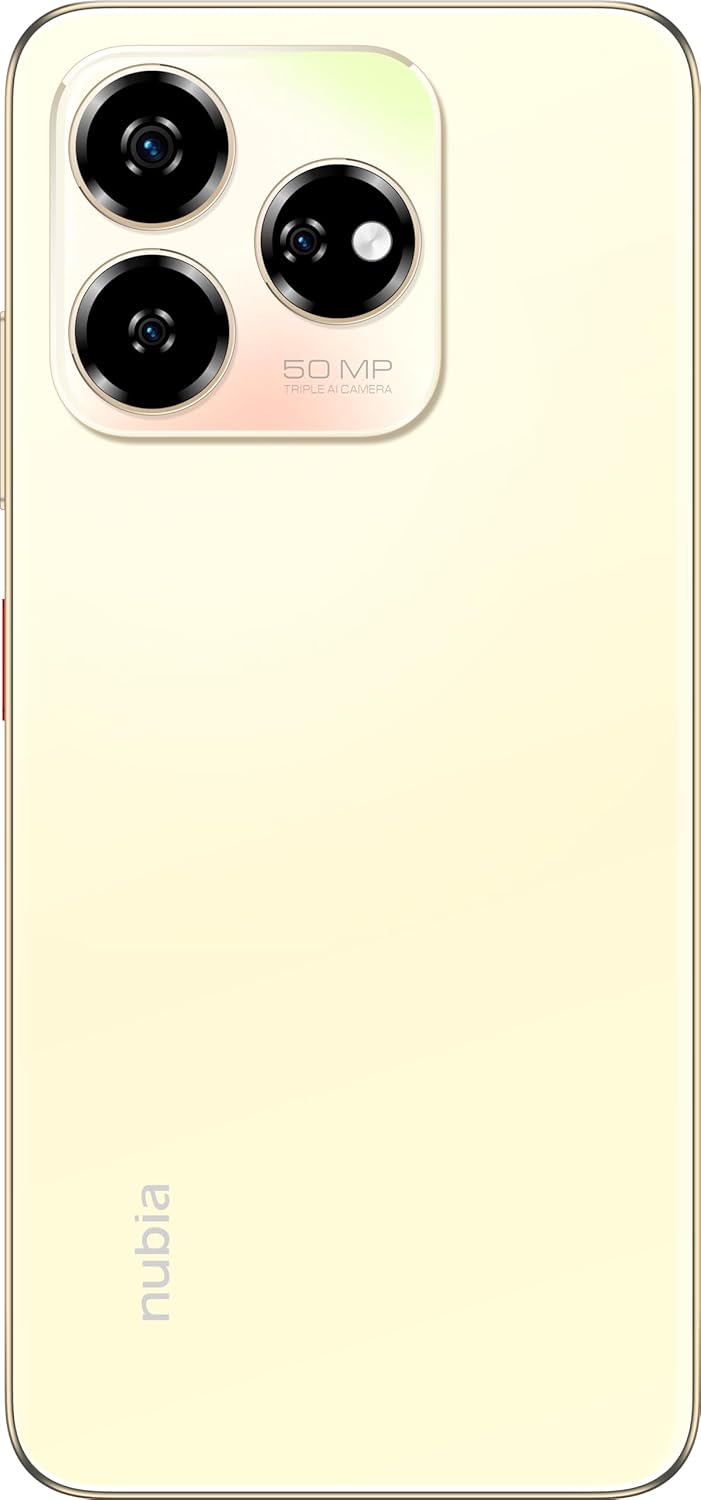
Imej: Belakang view of the nubia V60, highlighting the 50MP triple AI camera module.
3.3. Pengecaman Cap Jari
The device features a side-mounted fingerprint sensor for secure and quick unlocking. To set up:
- Pergi ke Tetapan > Keselamatan > Cap Jari.
- Ikut arahan pada skrin untuk mendaftarkan cap jari anda.
3.4. Fungsi NFC
NFC (Near Field Communication) allows for quick data exchange and contactless payments. To use NFC:
- Ensure NFC is enabled in Tetapan > Peranti yang disambungkan > Pilihan sambungan > NFC.
- Tap your phone to another NFC-enabled device or payment terminal to initiate a connection or transaction.
3.5. DTS Sound Effect
Experience enhanced audio quality with DTS sound effects. This feature can be configured in your device's sound settings to optimize audio for various media types.
3.6. Live Island
The Live Island feature provides dynamic notifications and quick access to certain functions around the front camera cutout. Explore its functionalities through your device's display settings or by interacting with notifications.
4. Penyelenggaraan dan Penjagaan
4.1. Membersihkan Peranti Anda
Gunakan kain lembut dan tidak berbulu untuk membersihkan skrin dan badan telefon anda. Elakkan menggunakan bahan kimia yang keras atau bahan kasar yang boleh merosakkan kemasan atau salutan skrin.
4.2. Kemas Kini Perisian
Semak dan pasang kemas kini perisian secara kerap untuk memastikan peranti anda mempunyai ciri terkini, tampung keselamatan dan peningkatan prestasi. Pergi ke Tetapan > Sistem > Kemas kini sistem.
4.3. Penjagaan Bateri
- Elakkan suhu yang melampau, kerana ia boleh merendahkan hayat bateri.
- Gunakan hanya aksesori pengecasan asal atau yang diperakui.
- For optimal battery health, avoid frequently discharging the battery completely or keeping it at 100% for extended periods.
4.4. Pengurusan Storan
Semula secara berkalaview your device's storage (256GB ROM) and clear unnecessary files, apps, or media to maintain optimal performance. You can check storage usage in Tetapan > Storan.
5. Penyelesaian masalah
This section addresses common issues you might encounter with your nubia V60.
5.1. Peranti Tidak Dihidupkan
- Pastikan bateri dicas. Sambungkan pengecas dan tunggu beberapa minit sebelum cuba menghidupkan.
- Tekan dan tahan butang Kuasa selama sekurang-kurangnya 10-15 saat untuk memaksa mulakan semula.
5.2. Isu Pengecasan
- Verify that the charging cable and adapter are securely connected and undamaged.
- Try using a different power outlet or charging accessory.
- Clean the charging port gently with a soft, dry brush to remove any debris.
5.3. Masalah Kesambungan Rangkaian
- Periksa sama ada kad SIM anda telah dimasukkan dan diaktifkan dengan betul.
- Hidupkan dan matikan Mod Pesawat.
- Mulakan semula peranti anda.
- Pergi ke Tetapan > Rangkaian & internet > Rangkaian mudah alih and ensure your preferred network type is selected.
5.4. Apl Ranap atau Membeku
- Tutup dan buka semula apl.
- Kosongkan cache dan data apl masuk Tetapan > Apl > [Nama Apl] > Storan & cache.
- Pastikan apl dikemas kini kepada versi terkininya.
- Mulakan semula peranti anda.
5.5. Tetapan Semula Kilang (Pilihan Terakhir)
Warning: A factory reset will erase all data on your phone. Back up important data before proceeding.
Untuk melakukan tetapan semula kilang, pergi ke Tetapan > Sistem > Tetapkan semula pilihan > Padam semua data (tetapan semula kilang) dan ikut arahan.
6. Spesifikasi Teknikal
| Ciri | Spesifikasi |
|---|---|
| Nama Model | V60 |
| Nombor Model Item | 123439101056 |
| Jenama | nubia |
| Sistem Operasi | Android 13.0 |
| Saiz Skrin | 6.72 Inci |
| Saiz Memori RAM yang Dipasang | 8 GB (Additional 12GB Dynamic RAM) |
| Kapasiti Penyimpanan Memori | 256 GB |
| Kelajuan CPU | 1.8 GHz |
| Kamera Belakang | Kamera AI 50MP |
| Kamera Depan | 32MP |
| Penilaian Kuasa Bateri | 5000 mAh |
| Pengecasan Cepat | 22.5W |
| Teknologi Komunikasi Tanpa Wayar | NFC |
| Teknologi Ketersambungan | NFC |
| Teknologi Selular | 4G |
| GPS | GLONASS |
| Bicu Audio | Tiada bicu fon kepala |
| Faktor Bentuk | Bar |
| warna | Sunlit Gold |
| Berat Barang | 510 g |
| Dimensi Pakej | 18 x 8.6 x 5.6 cm |
| Apa yang ada dalam kotak | Penyesuai Kuasa, Kabel USB |
7. Maklumat Waranti
Your ZTE nubia V60 smartphone comes with a standard manufacturer's warranty, covering defects in materials and workmanship under normal use. The duration and terms of this warranty may vary by region. Please refer to the warranty card included in your product packaging for specific details.
Additionally, extended warranty and accidental damage protection plans may be available for purchase. For example, options such as a 1-Year Extended Warranty Plan, 2-Years Extended Warranty Plan, and 1-Year Accidental Damage Protection Plan might be offered by authorized retailers.
Simpan bukti pembelian anda untuk sebarang tuntutan waranti.
8. Sokongan Pelanggan
For further assistance, technical support, or service inquiries regarding your ZTE nubia V60, please contact nubia customer service through their official webtapak atau maklumat hubungan yang diberikan dalam dokumentasi produk anda.
You can often find FAQs, troubleshooting guides, and software downloads on the official nubia support website. When contacting support, please have your device model number (V60) and item model number (123439101056) ready.