
1. Pengenalan
This manual provides essential information for the proper use and maintenance of your TEAMGROUP X1 MAX 128GB USB 3.2 Gen 2 Dual Interface Flash Drive. Please read these instructions carefully to ensure optimal performance and longevity of your device.
2. Produk Lebihview
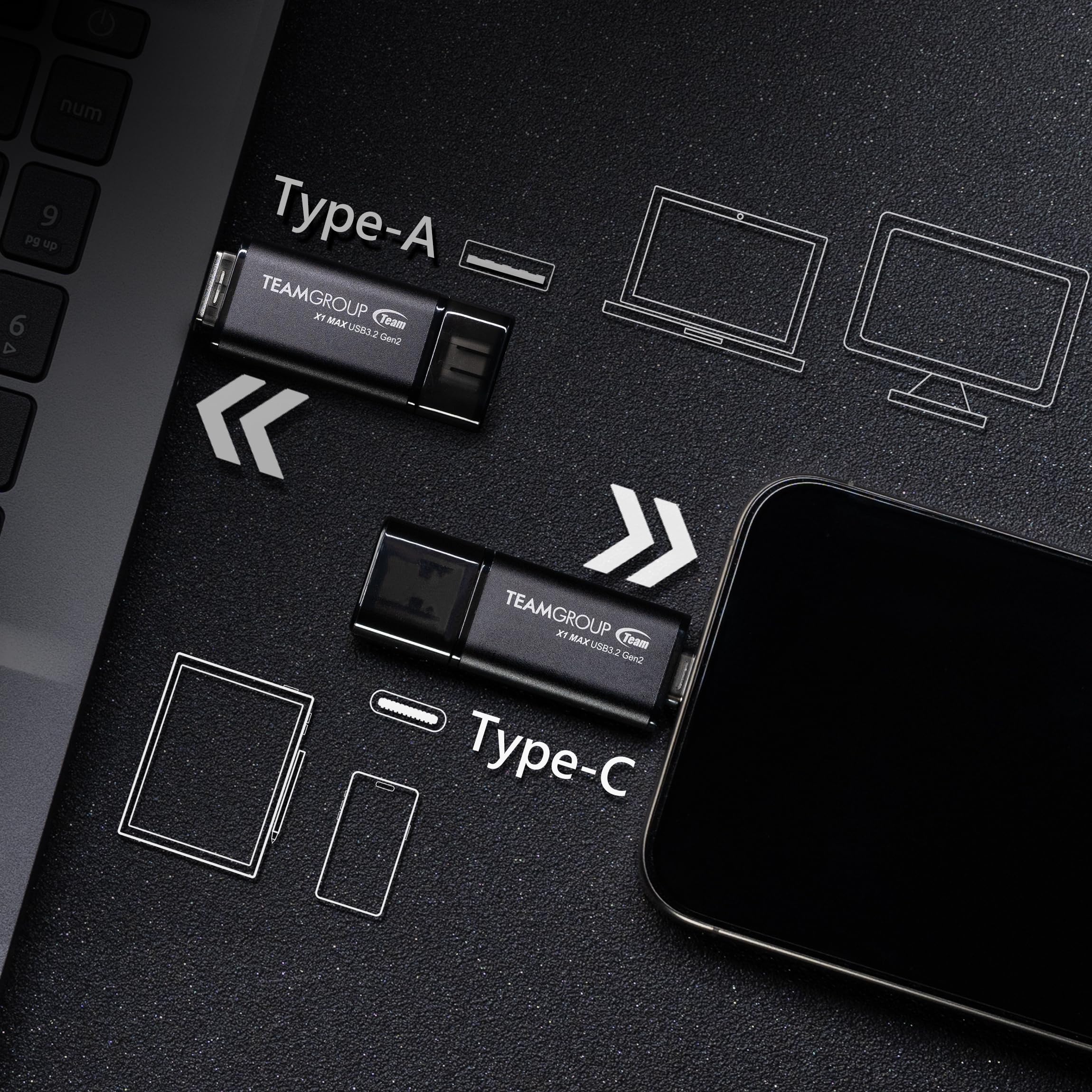
The TEAMGROUP X1 MAX is a high-speed USB flash drive designed for versatile data storage and transfer. It features both USB Type-A and USB Type-C connectors, allowing compatibility with a wide range of devices including smartphones, tablets, laptops, and desktop PCs. With USB 3.2 Gen 2 interface, it offers fast read and write speeds for efficient data management.
Ciri-ciri Utama:
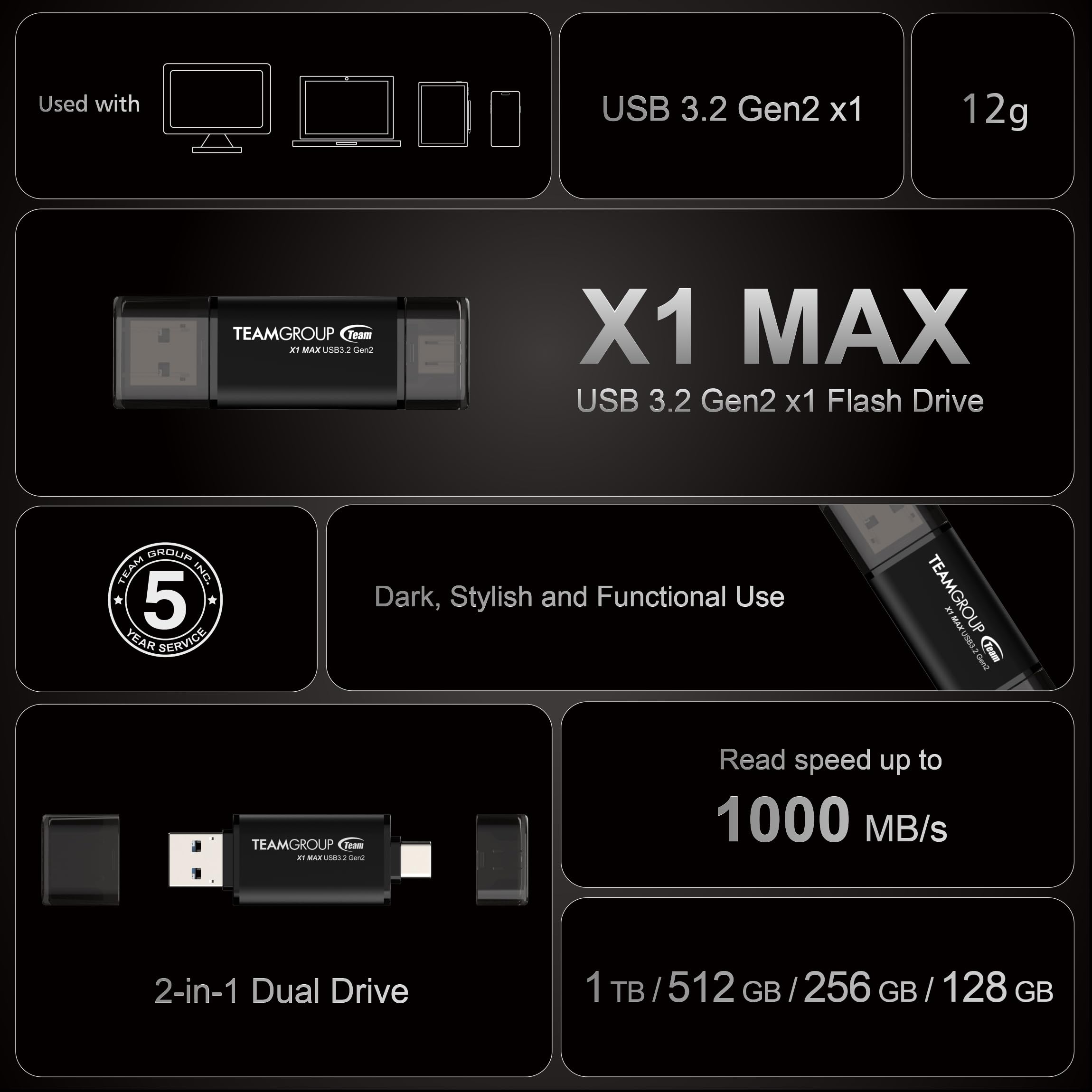
- Penghantaran Kelajuan Tinggi: Read speeds up to 1,000 MB/s and write speeds up to 900 MB/s.
- Reka Bentuk Antara Muka Dwi: Equipped with both USB Type-C and USB Type-A connectors for broad compatibility.
- Pembinaan Tahan Lama: Features a robust design for reliable use.
- Ample Penyimpanan: Available in various capacities, including 128GB.
Visual Produk:


Video Produk:
Produk rasmi tamatview video for the TEAMGROUP X1 MAX USB Flash Drive, demonstrating its features and usage.
3. Persediaan
The TEAMGROUP X1 MAX Flash Drive is a plug-and-play device, requiring no special driver installation for most operating systems.
- Identify the Correct Port: Determine whether your device (computer, smartphone, tablet) has a USB Type-A port or a USB Type-C port.
- Sambungkan Drive: Gently insert the appropriate connector (Type-A or Type-C) of the flash drive into the corresponding port on your device. Ensure the connection is firm.
- Pengecaman Peranti: Your operating system should automatically detect the flash drive and display it as a removable storage device.
4. Arahan Operasi
Once connected, the flash drive functions like any standard external storage device.
- Mengakses Files: Navigate to 'My Computer' or 'This PC' on Windows, or 'Finder' on macOS, to locate the drive. On mobile devices, use a file permohonan pengurus.
- Memindahkan Files: Seret dan lepas files or folders to and from the flash drive. For large files, utilize the high-speed capabilities of USB 3.2 Gen 2 by connecting to compatible ports.
- Penyingkiran Selamat: Always safely eject the flash drive from your device before physically removing it to prevent data corruption. On Windows, click the 'Safely Remove Hardware' icon in the taskbar. On macOS, drag the drive icon to the Trash or use the Eject option in Finder.
5. Penyelenggaraan
- Jaga kebersihan: Periodically clean the connectors with a dry, lint-free cloth to ensure good contact.
- Elakkan Kerosakan Fizikal: Protect the drive from drops, impacts, and extreme temperatures.
- Sandaran Data: Regularly back up important data stored on the flash drive to another location.
- Storan: When not in use, store the drive in a cool, dry place.
6. Penyelesaian masalah
- USB Disk Not Displayed:
If the USB disk is detected by the PC but not displayed in 'My Computer' or 'This PC', it may be due to a drive letter conflict. To resolve this, right-click 'This PC' (or 'My Computer'), select 'Manage', then 'Disk Management'. Right-click the USB disk and select 'Change Drive Letter and Paths' to assign a new letter.
- Displayed Capacity Lower Than Actual:
This is a common occurrence due to differences in unit capacity conversion (hardware manufacturers use 1K=1000 bytes, software uses 1K=1024 bytes) and a small percentage of capacity reserved for firmware and maintenance. The actual usable capacity will be slightly less than the advertised capacity.
- When to Safely Remove:
Always use the 'Safely Remove Hardware' option (Windows) or eject the drive (macOS) before unplugging to prevent data loss or corruption.
- Understanding USB 3.2:
USB 3.2 Gen 1 (SuperSpeed USB) offers 5Gbps. USB 3.2 Gen 2 (SuperSpeed+ USB) offers 10Gbps. The X1 MAX utilizes USB 3.2 Gen 2 for its high-speed performance.
7. Spesifikasi
| Atribut | Nilai |
|---|---|
| Nama Model | X1 MAX |
| Kapasiti Penyimpanan Memori | 128 GB |
| Kelajuan Baca | Sehingga 1000 MB/s |
| Tulis Kelajuan | Sehingga 900 MB/s |
| Antara Muka Perkakasan | USB, USB 3.2 Gen 2 |
| Teknologi Kesambungan Perkakasan | USB Jenis A, USB Jenis C |
| warna | Hitam |
| Berat Barang | 0.423 auns |
| Dimensi Produk (LxWxH) | 2.48 x 0.79 x 0.1 inci |
| Ciri Khas | Dual USB Connector, Type-C & Type-A 2-in-1 Dual Drive, USB 3.2 Gen2 FLASH DRIVE |
8. Waranti dan Sokongan
Your TEAMGROUP X1 MAX Flash Drive comes with a 5-year Product Warranty.
For free technical support and customer service, please contact TEAMGROUP Inc. You can typically find a 'Contact Seller' or 'Ask a question' button on the product's purchase page, or visit the official TEAMGROUP webtapak untuk sumber sokongan.
Please refer to the latest version of warranty and support information on the official TEAMGROUP website. In case of discrepancies, the official website prevails.