
myGEKOgear Orbit C110
GekoGear Orbit C110 User Manual
7" Infotainment Display with Dash Cam and Backup Cam
1. Pengenalan
Welcome to the user manual for the GekoGear Orbit C110 7" Infotainment Display. This device integrates a high-definition display with advanced dash cam and backup camera functionalities, designed to enhance your driving experience and safety. Please read this manual thoroughly before operating the device to ensure proper installation and usage.
2. Ciri-ciri Utama
- 7-Inch IPS Touchscreen: A vibrant 7-inch IPS display provides clear visuals and intuitive touch control for all functions.
- Apple CarPlay & Android Auto Tanpa Wayar: Seamlessly integrate your smartphone for navigation, music, calls, and more, wirelessly.
- Front and Rear 1080p Dashcams: Capture high-definition video recordings from both the front and rear of your vehicle, providing comprehensive coverage for security and evidence.
- Backup Camera with Reverse Assist: The included backup camera displays a clear view of the rear, complete with guidelines for safe and easy parking.
- Pelbagai Pilihan Pemasangan: Flexible installation with options for dashboard or windshield mounting using an adhesive pad or suction cup.
3. Kandungan Pakej
Sila sahkan bahawa semua item terdapat dalam pakej anda:
- GekoGear Orbit C110 Infotainment Display
- Front Dash Camera (integrated)
- Rear Backup Camera
- Kabel Kuasa
- Adhesive Pad for mounting
- Mount Piala Sedutan
- Manual Pengguna (dokumen ini)
4. Persediaan dan Pemasangan
4.1 Memilih Lokasi Pemasangan
Select a location on your dashboard or windshield that does not obstruct your view of the road or interfere with airbag deployment. Ensure the chosen spot allows for easy access to the touchscreen.

Figure 4.1: Multiple mounting options for the Orbit C110, including an adhesive pad for dashboard placement and a suction cup for windshield mounting.
4.2 Memasang Unit Utama
- Clean the chosen mounting surface thoroughly to ensure proper adhesion.
- Attach the adhesive pad to the base of the main unit's stand, or secure the suction cup mount to the windshield.
- Press the unit firmly onto the prepared surface.
4.3 Menyambungkan Kamera Belakang
The rear camera provides a view of the area behind your vehicle, especially useful for parking. It typically connects to the main unit via a cable and can be mounted near the license plate or on the rear window.

Figure 4.2: The backup camera view displayed on the Orbit C110, showing parking guidelines for assistance.
4.4 Sambungan Kuasa
Connect the provided power cable to the Orbit C110 and then to your vehicle's 12V power outlet (cigarette lighter socket). Ensure the cable is routed safely and does not interfere with driving controls.
5. Arahan Operasi
5.1 Menghidupkan/Mematikan
The device will typically power on automatically when your vehicle starts. To manually power off, press and hold the power button located on the side of the unit.
5.2 Menavigasi Antara Muka Skrin Sentuh
The 7-inch IPS touchscreen allows for intuitive control. Tap icons to select applications, swipe to navigate menus, and pinch-to-zoom on maps (where applicable).

Figure 5.1: Interacting with the 7-inch IPS touchscreen for navigation and other functions.
5.3 Tanpa Wayar Apple CarPlay & Android Auto
Untuk menyambung telefon pintar anda secara wayarles:
- Pastikan Bluetooth dan Wi-Fi didayakan pada telefon pintar anda.
- On the Orbit C110, select the "CarPlay" or "Android Auto" icon.
- Ikut gesaan pada skrin untuk memasangkan peranti anda.

Figure 5.2: The main interface of the Orbit C110, highlighting connectivity options like Apple CarPlay and Android Auto.
5.4 Operasi Kamera Pendahulu
The integrated front and rear dashcams automatically begin recording when the device powers on. Recordings are saved to a microSD card (not included). Ensure a compatible microSD card is inserted for continuous recording.

Figure 5.3: The dual-channel display of the Orbit C110, showing simultaneous views from the front and rear dash cameras.
5.5 Backup Camera Activation
Apabila kenderaan dialihkan ke belakang, paparan secara automatik akan bertukar kepada kamera sandaran view, showing real-time footage and dynamic parking guidelines.
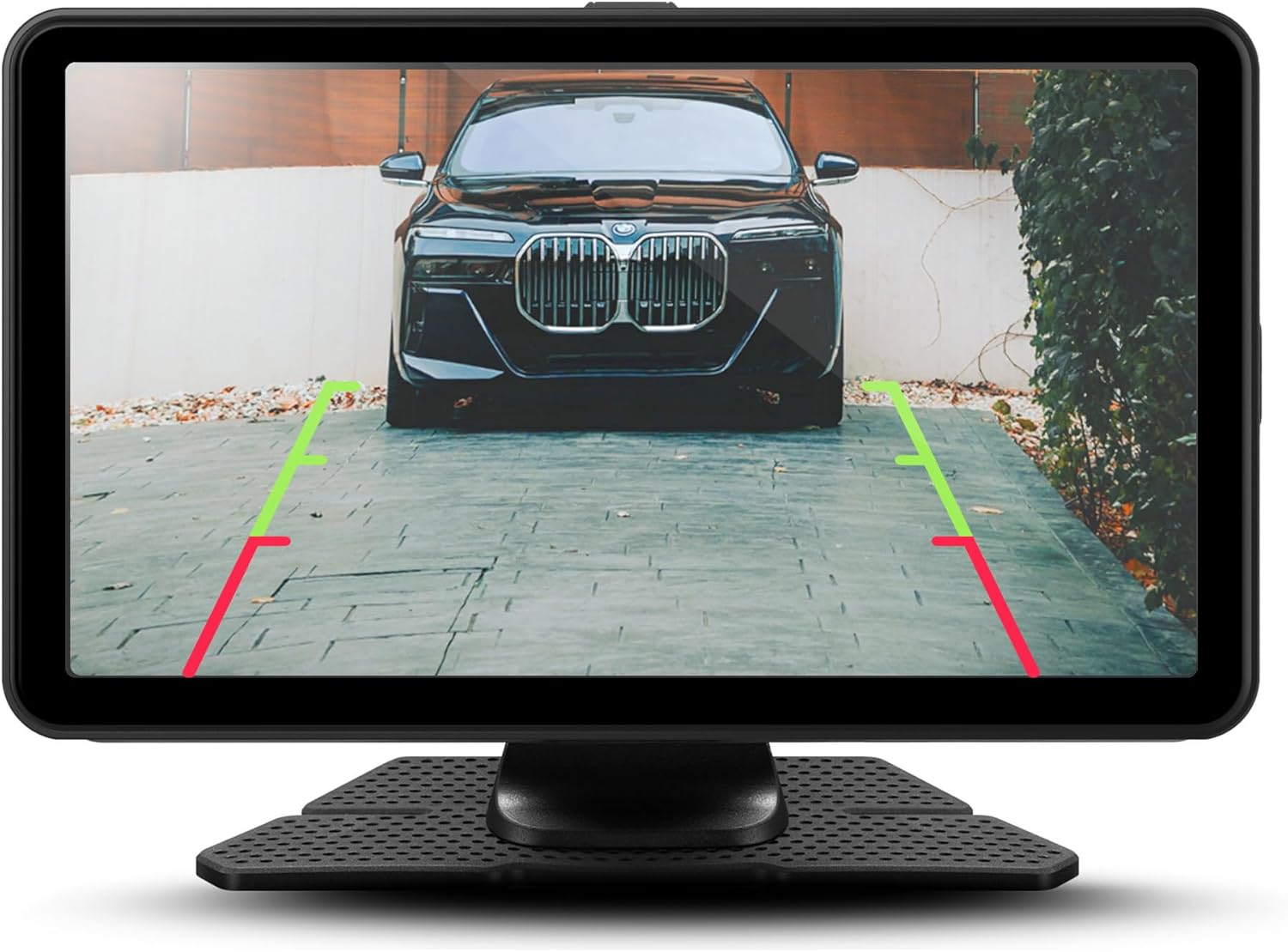
Rajah 5.4: Terperinci view of the backup camera feed on the Orbit C110, assisting with precise parking.
6. Penyelenggaraan
- Membersihkan Skrin: Use a soft, lint-free cloth to clean the touchscreen. Do not use abrasive cleaners or solvents.
- Kad MicroSD: Periodically format the microSD card (at least once a month) to ensure optimal recording performance and prevent data corruption. Back up any important footage sebelum memformat.
- Kanta Kamera: Keep the front and rear camera lenses clean from dust and smudges for clear video quality.
7. Penyelesaian masalah
| Masalah | Kemungkinan Punca | Penyelesaian |
|---|---|---|
| Peranti tidak dihidupkan. | No power connection or faulty power cable. | Check power cable connection to the device and vehicle's 12V outlet. Ensure the vehicle's ignition is on. |
| Kamera papan pemuka tidak merakam. | No microSD card, full microSD card, or corrupted card. | Insert a compatible microSD card. Format the card. Replace the card if corrupted. |
| Wireless CarPlay/Android Auto tidak bersambung. | Bluetooth/Wi-Fi off on phone, incorrect pairing, or software glitch. | Ensure Bluetooth and Wi-Fi are on. Re-pair the device. Restart both the Orbit C110 and your smartphone. |
| Kamera sandaran tidak dipaparkan. | Rear camera cable disconnected or faulty camera. | Check the connection of the rear camera cable to the main unit. Ensure the vehicle is in reverse. |
8. Spesifikasi
| Ciri | Perincian |
|---|---|
| Model | Orbit C110 |
| Saiz Paparan | 7 Inci |
| Jenis Paparan | IPS LCD Touchscreen |
| Resolusi Cam Dash | 1080p (Front & Rear) |
| Ketersambungan | Apple CarPlay Tanpa Wayar, Android Auto Tanpa Wayar |
| Dimensi (Produk) | 7 x 1.5 x 4.5 inci |
| Berat Barang | 3.45 paun |
| Pengeluar | Adesso, Inc. |
9. Waranti dan Sokongan
For warranty information and technical support, please refer to the official myGEKOgear webtapak atau hubungi perkhidmatan pelanggan mereka secara langsung. Simpan resit pembelian anda sebagai bukti pembelian untuk tuntutan waranti.
Video Produk Rasmi:
Video 9.1: Tayangan video produk rasmicasing the features and functionality of the myGEKOgear ORBIT C110 7-inch Infotainment Display with Dash Cam and Backup Cam.