
1. Pengenalan
The Mastech MS5908C Circuit Analyzer is a professional instrument designed for comprehensive electrical circuit analysis. It is capable of measuring AC voltage, performing RCD (Residual Current Device) and GFCI (Ground Fault Circuit Interrupter) tests, and analyzing circuit impedance. This device is suitable for use in environments with 220V AC input voltage and features an EU plug for the European market. It provides accurate readings for phase voltage, neutral wire voltage, jilidtage to earth, frequency, and conductor impedance for live, neutral, and earth wires.
Ciri-ciri utama termasuk:
- True RMS (TRMS) AC Voltage pengukuran.
- Artificial load testing (5A, 8A, 10A) for wire drop measurement.
- Measurement of phase voltage, neutral wire voltage, jilidtage to earth, and frequency.
- Measurement of phase (live wire), neutral wire, and earth wire conductor impedance.
- Matikan kuasa secara automatik untuk menjimatkan hayat bateri.
- Data hold function for convenient reading.
- Low battery display indicator.
2. Maklumat Keselamatan
Before operating the Mastech MS5908C Circuit Analyzer, please read and understand all safety instructions. Failure to follow these instructions may result in electric shock, fire, or serious injury.
- Sentiasa pastikan peranti berada dalam keadaan baik sebelum digunakan.
- Jangan gunakan peranti ini jika ia kelihatan rosak atau jika penebatnya terjejas.
- Never attempt to measure voltages atau arus melebihi penarafan maksimum yang ditetapkan.
- Always disconnect the device from the circuit before opening the battery compartment.
- Use caution when working with live electrical circuits.
- This device is rated for CAT III 300V and Pollution Degree 2 environments. Adhere to these ratings.
- Pastikan peranti kering dan bersih.
3. Produk Lebihview
The Mastech MS5908C Circuit Analyzer features a robust design with an LCD display and intuitive controls for various electrical measurements.

Rajah 3.1: Depan view of the Mastech MS5908C Circuit Analyzer, showing the LCD screen and control buttons.
The device includes a clear LCD display for readings and indicators, along with several function buttons:
- Butang Kuasa: Untuk menghidupkan atau mematikan peranti.
- Butang FUNC: To cycle through different measurement functions.
- Butang TAHAN: Untuk membekukan bacaan semasa pada paparan.
- Butang Lampu Belakang: To activate or deactivate the display backlight.
- Butang UJIAN: To initiate specific tests, such as RCD/GFCI tests.
- Butang Anak Panah Atas/Bawah: For navigation or adjusting settings.

Figure 3.2: Dimensional drawing of the Mastech MS5908C Circuit Analyzer, showing its physical measurements.
4. Persediaan
4.1 Pemasangan Bateri
The Mastech MS5908C requires 6 AAA batteries for operation. These batteries are included with the device.
- Cari petak bateri di bahagian belakang peranti.
- Gunakan pemutar skru untuk membuka penutup petak bateri.
- Insert 6 AAA batteries, ensuring correct polarity as indicated inside the compartment.
- Gantikan penutup petak bateri dan kencangkannya dengan skru.

Rajah 4.1: Belakang view of the MS5908C with the battery compartment open, illustrating battery placement.
4.2 Kuasa Awal Hidup
After installing the batteries, press the power button to turn on the device. The LCD display will illuminate, and a self-test sequence may run briefly before displaying the default measurement mode.
5. Arahan Operasi
The MS5908C offers various measurement modes accessible via the FUNC button.
5.1 Basic Voltage dan Pengukuran Kekerapan
- Plug the MS5908C into the electrical socket to be tested.
- The device will automatically display the AC voltage dan kekerapan.
- Press the FUNC button to cycle through different voltage readings, such as phase voltage, neutral wire voltage, dan voltage ke bumi.
5.2 Impedance Measurement
To measure the impedance of the live, neutral, and earth conductors:
- Ensure the device is plugged into the socket.
- Press the FUNC button until the impedance measurement mode is displayed.
- The device will show the impedance values for each conductor.
5.3 RCD/GFCI Testing
The MS5908C can test the trip time and current of RCDs and GFCIs.
- Plug the device into a socket protected by an RCD/GFCI.
- Press the FUNC button to select the RCD or GFCI test mode.
- Press the TEST button to initiate the test. The device will simulate a fault condition and measure the trip time and current.
- Observe the displayed results. A successful test indicates the RCD/GFCI is functioning correctly.
- Reset the RCD/GFCI after the test.
5.4 Wire Drop Measurement (Artificial Load)
This function measures the voltage drop under specific artificial loads (5A, 8A, 10A).
- Plug the device into the circuit.
- Press the FUNC button to select the wire drop measurement mode.
- Use the arrow buttons to select the desired artificial load (5A, 8A, or 10A).
- Peranti akan memaparkan volumtage penurunan peratustage.
5.5 Penyimpanan Data dan Lampu Latar
- Pegangan Data: Press the HOLD button to freeze the current reading on the display. Press it again to release.
- Lampu latar: Press the backlight button to illuminate the display for use in low-light conditions. Press it again to turn off the backlight.
6. Penyelenggaraan
6.1 Pembersihan
To clean the device, wipe the casing dengan iklanamp cloth and a mild detergent. Do not use abrasive cleaners or solvents. Ensure the device is completely dry before storage or next use.
6.2 Penggantian Bateri
When the low battery indicator appears on the display, replace all 6 AAA batteries as described in Section 4.1. Always use new batteries of the same type.
6.3 Penyimpanan
If the device will not be used for an extended period, remove the batteries to prevent leakage. Store the circuit analyzer in a cool, dry place, away from direct sunlight and extreme temperatures.
7. Penyelesaian masalah
This section provides solutions to common issues you might encounter with your MS5908C Circuit Analyzer.
- Peranti tidak dihidupkan: Periksa sama ada bateri dipasang dengan betul dan mempunyai cas yang mencukupi. Gantikan bateri jika perlu.
- Bacaan tidak tepat: Ensure the device is properly plugged into the socket. Verify that the correct measurement mode is selected.
- RCD/GFCI test fails: Ensure the RCD/GFCI is functional and properly wired. If the issue persists, consult a qualified electrician.
- Paparan malap atau berkelip: Ini biasanya menunjukkan kuasa bateri yang rendah. Gantikan bateri.
If you encounter problems not listed here or if the issue persists, contact Mastech customer support.
8. Spesifikasi
Detailed technical specifications for the Mastech MS5908C Circuit Analyzer are provided below.
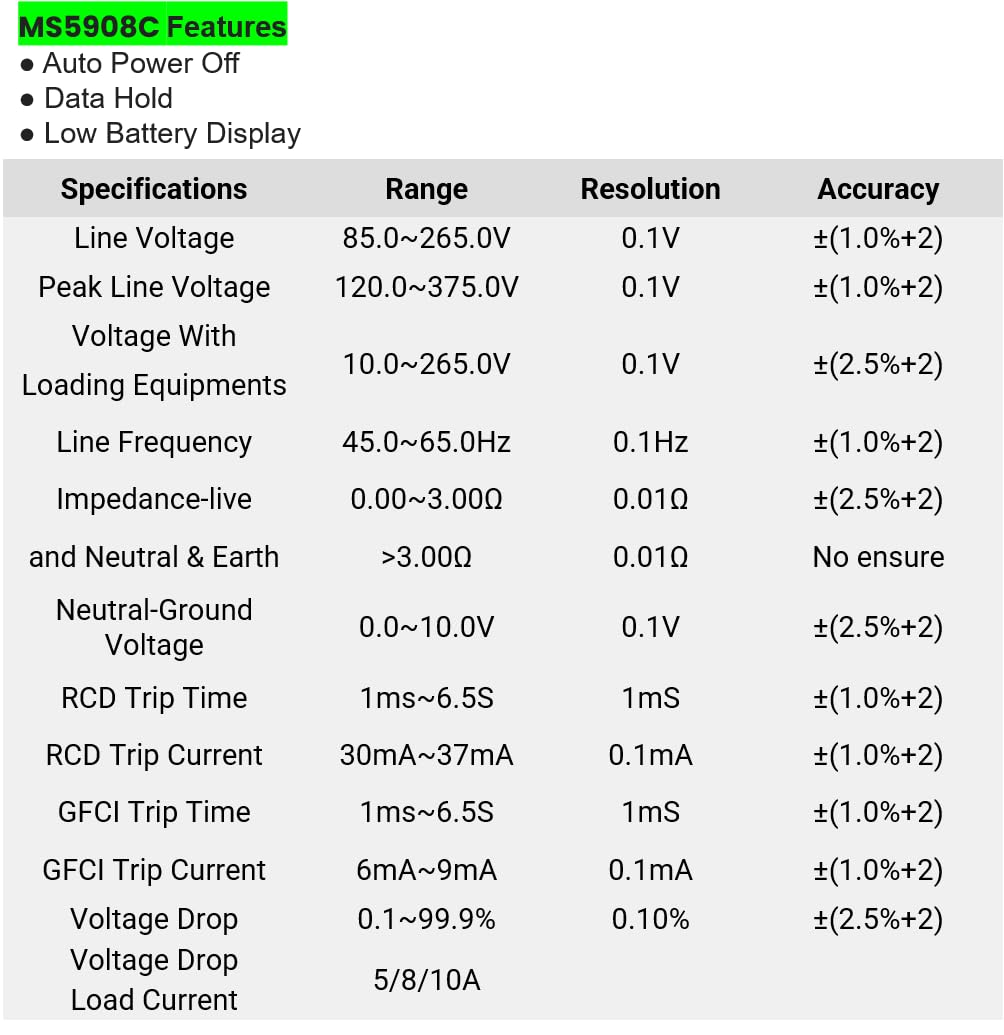
Figure 8.1: Detailed specifications table for the MS5908C, including ranges, resolutions, and accuracies.
| Parameter | Julat | Resolusi | Ketepatan |
|---|---|---|---|
| Talian Voltage | 85.0~265.0V | 0.1V | ±(1.0%+2) |
| Garisan Puncak Voltage | 120.0~375.0V | 0.1V | ±(1.0%+2) |
| Voltage With Loading Equipments | 10.0~265.0V | 0.1V | ±(2.5%+2) |
| Kekerapan Talian | 45.0~65.0Hz | 0.1Hz | ±(1.0%+2) |
| Impedance (Live and Neutral & Earth) | 0.00~3.00Ω >3.00Ω | 0.01Ω | ±(2.5%+2) No ensure |
| Neutral-Ground Voltage | 0.0~10.0V | 0.1V | ±(2.5%+2) |
| Masa Perjalanan RCD | 1ms~6.5S | 1mS | ±(1.0%+2) |
| Arus Perjalanan RCD | 30mA ~ 37mA | 0.1mA | ±(1.0%+2) |
| Masa Perjalanan GFCI | 1ms~6.5S | 1mS | ±(1.0%+2) |
| Arus Perjalanan GFCI | 6mA ~ 9mA | 0.1mA | ±(1.0%+2) |
| Voltage Penurunan | 0.1~99.9% | 0.10% | ±(2.5%+2) |
| Muatkan Arus | 5/8/10A | T/A | T/A |
Spesifikasi Umum:
- Dimensi Produk: 7.87 x 5.91 x 9.84 inci (200 x 150 x 250 mm)
- Berat Barang: 2.2 Paun (1 Kilogram)
- Sumber Kuasa: Battery Powered (6 x AAA batteries, included)
- Penilaian Keselamatan: CAT III 300V, Pollution Degree 2
9. Waranti dan Sokongan
9.1 Maklumat Waranti
The Mastech MS5908C Circuit Analyzer comes with a 1-year limited warranty from the date of purchase. This warranty covers defects in materials and workmanship under normal use. It does not cover damage caused by misuse, accident, unauthorized modification, or neglect. Please retain your proof of purchase for warranty claims.
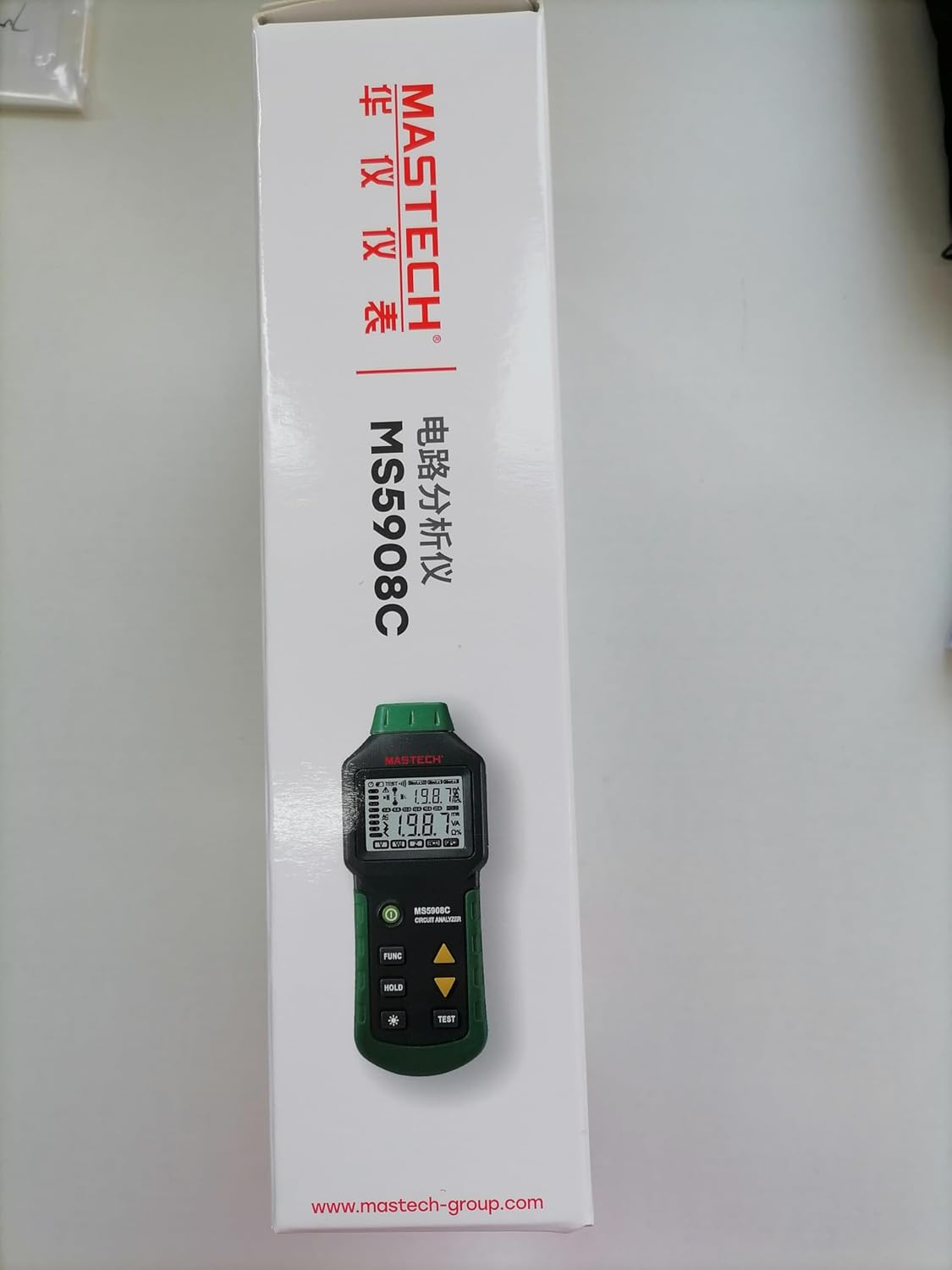
Figure 9.1: Product packaging indicating a 1-year limited warranty.
9.2 Sokongan Pelanggan
For technical assistance, warranty service, or general inquiries, please refer to the contact information provided on the Mastech official website or the documentation included with your product. When contacting support, please have your product model (MS5908C) and purchase details ready.