
1. Pengenalan
The CIGMAN CM-S01 is a versatile 3x360° green laser level designed for various construction and alignment tasks. It projects one 360° horizontal line and two 360° vertical lines, providing comprehensive coverage for walls, ceilings, and floors. This device features self-leveling capabilities, manual mode, pulse mode, and can be controlled via a dedicated smartphone application or remote control for enhanced convenience and precision.
2. Arahan Keselamatan
Sila baca dan fahami semua arahan keselamatan sebelum mengendalikan peranti. Kegagalan untuk mengikuti arahan ini boleh mengakibatkan pendedahan sinaran laser, kejutan elektrik, kebakaran atau kecederaan serius.
- Sinaran Laser: This product is a Class II laser product. Do not stare directly into the laser beam. Avoid direct eye exposure to the laser.
- Sumber Kuasa: Use only the specified charging cable and power adapter. Do not attempt to modify the battery or charging system.
- Persekitaran Operasi: Jangan kendalikan aras laser dalam atmosfera yang mudah meletup, seperti dengan kehadiran cecair, gas atau habuk yang mudah terbakar.
- Penyelenggaraan: Jangan cuba membuka atau membaiki peranti sendiri. Rujuk semua servis kepada kakitangan perkhidmatan yang berkelayakan.
- Kanak-kanak: Jauhkan peranti daripada capaian kanak-kanak.
3. Kandungan Pakej
Sahkan bahawa semua item yang disenaraikan di bawah disertakan dalam pakej anda:
- 1x CIGMAN CM-S01 Laser Level Tool
- 1x Portable Bag
- 1x Kabel Pengecas Jenis-C
- 1x Manual Pengguna
- 1x Laser Target Plate
- 1x Mini Tripod Base
- 1x Magnetic "L" Base
4. Produk Lebihview
The CM-S01 laser level features a robust design with multiple laser emitters for 360-degree coverage. It includes control buttons on the top panel for manual operation and a pendulum lock mechanism for transport and manual mode.

5. Persediaan
- Bongkar: Carefully remove the laser level and all accessories from the portable bag.
- mengecas: Before first use, ensure the device is fully charged using the provided Type-C cable. Refer to the 'Battery & Charging' section for details.
- penempatan: Place the laser level on a stable surface or mount it using the mini tripod base or magnetic L-base. Ensure the surface is as level as possible to assist the self-leveling function.
- Hidupkan kuasa: Slide the pendulum lock switch to the unlocked position to power on the device and activate self-leveling mode.
6. Mod Operasi
6.1 Self-Leveling Mode
When the pendulum is unlocked, the laser level will automatically self-level within a 4° range. If the device is outside this range, the laser lines will flash continuously to indicate it is out of level. Adjust the position of the device until the laser lines become stable.
6.2 Mod Manual
To activate manual mode, slide the pendulum lock switch to the locked position. In this mode, the laser lines are locked and can be projected at any desired angle. This is useful for tasks that require angled lines, such as installing handrails or decorative patterns.
6.3 Mod Nadi
Press the pulse mode button on the device or activate it via the CIGMAN APP to enter external pulse mode. This mode extends the laser's working range up to 164 feet (50 meters) when used with an optional laser receiver (e.g., CIGMAN CLD-100). Pulse mode is particularly useful for outdoor applications or in brightly lit environments where the laser lines might be difficult to see with the naked eye.


7. APP Control & Bluetooth
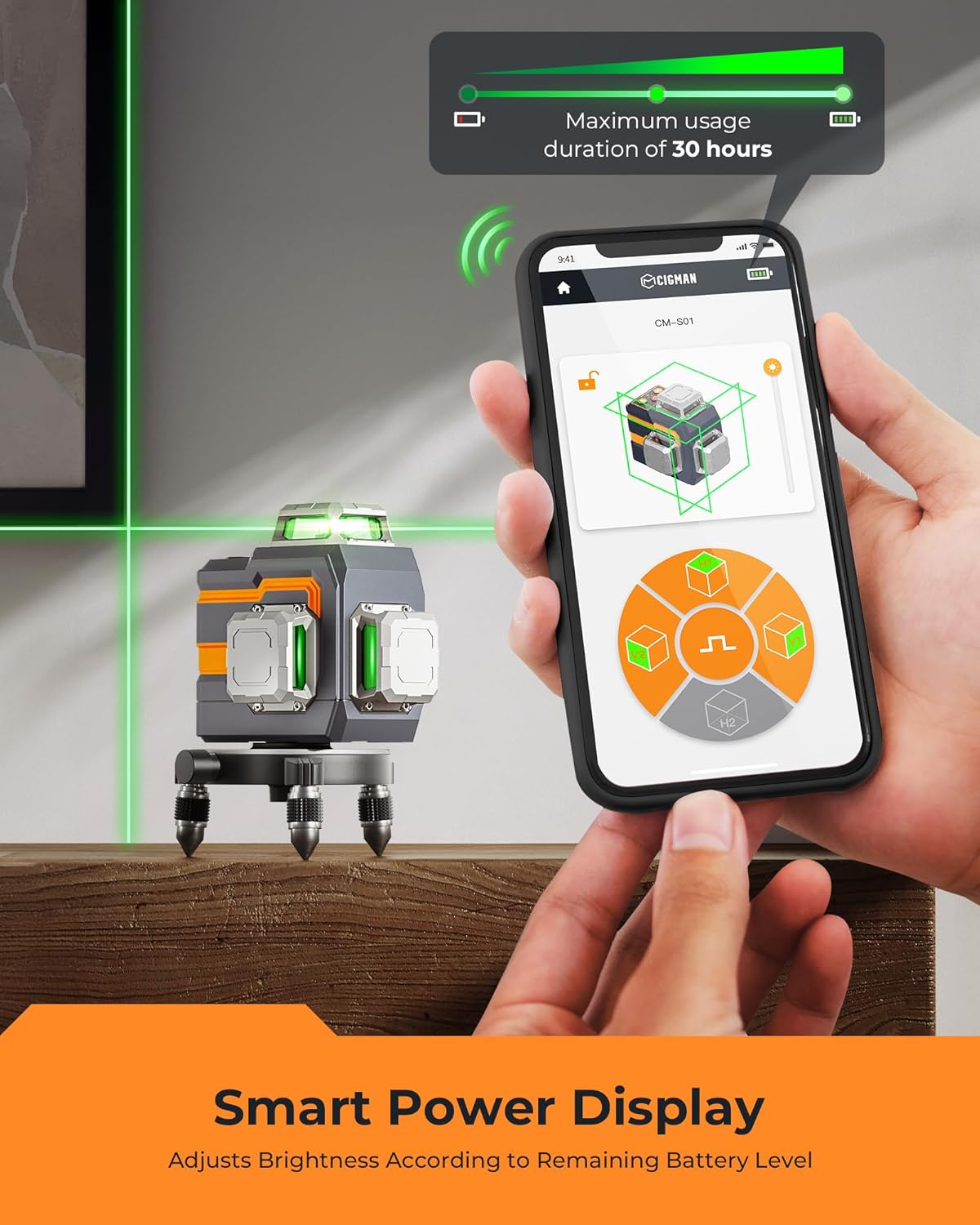
The CIGMAN CM-S01 can be controlled remotely via the CIGMAN smartphone application using Bluetooth technology. This allows for convenient adjustment of settings from a distance.
- Muat turun Aplikasi: Download the CIGMAN APP from the App Store (iOS) or Google Play Store (Android).
- Dayakan Bluetooth: Pastikan Bluetooth didayakan pada telefon pintar anda.
- Sambung: Open the CIGMAN APP and follow the on-screen instructions to connect to your CM-S01 laser level.
- Fungsi Kawalan: Dari aplikasi, anda boleh:
- Individually select horizontal (H) and vertical (V) laser planes.
- Turn pulse mode on/off.
- Adjust laser brightness (4 levels).
- Monitor battery level.


8. Bateri & Pengecasan
The CM-S01 is equipped with an integrated 4000mAh rechargeable Lithium-Ion battery.
- Hayat Bateri: The battery provides up to 12 hours of continuous operation at maximum light intensity and up to 56 hours at minimum intensity on a full charge.
- mengecas: Use the provided Type-C cable to charge the device. Connect the cable to the Type-C port on the laser level and to a compatible USB power source.
- Penunjuk Pengecasan: The device will indicate charging status, and the CIGMAN APP can display the current battery level.

9. Pilihan Pemasangan
The CM-S01 offers flexible mounting options for various applications:
- Mini Tripod Base: Use the included mini tripod base for stable placement on flat surfaces.
- Magnetic "L" Base: The magnetic L-base allows for attachment to metal surfaces and offers 360° rotation for easy angle adjustment.
- Standard Tripod/Pole Mounting: The device features a 1/4"-20 thread, making it compatible with most standard tripods or telescopic poles.

10. Penyelenggaraan
- Pembersihan: Clean the laser level with a soft, damp kain. Jangan gunakan pembersih atau pelarut yang melelas.
- Storan: When not in use, store the device in its portable bag in a dry, cool place. Ensure the pendulum lock is engaged during storage and transport to prevent damage.
- Penjagaan Bateri: Untuk storan jangka panjang, cas bateri kepada kira-kira 50% setiap tiga bulan untuk mengekalkan kesihatan bateri.
11. Penyelesaian masalah
| Masalah | Kemungkinan Punca | Penyelesaian |
|---|---|---|
| Garisan laser berkelip-kelip | Device is out of its self-leveling range (>4°) | Place the device on a more level surface until the lines stabilize. |
| Laser tidak menyala | Battery is depleted or pendulum is locked | Charge the battery. Ensure the pendulum lock switch is in the unlocked position. |
| Tidak dapat menyambung ke APP | Bluetooth is off or device is too far | Ensure Bluetooth is enabled on your phone. Move closer to the laser level. Restart the app and device. |
| Laser lines are dim | Brightness setting is low or operating in bright conditions | Adjust brightness via the app or device buttons. Use pulse mode with a receiver for outdoor/bright conditions. |
12. Spesifikasi
- model: CM-S01
- Kelas Laser: Class II, <1mW power output
- Laser Color: hijau
- Laser Configuration: One 360° Horizontal, Two 360° Vertical
- Ketepatan: ±1/9 inch at 33 feet (±2.5mm at 10m)
- Julat Meratakan Sendiri: ±4°
- Julat Operasi: Sehingga 98.4 kaki (30 meter)
- Operating Range (with Receiver in Pulse Mode): Sehingga 164 kaki (50 meter)
- Bateri: Integrated 4000mAh Lithium-Ion
- Hayat Bateri: Up to 12 hours (max intensity), up to 56 hours (min intensity)
- Port Pengecasan: Jenis-C
- Benang Pemasangan: 1/4"-20
- Dimensi: 3.94 x 2.95 x 0.04 inci (anggaran)
- Berat: 2.64 paun (anggaran)
13. Waranti & Sokongan
CIGMAN provides a 36-month warranty for the CM-S01 laser level. For any concerns, technical assistance, or warranty claims, please contact CIGMAN customer support. Refer to the contact information provided in your product packaging or on the official CIGMAN webtapak.