
1. Pengenalan
This manual provides essential information for the proper use and care of your new printer cover. Designed specifically for HP Smart Tank printer models 581, 582, 583, and 584, this cover offers robust protection against environmental elements, ensuring the longevity and cleanliness of your device.
2. Produk Lebihview
The printer cover is a protective accessory designed to shield your HP Smart Tank printer from dust, spills, and minor impacts. It is crafted from durable Nylon 600 fabric, known for its resistance to wear, tear, and water. The reinforced edges provide a precise fit and enhance the cover's structural integrity.

Figure 2.1: HP Smart Tank printer and its compatible protective cover.

Rajah 2.2: Bersudut view of the printer cover, highlighting its shape and blue piping.
3. Ciri-ciri
- Keserasian: Specifically designed for HP Smart Tank printer models 581, 582, 583, and 584.
- Bahan: Constructed from high-quality Nylon 600, offering excellent durability.
- Perlindungan: Provides effective defense against dust, scratches, and water damage.
- Tepi Bertetulang: Features a reinforced finish for a precise fit and enhanced structural integrity.
- Permohonan Mudah: Designed for simple installation and removal.
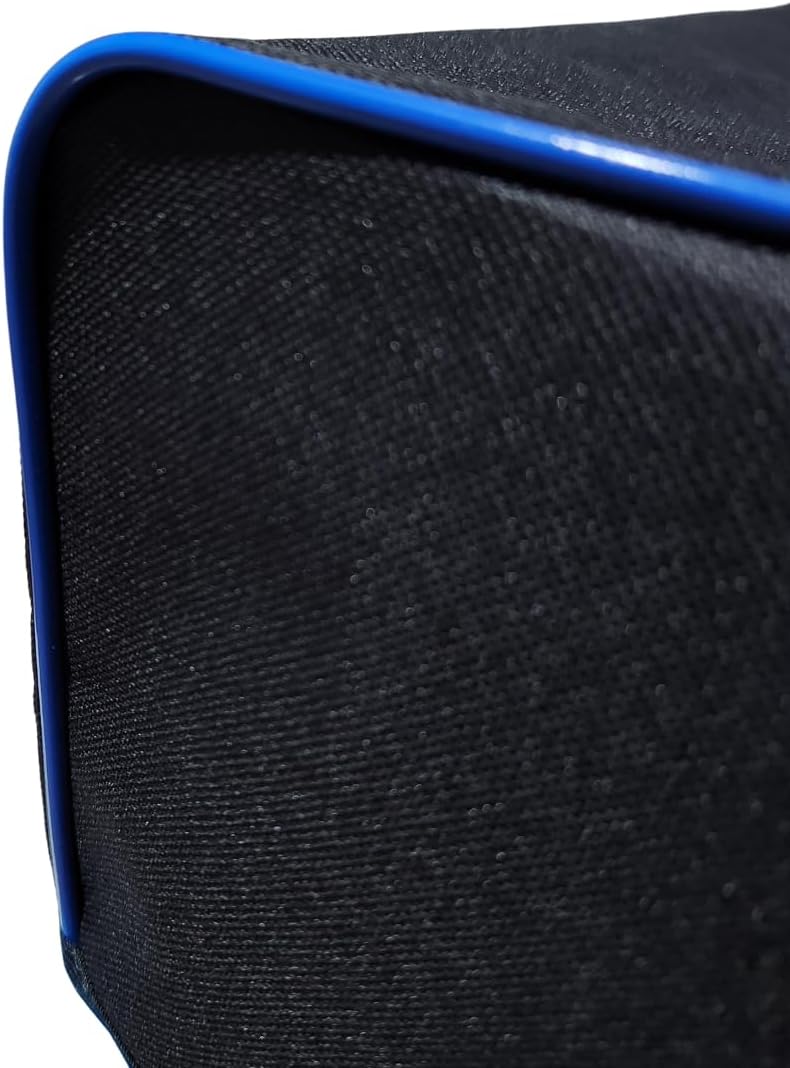
Figure 3.1: Detail of the reinforced edge with blue piping, showcasing the quality finish.
4. Persediaan
Setting up your printer cover is a straightforward process. No assembly is required.
- Ensure your HP Smart Tank printer is powered off and any cables are neatly arranged.
- Gently place the cover over the top of your printer, aligning it with the printer's contours.
- Adjust the cover to ensure it sits snugly and evenly over the entire printer, providing full coverage.

Figure 4.1: Illustrates the process of placing the cover onto the printer.
5. Arahan Operasi
The printer cover is designed for simple operation: to protect your printer when not in use.
- Untuk Meliputi: When your printer is not in use, or when you wish to protect it from dust and spills, carefully place the cover over the printer. Ensure it covers all exposed surfaces.
- Untuk Membongkar: Before using your printer, gently lift the cover off the device. Fold or store the cover in a clean, dry place away from direct sunlight.
6. Penyelenggaraan
Proper maintenance will extend the life of your printer cover.
- Pembersihan: To clean the cover, wipe it with a soft, damp cloth. For stubborn stains, a mild soap solution can be used. Avoid harsh chemicals or abrasive cleaners, as these may damage the fabric.
- Pengeringan: Allow the cover to air dry completely before placing it back on the printer or storing it. Do not tumble dry or iron.
- Storan: When not in use, store the cover in a cool, dry place, away from direct sunlight and extreme temperatures.
7. Penyelesaian masalah
Most issues with the printer cover are minor and easily resolved.
| Masalah | Kemungkinan Punca | Penyelesaian |
|---|---|---|
| Penutup tidak sesuai dengan betul. | Incorrect model or improper alignment. | Verify your printer model matches the compatible models (581, 582, 583, 584). Re-align the cover carefully. |
| Cover appears dirty or stained. | Habuk atau tumpahan yang terkumpul. | Clean the cover as described in the Maintenance section (Section 6). |
| Cover feels stiff or creased. | Prolonged storage in a folded position. | Lay the cover flat for a period to allow creases to relax. Do not iron. |
8. Spesifikasi
| Atribut | Perincian |
|---|---|
| Jenama | Generik |
| Pengeluar | PXM |
| Model yang Serasi | HP Smart Tank 581, 582, 583, 584 |
| bahan | Nylon 600 Fabric |
| Berat Produk | 0.15 g |
| ASIN | B0D2VD1P73 |
9. Waranti dan Sokongan
This product is provided by a generic brand, and specific warranty information is not available in the product details. For any product-related inquiries or support, please refer to the seller or retailer from whom the product was purchased.
For general inquiries, you may contact customer support through the platform where you purchased this item.