
pengenalan
Thank you for choosing the JEGOAT S9 Ear Wax Removal Tool Camera. This device is designed to provide a safe and effective way to inspect and clean your ears, as well as other small areas of the body. Featuring a 1296P HD camera, 6 LED lights, and smart app connectivity, it offers a clear visual for precise and gentle use. Please read this manual thoroughly before operation to ensure proper usage and maintenance.
Kandungan Pakej
Sahkan bahawa semua item yang disenaraikan di bawah disertakan dalam pakej anda:
- JEGOAT S9 Ear Wax Removal Tool Camera
- Kabel Pengecas USB-C
- 12 Replaceable Silicone Ear Picks (Q-shaped scoop)
- Berus Pembersih
- Metal Storage Case for additional ear picks
- Assorted Metal Ear Picks (various shapes for different cleaning needs)
- Manual Pengguna

Imej 1: All components included in the JEGOAT S9 package.

Imej 2: Soft silicone tips designed for gentle ear care, ensuring comfort and safety during use.
Persediaan
1. Mengecas Peranti
Before first use, fully charge the device. Connect the provided USB-C charging cable to the charging port at the bottom of the device and to a 9V charger (not included). The indicator light will show charging status. A full charge provides approximately 70 minutes of continuous use.

Imej 3: The device features a Type-C charging port and a 230 mAh rechargeable battery, offering 70 minutes of working time per charge.
2. Muat Turun Apl dan Sambungan
- Muat turun Apl: Scan the QR code provided in the manual or on the product packaging, or search for "EarVision" in your device's app store (iOS/Android).
- Hidupkan kuasa: Long press the power button on the device for 1 second to turn it on. The blue indicator light will flash, indicating it's searching for a connection.
- Sambung melalui Wi-Fi: Open the "EarVision" app. The app will automatically search for nearby devices. Select the device (e.g., "softish-18828b") from the list and tap "Join" to connect. The indicator light will turn solid blue once connected.
Imej 4: Step-by-step guide for connecting the device to the EarVision app on your smartphone.
Video 1: This video demonstrates the unboxing, setup, and initial connection process of the ear wax removal tool with the companion app.
Arahan Operasi
1. Attaching Ear Picks
Gently slide a silicone ear pick onto the tip of the device. Ensure it is securely attached before use. The Q-shaped scoop design helps protect the ear canal.
2. Menggunakan Kamera
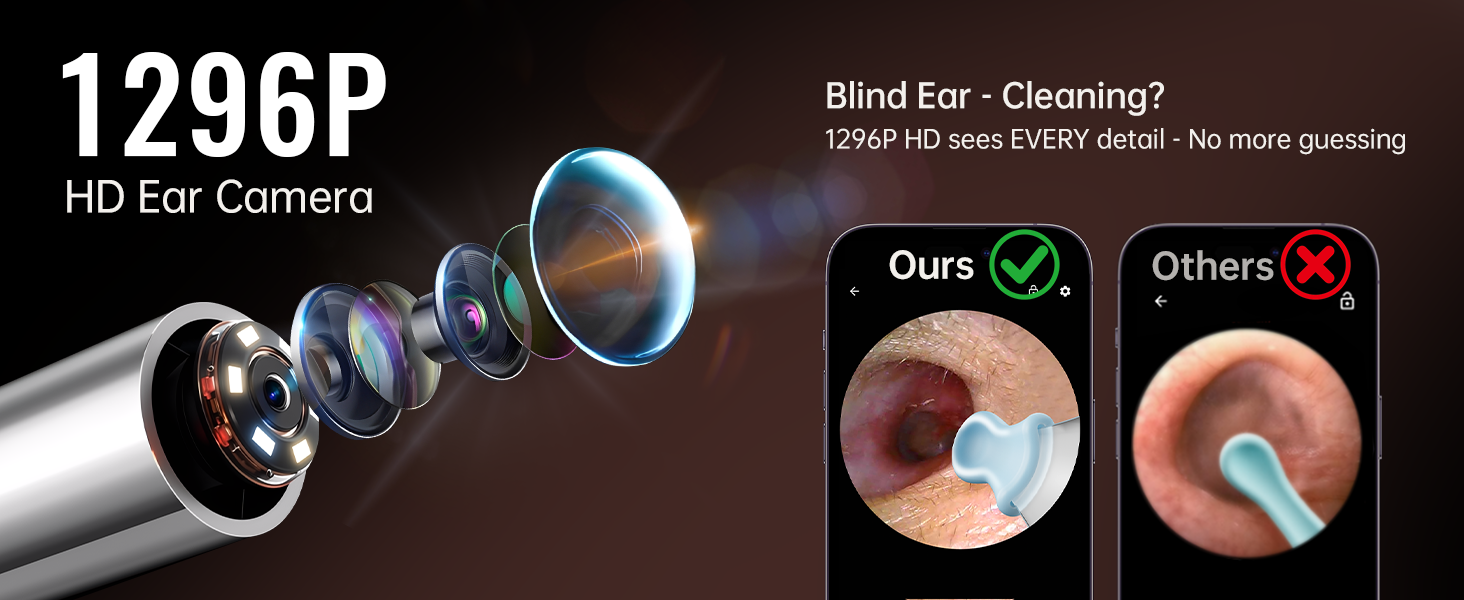
Once connected to the app, you will see a real-time view from the 1296P HD camera. The 6 LED lights provide clear illumination inside the ear canal. The 360° wide-angle lens offers a comprehensive view. The app also features an eardrum reminder function to alert you if you get too close to the eardrum, enhancing safety.

Imej 5: Terperinci view of the 1296P HD camera's components, including the precision lens, 6 bright LED lights, and 360° wide-angle capability.

Imej 6: The eardrum reminder function helps protect your ears by alerting you when the tool is too close to the eardrum.
3. Safe Ear Cleaning
Carefully insert the device into the ear canal while observing the real-time image on your smartphone. Use the silicone ear pick to gently scoop out earwax. Avoid pushing wax deeper into the ear. The tool can also be used for examining other areas like teeth, nose, or facial details.
Video 2: This video demonstrates the process of earwax removal using the tool, showing the visual feedback on a smartphone.
Video 3: A user demonstrates the effectiveness of the ear wax removal tool, highlighting the clear view provided by the camera.
Penyelenggaraan
Membersihkan Peranti
- The lens is IP67 waterproof. After each use, rinse the lens with water or wipe it with an alcohol pad.
- Jangan tenggelamkan keseluruhan peranti di dalam air.
- Use the provided cleaning brush to remove any debris from the device and accessories.
- Replace silicone ear picks as needed for hygiene.
Penyimpanan
Store the device and its accessories in a cool, dry place, away from direct sunlight and fire. Keep out of reach of children.
Menyelesaikan masalah
- Peranti tidak dihidupkan: Pastikan peranti dicas sepenuhnya.
- Tidak dapat menyambung ke Wi-Fi: Make sure the device is powered on and within range of your smartphone. Restart both the device and the app. Check your phone's Wi-Fi settings to ensure it's not connected to another network.
- Kualiti imej yang lemah: Pastikan kanta bersih dan bebas daripada serpihan.
- Isu aplikasi: Ensure your app is updated to the latest version. If problems persist, try reinstalling the app.
Spesifikasi
| Ciri | Perincian |
|---|---|
| Nombor Model | S9 |
| Resolusi Kamera | 1296P HD |
| Lampu LED | 6 |
| Ketersambungan | Wi-Fi / Bluetooth (App: EarVision) |
| Keserasian | iOS dan Android |
| Penilaian Kalis Air | IP67 (lens only) |
| Hayat Bateri | 70 minutes (per full charge) |
| Port Pengecasan | USB Jenis-C |
| Dimensi Produk | 6.6 x 3.7 x 0.65 inci |
| Berat Barang | 3.35 auns |
Waranti
The JEGOAT S9 Ear Wax Removal Tool Camera comes with a 30-day refund/replacement return policy. Some users have reported receiving a lifetime warranty card with their product. Please refer to any specific warranty information included in your product packaging or contact customer support for details.
Sokongan
For further assistance, technical support, or warranty inquiries, please contact JEGOAT customer service:
- e-mel: service@jegoat.online
- Sokongan Aplikasi: melawat earvision.atomath.com/wifi_camera/index for app-related information and updates.