
1. Pengenalan
Thank you for choosing the HY-T26 Headphones. These innovative open-ear earbuds are designed to provide a comfortable and high-quality audio experience, perfect for sports, daily use, and active lifestyles. Featuring Bluetooth 5.4 connectivity, HiFi stereo sound, and intuitive touch controls, the HY-T26 ensures seamless audio playback and communication while keeping you aware of your surroundings.
This manual provides detailed instructions on how to set up, operate, and maintain your new headphones.
2. Apa yang ada di dalam Kotak
- 1 x Pair of HY-T26 Earphones
- 1 x Lanyard
- 1 x Sarung Pengecasan Tanpa Wayar
- 1 x Kabel Pengecas Jenis-C
- 1 x Manual Pengguna (dokumen ini)

Image: The HY-T26 headphones and their packaging, showcasing the black color variant.
3. Ciri-ciri Produk
3.1 Innovative Ergonomic Open-Ear Design
The HY-T26 headphones feature a unique open-ear design that rests securely atop your ears, avoiding insertion into the ear canal. This design enhances comfort during prolonged wear and reduces the risk of ear fatigue or hearing loss, allowing you to stay aware of your surroundings.

Image: A close-up of the HY-T26 earbud resting comfortably on an ear model, illustrating its open-ear placement.
3.2 Exceptional HiFi Stereo Sound
Equipped with a built-in 16mm dynamic speaker, these headphones deliver 360° Hi-Fi stereo sound with clear clarity and powerful bass. Advanced noise reduction technology ensures crisp vocals and immersive audio at any volume level.
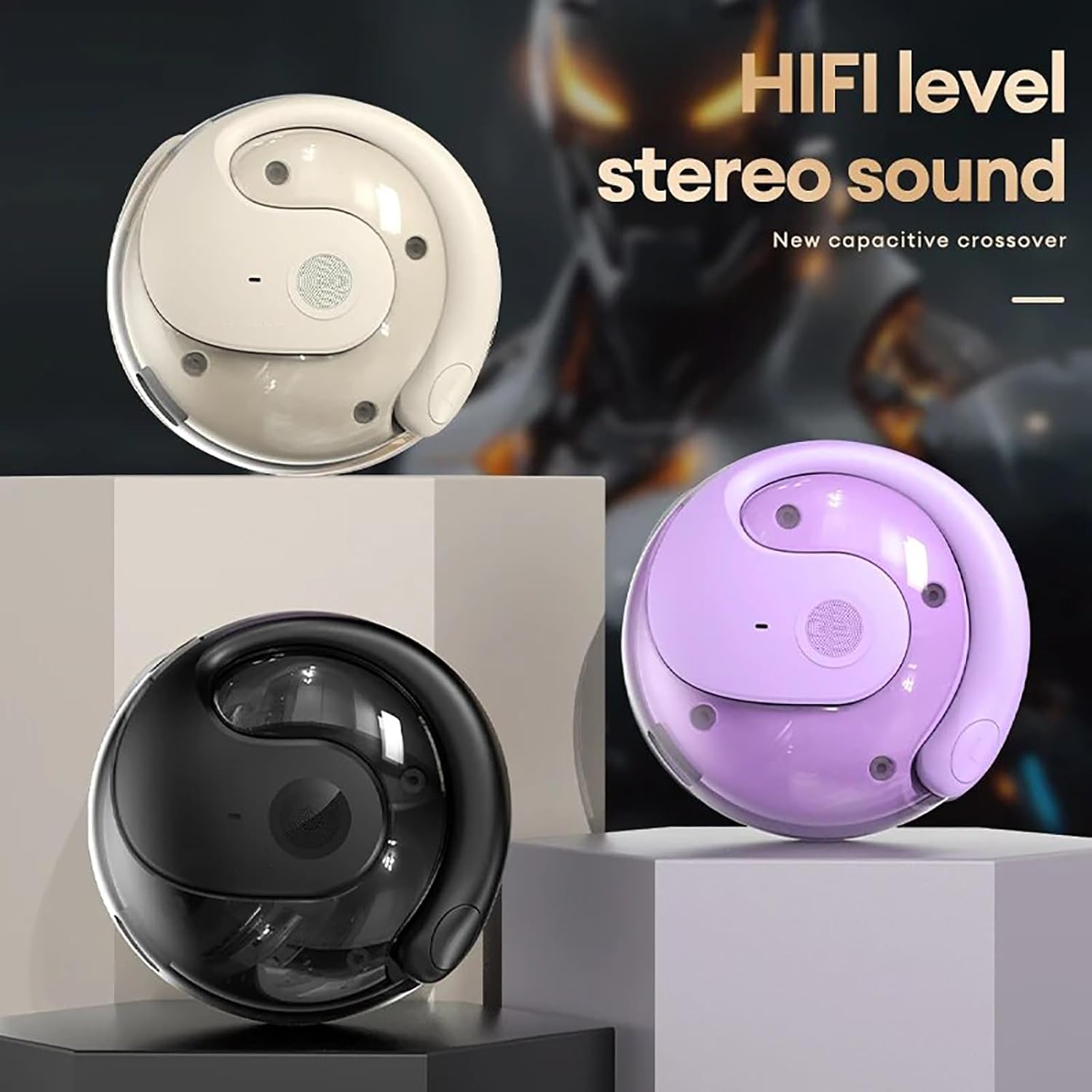
Image: Three HY-T26 charging cases in white, purple, and black, emphasizing the HiFi stereo sound capability.

Image: A detailed diagram illustrating the metal diaphragm component responsible for powerful and immersive sound.
3.3 Secure Fit for Active Lifestyles
Designed with ergonomic and flexible ear hooks, the HY-T26 headphones distribute weight evenly for a secure fit. The soft silicone ear hooks with memory recall ensure comfort and prevent slippage during workouts or outdoor activities.
3.4 Kawalan Sentuh Intuitif
Each earphone features a touch panel for easy management of audio playback and calls. Functions include play/pause, volume adjustment, answering/hanging up calls, and voice assistant activation.
3.5 Sweatproof Durability
Utilizing new technology, these headphones offer maximum protection against sweat and moisture, safeguarding internal components for enhanced durability and longevity during intense activities.

Image: The HY-T26 earbud with overlaid text emphasizing its pleasant and sound-proof qualities, including HD calls and HiFi sound.
4. Persediaan
4.1 Mengecas Fon Kepala dan Sarung
Before first use, fully charge the headphones and the charging case. Connect the provided Type-C charging cable to the charging port on the case and a power source. The charging time for the case is approximately 1 hour. The earphones will charge automatically when placed inside the case.

Image: The HY-T26 charging case with a Type-C cable plugged in, demonstrating its large battery life and charging capability.
Video: A demonstration of the HY-T26 charging case and lanyard, highlighting its portability and charging functionality.
4.2 Berpasangan Bluetooth
- Buka bekas pengecas. Fon telinga akan dihidupkan secara automatik dan memasuki mod berpasangan.
- Pada peranti anda (telefon pintar, tablet, dll.), dayakan Bluetooth.
- Cari untuk "HY-T26" in the list of available Bluetooth devices and select it to connect.
- Once connected, you will hear a confirmation prompt, and the indicator light on the earphones will change.
The headphones support Bluetooth 5.4 for a stable connection up to 10 meters (33 feet).

Image: An HY-T26 earbud positioned near a smartphone displaying a video game, illustrating seamless audio and video synchronization.
5. Arahan Operasi
5.1 Memakai Fon Telinga
Gently slide the ear hooks over the top of your ears, ensuring the main earbud unit rests comfortably outside your ear canal. Adjust for a secure and comfortable fit. The earphones are marked 'L' for left and 'R' for right.
5.2 Kawalan Sentuhan
The HY-T26 headphones feature intuitive touch controls on each earbud:
- Main/Jeda: Ketik sekali pada salah satu fon telinga.
- Kelantangan Naik/Turun: Specific gestures (refer to quick start guide for exact taps, typically long press or multiple taps).
- Lagu Seterusnya: Ketik dua kali pada fon telinga kanan.
- Trek Sebelumnya: Ketik dua kali pada fon telinga kiri.
- Jawab/Tamatkan Panggilan: Ketik sekali pada salah satu fon telinga semasa panggilan masuk.
- Tolak Panggilan: Tekan lama pada mana-mana fon telinga semasa panggilan masuk.
- Aktifkan Pembantu Suara: Ketik tiga kali pada salah satu fon telinga.
6. Penyelenggaraan
To ensure the longevity and optimal performance of your HY-T26 headphones:
- Bersihkan fon telinga dan bekas pengecas dengan kerap menggunakan kain lembut dan kering.
- Avoid exposing the headphones to extreme temperatures or direct sunlight for extended periods.
- While sweatproof, avoid submerging the headphones in water.
- Simpan fon kepala di dalam bekas pengecas apabila tidak digunakan untuk melindunginya dan memastikan ia sentiasa dicas.
7. Penyelesaian masalah
If you encounter issues with your HY-T26 headphones, try the following steps:
- Tiada Isu Bunyi/Sambungan:
- Pastikan kedua-dua fon telinga dicas.
- Matikan dan hidupkan Bluetooth peranti anda, kemudian cuba pasangkan semula.
- Letakkan kedua-dua fon telinga kembali ke dalam bekas pengecasan, tutup penutupnya, tunggu beberapa saat, kemudian bukanya semula untuk menetapkan semula.
- Ensure the headphones are within the 10M Bluetooth transmission distance of your device.
- Earphone Not Charging:
- Periksa sama ada bekas pengecasan mempunyai kuasa yang mencukupi.
- Ensure the charging contacts on the earphones and inside the case are clean and free of debris.
- Try a different Type-C charging cable and power adapter.
- Isu Kualiti Bunyi:
- Ensure the earphones are properly positioned on your ears.
- Clean the speaker mesh if it appears obstructed.
- Try playing audio from a different source or device.
8. Spesifikasi
| Ciri | Perincian |
|---|---|
| Nama Model | HY-T26 |
| Versi Bluetooth | 5.4 |
| Jarak Penghantaran | 10 meter (33 kaki) |
| Antara Muka Pengecasan | Jenis-C |
| Kapasiti Kompartmen Pengecasan | 300mAh |
| Masa Pengecasan (Kes) | lebih kurang 1 jam |
| Masa Penggunaan Berterusan | Hingga 36 jam (dengan cas pengecasan) |
| Saiz Pemacu Audio | 16mm |
| Julat Kekerapan | 20 Hz - 20,000 Hz |
| Tahap Ketahanan Air | Kalis Air (Kalis Peluh) |
| Jenis Kawalan | Kawalan Sentuh |
| Penempatan Telinga | Buka Telinga |
9. Waranti dan Sokongan
For detailed warranty information and customer support, please refer to the warranty card included with your product or visit the official Generic product support webtapak. Simpan resit pembelian anda untuk tuntutan waranti.