
1. Pengenalan
Terima kasih kerana membeliasing the plplaaoo Cordless Table LampManual ini menyediakan maklumat penting untuk operasi yang selamat dan cekap bagi peranti baharu anda.amp. Sila baca dengan teliti sebelum digunakan dan simpan untuk rujukan masa hadapan.
2. Arahan Keselamatan
- Jangan dedahkan lamp kepada air atau kelembapan berlebihan.
- Avoid disassembling or modifying the lamp, kerana ini boleh membatalkan waranti dan menimbulkan risiko keselamatan.
- Gunakan hanya kabel USB Jenis-C yang disediakan untuk mengecas.
- Simpan lamp away from heat sources and direct sunlight to prevent battery damage.
- Pastikan lamp diletakkan di atas permukaan yang stabil dan rata untuk mengelakkannya daripada terbalik.
- l iniamp direka untuk kegunaan dalaman sahaja.
3. Kandungan Pakej
Sahkan bahawa semua item terdapat dalam pakej anda:
- 1 x Cordless Table Lamp
- 1 x Kabel Pengecas USB Jenis-C

4. Produk Lebihview
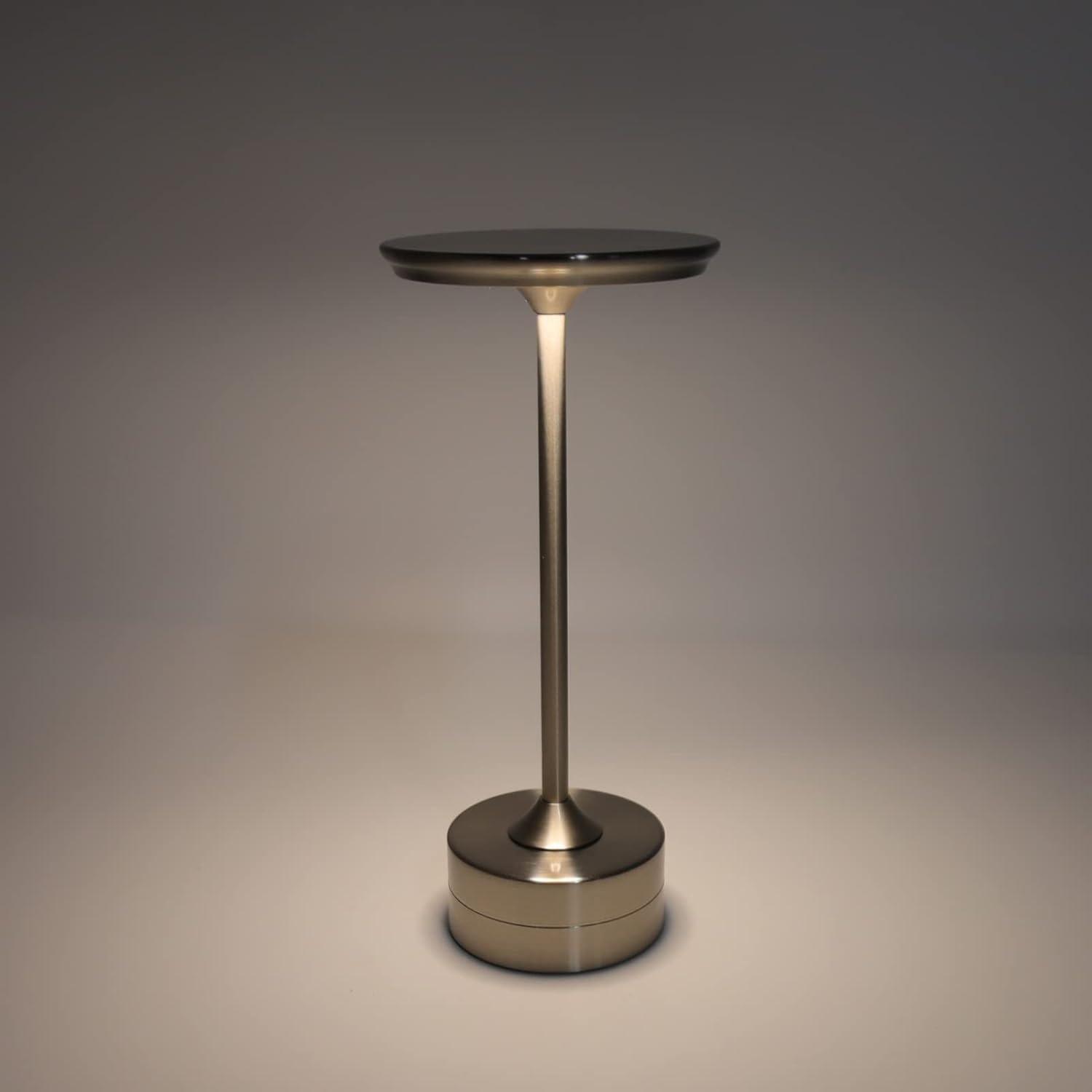
The plplaaoo Cordless Table Lamp features a sleek design with a durable iron, aluminum, and acrylic construction. It includes a built-in 2000mAh rechargeable lithium battery, offering 10-15 hours of working time on a full charge. The lamp provides three light sources: white light, warm light, and ordinary light, with adjustable brightness up to 150lm.


5. Persediaan
Pengecasan Awal
Sebelum penggunaan pertama, cas sepenuhnyaamp. Connect the provided USB Type-C cable to the charging port on the lamp's base and plug the other end into a compatible USB power adapter (not included).
- Locate the USB Type-C charging port on the base of the lamp.
- Insert the USB Type-C cable into the lampport pengecasan.
- Connect the USB-A end of the cable to a standard USB power adapter (e.g., phone charger, computer USB port).
- The charging indicator (if present) will show the charging status. Allow several hours for a full charge.
6. Arahan Operasi
Kuasa Hidup/Mati dan Pelarasan Kecerahan
Lamp features both a bottom switch and a top touch control for operation.
- Suis bawah: Flip the switch on the bottom of the lamp to the 'ON' position to enable the touch control function.
- Top Touch Control: Gently touch the top surface of the lamp to cycle through the three light modes: white light, warm light, and ordinary light. Continue touching to adjust brightness levels within each mode.
- Untuk mematikan lamp, either cycle through all light modes until it turns off via touch control, or flip the bottom switch to the 'OFF' position.


7. Penyelenggaraan
- Pembersihan: Lap lamp dengan kain lembut dan kering. Jangan gunakan pembersih atau pelarut yang melelas.
- Storan: Apabila tidak digunakan untuk tempoh yang lama, simpan lamp di tempat yang sejuk dan kering. Pastikan bateri dicas sebahagiannya sebelum penyimpanan untuk memanjangkan jangka hayatnya.
- Penjagaan Bateri: To maintain battery health, avoid completely draining the battery frequently. Recharge the lamp when the light output becomes noticeably dim.
8. Penyelesaian masalah
| Masalah | Kemungkinan Punca | Penyelesaian |
|---|---|---|
| Lamp tidak menyala. | Battery is depleted. Bottom switch is off. | Cas lamp using the USB Type-C cable. Ensure the bottom switch is in the 'ON' position. |
| Cahaya malap atau berkelip. | Bateri lemah. | Isi semula lamp. |
| Cannot change light mode/brightness. | Bottom switch is off. Touch control malfunction. | Ensure the bottom switch is 'ON'. Try restarting the lamp by turning the bottom switch off and on again. |
| Lamp tidak mengenakan bayaran. | Faulty cable or adapter. Charging port issue. | Try a different USB Type-C cable and power adapter. Ensure the cable is fully inserted. |
9. Spesifikasi
| Ciri | Perincian |
|---|---|
| Model | B0D2LG61MQ |
| bahan | Iron, Aluminum, Acrylic |
| Ketinggian | lebih kurang 28.5cm / 11.2in |
| Diameter | lebih kurang 13cm / 5.1in |
| Berat badan | Approx. 0.66 kg / 23.4 oz |
| Bateri Terbina dalam | Litium 2000mAh |
| Sumber Cahaya | White light, Warm light, Ordinary light (3 levels brightness) |
| Kecerahan Maks | 150lm |
| Kaedah Pengecasan | USB Jenis-C |
| Kawalan | Bottom switch, Top touch control |

10. Waranti dan Sokongan
This product is covered by a standard manufacturer's warranty. For specific warranty details, please refer to the product packaging or contact the retailer where you purchased the item. For technical support or inquiries, please visit the official plplaaoo store or contact customer service.