
pengenalan
The M-VAVE SMK-25 MINI is a compact and portable 25-key USB MIDI keyboard controller designed for music production on Mac and PC. It features velocity-sensitive keys, assignable controls, pitch and modulation functions, and versatile connectivity options including USB and Bluetooth. This manual provides detailed instructions for setting up, operating, maintaining, and troubleshooting your device.

Image: The M-VAVE SMK-25 MINI MIDI Keyboard Controller, showcasing its compact design and 25 velocity-sensitive keys.
Persediaan
1. Menghidupkan
The SMK-25 MINI features a built-in rechargeable battery. To power on the device, press and hold the power button located on the side or top panel until the indicator light illuminates.
2. Sambungan USB
For a wired connection to your computer (Mac or PC), use the provided USB-C cable. Connect one end to the USB-C port on the SMK-25 MINI and the other end to an available USB port on your computer. The device is plug-and-play, requiring no additional drivers for basic functionality.

Image: Illustration of the plug-and-play USB connection process for the MIDI keyboard controller to a computer.
3. Sambungan Bluetooth
Untuk menyambung secara wayarles melalui Bluetooth:
- Ensure the SMK-25 MINI is powered on.
- Tekan ke BT button on the controller to activate Bluetooth pairing mode. The Bluetooth indicator light will flash.
- On your computer or mobile device, navigate to Bluetooth settings and select "SMK-25 MINI" from the list of available devices.
- Setelah disambungkan, lampu penunjuk Bluetooth akan menjadi pepejal.
4. Software Setup (DAW Compatibility)
The SMK-25 MINI is compatible with various Digital Audio Workstations (DAWs) such as Ableton Live, GarageBand, Logic Pro, Studio One, Cubase, Pro Tools, and Reason Studios. After connecting the controller, open your preferred DAW and ensure the SMK-25 MINI is recognized as a MIDI input device in the software's preferences or settings.

Image: The M-VAVE SMK-25 MINI shown with various DAW logos, indicating broad software compatibility.
Arahan Operasi
1. Kawalan Asas
- Kekunci Sensitif Halaju: The 25 keys respond to how hard you press them, allowing for dynamic expression in your playing.
- Pitch Bend Buttons: Gunakan PITCH UP dan PITCH BAWAH buttons to momentarily raise or lower the pitch of notes.
- Modulation Button: The MOD button can be assigned to control various parameters within your DAW or instrument, such as vibrato or filter cutoff.
- Sustain Button: Tekan ke SUS button to sustain notes, similar to a piano sustain pedal. An external sustain pedal can also be connected via the 3.5mm port.
- Pergeseran Octave: Gunakan OC+ dan OC- buttons to shift the keyboard's octave range up or down.
- Customization Knob: The rotary knob typically controls volume or can be assigned to other MIDI CC parameters for real-time control.

Imej: Jarak dekat view of the M-VAVE SMK-25 MINI's control panel, highlighting the pitch, mod, sustain, arpeggiator, and octave shift buttons.
2. Ciri Lanjutan
- Arpeggiator: Tekan ke ARP button to activate the arpeggiator. You can then use the keys and other controls to adjust arpeggio patterns, tempo, gate length, and octave range. Refer to your DAW's manual for specific arpeggiator synchronization settings.
- Smart Chord & Scale Modes: The SC/CH button enables Smart Chord and Smart Scale modes. These modes assist in playing harmonically correct notes and chords within a selected scale, simplifying music creation.
Penyelenggaraan
To ensure the longevity and optimal performance of your M-VAVE SMK-25 MINI, follow these maintenance guidelines:
- Pembersihan: Gunakan kain lembut dan kering untuk membersihkan permukaan pengawal. Elakkan pembersih, pelarut atau lilin yang kasar.
- Storan: Simpan peranti di tempat yang sejuk dan kering, jauh daripada cahaya matahari langsung, suhu yang melampau dan kelembapan yang tinggi.
- Pengendalian: Kendalikan alat kawalan dengan berhati-hati. Elakkan daripada menjatuhkannya atau menyebabkannya terkena hentaman kuat.
- Penjagaan Bateri: Untuk jangka hayat bateri yang optimum, elakkan daripada kerap mencas sepenuhnya bateri. Cas peranti secara berkala, terutamanya jika ia akan disimpan untuk tempoh yang lama.
Menyelesaikan masalah
| Masalah | Kemungkinan Punca | Penyelesaian |
|---|---|---|
| Peranti tidak dihidupkan. | Masalah bateri atau kuasa lemah. | Charge the device using the USB-C cable. Ensure the power button is pressed correctly. |
| No sound or MIDI input in DAW. | Incorrect connection or software settings. | Verify USB or Bluetooth connection. Check your DAW's MIDI input settings to ensure the SMK-25 MINI is selected and enabled. |
| Sambungan Bluetooth gagal. | Pairing mode not active or interference. | Memastikan BT button is pressed and flashing. Move closer to the host device. Try restarting both devices. |
| Keys are unresponsive or inconsistent. | Software issue or physical obstruction. | Restart your DAW and the controller. Ensure no debris is lodged under the keys. |
Spesifikasi
| Ciri | Perincian |
|---|---|
| Model | SMK-25 MINI |
| Bilangan Kunci | 25, Velocity-Sensitive |
| Ketersambungan | USB-C, Bluetooth |
| Pelabuhan MIDI | 3.5mm MIDI Out (TRS Type A compatible) |
| Kekalkan Input Pedal | 3.5mm (shared with MIDI Out) |
| Kawalan | Pitch Up/Down, Mod, Sustain, Arpeggiator, Smart Chord/Scale, Octave Up/Down, Customization Knob |
| Bateri | Built-in, 780 mAh Lithium |
| Masa Mengecas | Lebih kurang 5 jam |
| Masa Bekerja | Lebih kurang 30 jam |
| Masa Tunggu Sedia | Lebih kurang 40 jam |
| Peranti Serasi | PC, Mac, Tablet, Telefon Pintar |
| Dimensi | 15.12 x 5.63 x 2.64 inci (lebih kurang) |
| Berat badan | 1.2 paun (lebih kurang) |
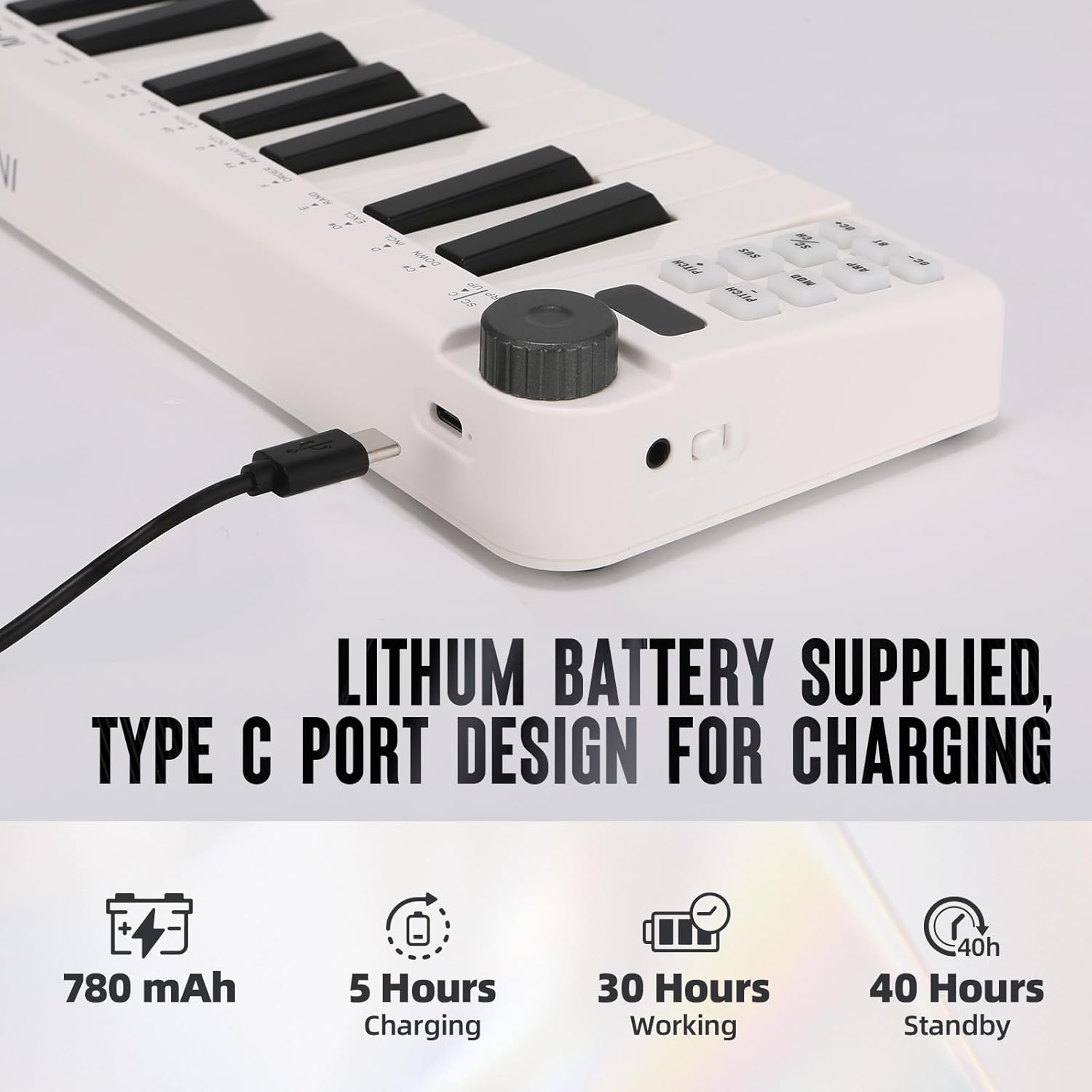
Image: Visual representation of the M-VAVE SMK-25 MINI's battery capacity, charging time, working time, and standby time.
Waranti dan Sokongan
M-VAVE products are designed for reliability and performance. For warranty information, technical support, or service inquiries, please refer to the official M-VAVE weblaman web atau hubungi khidmat pelanggan mereka secara langsung. Simpan resit pembelian anda sebagai bukti pembelian untuk tuntutan jaminan.
M-VAVE aims to provide high-quality audio equipment and instruments. For assistance, their professional sales support team can address questions within 24 hours.
Lawati M-VAVE Store on Amazon untuk maklumat lanjut.