
Produk Selesaiview
This manual provides instructions for the XIBANY BESST Programming Cable, designed for BAFANG M400, M600, M510, and other CAN Protocol motors. This cable facilitates advanced settings such as speed limit release and wheel diameter configuration for motorized scooters and e-bikes.
The XIBANY BESST Programming Cable is engineered for durability and reliable performance, ensuring precise communication with your BAFANG motor system. It is an essential tool for customizing your motor's parameters.
Kandungan Pakej
- 1 x XIBANY BESST Programming Cable
Persediaan
- Pemasangan Perisian: Ensure you have the appropriate BAFANG programming software installed on your computer. This software is typically provided by BAFANG or available through authorized distributors.
- Sambung ke Komputer: Plug the USB end of the XIBANY BESST Programming Cable into an available USB port on your computer.
- Sambungkan ke Motor: Locate the programming port on your BAFANG motor (M400, M600, M510, or other CAN Protocol motor). Carefully connect the other end of the XIBANY BESST Programming Cable to this port. Ensure a secure connection.
- Hidupkan kuasa: Turn on your motorized scooter or e-bike to power the motor and allow communication with the programming cable.
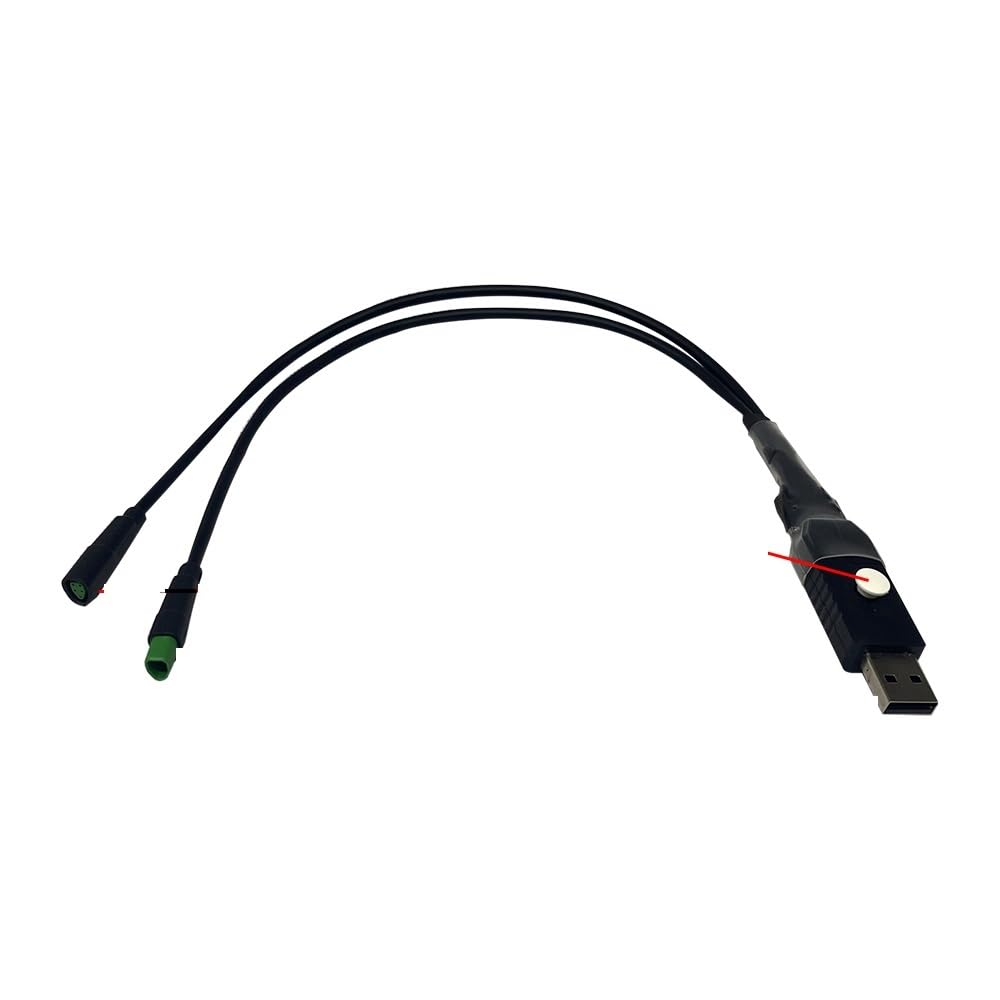
Image: The XIBANY BESST Programming Cable, showing its connection points for a computer and a BAFANG motor. This cable is used for configuring motor parameters.
Arahan Operasi
Once the cable is connected and the motor is powered, you can proceed with programming using the BAFANG software.
- Pelancaran Perisian: Open the BAFANG programming software on your computer.
- Wujudkan Sambungan: Within the software, select the correct COM port for the connected cable and establish a connection with the motor. The software should indicate a successful connection.
- Read Motor Parameters: Before making any changes, it is recommended to read the current parameters from the motor and save them as a backup.
- Laraskan Tetapan:
- Speed Limit Release: Navigate to the speed limit settings section. Adjust the maximum speed according to local regulations and personal preference.
- Tetapan Diameter Roda: Go to the wheel diameter configuration. Input the accurate wheel diameter of your scooter or e-bike for precise speed and distance readings.
- Parameter lain: The cable also allows adjustment of other CAN Protocol motor parameters as supported by the BAFANG software. Refer to the BAFANG software documentation for detailed options.
- Write New Parameters: After making desired changes, write the new parameters to the motor. Confirm the write operation within the software.
- Putuskan sambungan: Once programming is complete, safely disconnect the motor from the software and then physically disconnect the cable from the motor and computer.
Penting: Always ensure you understand the implications of changing motor parameters. Incorrect settings can affect performance, safety, and warranty. Adhere to all local laws and regulations regarding speed limits and motor modifications.
Penyelenggaraan
- Storan: Store the cable in a dry, cool place away from direct sunlight and extreme temperatures.
- Pembersihan: Use a soft, dry cloth to clean the cable. Avoid using harsh chemicals or abrasive materials.
- Pengendalian: Elakkan membengkokkan atau memusingkan kabel secara berlebihan, terutamanya berhampiran penyambung, untuk mengelakkan kerosakan dalaman.
- Pemeriksaan: Periodically inspect the cable and connectors for any signs of wear, fraying, or damage. Do not use a damaged cable.
Menyelesaikan masalah
- Cable Not Recognized by Computer:
- Cuba port USB lain pada komputer anda.
- Ensure USB drivers are correctly installed. Check your computer's Device Manager.
- Mulakan semula komputer anda.
- Software Cannot Connect to Motor:
- Verify that the cable is securely connected to both the computer and the motor.
- Pastikan motor dihidupkan.
- Check if the correct COM port is selected in the BAFANG software.
- Confirm that the BAFANG motor is a compatible CAN Protocol type (M400, M600, M510, etc.).
- Ralat Pengaturcaraan:
- Ensure the BAFANG software version is compatible with your motor.
- Double-check all parameter values before writing them to the motor.
- If issues persist, consult BAFANG's official documentation or support resources.
Spesifikasi
| Jenama | XIBANY |
| Nama Model | XIBANY001 |
| Berat Barang | 50 Gram (1.76 auns) |
| Bahan Luar | Paper (packaging) |
| Keserasian | BAFANG M400, M600, M510, All CAN Protocol Motors |
| Fungsi | Speed Limit Release, Wheel Diameter Setting, Motor Parameter Programming |
Sokongan
For further assistance or technical support, please refer to the official XIBANY website or contact your retailer. Ensure you have your product model number (XIBANY001) available when seeking support.