
pengenalan
Thank you for choosing the Yunseity PTZ WiFi Security Camera. This manual provides essential information for the proper installation, operation, and maintenance of your security camera. Please read this manual thoroughly before use and retain it for future reference.

Imej: Depan view of the Yunseity PTZ WiFi Security Camera, showing its dual lens design and antennas.
Ciri-ciri Produk
- Reka Bentuk Kanta Dwi: Features a fixed wide-angle lens for panoramic views and a PTZ (Pan-Tilt-Zoom) lens for detailed close-ups. Both views are accessible simultaneously via the application.
- Motion Detection & Human Tracking: Equipped with intelligent AI algorithms for accurate motion detection and automatic human tracking. Real-time notifications are sent to your mobile device upon detection.
- Audio Dua hala: Built-in microphone and speaker enable clear two-way communication with individuals near the camera.
- Penglihatan Malam Warna: Provides 2 MPx2 Full HD images and videos day and night. Offers three night vision modes: full-color, infrared, and smart night vision. White lights activate automatically in low light for clear, colored images up to 65 feet.
- Kesambungan WiFi 2.4GHz: Supports 2.4GHz WiFi for a stable and fast signal, ensuring smooth video streaming.
- Penilaian Kalis Cuaca IP66: Designed to operate reliably in various weather conditions.
- Pilihan Storan: Supports cloud storage and local storage via a small memory card (up to 128GB, not included).
Kandungan Pakej
Sila semak pakej untuk item berikut:
- Yunseity PTZ WiFi Security Camera
- Penyesuai Kuasa (Palam EU)
- Skru Pemasangan dan Palam Dinding
- Waterproof Kit for Network Cable
- Manual Pengguna

Image: The Yunseity PTZ WiFi Security Camera shown with its included accessories, including the power adapter, mounting hardware, and waterproof connector.
Persediaan
1. Pemasangan Fizikal
- Pilih Lokasi: Select a suitable location for your camera, ensuring good WiFi signal coverage and a clear view kawasan yang anda ingin pantau.
- Pemasangan: Use the provided screws and wall plugs to securely mount the camera to a wall or ceiling. Ensure the mounting surface is strong enough to support the camera's weight.
- Sambungan Kuasa: Connect the power adapter to the camera's power input and plug it into a standard electrical outlet.
- Sambungan Rangkaian (Pilihan): If using a wired connection, connect an Ethernet cable to the camera's RJ45 port and use the waterproof kit to protect the connection.

Imej: Sisi view of the camera illustrating the mounting bracket and cable connections.
2. Pemasangan & Sambungan Aplikasi
- Muat turun Apl: Cari untuk the recommended security camera app (refer to the packaging or quick start guide for the specific app name) on your smartphone's app store (iOS or Android) and install it.
- Daftar Akaun: Buka aplikasi dan ikut arahan pada skrin untuk mendaftarkan akaun pengguna baharu.
- Tambah Kamera: Power on the camera. In the app, select 'Add Device' or '+' and follow the prompts to connect your camera to your 2.4GHz WiFi network. This typically involves scanning a QR code on the camera or using an audio pairing method.
- Konfigurasi: Once connected, you can configure camera settings such as device name, time zone, and storage preferences within the app.
Arahan Operasi
1. Hidup View and Dual Lens Operation
Open the app to access the live view. The dual lens design allows you to view both the wide-angle panoramic feed and the PTZ camera feed simultaneously. You can switch between views or display both on a split screen within the app interface.
2. Kawalan Sorot, Condong dan Zum (PTZ)
Use the directional controls within the app to remotely pan the PTZ lens horizontally (350 degrees) and tilt it vertically (90 degrees) to adjust the viewing angle. Digital zoom functionality is also available.
3. Pengesanan dan Penjejakan Gerakan
Enable motion detection and human tracking in the app settings. When motion or a human figure is detected, the camera will automatically track the object, record footage, and send an alert to your phone. You can customize detection zones and sensitivity.
4. Audio Dua Hala
Untuk menggunakan ciri audio dua hala, ketik ikon mikrofon dalam siaran langsung view interface of the app. Speak into your phone to transmit audio through the camera's speaker. The camera's microphone will capture audio from its surroundings.
5. Mod Penglihatan Malam
The camera offers three night vision modes, configurable in the app:
- Penglihatan Malam Warna Penuh: Utilizes built-in white lights to provide clear, colored images in low-light conditions.
- Penglihatan Malam Inframerah: Menggunakan LED inframerah untuk imej hitam putih dalam kegelapan sepenuhnya.
- Penglihatan Malam Pintar: The camera automatically switches between infrared and full-color modes based on detected motion or specific triggers.
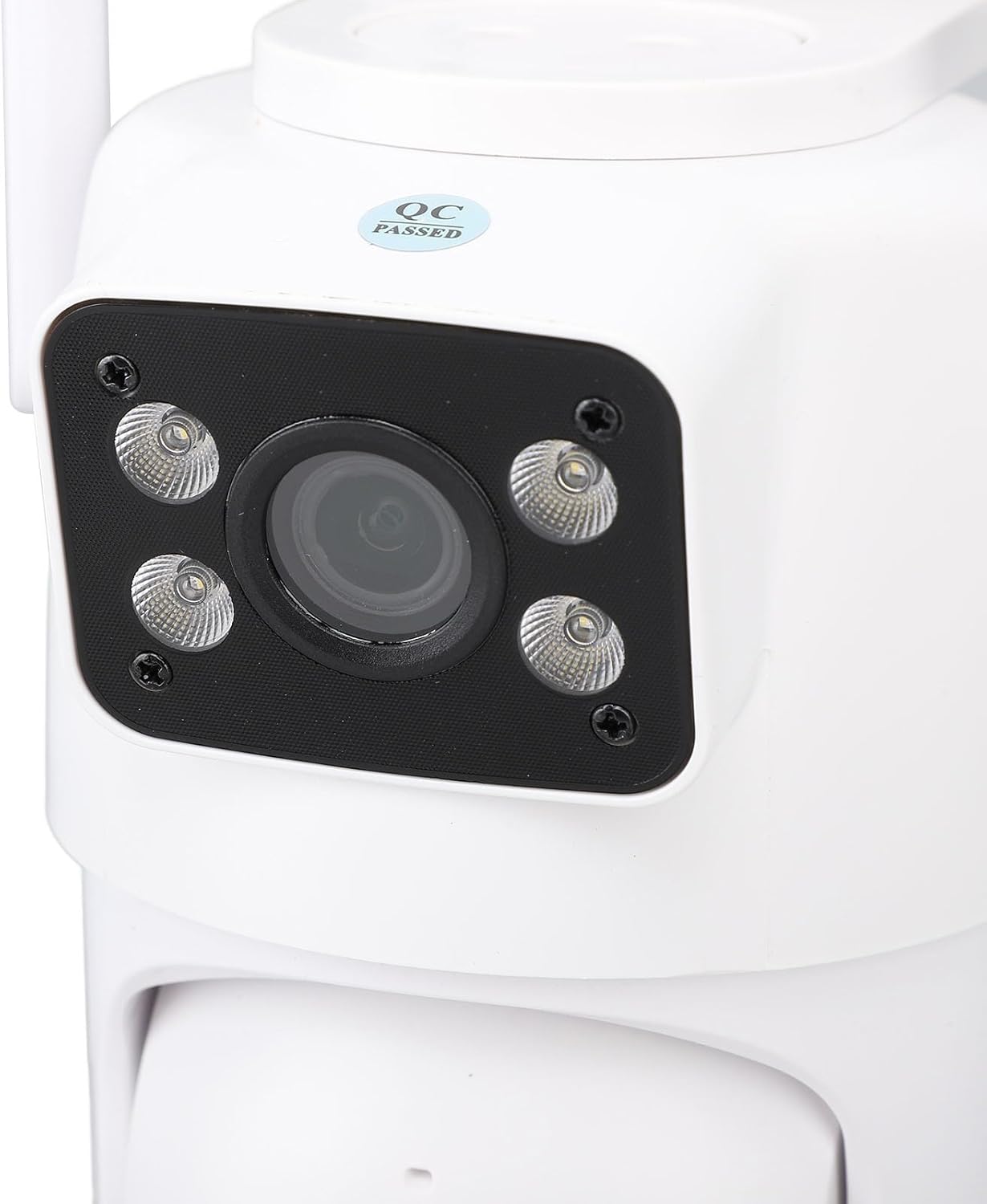
Image: Illustration showing the camera's compatibility with an NVR for 24/7 recording and the efficiency of the H.265 video format compared to H.264.
6. Rakaman dan Main semula
Dirakam footage can be stored on a microSD card (up to 128GB, purchased separately) inserted into the camera's slot, or via cloud storage services (subscription may be required). Access and playback recordings through the app's timeline or event list.
Penyelenggaraan
- Pembersihan: Lap perlahan-lahan lensa kamera dan badan dengan kain lembut dan kering. Elakkan menggunakan bahan kimia yang keras atau bahan yang melelas.
- Kemas kini Firmware: Semak aplikasi secara berkala untuk kemas kini perisian tegar yang tersedia bagi memastikan prestasi dan keselamatan yang optimum.
- Bekalan Kuasa: Ensure the camera is connected to a stable power source within the specified voltagjulat e (100-240V).
- Pengurusan Kad SD: If using a microSD card, periodically check its status and format it if necessary to maintain recording efficiency.
Menyelesaikan masalah
| Masalah | Penyelesaian yang Mungkin |
|---|---|
| Kamera tidak bersambung ke WiFi | Ensure your WiFi network is 2.4GHz. Check WiFi password. Move camera closer to router. Reset camera and try pairing again. |
| No image/video in app | Check power connection. Verify WiFi connection. Restart camera and app. |
| Pengesanan gerakan tidak berfungsi | Check app settings for motion detection sensitivity and active zones. Ensure camera lens is clean. |
| Isu audio dua hala | Semak tetapan kelantangan pada telefon anda dan dalam aplikasi. Pastikan mikrofon dan pembesar suara tidak terhalang. |
| Kad SD tidak merakam | Ensure SD card is inserted correctly and formatted. Check app recording settings. Replace SD card if faulty. |
If you encounter issues not listed here, please refer to the app's help section or contact customer support.
Spesifikasi
| Ciri | Perincian |
|---|---|
| Nama Model | Yunseity5ehuqf3o9n-11 |
| Teknologi Ketersambungan | Wayarles (Wi-Fi) |
| Teknologi Tanpa Wayar | Wi-Fi (2.4 GHz) |
| Ciri Khas | Night Vision (Color Night Vision) |
| Jenis Penggera | Gerak Sahaja |
| Penilaian Perlindungan Antarabangsa | IP66 |
| Kaedah Kawalan | Apl |
| Bilangan Item | 1 |
| Penyimpanan | Cloud / Micro SD Card (up to 128GB) |
Waranti dan Sokongan
This product comes with a standard manufacturer's warranty. For specific warranty details, please refer to the warranty card included in your package or contact your retailer.
For technical support, troubleshooting assistance, or any questions regarding your Yunseity PTZ WiFi Security Camera, please contact Yunseity customer service through the contact information provided in the product packaging or on the official Yunseity webtapak.