
GMKtec G5 12GB 256GB
Manual Pengguna GMKtec N97 Mini PC G5
Model: G5 12GB 256GB
pengenalan
This manual provides detailed instructions for the setup, operation, maintenance, and troubleshooting of your GMKtec N97 Mini PC G5. Please read this manual thoroughly before using the device to ensure optimal performance and longevity.
Produk Selesaiview
The GMKtec N97 Mini PC G5 is a compact and powerful mini computer designed for various applications, including business, office, entertainment, and education. It features the Intel Alder Lake N97 processor, 12GB DDR5 RAM, and a 256GB SSD.

Figure 1: The GMKtec N97 Mini PC G5, highlighting its small form factor.
Ciri-ciri Utama:
- Pemproses: Intel Alder Lake N97 (12th Gen, 4C/4T, up to 3.6 GHz)
- Grafik: Intel UHD Graphics 24 EU 1.20 GHz
- Ingatan: 12GB DDR5 RAM (onboard)
- Storan: 256GB SSD (expandable up to 2TB)
- Sistem pengendalian: Pre-installed Windows 11 Pro (supports Linux, Ubuntu, Windows 10 Pro)
- Ketersambungan: Dual HDMI 4K@60Hz output, 3x USB 3.2, 1x Gigabit Ethernet, 1x 3.5mm Audio Jack, 1x Micro SD card slot, Type-C power input.
- wayarles: Built-in Dual Band WiFi, Bluetooth 4.2
- Reka bentuk: Pocket-friendly, lightweight (206 grams), quiet fan operation.

Gambar 2: Lebihview of the GMKtec N97 Mini PC G5's core specifications and features.
Panduan Persediaan
Follow these steps to set up your GMKtec N97 Mini PC G5.
1. Unboxing dan Pemeriksaan Awal
Keluarkan semua komponen dari pembungkusan dengan berhati-hati. Sahkan bahawa semua item ada:
- GMKtec Nucbox G5 Mini PC
- Bekalan Kuasa Jenis-C
- Kabel HDMI
- Manual Pengguna

Figure 3: Contents of the GMKtec Nucbox G5 retail packaging.
2. Menyambung Peranti
Connect your monitor, keyboard, and mouse to the Mini PC.
- Paparan Sambungkan: Use the provided HDMI cable to connect your monitor(s) to the HDMI ports on the Mini PC. The G5 supports dual 4K displays.
- Sambungkan Papan Kekunci dan Tetikus: Plug your USB keyboard and mouse into the available USB 3.2 ports.
- Sambungkan Rangkaian (Pilihan): For a wired internet connection, connect an Ethernet cable to the Gigabit Ethernet port. Alternatively, you can use the built-in Wi-Fi.
- Sambungkan Kuasa: Plug the Type-C power supply into the designated power input port on the Mini PC, then connect the adapter to a power outlet.

Rajah 4: Terperinci view of the rich interface ports on the Mini PC G5.

Figure 5: The Mini PC G5 connected to a wired network, showcasing its connectivity options.
3. But Pertama
Press the power button located on the front of the Mini PC. The system will boot up and guide you through the initial Windows 11 Pro setup process. Follow the on-screen prompts to configure your language, region, network, and user account.
Arahan Operasi
Hidupkan/Mati Kuasa
- Hidupkan kuasa: Tekan butang kuasa sekali.
- Tutup: From Windows, go to Start > Power > Shut down. Alternatively, press and hold the power button for 4 seconds to force a shutdown (use only when necessary).
- Mulakan semula: From Windows, go to Start > Power > Restart.
- tidur: From Windows, go to Start > Power > Sleep.
Tetapan BIOS
Untuk mengakses tetapan BIOS, tekan butang DEL key repeatedly during startup. In the BIOS, you can configure settings such as Auto Power On and Wake on LAN.
Menyambungkan Pelbagai Paparan
The GMKtec N97 Mini PC G5 supports up to two 4K displays simultaneously via its dual HDMI ports. This allows for an expanded workspace and enhanced productivity.

Figure 6: Dual 4K display setup with the Mini PC G5.
Peluasan Storan
The internal 256GB SSD can be upgraded to a larger M.2 2242 SATA SSD, up to 2TB. Additionally, the Micro SD card slot supports expansion up to 512GB for additional storage.
Penyelenggaraan
Penyelenggaraan berkala membantu memastikan jangka hayat dan prestasi optimum Mini PC anda.
Pembersihan
- Pastikan Mini PC berada dalam persekitaran yang bersih dan bebas habuk.
- Gunakan kain lembut dan kering untuk mengelap bahagian luar. Jangan gunakan pembersih cecair atau aerosol.
- Pastikan bukaan pengudaraan bebas daripada halangan untuk mengelakkan terlalu panas.
Kemas Kini Perisian
Regularly update your operating system and drivers to ensure system stability, security, and performance. Windows 11 Pro will prompt you for updates.
Pengurusan Storan
Periksa penggunaan storan anda secara berkala dan padamkan yang tidak perlu files to free up space. Consider using external storage or cloud services for large files.
Menyelesaikan masalah
This section addresses common issues you might encounter with your GMKtec N97 Mini PC G5.
| Masalah | Kemungkinan Punca | Penyelesaian |
|---|---|---|
| Tiada kuasa / Sistem tidak dihidupkan | Penyesuai kuasa tidak disambungkan atau rosak; Isu saluran keluar kuasa. | Ensure the Type-C power adapter is securely connected to the Mini PC and a working power outlet. Try a different outlet. |
| Tiada paparan pada monitor | HDMI cable loose or faulty; Incorrect input selected on monitor. | Check HDMI cable connections. Ensure your monitor is set to the correct input source (e.g., HDMI 1, HDMI 2). Try a different HDMI cable or monitor. |
| Tiada sambungan internet (berwayar) | Ethernet cable loose or faulty; Router/modem issue. | Check Ethernet cable connection. Restart your router/modem. Verify network settings in Windows. |
| Tiada sambungan Wi-Fi | Wi-Fi disabled; Incorrect password; Router issue. | Ensure Wi-Fi is enabled in Windows settings. Re-enter Wi-Fi password. Restart your router. |
| System running slow | Too many applications running; Low storage space; Outdated drivers. | Tutup aplikasi yang tidak diperlukan. Kosongkan ruang cakera. Kemas kini Windows dan pemacu. |
| Bunyi kipas kuat | High CPU usage; Dust accumulation in vents. | Reduce CPU load by closing demanding applications. Ensure vents are clear. If persistent, contact support. |
Spesifikasi
Detailed technical specifications for the GMKtec N97 Mini PC G5.
- Jenama: GMKtec
- Nombor Model: G5 12GB 256GB
- Siri: Nucbox G5
- warna: Black 12+256
- Sistem pengendalian: Windows 11 Pro (supports Linux, Ubuntu, Windows 10 Pro)
- Platform Perkakasan: PC
- Jenama Pemproses: Intel
- Jenis Pemproses: Mobile CPU (Intel Alder Lake N97)
- Kelajuan Pemproses: 3.6 GHz (Burst Frequency)
- Bilangan Teras: 4 (4C/4T)
- RAM: 12 GB DDR5 (onboard)
- Saiz Pemacu keras: 256 GB SSD (M.2 2242 SATA, expandable up to 2TB)
- Graphics Chipset Brand: Intel
- Penerangan Kad Grafik: Integrated (Intel UHD Graphics 24 EU 1.20 GHz)
- Resolusi Paparan: 4096 x 2160 (4K @ 60Hz)
- Ketersambungan: Bluetooth, Wi-Fi (802.11a/b/g/n/ac)
- Antara muka perkakasan: Ethernet, PCIE x 16
- Port HDMI: 2
- Port USB 3.0: 3
- Pelabuhan lain: 3.5mm Audio Jack, Micro SD card slot, Type-C (Power Only)
- Ciri Khas: Mini PC, Quiet Fan
- Dimensi: 7.2 x 7.2 x 4.4 cm (lebih kurang 2.83 x 2.83 x 1.75 inci)
- Berat: 206 gram (lebih kurang)

Figure 7: The compact dimensions and portability of the Mini PC G5.
Waranti dan Sokongan
GMKtec provides comprehensive support for your Mini PC.
- Waranti: GMKtec offers a 1-year warranty for each Mini PC from the date of purchase, covering design and manufacturing defects.
- Sokongan Amazon: For assistance, you can contact Amazon Support by logging into your Amazon account, navigating to "Your Orders," and selecting "Ask Product Question."
- Sokongan Selepas Jualan: For direct technical support, you can send an email to the GMKtec After-Sales Team at support@gmktec.comSokongan pelanggan 24/7 tersedia.
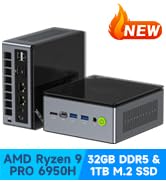
Figure 8: GMKtec Warranty and Support contact information.
Ask a question about this manual
Ask about setup, troubleshooting, compatibility, parts, safety, or missing instructions. Manuals+ will review the question and use this page’s manual context to help answer it.