
1. Pengenalan
This Mulcort USB Type-C to Type-C cable is engineered for high-performance charging and data transfer. It supports the latest PD3.1 protocol, delivering up to 240W of power, making it suitable for high-end laptops, tablets, and other USB-C enabled devices. Constructed with high-temperature resistant silicone, it offers durability and safety in various environments.
2. Ciri-ciri Utama
- Quality Silicone Material: Features high flexibility and durability, resistant to daily winding and bending, ensuring a longer product lifespan.
- Comprehensive PD Protocol Compatibility: Fully compatible with USB-C PD protocols including PD3.1, PD3.0, and PD2.0, providing a high-speed charging experience for all supported devices.
- Output Kuasa Tinggi: Integrated E-Marker chip supports 48V 5A current, delivering up to 240W maximum power for rapid charging of high-power devices like laptops and tablets.
- High Temperature Resistant Design: Made from highly flexible silicone with high-temperature resistance and anti-scald properties, ensuring safe and stable operation even under high-intensity use.
- Wide Device Applicability: Compatible with cellphones, tablets, laptops, and other digital products with a Type-C port and PD protocol support, including all MINWARE TYPE-C series products.
3. Arahan Persediaan
The Mulcort USB Type-C to Type-C cable is designed for plug-and-play functionality. Follow these steps to connect your devices:
- Kenal pasti Pelabuhan: Ensure both your charging source (e.g., wall adapter, power bank) and your device (e.g., laptop, tablet, smartphone) have a USB Type-C port.
- Sambungkan ke Sumber Kuasa: Insert one end of the Mulcort USB Type-C cable into the USB Type-C output port of your compatible power adapter or device.
- Sambung ke Peranti: Insert the other end of the Mulcort USB Type-C cable into the USB Type-C input port of your target device.
- Sahkan Sambungan: Confirm that both ends of the cable are securely connected. Your device should indicate that it is charging or connected for data transfer.

Image: Mulcort USB Type-C to Type-C Cable in its retail packaging, highlighting its material and interface.
4. Arahan Operasi
4.1. Mengecas Peranti Anda
Once the cable is connected as described in the Setup section, your device will begin to charge. The built-in E-Marker chip ensures optimal power delivery up to 240W, provided your power source and device also support these high power levels and the PD3.1 protocol. Charging speed will vary based on the capabilities of your power adapter and device.
4.2. Pemindahan Data
To transfer data between two compatible USB Type-C devices (e.g., a laptop and a smartphone), connect the cable between their respective USB Type-C ports. Your devices should recognize each other, allowing you to initiate data transfer through your device's operating system. The cable supports efficient data sync with up to 480Mbps transfer rate.

Image: Close-up of the Mulcort USB Type-C to Type-C Cable, illustrating its E-Marker chip, 240W output, and PD3.1 protocol support.
5. Spesifikasi
| Ciri | Perincian |
|---|---|
| Nama Produk | Kabel Data |
| bahan | silikon |
| Panjang Kabel | 1 meter (kira-kira 3.3 kaki) |
| Antara muka | USB Jenis-C ke Jenis-C |
| Output Kuasa | Sehingga 240W (48V 5A) |
| Kelajuan Pemindahan Data | Sehingga 480Mbps |
| Protokol yang Disokong | PD3.1, PD3.0, PD2.0, and other fast recharging protocols |
| Ciri Khas | Built-in E-Marker chip, High Temperature Resistant, Anti-scald |
| Dimensi Pakej | 5.83 x 4.13 x 0.79 inci |
| Berat Barang | 1.19 auns |
| Pengeluar | Mulcort |
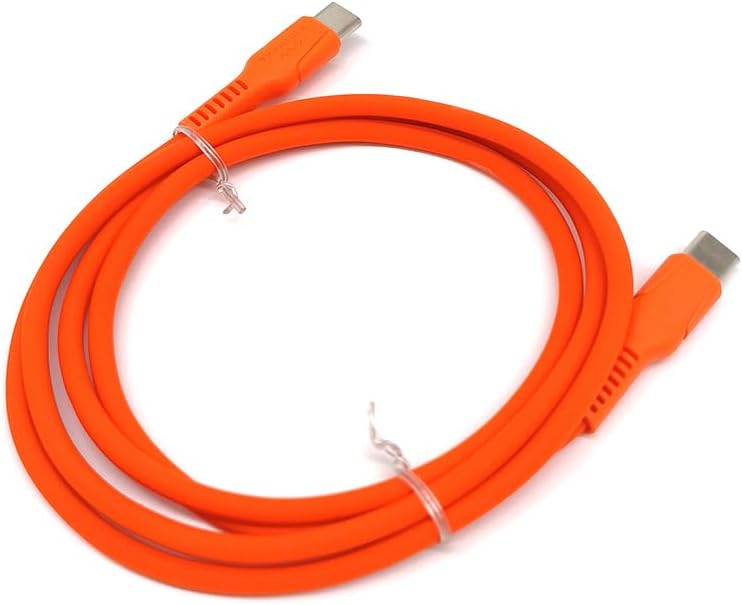
Image: The Mulcort USB Type-C to Type-C Cable coiled, showcasing its flexible silicone material.
6. Penyelenggaraan
To ensure the longevity and optimal performance of your Mulcort USB Type-C to Type-C cable, please follow these maintenance guidelines:
- Storan yang Betul: When not in use, coil the cable neatly. Avoid sharp bends or kinks, especially near the connectors, as this can damage internal wires.
- Pembersihan: Gently wipe the cable and connectors with a dry, soft cloth to remove dust or debris. Do not use harsh chemicals or abrasive materials.
- Elakkan Keadaan Melampau: While the cable is high-temperature resistant, avoid prolonged exposure to extreme heat, direct sunlight, or very cold environments. Keep it away from liquids.
- Tangani dengan Berhati-hati: Always grasp the connector head when plugging or unplugging the cable. Avoid pulling directly on the cable itself, as this can strain the connection points.

Image: The Mulcort USB Type-C to Type-C Cable neatly coiled, demonstrating proper storage.
7. Penyelesaian masalah
If you encounter issues with your Mulcort USB Type-C to Type-C cable, try the following troubleshooting steps:
- Peranti Tidak Mengecas:
- Ensure both ends of the cable are securely plugged into the power source and the device.
- Verify that your power adapter is functioning correctly and is plugged into a live outlet.
- Check if your power adapter and device support the required power delivery (e.g., 240W, PD3.1).
- Try using a different USB Type-C port on your power source or device, if available.
- Test the cable with another compatible device to determine if the issue is with the cable or the original device/power source.
- Pengecasan perlahan:
- Confirm that your power adapter and device support fast charging protocols (PD3.1, PD3.0, PD2.0).
- Pastikan penyesuai kuasa anda membekalkan kuasa yang mencukupitage for your device. High-power devices require higher wattage penyesuai.
- Tutup sebarang aplikasi intensif kuasa yang berjalan di latar belakang pada peranti anda.
- Isu Pemindahan Data:
- Ensure both devices are properly connected and recognized by each other's operating systems.
- Semak tetapan peranti untuk memastikan pemindahan data didayakan (cth., "File Transfer" mode on smartphones).
- Mulakan semula kedua-dua peranti dan cuba sambungkan semula.
8. Waranti dan Sokongan
The Mulcort USB Type-C to Type-C cable comes with a standard manufacturer's warranty against defects in materials and workmanship. For specific warranty details and duration, please refer to the product packaging or contact Mulcort customer support.
For technical support, troubleshooting assistance, or warranty claims, please contact Mulcort directly through their official webtapak atau maklumat hubungan yang diberikan bersama pembelian anda.
9. Video Produk Rasmi
UMETRAVEL Crystal USB-C Cable
Video: Tayangan video produk rasmicasing the UMETRAVEL Crystal USB-C Cable, highlighting its features and design. This video is relevant as it demonstrates a similar product type and its functionalities.