
CZBRO XY-258
CZBRO Portable USB LED Keyboard Light Instruction Manual
Model: XY-258
pengenalan
This manual provides comprehensive instructions for the safe and effective use of your CZBRO Portable USB LED Keyboard Light. Please read this manual thoroughly before operating the device and retain it for future reference.
The CZBRO Portable USB LED Keyboard Light is designed to provide convenient illumination for laptop keyboards and other low-light environments. Its flexible gooseneck design allows for precise positioning, making it suitable for various applications such as reading or working.
Ciri-ciri Produk
- Portable USB Light: Compact and lightweight, designed for easy portability, ideal for travelers.
- Bahan Tahan Lama: Constructed from high-quality materials for long-lasting performance.
- Lampu LED 10: Features 10 high-brightness LED beads for maximum illumination and clear visibility.
- Reka Bentuk Fleksibel: Gooseneck design allows for easy adjustment and precise positioning of the light.
- Mudah Digunakan: Simple plug-and-play operation via any standard USB port; no batteries or additional setup required.

Image: Two CZBRO Portable USB LED Keyboard Lights, showcasing their design and how one is connected to a laptop for keyboard illumination.

Image: The CZBRO light in use with a laptop, demonstrating its effectiveness in low-light conditions and its compact, portable nature.

Imej: A terperinci view of the product, highlighting its flexible gooseneck for easy adjustment and its durable construction.
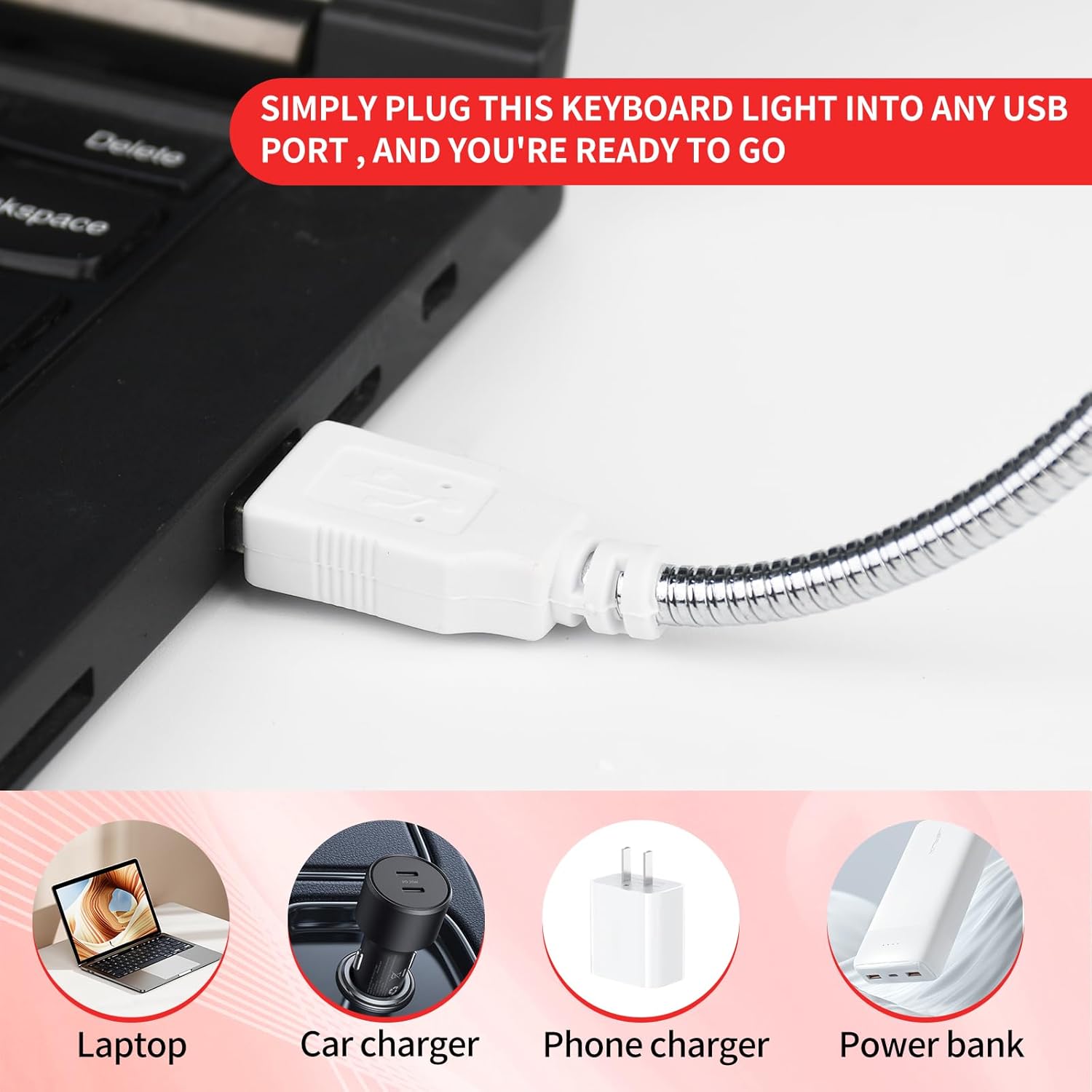
Image: The USB connector of the light, illustrating its versatility for use with laptops, car chargers, phone chargers, and power banks.

Image: A user operating the light in a low-light setting, demonstrating its effective illumination and flexible positioning.

Image: The light effectively illuminating a laptop keyboard, showcasing its bright and efficient LED output.
Persediaan
- Bongkar: Carefully remove the CZBRO Portable USB LED Keyboard Light from its packaging.
- Identify USB Port: Locate an available USB Type-A port on your laptop, desktop computer, car charger, phone charger, or power bank.
- Sambung: Insert the USB connector of the keyboard light firmly into the identified USB port.
- Hidupkan kuasa: The light will illuminate automatically upon successful connection to a powered USB port. No additional power switch is present on the device.
Arahan Operasi
The CZBRO Portable USB LED Keyboard Light is designed for straightforward operation:
- Melaraskan Arah Cahaya: Utilize the flexible gooseneck to bend and position the light head to your desired angle and direction. This allows for precise illumination of your keyboard, book, or workspace.
- Kawalan Kuasa: The light does not feature an on/off switch. It will remain illuminated as long as it is connected to a powered USB port. To turn off the light, simply disconnect it from the USB port.
- Penggunaan Optimum: For best results, position the light to minimize glare on your screen while maximizing illumination on your keyboard or reading material.
Penyelenggaraan
To ensure the longevity and optimal performance of your CZBRO Portable USB LED Keyboard Light, follow these maintenance guidelines:
- Pembersihan: Disconnect the light from its power source before cleaning. Use a soft, dry cloth to wipe the surface of the light and the gooseneck. Do not use abrasive cleaners, solvents, or immerse the light in water.
- Storan: When not in use, store the light in a cool, dry place away from direct sunlight and extreme temperatures. Avoid tightly coiling the gooseneck to prevent damage.
- Pengendalian: Handle the light with care. Avoid excessive force when bending the gooseneck or inserting/removing the USB connector.
Menyelesaikan masalah
If you encounter issues with your CZBRO Portable USB LED Keyboard Light, refer to the following common problems and solutions:
| Masalah | Kemungkinan Punca | Penyelesaian |
|---|---|---|
| Cahaya tidak menyala. | Not properly connected to a USB port. USB port is not powered. Port USB rosak. | Pastikan penyambung USB dimasukkan sepenuhnya ke dalam port. Try connecting the light to a different USB port or a different power source (e.g., another laptop, a wall adapter). Test the USB port with another device to confirm it is functional. |
| Cahaya berkelip atau malap. | Kuasa tidak mencukupi daripada port USB. Sambungan longgar. | Try a different USB port, especially one directly on a computer rather than a hub. Re-insert the USB connector firmly. |
| Gooseneck does not hold position. | Excessive bending or wear over time. | While the gooseneck is designed for flexibility, continuous extreme bending may reduce its rigidity over time. Ensure you are not over-extending it. |
Spesifikasi
| Ciri | Perincian |
|---|---|
| Jenama | CZBRO |
| Nama Model | XY-258 |
| Nombor Model Item | XY-258 |
| warna | merah |
| Bilangan Item | 2 keping |
| Dimensi Produk | 16"D x 0.6"W x 0.4"H (lebih kurang 40.6cm D x 1.5cm W x 1.0cm H) |
| Berat Barang | 1.76 auns (lebih kurang 50 gram) |
| Lamp taip | LED |
| Jenis Sumber Cahaya | LED |
| Bilangan Sumber Cahaya | 10 |
| Sumber Kuasa | USB (5 Volts DC) |
| bahan | Metal (Gooseneck), Plastic (Base/Light Housing) |
| Ciri Khas | No additional batteries or setup required |
| Penggunaan Dalaman/Luar | Dalaman |
| Tahap Ketahanan Air | Bukan Tahan Air |
| Komponen yang Disertakan | Portable USB LED Light for Keyboard |
Waranti dan Sokongan
For information regarding warranty coverage or technical support for your CZBRO Portable USB LED Keyboard Light, please contact the manufacturer directly or refer to the product's packaging for specific contact details.
Sila simpan bukti pembelian anda untuk sebarang tuntutan waranti.
Ask a question about this manual
Ask about setup, troubleshooting, compatibility, parts, safety, or missing instructions. Manuals+ will review the question and use this page’s manual context to help answer it.