
1. Pengenalan
Thank you for choosing the LanLuk 200W GaN IV 8-Port USB-C Charging Station. This device is designed to provide efficient and safe charging for a wide range of electronic devices, including laptops, smartphones, tablets, and more. Please read this manual carefully before use to ensure proper operation and to maximize the lifespan of your product.
2. Arahan Keselamatan
- Jangan dedahkan peranti kepada air, lembapan atau suhu yang melampau.
- Elakkan daripada menjatuhkan atau meletakkan peranti kepada kesan yang kuat.
- Jangan buka, ubah suai atau cuba membaiki peranti ini sendiri. Ini akan membatalkan jaminan dan boleh menyebabkan kerosakan atau kecederaan.
- Gunakan hanya kabel kuasa yang disediakan.
- Ensure proper ventilation around the charging station during use to prevent overheating.
- Jauhkan daripada kanak-kanak.
- Unplug the charging station from the power outlet when not in use or during electrical storms.
3. Kandungan Pakej
Sahkan bahawa semua item terdapat dalam pakej anda:
- 1 x LanLuk 200W 8-in-1 USB-C Charging Station
- 1 x Kuasa Kuasa
- 1 x Manual Arahan
4. Produk Lebihview
The LanLuk 200W GaN IV 8-Port USB-C Charging Station features advanced GaN IV technology for higher energy efficiency, upgraded heat dissipation, and a compact design. It provides a total of 200W power output across 8 ports, allowing you to charge multiple devices simultaneously.
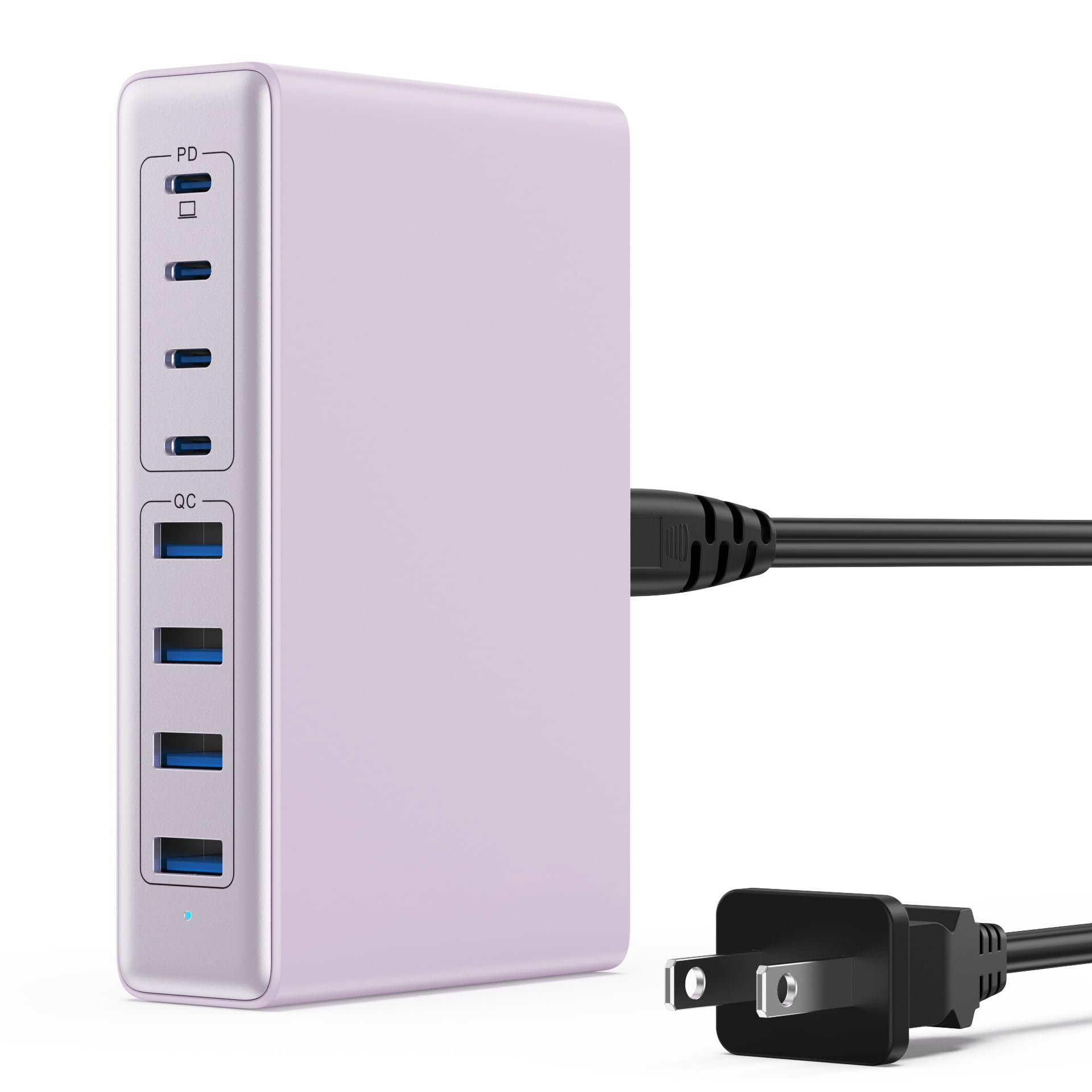
Image: The LanLuk 200W GaN IV 8-Port USB-C Charging Station in purple.
Ciri-ciri Utama:
- GaN IV Technology: Utilizes the latest Gallium Nitride (GaN) IV chip for enhanced efficiency, reduced heat, and a smaller form factor.
- Jumlah Output Kuasa 200W: Delivers optimal power to charge up to 8 devices simultaneously at full speed.
- 8 Charging Ports: Includes 4 USB-C ports (PD 3.0) and 4 USB-A ports (QC 4.0) for broad compatibility.
- Penghantaran Kuasa 65W (PD): One dedicated USB-C port provides up to 65W, capable of fast-charging laptops like MacBook Pro/Air, Dell XPS, and more.
- Sistem Keselamatan Pelbagai Perlindungan: Built-in intelligent IC with six safety protections: over-voltage, over-current, over-charge, over-temperature, static electricity, and short circuit.
- Keserasian Universal: Supports a wide range of devices including iPhones, iPads, Android phones, laptops, gaming consoles (Steam Deck, Nintendo Switch), smartwatches, and headphones.
- Reka Bentuk Mudah Alih: Compact size (approximately 5 inches by 3 inches) with a 1.5M/5FT AC extension power cord for flexible placement.
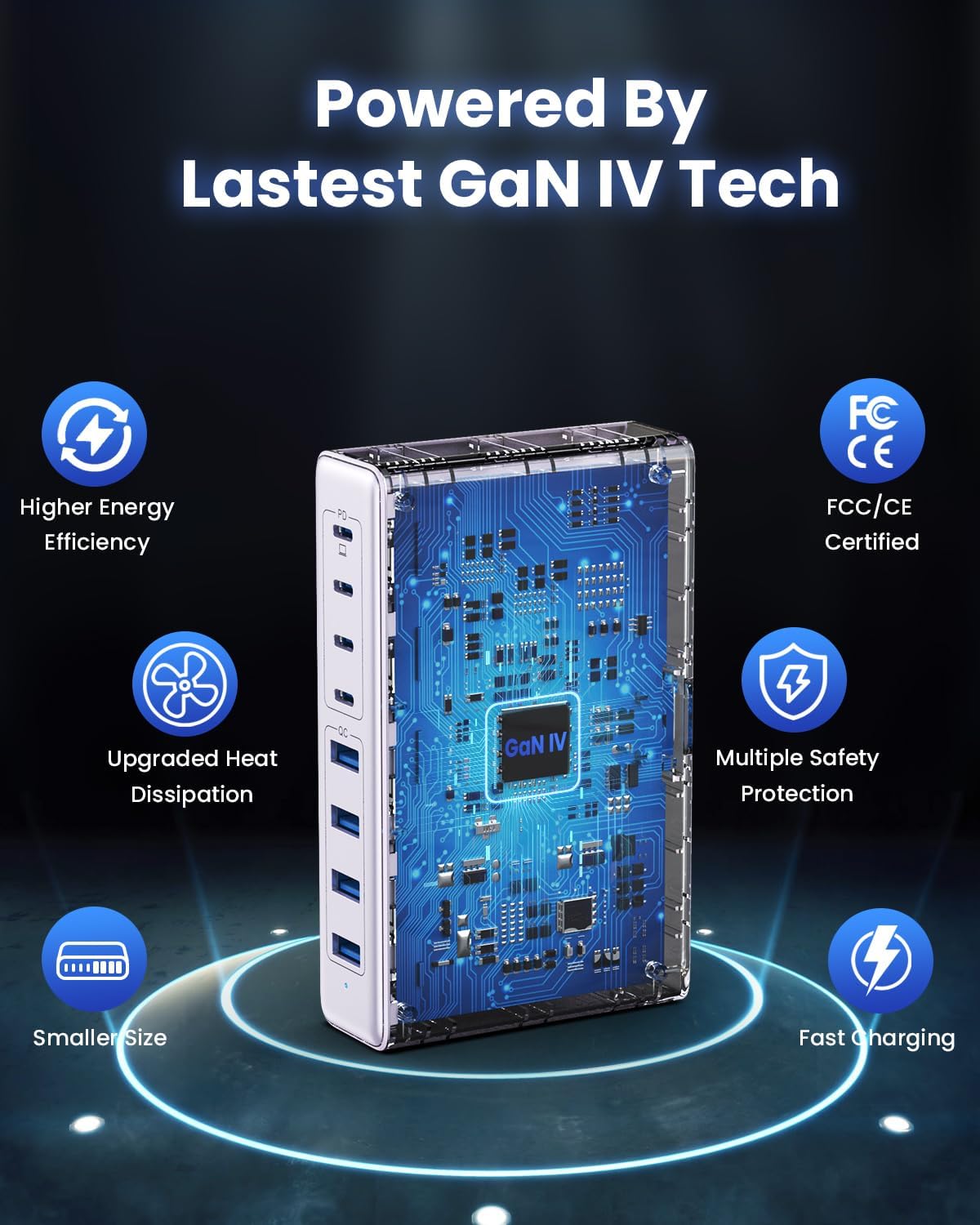
Image: Diagram illustrating the benefits of GaN IV technology, including higher energy efficiency, upgraded heat dissipation, smaller size, multiple safety protections, and fast charging.

Image: Visual representation of the charging station connecting to 8 different devices (4 USB-C, 4 USB-A).

Image: Infographic showing the universal compatibility with laptops/tablets (MacBook Pro, Dell XPS, iPad Pro), smartphones (iPhone, Samsung Galaxy, Google Pixel), and gaming devices/others (ROG ALLY, Steam Deck, AirPods, Switch).

Image: Illustration highlighting the USB-C1 port's 65W output, perfect for laptops, showing a MacBook charging.
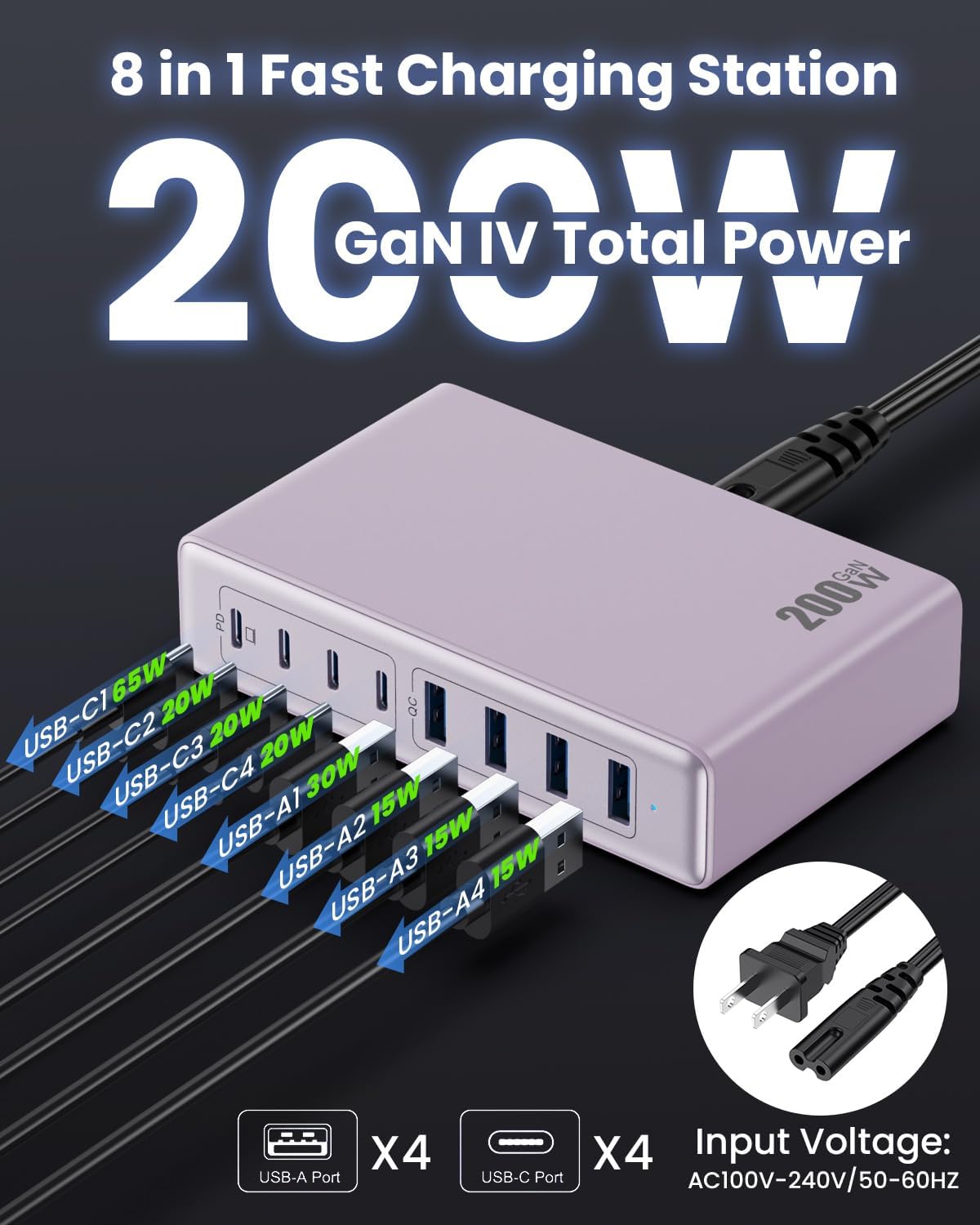
Imej: Terperinci view of the charging station's ports and their individual power outputs (USB-C1 65W, USB-C2 20W, USB-C3 20W, USB-C4 20W, USB-A1 15W, USB-A2 15W, USB-A3 15W, USB-A4 15W).

Image: Comparison chart showing the LanLuk charger's advantages over other chargers in terms of total max output, one port output, number of ports, devices charged, portability, and sustainability.
5. Persediaan
- Bongkar: Keluarkan stesen pengecasan dan semua aksesori dari pembungkusan dengan berhati-hati.
- Sambungkan Kord Kuasa: Insert the included power cord into the AC input port on the back of the charging station.
- Palamkan ke dalam Outlet: Plug the other end of the power cord into a standard AC wall outlet (100-240V, 50/60Hz).
- Sedia untuk Digunakan: The charging station is now ready to charge your devices.
6. Arahan Operasi
- Identify Port Type: Determine whether your device requires a USB-C or USB-A connection.
- Sambungkan Peranti: Plug your device's charging cable into the appropriate port on the charging station. For optimal laptop charging, use the 65W PD USB-C1 port.
- Mula Mengecas: Your device should begin charging automatically. The intelligent chip will identify the device and deliver the optimal charging current.
- Pengecasan Monitor: Some devices may display a charging indicator.
- Putuskan sambungan: Once charging is complete, safely disconnect your device from the charging station.
7. Spesifikasi
| Ciri | Penerangan |
|---|---|
| Jenama | LanLuk |
| Nombor Model | HX-P21 |
| Wattage | 200 Watt (Jumlah) |
| Jumlah Port USB | 8 (4 USB-C, 4 USB-A) |
| Output USB-C | PD USB C (up to 65W on one port) |
| Keluaran USB-A | QC4.0 USB-A |
| Input Voltage | 100-240 Volt (AC), 50-60 Hz |
| Arus Keluaran | 4 Amps (Maksimum) |
| bahan | Plastic (ABS and PC fireproof materials) |
| Ciri Khas | GaN IV Technology, Fast Charging, Lightweight Design, Charging Indicator, Universal Compatibility, Short Circuit Protection |
| Dimensi | Approximately 5 inches x 3 inches (portable) |
| Sumber Kuasa | Elektrik Bertali |
8. Penyelesaian masalah
- Peranti tidak dicas:
- Ensure the charging station is properly plugged into a live power outlet.
- Periksa sama ada kabel pengecas disambungkan dengan selamat ke stesen pengecas dan peranti anda.
- Cuba kabel atau port pengecas yang berbeza untuk menolak kabel atau port yang rosak.
- Verify your device is compatible with the charging station's output specifications.
- Pengecasan perlahan:
- Ensure you are using a fast-charging compatible cable for your device.
- For laptops, use the dedicated 65W PD USB-C1 port.
- Charging multiple devices simultaneously may distribute the total power, potentially reducing individual port speeds.
- Check if your device supports fast charging protocols (PD, QC).
- Terlalu panas:
- Pastikan stesen pengecas mempunyai pengudaraan yang mencukupi dan tidak dilindungi.
- If excessive heat persists, discontinue use and contact customer support.
9. Penyelenggaraan
- Pembersihan: Putuskan sambungan stesen pengecas daripada alur keluar kuasa sebelum membersihkan. Gunakan kain lembut dan kering untuk mengelap permukaan. Jangan gunakan pembersih cecair atau aerosol.
- Storan: Simpan peranti di tempat yang sejuk dan kering jauh dari cahaya matahari langsung dan kelembapan apabila tidak digunakan.
- Penjagaan Kabel: Avoid bending or crimping charging cables excessively to prevent damage.
10. Waranti dan Sokongan
LanLuk provides a Waranti 3 tahun for free replacement. If you encounter any issues or have questions regarding your product, please contact our customer support team for assistance.
Sokongan Pelanggan: Sila rujuk maklumat perhubungan yang diberikan pada pembungkusan produk atau maklumat rasmi kami webtapak untuk sokongan.