
1. Pengenalan
Thank you for choosing the FOCHEW 13800mAh Portable Charger. This device is designed to provide convenient and efficient power on the go for a wide range of electronic devices. Featuring built-in charging cables and a foldable AC wall plug, it eliminates the need for carrying multiple accessories, making it an ideal travel companion.
2. Maklumat Keselamatan
- Do not expose the power bank to extreme temperatures (heat or cold), direct sunlight, or fire.
- Elakkan menjatuhkan, membuka atau cuba membaiki peranti sendiri.
- Jauhkan daripada air dan kelembapan yang tinggi.
- Jangan gunakan jika peranti rosak atau bengkak.
- Jauhkan daripada kanak-kanak.
- Lupuskan bank kuasa secara bertanggungjawab mengikut peraturan tempatan.
3. Produk Lebihview
The FOCHEW Portable Charger is an all-in-one solution for your charging needs. It integrates essential charging components into a compact design.
3.1 Ciri-ciri Utama
- Kabel terbina dalam: Includes a Type-C cable and a cable for iPhone, ensuring compatibility with most modern smartphones.
- Palam Dinding AC Boleh Lipat: Allows direct recharging of the power bank from any standard wall outlet without external adapters.
- Berbilang Output: Features 2 built-in cable outputs, 1 Type-C input/output port, and 1 USB-A output port, supporting simultaneous charging of up to 4 devices.
- Paparan LED Digital: Menunjukkan baki peratusan bateritage untuk memudahkan pemantauan.
- Padat dan Ringan: Designed for portability, making it suitable for travel and daily use.
3.2 Kandungan Pakej
- FOCHEW 13800mAh Portable Charger x1
- Manual Pengguna x1
3.3 Rajah Produk
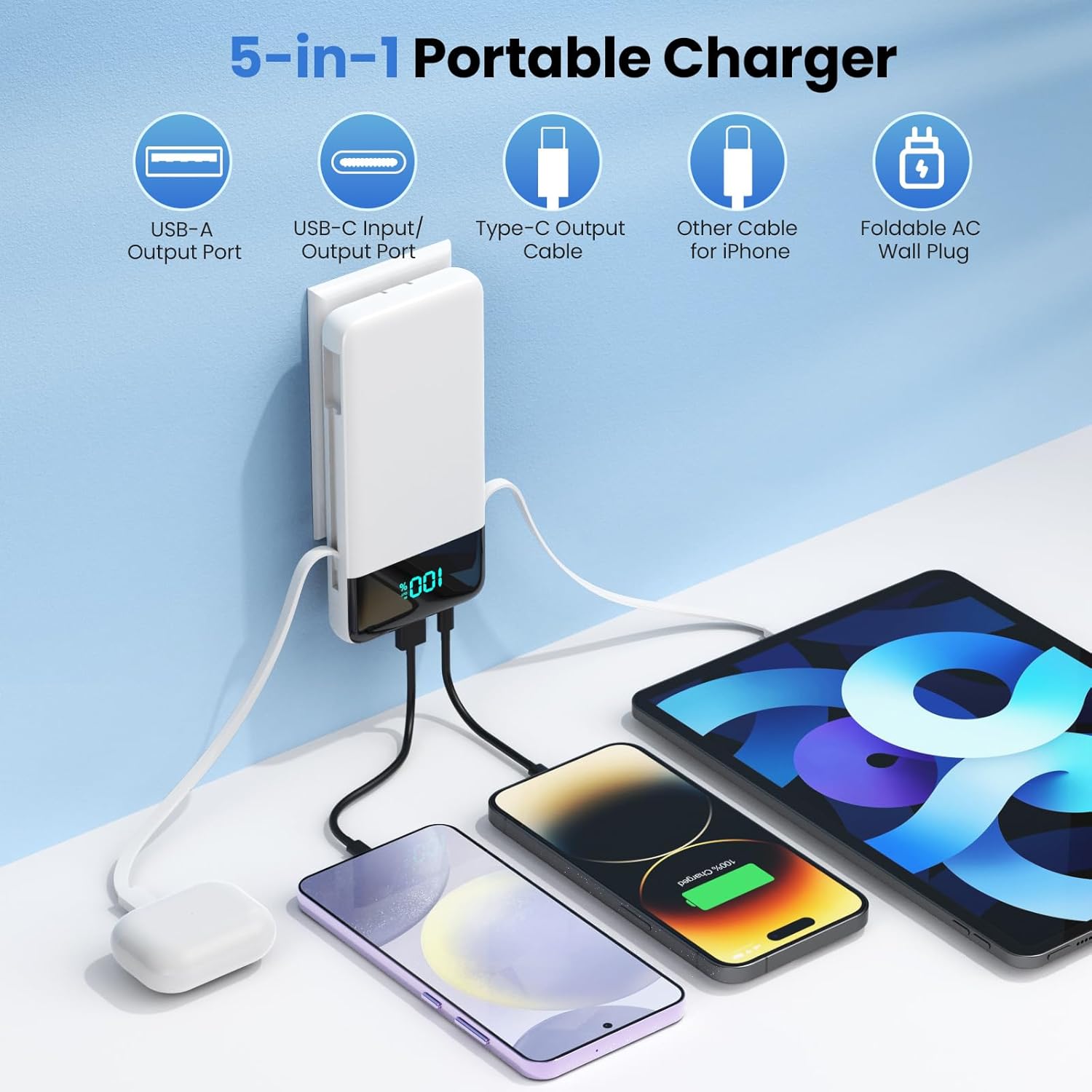
Gambar 1: Lebihview of the 5-in-1 Portable Charger with all ports and cables labeled.

Figure 2: The portable charger's slim design and compact dimensions.
4. Persediaan dan Pengecasan Awal
Before first use, fully charge your FOCHEW Portable Charger.
- Using the Built-in Wall Plug: Fold out the integrated AC wall plug from the side of the power bank. Plug the power bank directly into a standard wall outlet. The LED display will show the charging progress.
- Menggunakan Port USB-C: Alternatively, connect a USB-C cable (not included) to the power bank's Type-C input/output port and then to a compatible USB wall adapter (not included).
The LED display will blink while charging and show '100' when fully charged. A full charge typically takes approximately 3 hours via USB-C port or 5 hours via wall plug.

Figure 3: Recharging options for the power bank.
5. Arahan Operasi
The FOCHEW Portable Charger offers multiple ways to charge your devices.
5.1 Mengecas Peranti
- Menggunakan Kabel Terbina dalam: Pull out the appropriate built-in cable (Type-C or for iPhone) and connect it to your device. The power bank will automatically begin charging.
- Menggunakan Port Output USB-A: Connect your device's USB-A charging cable (not included) to the USB-A output port on the power bank.
- Using USB-C Input/Output Port: Connect your device's USB-C charging cable (not included) to the Type-C port on the power bank. This port supports 15W PD fast charging.
Paparan LED akan menunjukkan peratusan bateri yang tinggaltage of the power bank during charging. You can charge up to 4 devices simultaneously.
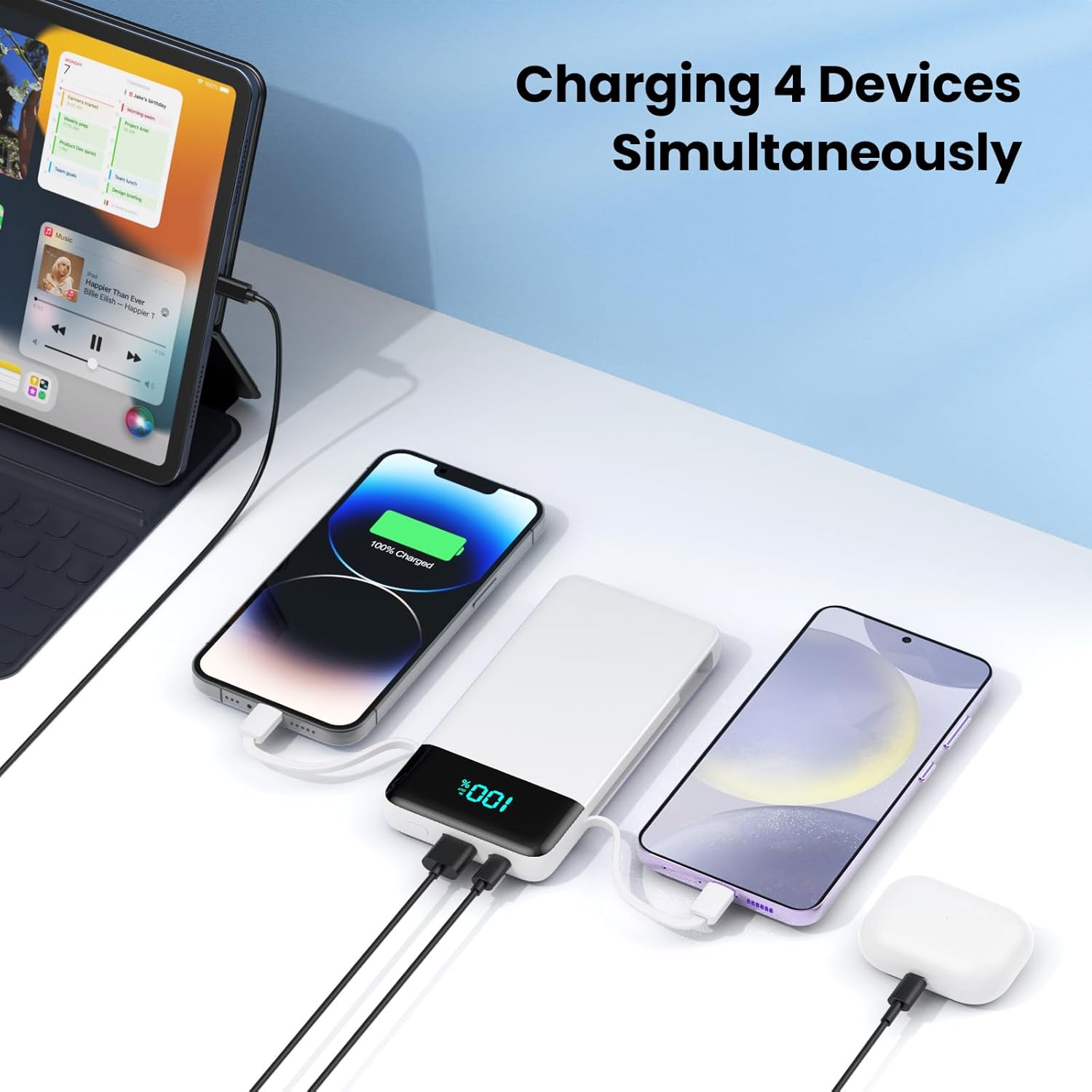
Figure 4: Charging multiple devices simultaneously.
5.2 Keserasian
This portable charger is widely compatible with a variety of devices:
- For iPhones/iPad Series: Compatible with iPhone 17/17 Pro/17 Pro Max/Air/16/16 Plus/16 Pro/16 Pro Max/15/15 Plus/15 Pro/15 Pro Max/14/14 Plus/14 Pro/14 Pro Max, iPhone 13/13 Pro/13 Pro Max/12/12 Pro/12 Pro Max, iPhone 11/XR/XS Max/8/8 Plus/7/7Plus/6/6s/6Plus, iPad Air, iPad Pro, Apple AirPods Pro/AirPods.
- For Samsung/Android: Compatible with Galaxy S25/S24/S22/S23/S21 Series, Google Pixel, LG, Moto, tablets, and other Android devices.
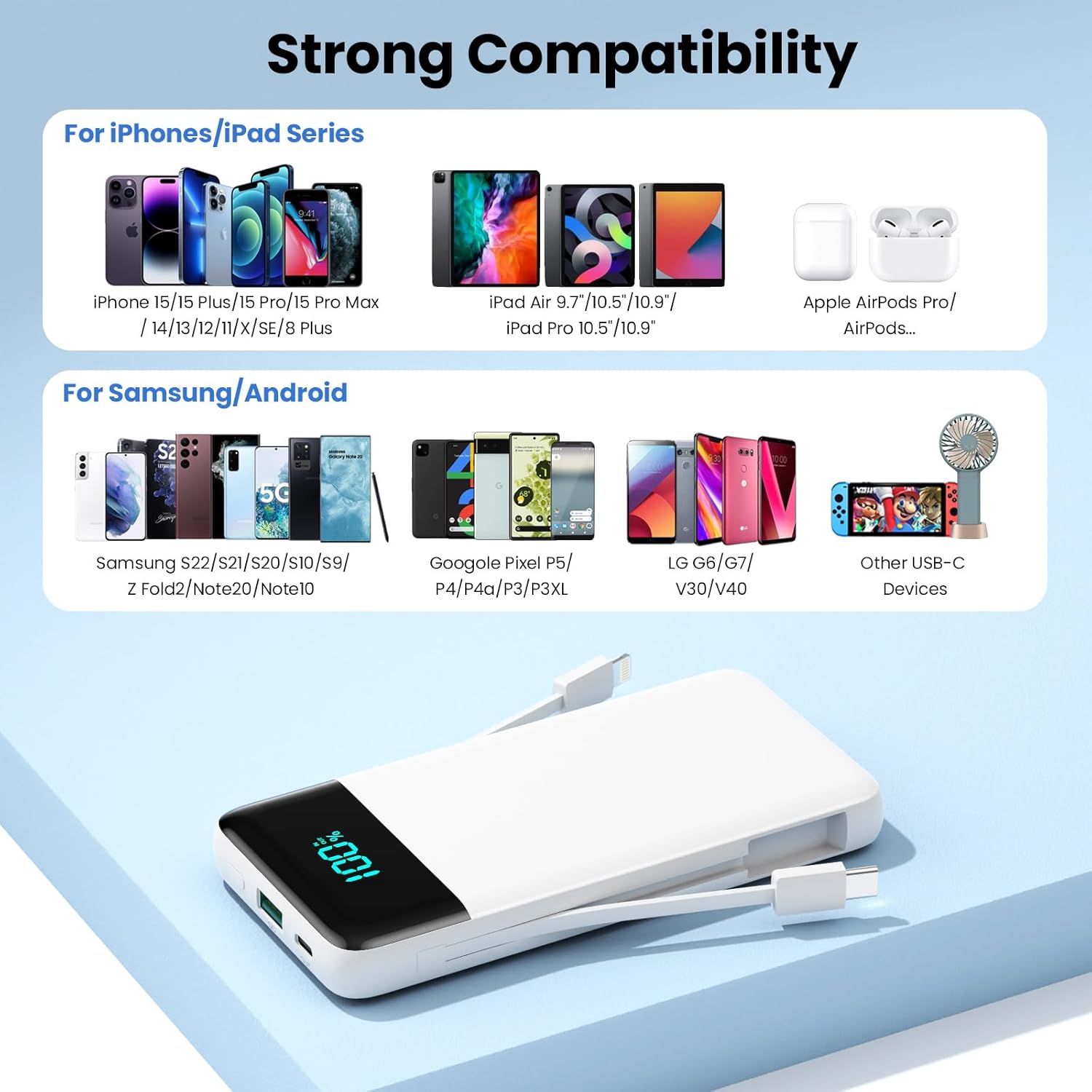
Figure 5: Wide device compatibility.
6. Penyelenggaraan
- Pembersihan: Gunakan kain lembut dan kering untuk membersihkan permukaan bank kuasa. Jangan gunakan pembersih cecair atau aerosol.
- Storan: Simpan bank kuasa di tempat yang sejuk dan kering jauh dari cahaya matahari langsung dan suhu yang melampau.
- Penjagaan Bateri: To prolong battery life, fully charge the power bank at least once every three months, even if not in regular use.
7. Penyelesaian masalah
- Bank kuasa tidak dicas: Ensure the wall plug is fully inserted into a live outlet or the USB-C cable is properly connected to a power source. Check if the outlet is functional.
- Peranti tidak dicas dari power bank: Ensure the power bank has sufficient charge. Verify that the charging cable is securely connected to both the power bank and your device. Try a different cable or port.
- Pengecasan perlahan: Ensure your device and cable support fast charging if expecting high speeds. Charging multiple devices simultaneously may reduce individual charging speeds.
- Paparan LED tidak berfungsi: If the power bank is charging or discharging, the display should be active. If it remains off, try recharging the power bank. If the issue persists, contact customer support.
8. Spesifikasi
| Nombor Model | HX100M9 |
| Kapasiti Bateri | 13800mAh |
| Input (Wall Plug) | AC 100-240V, 50/60Hz |
| Input (USB-C) | 15W PD (Penghantaran Kuasa) |
| Output (Built-in Type-C Cable) | 3.0A High-Speed Charging |
| Output (Built-in for iPhone Cable) | Pengecasan Standard |
| Output (Port USB-A) | Pengecasan Standard |
| Output (USB-C Port) | 15W PD (Penghantaran Kuasa) |
| Dimensi | 5.9 x 2.7 x 0.7 inci |
| Berat badan | 9.6 auns (220g) |
9. Waranti dan Sokongan
Your FOCHEW Portable Charger comes with a worry-free Waranti 24 bulan dan sokongan teknikal seumur hidup. If you encounter any issues or have questions, please contact our friendly customer service team for assistance.
For customer service, please refer to the contact information provided on the product packaging or our official webtapak.


