
pengenalan
The YYK-Q63 Wireless Bluetooth 5.3 TWS Earbuds offer an advanced audio experience with robust features designed for active lifestyles. These earbuds provide 60 hours of total playback time, come with a wireless charging case, and feature an LED power display. With IPX7 waterproofing and active noise cancellation, they are suitable for various activities, from daily commutes to intense workouts. The ergonomic design with ear hooks ensures a secure and comfortable fit.
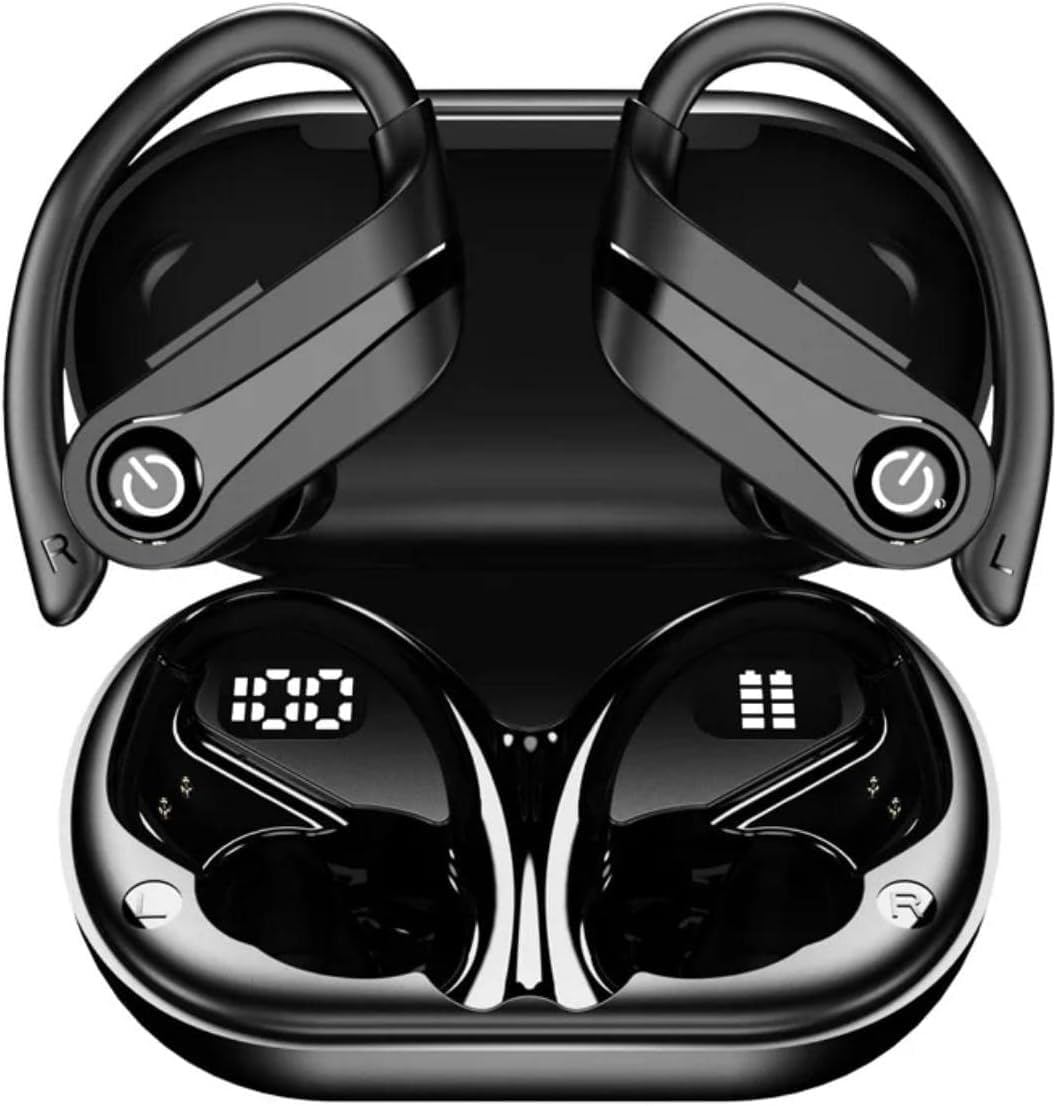
Image: The YYK-Q63 Wireless Bluetooth Earbuds, black, shown in their open charging case, displaying LED battery indicators on the earbuds.
Apa yang ada dalam Kotak
Upon opening your YYK-Q63 package, please verify that all the following items are included:
- YYK-Q63 Wireless Bluetooth Earbuds (Left and Right)
- Sarung Pengecas Tanpa Wayar
- Kabel Pengecasan USB Jenis-C
- Manual Pengguna
- Kusyen Telinga (pelbagai saiz)
Spesifikasi
| Ciri | Perincian |
|---|---|
| Nama Model | YYK-Q63 |
| Teknologi Ketersambungan | Wayarles (Bluetooth 5.3) |
| Teknologi Komunikasi Tanpa Wayar | Bluetooth |
| Versi Bluetooth | 5.3 |
| Tahap Ketahanan Air | IPX7 Kalis Air |
| Kawalan Bunyi | Pembatalan Bunyi Aktif |
| Hayat Bateri (Main Semula Keseluruhan) | 60 Jam |
| Masa Tunggu Sedia | 120 Jam |
| Masa Mengecas | 1-2 Jam |
| Penyambung Pengecasan | Jenis-C |
| Bentuk alat dengar | Cangkuk Telinga |
| Mikrofon Terbina dalam | ya |
| Kawalan Kelantangan | ya |
| Paparan LED | Yes (for power levels) |
| Peranti Serasi | Cellphones, Tablets, Laptops, iPod, Gaming Devices |
Persediaan dan Berpasangan
- Caj Permulaan: Before first use, place both earbuds into the charging case and connect the Type-C cable to a power source. The LED display on the case will indicate charging status. Charge for 1-2 hours until fully charged.
- Hidupkan kuasa: Open the charging case. The earbuds will automatically power on and enter pairing mode. You will see the LED indicators on the earbuds flashing.
- Pairing Bluetooth:
- Go to the Bluetooth settings on your device (smartphone, tablet, laptop).
- Cari untuk peranti yang tersedia.
- Select "YYK-Q63" from the list.
- Once connected, the earbud LEDs will stop flashing, and you may hear a confirmation tone.
- Penyambungan Semula Automatik: Selepas pemasangan awal, fon telinga akan bersambung secara automatik ke peranti yang terakhir dipasangkan apabila ditanggalkan daripada bekas pengecas, dengan syarat Bluetooth didayakan pada peranti.

Image: The YYK-Q63 Earbuds shown alongside a smartphone, tablet, and charging case, illustrating their broad compatibility with various devices.
Arahan Operasi
Kawalan:
- Main/Jeda: Ketik sekali pada salah satu fon telinga.
- Lagu Seterusnya: Ketik dua kali pada fon telinga kanan.
- Trek Sebelumnya: Ketik dua kali pada fon telinga kiri.
- Kelantangan: Ketik tiga kali pada fon telinga kanan.
- Perlahankan suara: Ketik tiga kali pada fon telinga kiri.
- Jawab/Tamatkan Panggilan: Ketik sekali pada salah satu fon telinga.
- Tolak Panggilan: Tekan dan tahan salah satu fon telinga selama 2 saat.
- Aktifkan Pembantu Suara: Tekan dan tahan salah satu fon telinga selama 3 saat.
- Pembatalan Bunyi Aktif (ANC): Long press the touch area on either earbud to toggle ANC on/off.
Memakai Earbud:
The YYK-Q63 earbuds feature an ergonomic in-ear design with over-ear hooks for a secure and comfortable fit, especially during physical activities. Gently place the earbud into your ear canal and adjust the ear hook over your ear until it feels stable and comfortable.

Image: A person wearing the YYK-Q63 earbud, demonstrating the secure and comfortable fit provided by the over-ear hook design.
Mengecas
The YYK-Q63 earbuds and charging case are designed for convenient power management.
- Mengecas fon telinga: Place the earbuds into the charging case. They will automatically begin charging. The LED display on the case shows the battery level of the case and individual earbuds.
- Mengecas Kes: Connect the provided Type-C USB cable to the charging port on the case and plug the other end into a USB power adapter (not included). The LED display will show the charging progress. A full charge takes approximately 1-2 hours.
- Hayat Bateri: Enjoy up to 60 hours of total playback time with multiple charges from the case. The standby time is up to 120 hours.

Image: The YYK-Q63 Earbuds resting in their charging case, highlighting the digital LED display that shows the battery percentage pada bekas dan status pengecasan setiap fon telinga.
Penyelenggaraan dan Penjagaan
- Pembersihan: Regularly clean the earbuds and charging case with a soft, dry, lint-free cloth. For ear tips, remove them and clean with mild soap and water, then dry thoroughly before reattaching.
- Rintangan Air (IPX7): The earbuds are IPX7 waterproof, meaning they can withstand submersion in up to 1 meter of water for 30 minutes. However, the charging case is not waterproof. Do not expose the charging case to water. Always ensure earbuds are dry before placing them back in the charging case.
- Storan: Apabila tidak digunakan, simpan fon telinga dalam bekas pengecasnya untuk melindunginya dan memastikan ia dicas. Simpan di tempat yang sejuk dan kering jauh dari suhu yang melampau.
- Elakkan Kesan: Do not drop or subject the earbuds or case to strong impacts, as this may damage internal components.

Image: The YYK-Q63 Earbuds and their charging case submerged in water, visually representing their IPX7 waterproof rating, suitable for sweat and rain.
Menyelesaikan masalah
| Masalah | Penyelesaian yang Mungkin |
|---|---|
| Fon telinga tidak berpasangan dengan peranti |
|
| Hanya satu fon telinga berfungsi |
|
| Kelantangan rendah atau kualiti bunyi yang lemah |
|
| Kes pengecas tidak dicas |
|
Video Produk Rasmi
Watch the official product video for a visual guide on the YYK-Q63 Wireless Bluetooth Earbuds, highlighting key features and usage.
Video: Tayangan video produk rasmicasing the Generic YYK-Q63 Wireless Bluetooth Earbuds, detailing their features and benefits.
Waranti dan Sokongan
For warranty information and customer support regarding your YYK-Q63 Wireless Bluetooth Earbuds, please refer to the documentation included in your product packaging or visit the official Generic product support webtapak. Simpan resit pembelian anda sebagai bukti pembelian untuk sebarang tuntutan waranti.