
Segway BTX1000
Manual Pengguna Stesen Janakuasa Segway Cube 1000
Model: BTX1000
1. Pengenalan
This manual provides essential information for the safe and efficient operation of your Segway Cube 1000 Power Station. The Segway Cube 1000 is a high-performance portable power solution designed for various applications, including camping, home backup, and outdoor work. It features a 2200W AC output, expandable capacity up to 5kWh with additional battery packs, and compatibility with a 200W portable solar panel charger.
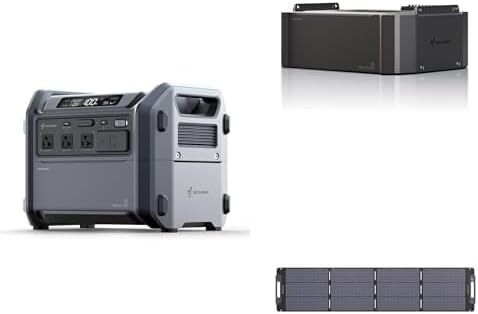
Image 1.1: The Segway Cube 1000 Power Station (left), an expansion battery pack (top right), and a portable solar panel (bottom right).
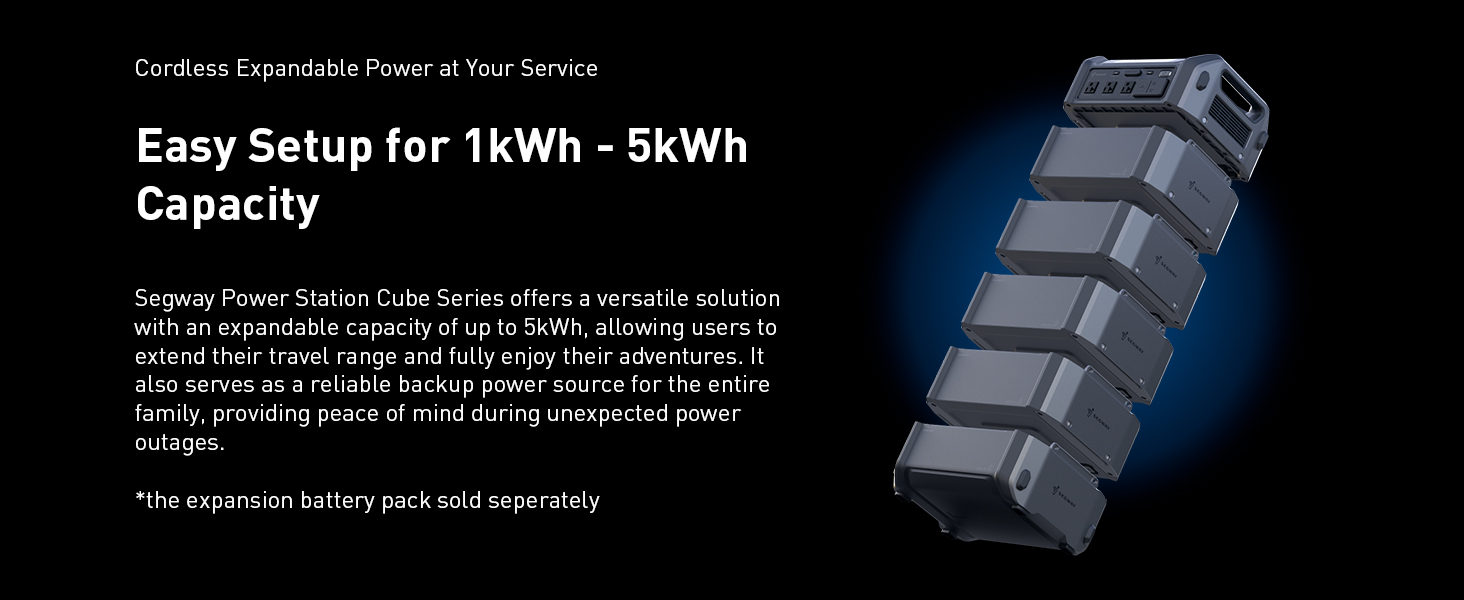
Image 1.2: Key features of the Segway Cube 1000 series, including 1kWh base capacity, 1250W fast charging, expandable battery up to 5kWh, durable LiFePO4 battery (4000+ cycles), 5-year warranty, and IP56 rating for the battery pack.
2. Maklumat Keselamatan
Read all safety warnings and instructions before using the product. Failure to follow the warnings and instructions may result in electric shock, fire, and/or serious injury.
Langkah Keselamatan Am
- Jangan membongkar, memperbaiki atau mengubah unit.
- Jangan letakkan unit berhampiran api atau dedahkannya kepada haba.
- Do not expose the unit to direct sunlight for prolonged periods.
- Do not use or store the unit in a bathroom or in an area exposed to water or rain.
- Gunakan hanya kabel dan aksesori asli atau yang diperakui.
- Jauhkan unit daripada kanak-kanak dan haiwan peliharaan.
- Pastikan pengudaraan yang betul semasa digunakan untuk mengelakkan terlalu panas.
- Jangan masukkan objek asing ke dalam port atau bukaan.
Keselamatan Bateri
The Segway Cube 1000 uses a LiFePO4 battery, known for its durability and safety. However, proper handling is still crucial.
- Do not puncture, strike, or drop the battery pack.
- If the battery pack shows signs of damage, swelling, or leakage, discontinue use immediately and contact support.
- The battery pack has an IP56 rating, indicating protection against dust and strong jets of water. However, it is not designed for submersion.

Image 2.1: The Segway Cube power station features an IP56 protection rating, ensuring reliable performance in wet and rainy environments.

Image 2.2: The Battery Management System (BMS) provides 10 protection mechanisms for enhanced safety and longevity.
3. Persediaan
Membongkar dan Pemeriksaan Awal
Carefully remove all components from the packaging. Inspect the power station, expansion battery packs (if purchased), and solar panel for any signs of damage. If any damage is found, do not use the product and contact customer support.
Pengecasan Awal
Before first use, fully charge the Segway Cube 1000 Power Station. Connect the included charging cable to a standard AC wall outlet. The display will indicate the charging status. A full charge typically takes approximately 1.2 hours.
Connecting Expansion Battery Packs
The Segway Cube 1000 can be expanded with additional 1kWh battery packs (sold separately) to increase its total capacity up to 5kWh. To connect, align the expansion battery pack with the main unit and stack them securely. The system will automatically recognize the added capacity.

Image 3.1: The Segway Cube Series allows for easy setup and expansion of capacity from 1kWh up to 5kWh by stacking additional cordless battery units.
Menyambung Panel Suria
To charge the power station using the 200W portable solar panel, connect the solar panel to the designated input port on the Segway Cube 1000. Position the solar panel in direct sunlight. Use the integrated Solar Angle Guide to optimize the panel's orientation for maximum charging efficiency.
4. Arahan Operasi
Menghidupkan/Mematikan
Press and hold the main power button to turn the unit on or off. The display screen will illuminate, showing battery level, output wattage, and other relevant information.
Using AC/DC Outputs
Connect your devices to the appropriate AC outlets or DC ports (USB-A, USB-C, 12V car port). Press the respective AC or DC power buttons to activate the outputs. The Segway Cube 1000 provides a 2200W AC output, suitable for most home appliances.

Image 4.1: The Cube Series offers a 2200W AC powerful output, expandable to 4400W with the R-Drive function for resistive devices.
Mengecas Unit
The power station can be recharged via AC wall outlet, solar panel, or car charger.
- Pengecasan AC: Connect the charging cable to a wall outlet for up to 1250W input, allowing a full recharge in approximately 1.2 hours.
- Pengecasan Suria: Connect the 200W solar panel for up to 800W DC input. The Maximum Power Point Tracking (MPPT) function ensures up to 97% conversion efficiency.
- Pengecasan Kereta: Use a compatible car charger (sold separately) to recharge the unit from your vehicle's 12V outlet.

Image 4.2: Super fast recharging options include 1250W AC (wall outlet) and 800W solar charging with MPPT for high efficiency.
R-Drive Function
The R-Drive function allows the Segway Cube 1000 to power appliances with power consumption up to 4400W, exceeding its nominal 2200W output. This function is particularly suitable for resistive devices and appliances with low sensitivity, such as electric kettles, hair dryers, electric cookers, and electric ovens. It intelligently adjusts the output to safely handle higher loads.
Fungsi UPS (Bekalan Kuasa Tidak Terputus)
When connected to an AC wall outlet and simultaneously powering devices, the Segway Cube 1000 acts as an Uninterruptible Power Supply (UPS). In the event of a power outage, the unit swiftly activates, delivering stored power in just 0.03 seconds, ensuring continuous operation for connected devices.

Image 4.3: The UPS function with a 0.03-second switch time makes the Segway Cube a smart choice for home power backup.
Using the Segway Smart App
The Segway Cube 1000 can be controlled and monitored via the Segway-Ninebot App. Download the app from your device's app store. Connect the power station via Bluetooth to your smartphone. The app allows you to:
- Monitor power status and work status in real-time.
- Control output and input functions.
- Manage power flow.

Image 4.4: Stay in control with the Segway Smart App, offering full control and monitoring from your fingertips.
Example Kes Penggunaan
- Emergency Car Battery Charging: The unit can detect a car battery and recharge it with stabilized voltage dan semasa. Note: For charge only, cannot be used for jump-start. Charge cable sold separately.

Image 4.5: The Segway Cube can charge your car battery for emergencies.
- Home Power Backup: With up to 5kWh expandable capacity, the Cube Series can power essential home appliances during outages, utilizing its R-Drive and UPS functions.
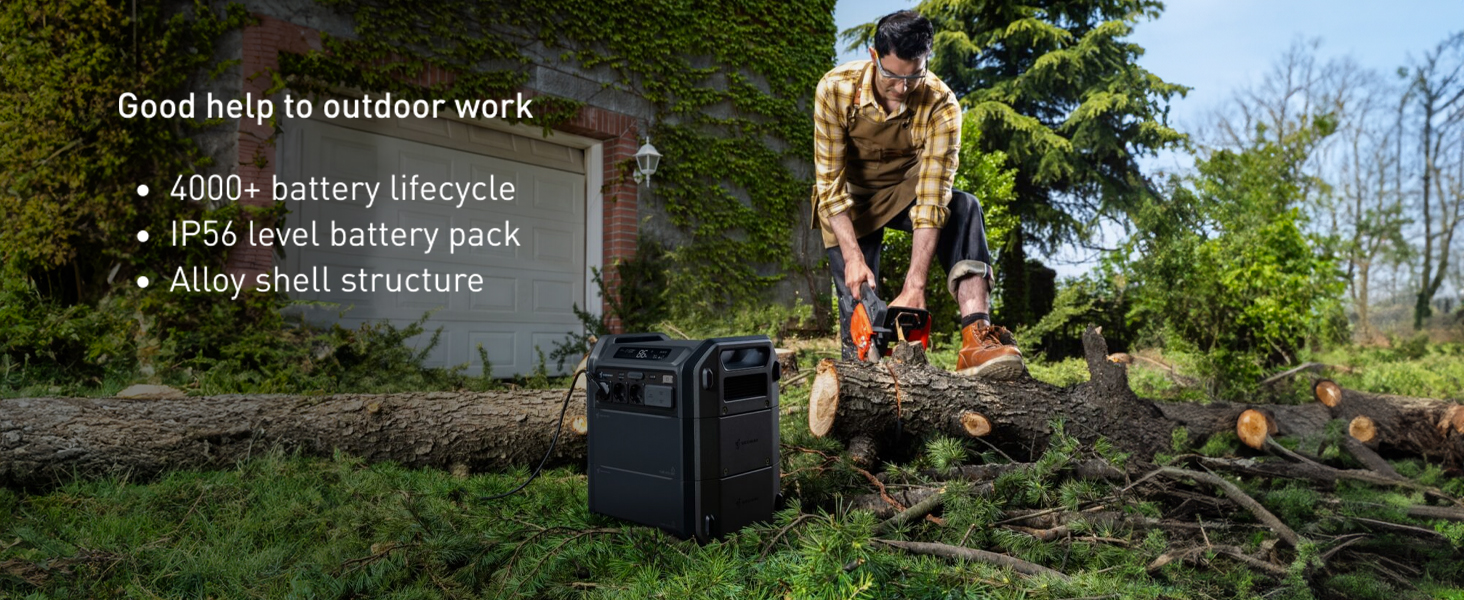
Image 4.6: No worry about power outages with the Segway Cube's expandable capacity, R-Drive, and UPS functions.
- Outdoor Work: Its robust build and high power output make it suitable for powering tools for outdoor tasks.

Image 4.7: The Segway Cube is a good help for outdoor work, featuring 4000+ battery lifecycle, IP56 rating, and alloy shell structure.
- RV Life: Provides reliable power for extended periods, with efficient solar charging capabilities.

Image 4.8: Enjoy no power limits on RV life with MPPT solar support and fast charging capabilities.

Imej 4.9: Cthamples of what can be powered with 1kWh capacity.
5. Penyelenggaraan
Battery Care and Longevity
The Segway Cube 1000 is equipped with durable LiFePO4 battery cells, designed to last over 4000 cycles. To maximize battery lifespan:
- Elakkan menyahcas sepenuhnya bateri dengan kerap.
- Simpan unit di tempat yang sejuk dan kering jauh dari cahaya matahari langsung dan suhu yang melampau.
- If storing for extended periods, charge the unit to approximately 50-80% every 3-6 months.

Image 5.1: The Segway Cube is powered by self-developed LiFePO4 battery cells, ensuring upgraded safety and endurance with over 4000 cycles.
Pembersihan
Wipe the exterior of the unit with a soft, dry cloth. Do not use abrasive cleaners or solvents. Ensure all ports are free of dust and debris.
Penyimpanan
When not in use, store the power station in a well-ventilated area, protected from moisture and extreme temperatures. Disconnect all cables before storing.
6. Penyelesaian masalah
Isu dan Penyelesaian Biasa
- Unit tidak dihidupkan:
- Pastikan bateri telah dicas. Sambungkan ke soket AC dan cuba hidupkan.
- Check if the power button is pressed and held sufficiently.
- Tiada output daripada port:
- Ensure the specific AC/DC output button is activated.
- Check if the device connected is within the power station's wattage had.
- Verify the cable connection to the device.
- Slow charging or not charging:
- For AC charging, ensure the wall outlet is functioning correctly.
- For solar charging, ensure the solar panel is in direct sunlight and properly angled. Check for any obstructions.
- Pastikan kabel pengecas disambungkan dengan selamat ke stesen janakuasa dan sumber kuasa.
- Isu sambungan apl:
- Ensure Bluetooth is enabled on your smartphone and the power station.
- Restart the Segway Cube 1000 and your smartphone.
- Pastikan apl dikemas kini kepada versi terkini.
Jika masalah berterusan, sila rujuk bahagian Waranti dan Sokongan untuk bantuan lanjut.
7. Spesifikasi
| Ciri | Spesifikasi |
|---|---|
| Jenama | Segway |
| Nombor Model | BTX1000 |
| Wattage (Dinilai) | 2200W |
| R-Drive Function Output | Sehingga 4400W |
| Sumber Kuasa | Dikuasakan Bateri, Dikuasakan Suria |
| Penggunaan yang Disyorkan | Camping, Komersial, Kediaman |
| Jenis Bateri | LiFePO4 |
| Kitaran Bateri | 4000+ |
| Ingress Protection (Battery Pack) | IP56 |
| Input Pengecasan AC | Sehingga 1250W |
| Input Pengecasan Suria | Sehingga 800W (MPPT) |
| Masa Suis UPS | 0.03 saat |
| Jumlah Outlet Kuasa | 2 (AC) + USB/DC ports |
| Komponen yang Disertakan | Kabel Pengecasan |
| warna | Kelabu |
8. Waranti dan Sokongan
Maklumat Waranti
The Segway Cube 1000 Power Station comes with a 5-year warranty. Please retain your proof of purchase for warranty claims. The warranty covers defects in materials and workmanship under normal use.
Sokongan Pelanggan
For technical assistance, troubleshooting not covered in this manual, or warranty inquiries, please contact Segway customer support. Refer to the official Segway webtapak untuk maklumat hubungan yang paling terkini.
Dokumen Berkaitan - BTX1000
 |
Segway Cube Expansion Battery CUBE-BTX-1000 User Manual User manual for the Segway Cube Expansion Battery (Model CUBE-BTX-1000). Includes safety, overview, specifications, and battery expansion guide. |
 |
Segway Portable Power Station CUBE-1000 / CUBE-2000 User Manual Comprehensive user manual for the Segway Portable Power Station CUBE-1000 and CUBE-2000. Includes safety instructions, setup, operation, app connectivity, and troubleshooting. |
 |
Segway Portable Power Station CUBE-1000 / CUBE-2000 User Manual User manual for the Segway Portable Power Station models CUBE-1000 and CUBE-2000, covering safety instructions, product overview, operation, charging, specifications, and troubleshooting. |
 |
Segway Portable Power Station CUBE-1000/CUBE-2000 User Manual User manual for the Segway Portable Power Station models CUBE-1000 and CUBE-2000, covering safety instructions, product overview, usage, charging, specifications, and troubleshooting. |
 |
SAS S/SF/SL Series & ZDF/ZDF3 Series High Efficiency Brushless Motors and Hypoid Gearmotors Explore the range of high-efficiency brushless motors and hypoid gearmotors from SAS (Synergy Asia Solution), featuring detailed specifications, performance comparisons, and space-saving designs for industrial applications. |
 |
کاتالوگ محصولات یوگرین: لوازم جانبی موبایل و راهکارهای انرژی کاتالوگ جامع محصولات یوگرین را کاوش کنید که شامل طیف گستردهای از لوازم جانبی موبایل، ایستگ اه، ایستگ اه، کابلها و موارد دیگر است. راهکارهای نوآورانه را برای نیازهای الکترونیکی خود کشف کنید. |
Ask a question about this manual
Ask about setup, troubleshooting, compatibility, parts, safety, or missing instructions. Manuals+ will review the question and use this page’s manual context to help answer it.