
pengenalan
This manual provides detailed instructions for the assembly, operation, and maintenance of your Amazon Basics Executive High Back Office Chair. Designed for comfort and functionality, this chair features adjustable height, tilt, and swivel capabilities, along with a padded seat, backrest, and armrests for extended use in office or conference room settings. Please read these instructions thoroughly before assembly and use.

Image: The Amazon Basics Executive High Back Office Chair, featuring a black bonded leather finish and silver accents, positioned in an office environment.
Maklumat Keselamatan
Sila patuhi garis panduan keselamatan berikut untuk mengelakkan kecederaan atau kerosakan:
- Assembly may require tools and safety precautions. Ensure you have a clear workspace and follow all steps carefully.
- Jangan melebihi cadangan berat maksimum 275 paun (124.7 kg). Exceeding this limit may cause damage to the chair or personal injury.
- Jauhkan kanak-kanak dan haiwan peliharaan dari kawasan perhimpunan.
- Ensure all screws and bolts are tightened securely before using the chair. Periodically check and re-tighten as needed.
Kandungan Pakej
Sahkan bahawa semua komponen hadir sebelum memulakan pemasangan:
- Kusyen tempat duduk
- Kusyen belakang
- Silinder pengangkat gas
- Kit perkakasan (skru, pencuci, kunci Allen)
- Pangkalan kerusi
- Tempat letak tangan (kiri dan kanan)
- Kastor (roda)
Persediaan dan Perhimpunan
Assembly of this chair is designed to be straightforward. An Allen key is included for your convenience. Follow these general steps:
- Attach the casters to the chair base by pushing them firmly into the holes.
- Insert the gas lift cylinder into the center hole of the chair base.
- Secure the seat cushion to the armrests using the provided hardware. Do not fully tighten screws yet.
- Attach the back cushion to the armrests, aligning the holes and securing with hardware.
- Place the assembled seat and back onto the gas lift cylinder.
- Once all screws are in place, gradually tighten them in a crisscross pattern to ensure even pressure and stability. Avoid overtightening.
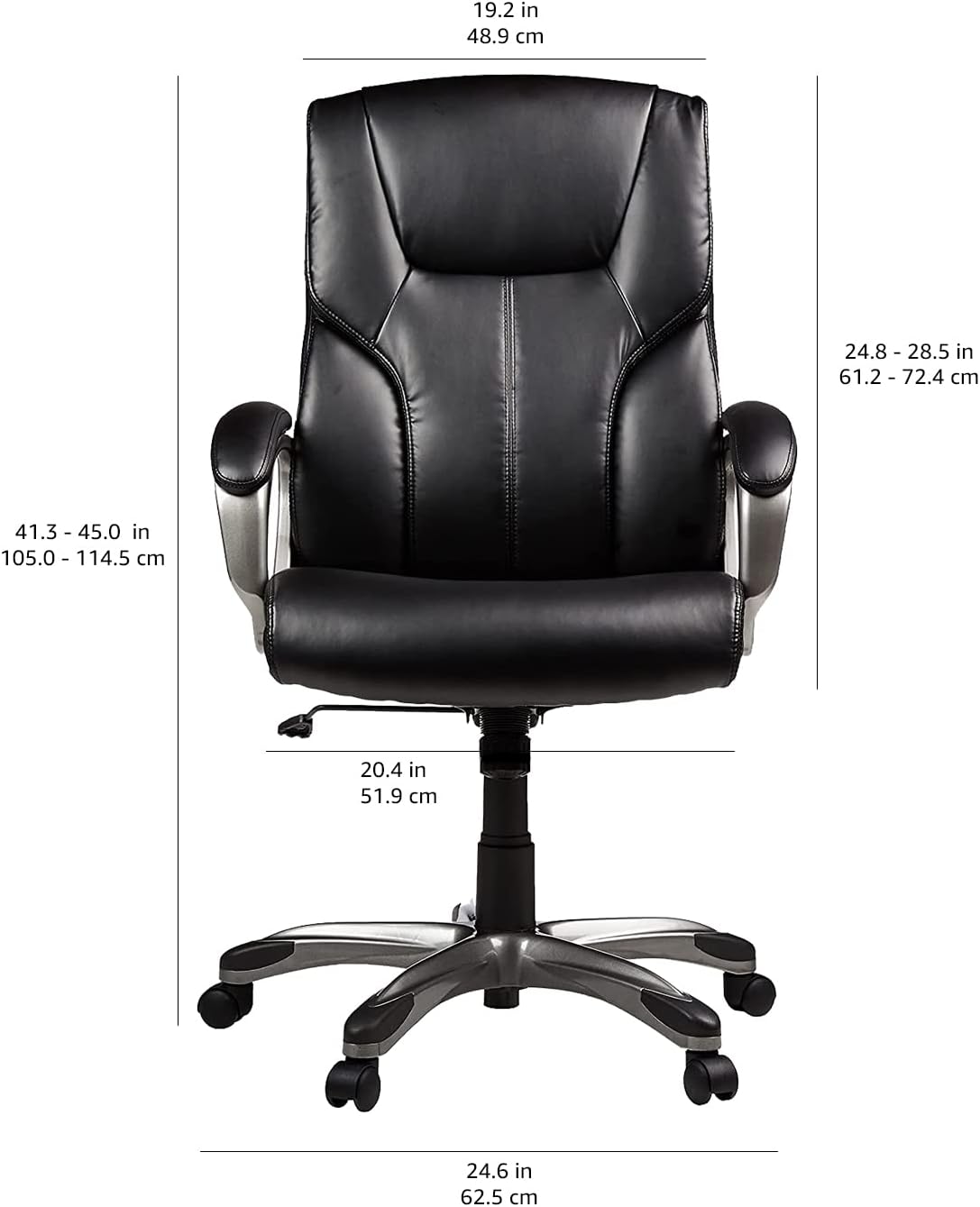
Image: Visual representation of the chair's features including bonded leather, padded seat, pneumatic height adjustment, 360-degree swivel, and smooth rolling casters, which are key components during assembly.
Arahan Operasi
Your executive office chair offers several adjustment options for personalized comfort:
- Ketinggian Tempat Duduk Boleh Laras: Use the pneumatic control lever located under the right side of the seat. Pull the lever up to raise the seat; sit on the chair and pull the lever up to lower the seat. Release the lever to lock the height.
- Tilt-Tension Control: The round knob located under the front-center of the seat adjusts the resistance of the chair's rocking motion. Turn clockwise to increase tension (stiffer tilt) and counter-clockwise to decrease tension (looser tilt).
- Pusing 360 Darjah: The chair is designed to rotate freely 360 degrees for ease of movement and access to your workspace.
- Fungsi goyang: The chair allows for a gentle rocking motion. The tilt-tension knob controls the ease of this movement.
Imej: A terperinci view of the chair's underside, illustrating the pneumatic control lever for seat height adjustment and the tilt-tension knob for customizing the rocking motion.
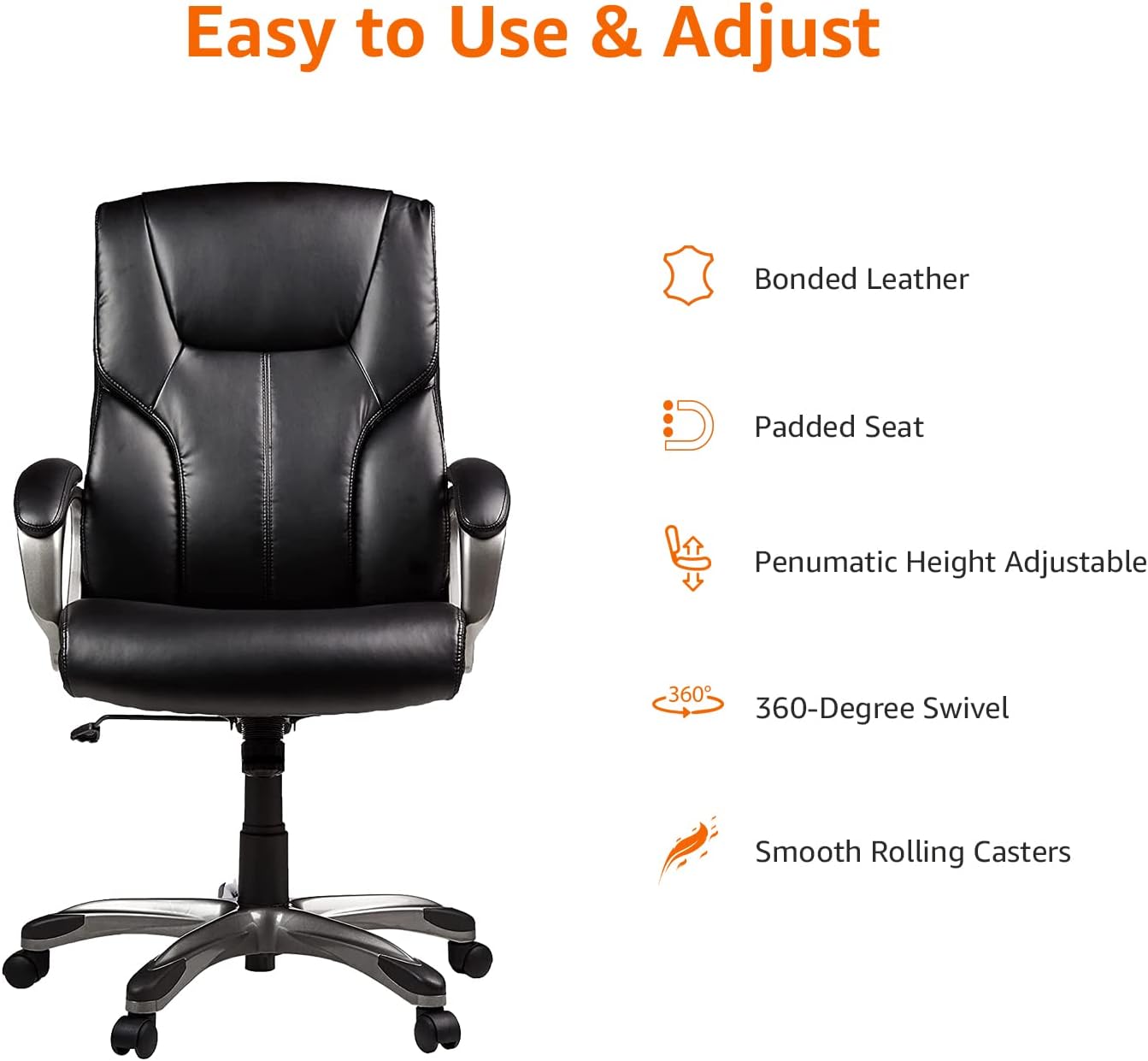
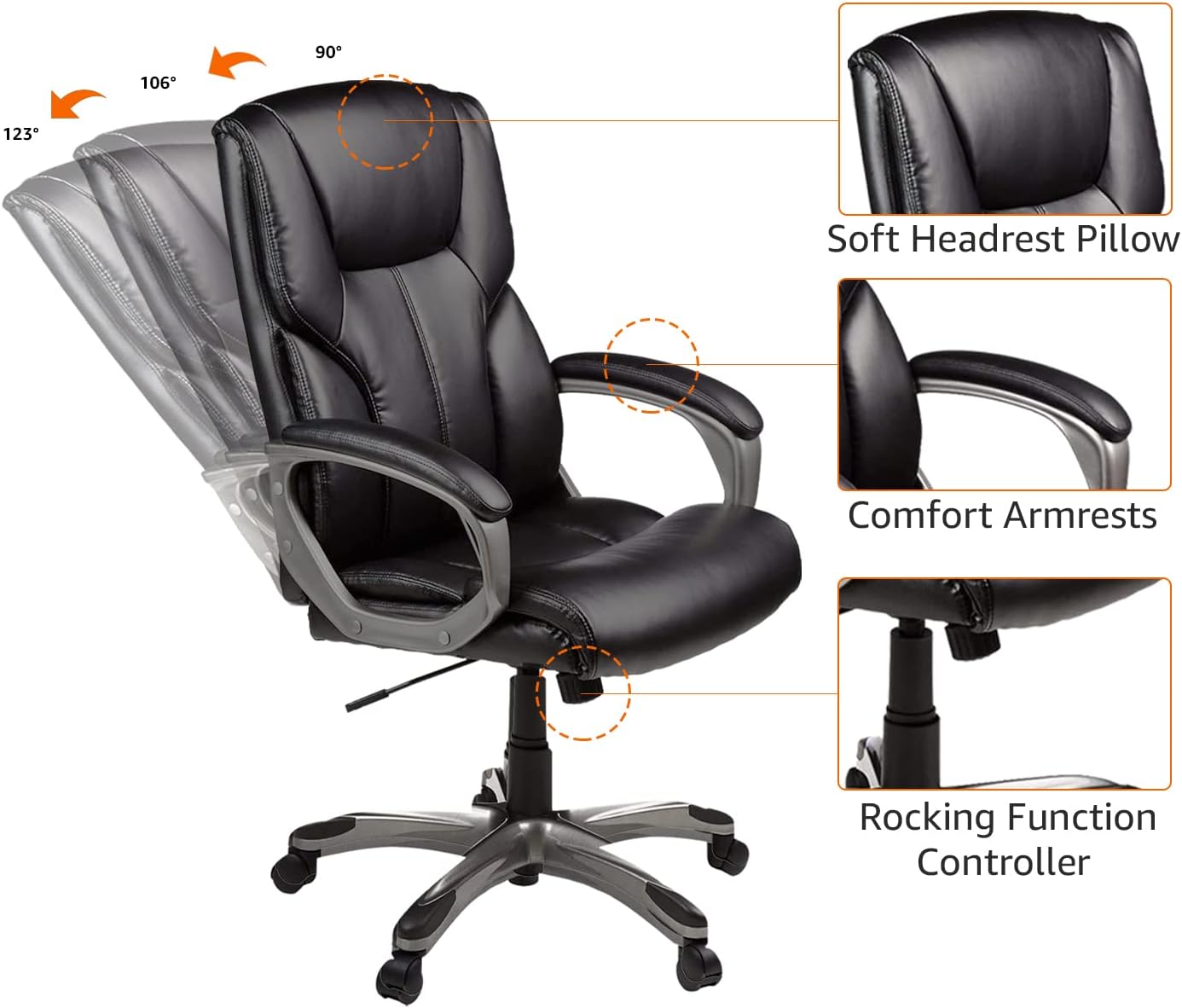
Image: A visual guide demonstrating the chair's rocking range (90° to 123°) and highlighting the soft headrest pillow, comfort armrests, and the rocking function controller.
Penyelenggaraan
Proper maintenance will extend the life and appearance of your chair:
- Membersihkan Upholsteri: For bonded leather surfaces, wipe with a soft, damp cloth and a mild soap solution. Avoid using abrasive cleaners, solvents, or harsh chemicals, as these can damage the material.
- Pemeriksaan perkakasan: Periodically inspect all bolts and screws. Re-tighten any loose fasteners to maintain stability and prevent squeaking.
- Penjagaan Kastor: Clean caster wheels regularly to remove dust, hair, and debris that can impede smooth rolling.
- Elakkan Cahaya Matahari Terus: Prolonged exposure to direct sunlight can cause the bonded leather to fade or crack. Position the chair away from direct sunlight when possible.
Menyelesaikan masalah
If you encounter issues with your chair, refer to the following common solutions:
- Chair Squeaks or Feels Unstable: Ensure all assembly screws are securely tightened. Check the connections between the backrest, armrests, and seat.
- Pneumatic Cylinder Not Adjusting Height: Verify that the gas lift lever is fully engaged or disengaged as required. If the issue persists, check for any obstructions or contact customer support.
- Difficulty Rolling Casters: Inspect the casters for accumulated debris (e.g., hair, lint). Clean them thoroughly to restore smooth mobility.
- Bonded Leather Showing Wear: While durable, bonded leather can show signs of wear over time. Consider using a chair cover or a specialized leather repair kit for minor damage.
Spesifikasi
| Jenama | Asas Amazon |
| Nama Model | Amazon Basics Executive High Back Office Desk Chair |
| Nombor Model | GF-80293H |
| warna | Hitam/Perak |
| Bahan (Bingkai) | Metal, PP (Polypropylene) |
| Bahan (Tempat Duduk) | Faux Leather (Bonded Leather) |
| Isi Bahan | buih |
| Dimensi Produk (D x W x H) | 28"D x 26.5"W x 46.38"H (71.1cm D x 67.3cm W x 117.8cm H) |
| Berat Barang | 38.9 paun (17.6 kg) |
| Cadangan Berat Maksimum | 275 paun (124.7 kg) |
| Ciri-ciri | Adjustable Height, Tilt, Swivel, Padded Seat, Backrest, Armrests, Caster Wheels |
| Pematuhan | BIFMA standard, FSC-certified plywood |
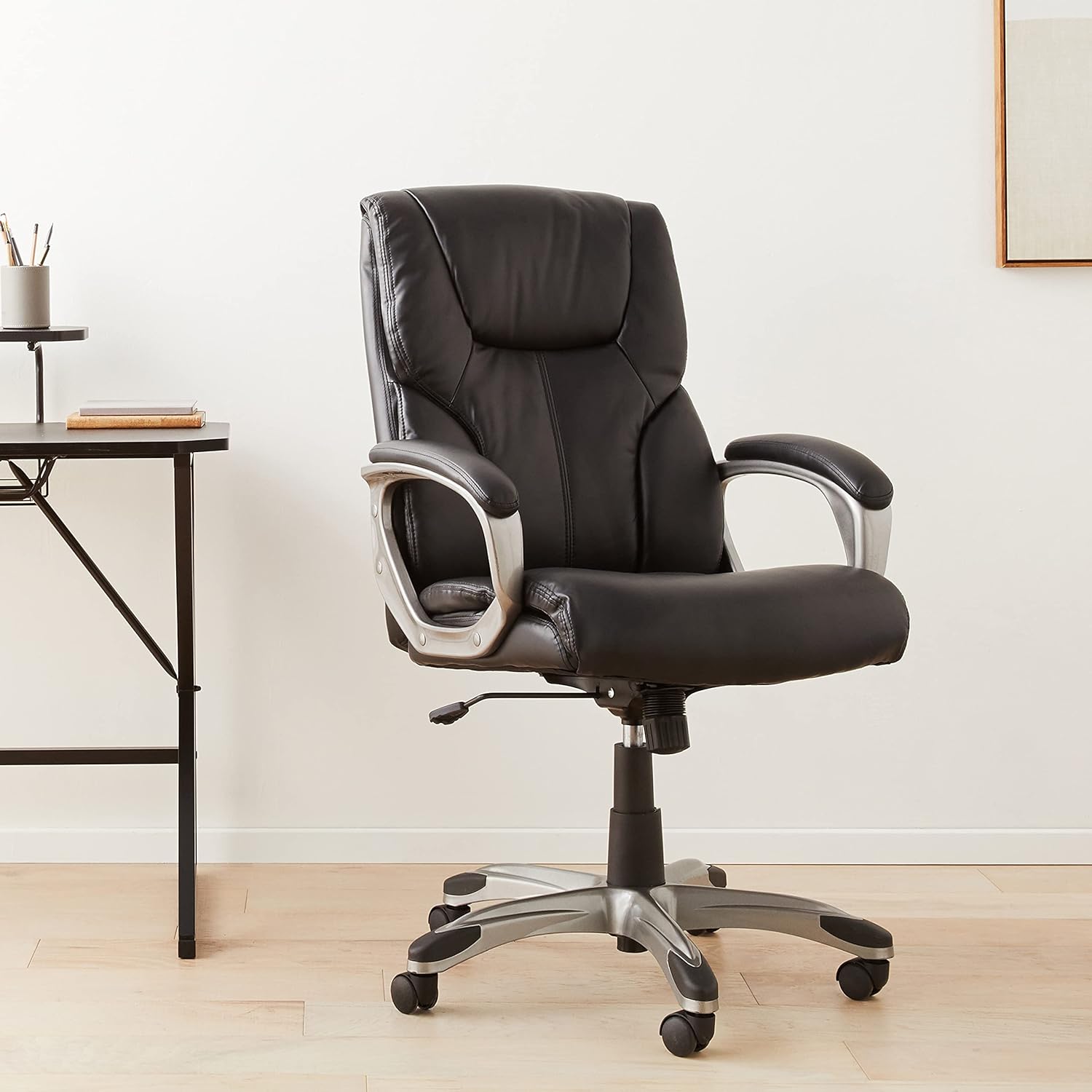
Image: A technical diagram illustrating the precise dimensions of the Amazon Basics Executive High Back Office Chair in both inches and centimeters.
Waranti dan Sokongan
For warranty information, product registration, or technical support, please refer to the documentation included with your purchase or visit the official Amazon Basics website. You may also contact Amazon customer service directly for assistance.