1. Produk Lebihview
The Yeedi C12 is an advanced robot vacuum cleaner and mop designed to provide efficient and comprehensive floor cleaning. It features powerful suction, smart navigation, and a ZeroTangle brush for a hassle-free cleaning experience. This manual provides detailed instructions for setting up, operating, maintaining, and troubleshooting your Yeedi C12.

Figure 1.1: Yeedi C12 Robot Vacuum Cleaner and Mop with its accompanying mobile application interface.
Ciri-ciri Utama:
- Sedutan Berkuasa 8000Pa: Effectively removes debris from various floor types, including carpets.
- Teknologi Anti-Kusut ZeroTangle: Designed to prevent hair entanglement on the roller brush, minimizing maintenance.
- TrueMapping Tech: Enables quick and accurate room mapping for efficient navigation and comprehensive cleaning.
- Multi-Sensor Fusion: Features obstacle crossing (up to 20mm) and anti-drop sensors for safe operation.
- Hayat Bateri yang Panjang: Equipped with a 5200mAh battery, providing up to 300 minutes of runtime.
- Exclusive App Operating System: Offers multiple cleaning modes, customizable settings, and map editing.
2. Kandungan Pakej
Before beginning setup, please ensure all components are present and in good condition. If any items are missing or damaged, contact customer support.
| Komponen | Kuantiti |
|---|---|
| Pembersih Vakum Robot | 1 |
| Dok Pengecasan | 1 |
| Kord Kuasa | 1 |
| Manual Pengguna | 1 |
| Mop Pad Plat | 1 |
| Tangki Air | 1 |
| Mopping Pad yang boleh dicuci | 1 |
| Berus Sisi | 1 |
| Main Brush & Main Brush Cover | 1 |
| Penapis | 1 |
3. Panduan Persediaan
3.1 Penempatan Dok Pengecasan
Place the charging dock against a wall in an open, uncluttered area. Ensure there is at least 0.5 meters (1.6 feet) of clear space on both sides of the dock and 1.5 meters (4.9 feet) in front of it. Plug the power cord into the charging dock and then into a wall outlet. Ensure the dock is powered on.
3.2 Pengecasan Awal
Place the Yeedi C12 robot onto the charging dock. Ensure the charging contacts on the robot align with those on the dock. The robot will begin charging automatically. For first-time use, fully charge the robot before operation. A full charge can take several hours.
3.3 Pemasangan dan Sambungan Apl
- Download the 'Yeedi' app from your mobile device's app store (iOS or Android).
- Buka aplikasi dan buat akaun atau log masuk.
- Follow the in-app instructions to add your Yeedi C12. You will need to connect your phone to a 2.4GHz Wi-Fi network, as the robot does not support 5GHz Wi-Fi.
- Once connected, the app will guide you through the initial mapping process.
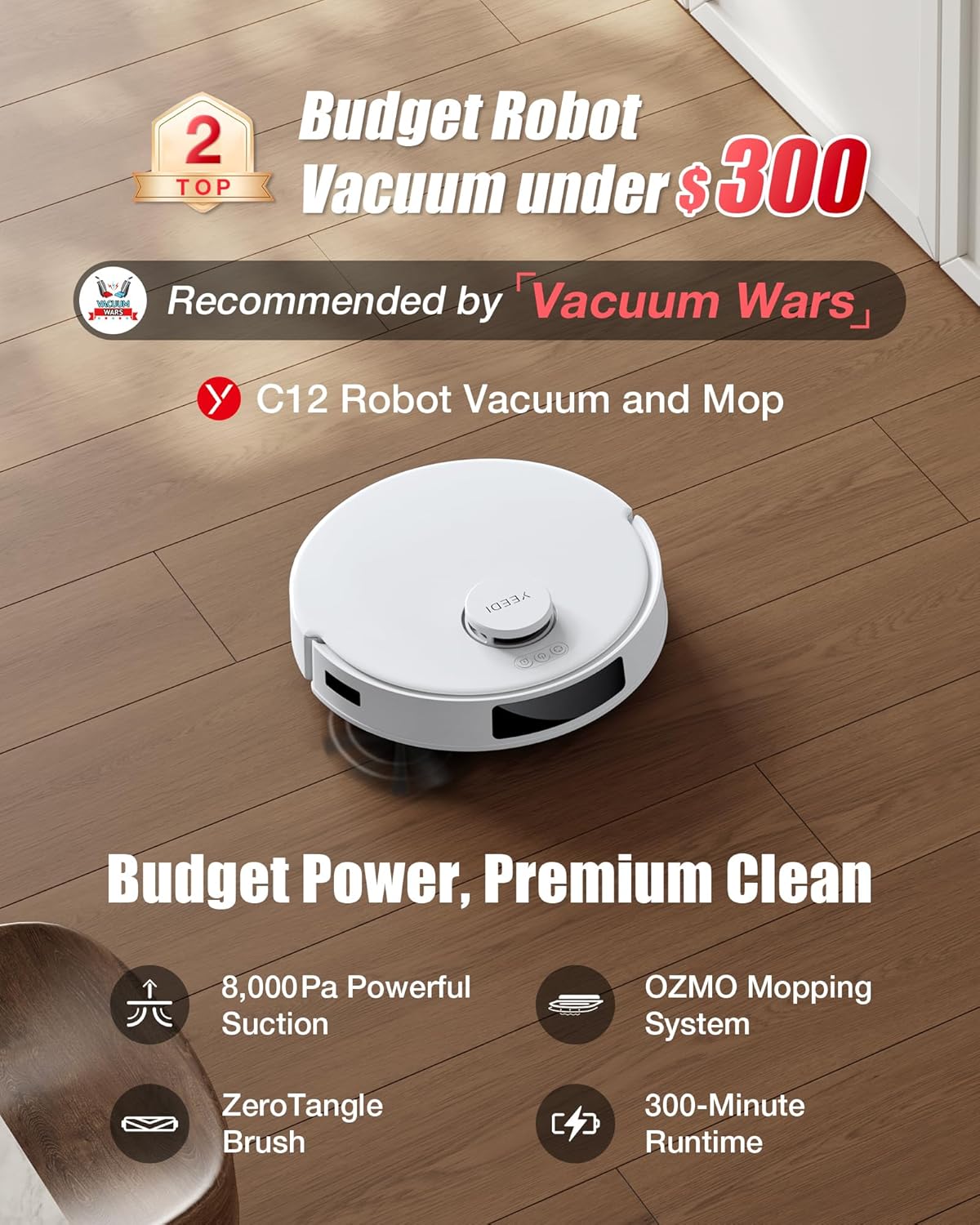
Figure 3.1: Connecting the Yeedi C12 to the mobile application for smart control.
4. Arahan Operasi
4.1 Memulakan Kitaran Pembersihan
You can start a cleaning cycle using the button on the robot or through the Yeedi app. Pressing the button on the robot will initiate a standard cleaning cycle. For more advanced options, use the app.
4.2 Mod Pembersihan
The Yeedi C12 offers various cleaning modes to suit your needs:
- Mod vakum: For dry debris collection. The robot will automatically boost suction on carpets.
- Mod Pel: For wet mopping. Ensure the water tank is filled and the mopping pad is attached. The robot will avoid carpets in this mode.
- Mod Vakum & Mop: Melakukan kedua-dua kerja menyedut habuk dan mengemop secara serentak.

Figure 4.1: Illustration of the Yeedi C12's dual cleaning modes.
4.3 Suction and Water Volume Adjustment
Through the Yeedi app, you can adjust the suction power (4 levels available) and water volume for mopping to optimize cleaning performance based on floor type and dirt level.
4.4 Smart Navigation and Mapping
The TrueMapping technology allows the robot to quickly map your home (typically within 8 minutes) and plan an efficient cleaning path. The app displays the generated map, allowing for customization such as:
- Customized Cleaning Mode: Pilih bilik atau kawasan tertentu untuk dibersihkan.
- Zon Dilarang Pergi: Define areas the robot should avoid (e.g., pet bowls, delicate items).
- Dinding Maya: Create invisible barriers to restrict the robot's movement.

Figure 4.2: TrueMapping technology for precise navigation and multi-level mapping.
4.5 Penjadualan
Set up cleaning schedules through the app to automate daily or weekly cleaning tasks.
4.6 Penyepaduan Kawalan Suara
The Yeedi C12 is compatible with Amazon Alexa and Google Home. You can use voice commands to start, stop, or send the robot back to its charging dock.

Rajah 4.3: Integrasi kawalan suara dengan pembantu rumah pintar.
5. Penyelenggaraan
Regular maintenance ensures optimal performance and extends the lifespan of your Yeedi C12. Always power off the robot before performing any maintenance.
5.1 Mengosongkan Tong Sampah
The dustbin should be emptied after each cleaning cycle or when indicated by the app. Press the dustbin release button, remove the dustbin, and empty its contents into a trash bin.
5.2 Membersihkan Penapis
The filter is located inside the dustbin. Tap the filter gently to remove loose debris. For a more thorough cleaning, rinse the filter under running water. Ensure the filter is completely dry before reinserting it into the dustbin. Replace the filter every 3-6 months, depending on usage.
5.3 Cleaning the Main Brush (ZeroTangle)
The ZeroTangle brush is designed to minimize hair entanglement. However, periodic inspection and cleaning are recommended. Remove the main brush cover and then the main brush. Use the cleaning tool provided to cut and remove any hair or debris wrapped around the brush. Reinstall the brush and cover securely.

Figure 5.1: Detail of the ZeroTangle brush technology.
5.4 Membersihkan Berus Sisi
Check the side brush regularly for tangled hair or debris. If necessary, remove the side brush by gently pulling it upwards and clean it. Reattach by pressing it firmly into place.
5.5 Cleaning the Mopping Pad and Water Tank
After each mopping session, remove the mopping pad and wash it thoroughly. The mopping pad is washable and reusable. Empty any remaining water from the water tank and rinse it. Allow both to air dry completely before reassembling.
5.6 Membersihkan Penderia dan Mengecas Kenalan
Wipe the anti-drop sensors, obstacle sensors, and charging contacts on both the robot and the charging dock with a clean, dry cloth. This ensures proper navigation and charging.
6. Penyelesaian masalah
If you encounter issues with your Yeedi C12, refer to the following common problems and solutions:
| Masalah | Kemungkinan Punca | Penyelesaian |
|---|---|---|
| Robot tidak dihidupkan | Bateri lemah; Matikan kuasa | Place robot on charging dock; Ensure power switch is on. |
| Robot tidak boleh mengecas | Mengecas kenalan kotor; Dok tidak dikuasakan | Clean charging contacts; Check power connection to dock. |
| Prestasi pembersihan yang lemah | Tong sampah penuh; Berus kusut; Penapis tersumbat | Tong sampah kosong; Bersihkan berus utama dan sisi; Bersihkan atau ganti penapis. |
| Robot kerap tersangkut | Obstacles; Uneven surfaces | Clear obstacles; Use No-Go Zones in app; Ensure robot can cross thresholds (up to 0.787in). |
| Robot tidak boleh menyambung ke Wi-Fi | Incorrect Wi-Fi band; Weak signal | Ensure 2.4GHz Wi-Fi is used; Move robot closer to router. |
| Mopping leaves streaks | Mopping pad dirty; Water tank empty | Clean or replace mopping pad; Refill water tank. |
If the problem persists after trying these solutions, please contact Yeedi customer support.
7. Spesifikasi
| Ciri | Perincian |
|---|---|
| Jenama | Yeedi |
| Nama Model | C12 |
| Ciri Khas | 2 Cleaning Modes, Bagless, OZMO Mopping System, TrueMapping Technology, ZeroTangle Technology |
| warna | putih |
| Dimensi Produk (L x W x H) | 13.9" x 13.82" x 3.78" |
| Jenis Penapis | Filter Cartridge, Filter Cotton, Filter Mesh |
| Hayat Bateri | 300 minit |
| Voltage | 110 Volt |
| Kapasiti tong sampah | 400 mililiter |
| Sumber Kuasa | Dikuasakan Bateri |
| Kaedah Kawalan | Apl, Suara |
| Peranti Serasi | Amazon Echo, Google Home |
| Berat Barang | 12.23 paun |
| Tahun Pengilangan | 2024 |
8. Waranti dan Sokongan
8.1 Maklumat Waranti
The Yeedi C12 comes with a 12-month worry-free warranty, covering manufacturing defects and malfunctions under normal use. Please retain your proof of purchase for warranty claims.
8.2 Polisi Pemulangan
A 30-day return policy is typically offered for this product. Please refer to your purchase platform's specific return guidelines for detailed information.
8.3 Sokongan Pelanggan
For technical assistance, warranty claims, or any other inquiries, please visit the official Yeedi website or contact their customer service team. You can find more information and support resources at the Yeedi Store on Amazon.