
ROMJ E99 A14
ROMJ E99 A14 Foldable Drone User Manual
Panduan Komprehensif untuk Operasi dan Penyelenggaraan
1. Produk Lebihview
The ROMJ E99 A14 is a compact and foldable drone designed for both adults and beginners, featuring a 4K/1080P HD camera for high-quality aerial photography and videography. Its intelligent functions like auto-return and one-touch take-off/landing make it user-friendly. The drone's foldable design ensures portability and easy storage, making it an ideal companion for outdoor adventures.
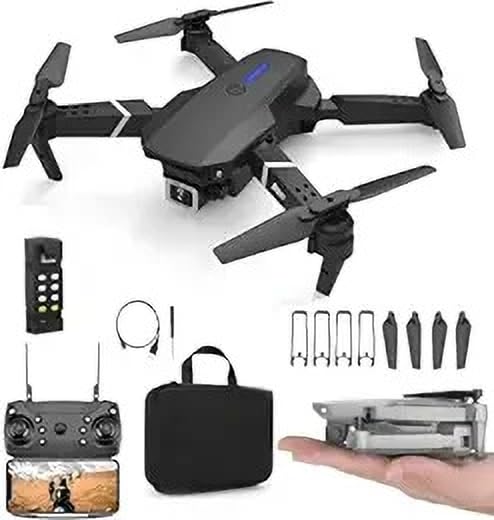
Image: The ROMJ E99 A14 drone, remote control, spare propellers, USB charging cable, and a carrying bag are shown. The drone is black with four propellers and an integrated camera. A smaller image shows the drone folded and held in a hand, highlighting its compact size.
2. Kandungan Pakej
Sila sahkan bahawa semua item yang disenaraikan di bawah terdapat dalam pakej anda:
- ROMJ E99 A14 Foldable Drone
- Alat Kawalan Jauh
- Battery (Lithium Polymer)
- Propellers (Spare set included)
- Pengecas USB
- Storage Bag (as shown in images)
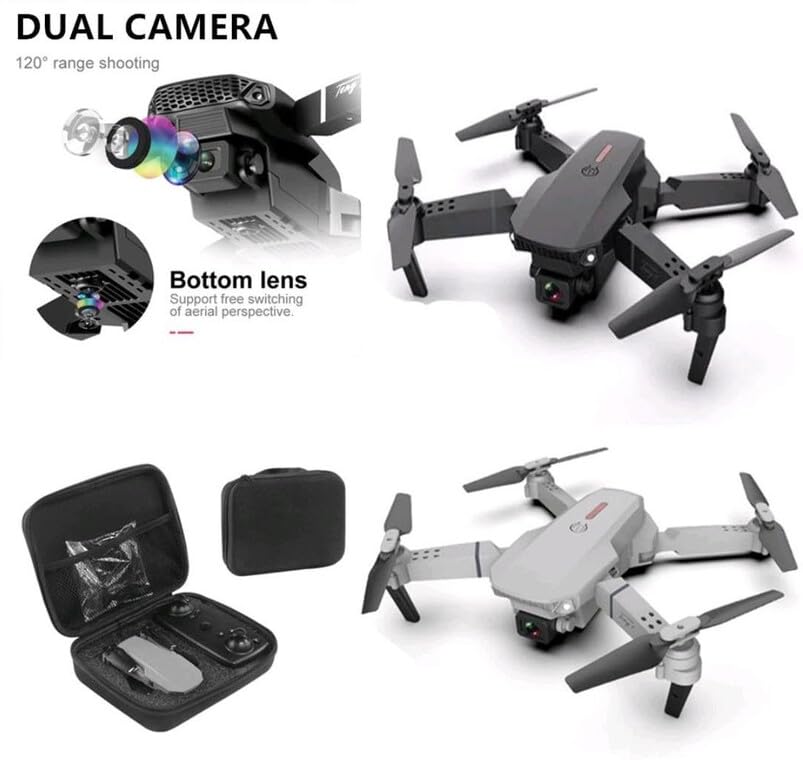
Image: An open black travel storage bag for the drone, showing the drone and remote control neatly fitted inside. The bag is designed for convenient and light travel.
3. Garis Panduan Keselamatan
Operating a drone requires responsibility. Adhere to the following safety guidelines to ensure a safe and enjoyable flight experience:
- Semakan Pra-Penerbangan: Always inspect the drone, propellers, and battery before each flight.
- Kesedaran alam sekitar: Fly in open areas, away from people, animals, buildings, and power lines. Avoid flying in strong winds or adverse weather conditions.
- Garis penglihatan: Kekalkan garis penglihatan visual dengan dron sepanjang masa.
- Keselamatan Bateri: Use only the provided charger and battery. Do not overcharge or puncture batteries. Discontinue use if batteries are damaged or swollen.
- Keselamatan Kipas: Jauhkan tangan, muka dan pakaian longgar daripada kipas yang berputar.
- Pematuhan Undang-undang: Berhati-hati dan patuhi peraturan dron tempatan dan sekatan ruang udara.
- Cadangan Umur: This product is not a toy and is recommended for users of appropriate age and skill level.
4. Persediaan
4.1 Membuka Dron
- Gently pull out each of the four propeller arms until they lock into place.
- Ensure all arms are fully extended and stable before flight.
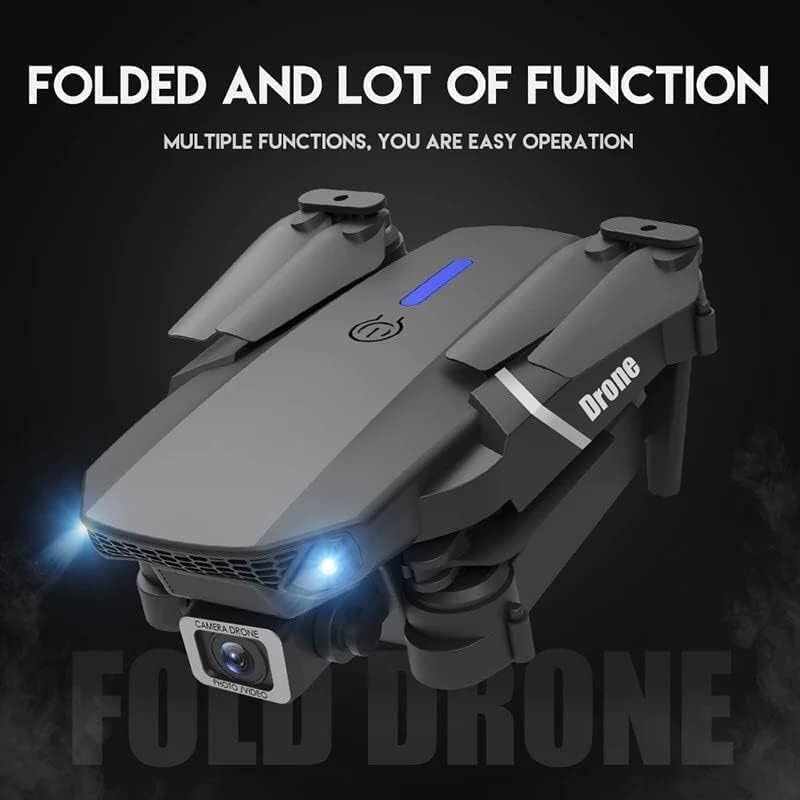
Image: The ROMJ E99 A14 drone in its folded state, showcasing its compact design. The front lights are illuminated, indicating power or readiness.
4.2 Pemasangan dan Pengecasan Bateri
- Bateri Drone: Insert the fully charged Lithium Polymer battery into the battery compartment on the drone's rear until it clicks into place.
- Bateri Kawalan Jauh: Open the battery cover on the back of the remote control and insert the required batteries (not specified, assume AA/AAA, user should check remote). Close the cover.
- mengecas: Connect the USB charger to the drone's battery (or directly to the drone if integrated charging) and then to a USB power source. The indicator light will show charging status (refer to charger's specific light indications).
4.3 Propeller Installation (if required)
The drone typically comes with propellers pre-installed. If replacement is needed:
- Identify the correct propeller type (A or B) for each motor arm. Propellers are usually marked.
- Align the propeller with the motor shaft and press down firmly until it is securely attached. Ensure it spins freely without wobbling.
5. Arahan Operasi
5.1 Alat Kawalan Jauh Lebihview
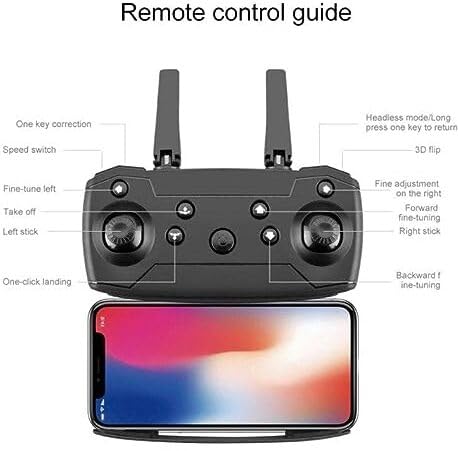
Image: A detailed diagram of the drone's remote control, labeling various buttons and joysticks. Key functions include One Key Correction, Speed Switch, Fine-tune Left, Take off, Left Stick, One-click Landing, Headless Mode/Long press one key to return, 3D Flip, Fine adjustment on the right, Forward fine-tuning, Right Stick, and Backward fine-tuning. A smartphone is shown mounted below the remote, indicating app connectivity.
- Tongkat Kiri: Mengawal ketinggian (atas/bawah) dan putaran (kiri/kanan).
- Tongkat Kanan: Mengawal pergerakan ke hadapan/belakang dan kiri/kanan.
- Pelepasan/Pendaratan Satu Kunci: Tekan untuk berlepas atau mendarat secara automatik.
- Suis Kelajuan: Adjusts flight speed (e.g., low, medium, high).
- Mod Tanpa Kepala: Simplifies flight by orienting the drone relative to the pilot, regardless of the drone's front direction.
- Satu Pulangan Utama: Initiates an automatic return to the take-off point (requires calibration).
- Balik 3D: Executes an acrobatic flip (ensure sufficient altitude).
- Butang Penalaan Halus: Used to trim the drone's flight to correct drift.
5.2 Pairing the Drone
- Letakkan drone di permukaan rata dan rata.
- Hidupkan dron. Lampu penunjuk akan berkelip.
- Hidupkan alat kawalan jauh.
- Push the left joystick up to the maximum position, then pull it down to the minimum position. The drone lights will stop flashing and become solid, indicating successful pairing.
5.3 Berlepas dan Mendarat
- One-Touch Take-off: After pairing, press the "Take off" button on the remote control. The drone will automatically ascend to a stable hovering height.
- Berlepas Manual: After pairing, push both joysticks simultaneously to the bottom-outer corners to arm the motors. Then, slowly push the left joystick up to ascend.
- One-Touch Landing: Press the "One-click Landing" button. The drone will slowly descend and land.
- Pendaratan Manual: Slowly pull the left joystick down to descend. Once landed, pull both joysticks to the bottom-outer corners again to disarm the motors.
5.4 Operasi Kamera
The ROMJ E99 A14 features an integrated 1080p HD camera and a bottom lens for diverse aerial perspectives.
Imej: Dari dekat view of the drone's front, highlighting its dual camera system. The main camera is visible at the front, and a secondary bottom lens is shown, indicating support for free switching of aerial perspectives.
- Foto/Video: Use the dedicated buttons on the remote control (or via the companion app) to capture photos or start/stop video recording.
- Kesambungan Apl: For live video feed and advanced camera controls, download the official ROMJ drone app (check manual for QR code or app store name) and connect your smartphone via Wi-Fi to the drone's network.
5.5 Special Flight Functions
- 360° Tumbling Stunt: Press the 3D Flip button and then move the right joystick in the desired direction to perform a flip. Ensure sufficient altitude (at least 2-3 meters) for this maneuver.
- Mod Tanpa Kepala: Activate Headless Mode before take-off. In this mode, the drone's forward direction is always the direction the pilot is facing when Headless Mode was activated, simplifying control.
- Satu Pulangan Utama: Long press the One Key Return button. The drone will fly back towards its take-off position. This function works best after proper compass calibration.
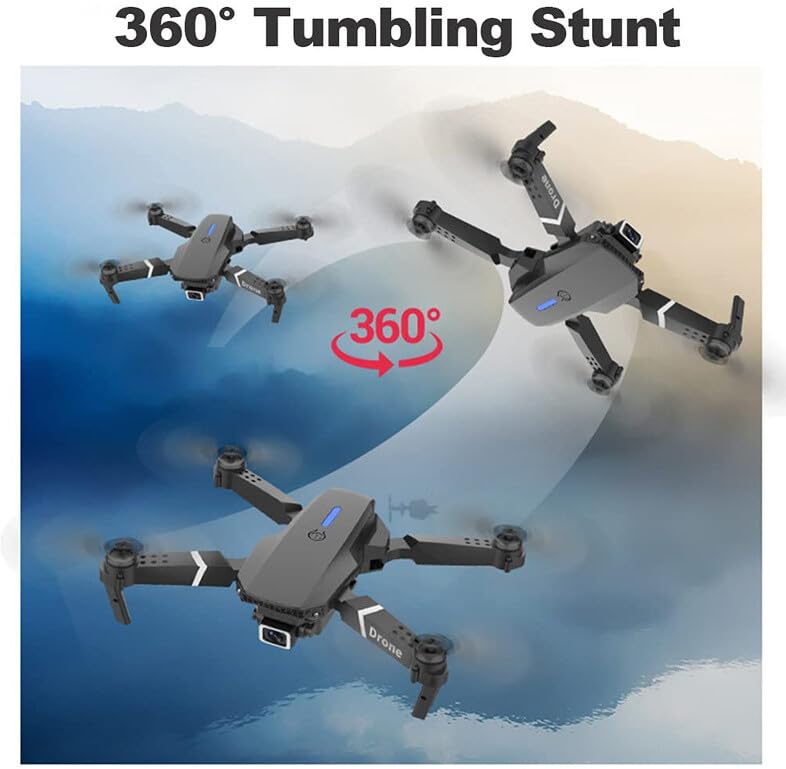
Image: Three instances of the ROMJ E99 A14 drone in mid-air, illustrating a 360-degree tumbling stunt. The drone is shown at different angles during the flip, with an arrow indicating the circular motion.
6. Penyelenggaraan
- Pembersihan: Use a soft, dry cloth to clean the drone body and camera lens. Avoid using liquids or solvents.
- Pemeriksaan baling-baling: Regularly check propellers for cracks, bends, or damage. Replace any damaged propellers immediately using the provided spares.
- Penjagaan Bateri: Store batteries in a cool, dry place. Do not store fully charged or completely depleted batteries for extended periods. Charge them to about 50-60% for long-term storage.
- Penjagaan Motor: Pastikan motor bebas daripada habuk dan serpihan. Jangan cuba melincirkan motor.
- Storan: When not in use, fold the drone and store it in its original packaging or the provided storage bag to protect it from dust and physical damage.
7. Penyelesaian masalah
| Masalah | Kemungkinan Punca | Penyelesaian |
|---|---|---|
| Drone tidak dihidupkan. | Bateri tidak dicas atau tidak dipasang dengan betul. | Pastikan bateri dicas sepenuhnya dan dimasukkan dengan betul. |
| Remote control does not connect to drone. | Not paired correctly; interference. | Repeat pairing procedure (Section 5.2). Ensure no strong Wi-Fi interference. |
| Drone hanyut semasa penerbangan. | Not calibrated; wind interference. | Perform gyroscope calibration (refer to app/remote instructions for specific steps). Use fine-tuning buttons. Fly in calm conditions. |
| Camera not recording or poor quality. | SD card issues (if applicable); lens dirty; app not connected. | Ensure SD card is inserted and formatted (if applicable). Clean camera lens. Verify app connection. |
| Masa penerbangan yang singkat. | Bateri tidak dicas sepenuhnya; bateri lama; terbang agresif. | Pastikan bateri dicas sepenuhnya. Pertimbangkan untuk menggantikan bateri lama. Terbang dengan lebih berhati-hati. |
8. Spesifikasi
| Ciri | Perincian |
|---|---|
| Jenama | ROMJ |
| Nama Model | E99 A14 |
| Ciri Khas | Compact, Foldable, Integrated Camera |
| Resolusi Tangkapan Video | 1080p |
| Teknologi Ketersambungan | USB, Wi-Fi |
| Komponen yang Disertakan | Battery, Propeller, USB Charger |
| Tahap Kemahiran | Semua |
| bahan | Akrilonitril Butadiene Stirena, Plastik |
| Komposisi Sel Bateri | Polimer Litium |
| Alat Kawalan Jauh Termasuk? | ya |
9. Waranti dan Sokongan
ROMJ products are manufactured to high-quality standards. For any issues, technical support, or warranty inquiries, please contact your retailer or the official ROMJ customer service channel. Please retain your proof of purchase for warranty claims.
For the most up-to-date support information, please visit the official ROMJ weblaman web atau rujuk butiran hubungan yang diberikan bersama pembelian anda.
Ask a question about this manual
Ask about setup, troubleshooting, compatibility, parts, safety, or missing instructions. Manuals+ will review the question and use this page’s manual context to help answer it.