
1. Pengenalan
The RuoShui 9205D Digital Multimeter is a stable and high-performance battery-driven instrument designed for precise electrical measurements. It features a clear LCD display with unit symbols and backlight for easy reading. The multimeter includes overload protection to ensure safe operation.
This instrument is capable of measuring DC voltage (DCV), AC voltage (ACV), DC current (DCA), AC current (ACA), resistance, capacitance, inductance, temperature, and frequency. Additionally, it supports diode, triode, and continuity testing. Utilizing a dual-integral A/D converter, the 9205D is an essential tool for electricians and hobbyists alike.
2. Ciri-ciri Utama
- High Definition Large Screen: Equipped with a large LCD screen, providing a maximum display of 1999 counts for clear, intuitive, and easily understandable numerical values.
- Intelligent Anti-Burning Protection: Features full-range intelligent anti-burn circuitry, enhancing safety and improving measurement precision.
- Matikan Automatik: The instrument automatically shuts down after approximately 15 minutes of inactivity (this function can be disabled), conserving battery life and extending the instrument's lifespan.
- Single Probe Live Wire Detection: Allows for quick determination of whether a circuit is live or powered using a single test probe.
- Fungsi Pengukuran Komprehensif: Menyokong voltage, resistance, capacitance, on/off beep (continuity), diode, and triode measurements.
3. Maklumat Keselamatan
To ensure safe operation and prevent damage to the meter, please read and follow all safety instructions carefully.
- Always ensure the meter is in good working condition before use. Do not use if the casing is damaged or if the test leads are frayed.
- Never exceed the maximum input limits for any measurement range. Refer to the specifications section for details.
- Berhati-hati apabila bekerja dengan voltagadalah melebihi 30V AC RMS, puncak 42V atau 60V DC. Ini voltagia menimbulkan bahaya kejutan.
- Sentiasa putuskan sambungan kuasa ke litar dan nyahcas semua voltan tinggitagkapasitor sebelum melakukan pengukuran rintangan, kesinambungan, diod atau kapasitans.
- Ensure the correct function and range are selected before connecting the test leads to the circuit.
- Connect the common (COM) test lead first, then the live test lead. Disconnect the live test lead first, then the common test lead.
- Gantikan bateri dengan segera apabila penunjuk bateri lemah muncul untuk memastikan bacaan yang tepat.
- Jangan kendalikan meter dalam gas meletup, wap atau persekitaran berdebu.
4. Kandungan Pakej
Pastikan semua barang ada dan tidak rosak semasa membuka bungkusan.
- RuoShui 9205D Digital Multimeter
- Petunjuk Ujian (satu merah, satu hitam)
- Manual Arahan
- Kotak Produk

Image: Contents of the RuoShui 9205D Digital Multimeter package, showing the meter, test leads, and manual.
5. Produk Lebihview
Familiarize yourself with the components of your RuoShui 9205D Digital Multimeter.

Image: The large, high-definition LCD screen of the 9205D Multimeter, showing its clear digital display.
5.1. Paparan
The large LCD shows measurement values, unit symbols (e.g., V, A, Ω, F, H, ℃), polarity, and special function indicators like APO (Auto Power Off) and low battery.
5.2. Suis Putar
The central rotary switch is used to select the desired measurement function (e.g., DCV, ACV, Resistance, Capacitance, Diode, etc.) and range.
5.3. Input Jacks
- COM (Umum) Jack: Untuk petunjuk ujian hitam (negatif).
- VΩmA Jack: Untuk petunjuk ujian merah (positif) untuk voltage, resistance, capacitance, diode, and small current measurements.
- Bicu 10A: For the red (positive) test lead for high current (up to 10A) measurements.
6. Persediaan
6.1. Pemasangan Bateri
The RuoShui 9205D Multimeter operates on a 9V battery. To install or replace the battery:
- Pastikan multimeter dimatikan dan petunjuk ujian diputuskan.
- Cari penutup petak bateri di belakang meter.
- Tanggalkan skru penahan dan tanggalkan penutup.
- Connect a new 9V battery to the battery clip, observing correct polarity.
- Letakkan bateri di dalam petak dan gantikan penutup, selamatkannya dengan skru.
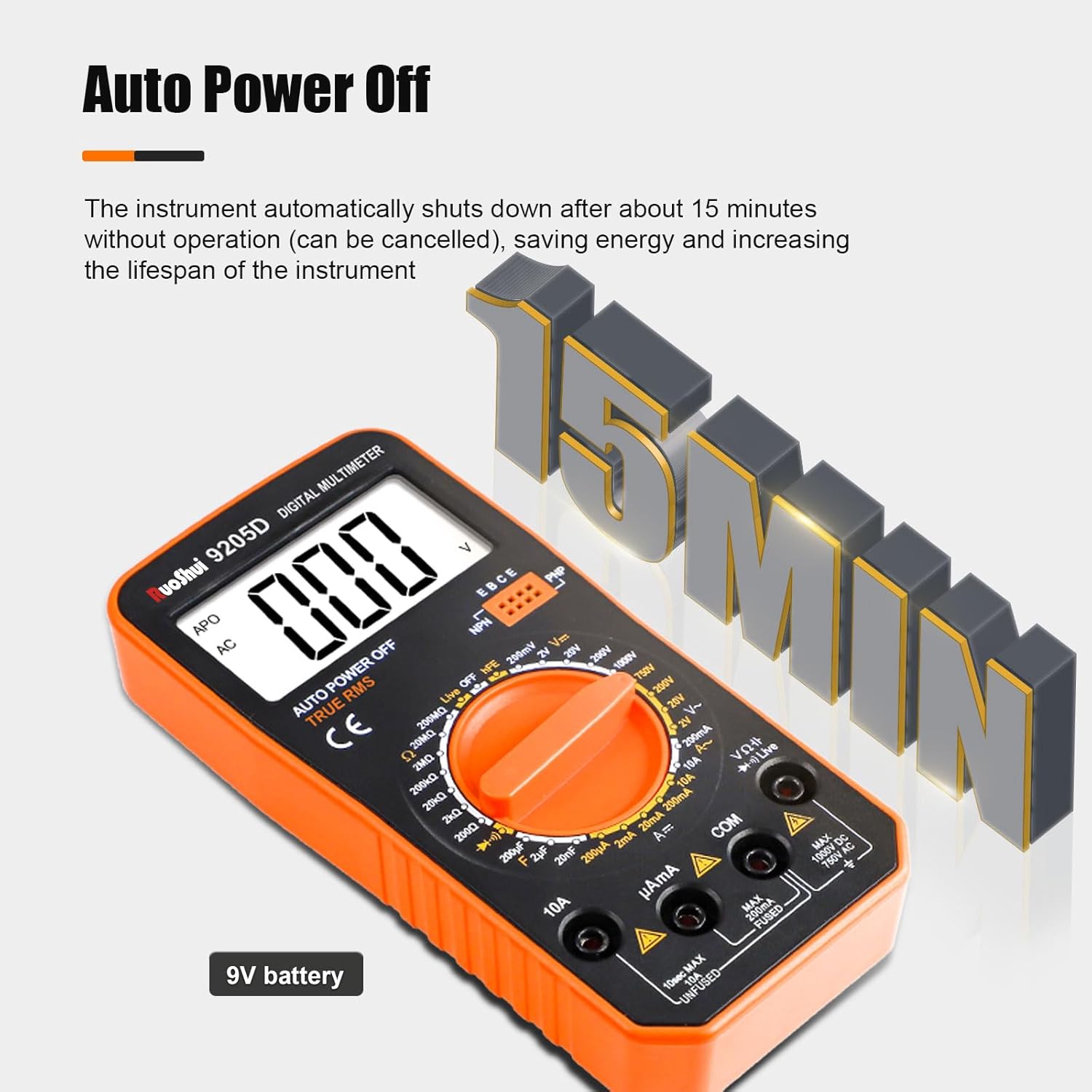
Image: The multimeter indicating its 9V battery power source.
7. Arahan Operasi
Before taking any measurements, ensure the test leads are properly connected and the rotary switch is set to the correct function and range.

Image: Visual guide to different measurement functions including voltage, resistance, and capacitance.
7.1. General Measurement Procedure
- Insert the black test lead into the COM jack.
- Insert the red test lead into the appropriate input jack (VΩmA or 10A) for the desired measurement.
- Turn the rotary switch to the desired function and range. If the value is unknown, start with the highest range and decrease as necessary.
- Sambungkan probe ujian ke litar atau komponen yang sedang diuji.
- Baca nilai ukuran pada LCD.
- Disconnect the test probes from the circuit.
7.2. Fungsi Pengukuran Khusus
- Voltage Measurement (DCV/ACV): Select the 'V—' for DC voltage or 'V~' for AC voltage. Connect probes in parallel with the circuit.
- Current Measurement (DCA/ACA): Select the 'A—' for DC current or 'A~' for AC current. Connect probes in series with the circuit. Use the 10A jack for high currents.
- Resistance Measurement (Ω): Select the 'Ω' range. Ensure the circuit is de-energized. Connect probes across the component.
- Pengukuran Kapasitans (F): Select the 'F' range. Ensure the capacitor is discharged before connecting probes.
- Inductance Measurement (H): Select the 'H' range. Connect probes across the inductor.
- Ujian Diod: Select the diode symbol. Connect the red probe to the anode and black probe to the cathode.
- Triode Test (hFE): Insert the transistor into the hFE socket, ensuring correct EBC/PNP/NPN configuration.
- Ujian Kesinambungan: Select the continuity symbol (buzzer). If resistance is below a certain threshold, the buzzer will sound.
7.3. Single Pen Live Wire Judgment
This function allows you to quickly check for the presence of AC voltage without needing both test leads.
- Set the rotary switch to the 'Live' position.
- Hold the multimeter firmly and touch the tip of the red test probe to the suspected live wire or terminal.
- The display will indicate the presence of AC voltage, often with an 'L' or a specific symbol, and may emit an audible alert.

Image: Demonstrating the single-pen live wire judgment feature on an electrical outlet.
8. Penyelenggaraan
Penyelenggaraan yang betul memastikan jangka hayat dan ketepatan multimeter anda.
8.1. Pembersihan
Lap meter casing dengan iklanamp kain dan detergen lembut. Jangan gunakan bahan pelelas atau pelarut. Pastikan meter kering sepenuhnya sebelum digunakan.
8.2. Penggantian Bateri
Refer to Section 6.1 for battery replacement instructions. Always use a fresh 9V battery.
8.3. Penggantian fius
The multimeter is equipped with internal fuses for protection. If the current measurement function stops working, the fuse may need replacement.

Imej: Dalaman view showing the 200mA/250V fuse tube, part of the intelligent anti-burning protection.
- Pastikan multimeter dimatikan dan petunjuk ujian diputuskan.
- Open the battery compartment cover (refer to Section 6.1).
- Carefully remove the back casing of the multimeter to access the circuit board.
- Locate the blown fuse (typically a glass tube fuse).
- Replace it with a fuse of the exact same type and rating (e.g., 200mA/250V).
- Reassemble the multimeter, ensuring all screws are tightened.
9. Penyelesaian masalah
If you encounter issues with your multimeter, refer to the following common problems and solutions.
- Tiada Paparan atau Paparan Samar:
- Check the battery. Replace if low or dead.
- Ensure the battery is installed with correct polarity.
- Verify the rotary switch is not in the 'OFF' position.
- Bacaan yang salah:
- Pastikan fungsi dan julat yang betul dipilih untuk pengukuran.
- Check the test leads for damage or poor connection.
- Verify the battery level. Low battery can affect accuracy.
- Ensure the circuit is de-energized for resistance, continuity, and capacitance measurements.
- Pengukuran Semasa Tidak Berfungsi:
- Check the internal fuse (refer to Section 8.3). It may have blown due to an overcurrent.
- Ensure the red test lead is connected to the correct current input jack (mA or 10A).
- Paparan 'OL' (Lebihan):
- Nilai yang diukur melebihi julat yang dipilih. Beralih ke julat yang lebih tinggi.
- For resistance, it may indicate an open circuit.
10. Spesifikasi
| Parameter | Nilai |
|---|---|
| Paparan Maksimum | 1999 (3 1/2 digit) |
| Vol. Rendahtage Paparan | Simbol bateri |
| Penutupan Automatik | lebih kurang 15 minit tidak aktif |
| SampKadar ling | 3 kali / saat |
| ACV Frequency Response | (40-1000)Hz |
| Over Range Prompt | 'OL' at highest position |
| Persekitaran Kerja | (0-40)℃, relative humidity <80% |
| Persekitaran Storan | (-20~60)℃, relative humidity <85% |
| Sumber Kuasa | Bateri 9V |
| Dimensi | 167 x 81 x 43mm |
| Berat badan | lebih kurang 167g |
| Ketepatan Pengukuran | 0.5% |
| Vol. Operasi Minimumtage | 2 Volt |
| Vol Operasi Maksimumtage | 1000 Volt |
| Penarafan Suhu Atas | 40 ℃ |
11. Waranti dan Sokongan
The RuoShui 9205D Digital Multimeter is designed for reliability and performance. For warranty information or technical support, please refer to the contact details provided with your purchase documentation or visit the official RuoShui webtapak.
Keep your purchase receipt as proof of purchase for any warranty claims. Do not attempt to repair the device yourself, as this may void the warranty and pose safety risks.