
pengenalan
Thank you for choosing the EMANER Smart Security Light Motion Sensor. This advanced flood light combines powerful illumination with smart control features, including motion sensing, adjustable color temperature, dimmable brightness, and compatibility with smart home systems like Alexa and Google Home. This manual provides detailed instructions for installation, operation, maintenance, and troubleshooting to ensure optimal performance and safety.
Ciri-ciri Produk
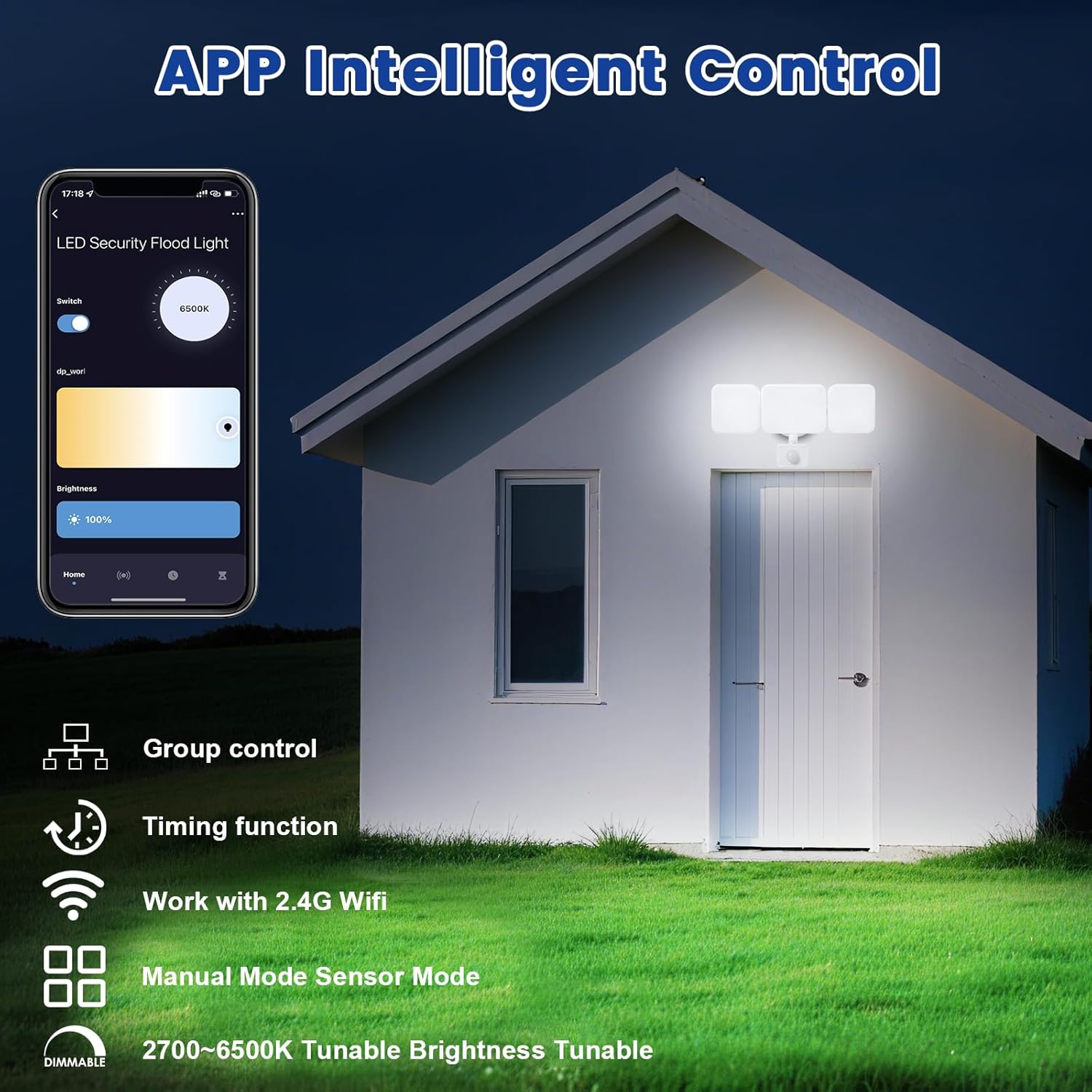
- Kawalan Jauh APP: Connects to "Smart Life" and "Tu Ya Smart" APP via 2.4Ghz WIFI for comprehensive control over brightness, color temperature, sensing distance, and light duration. Eliminates the need for manual adjustments on the fixture.
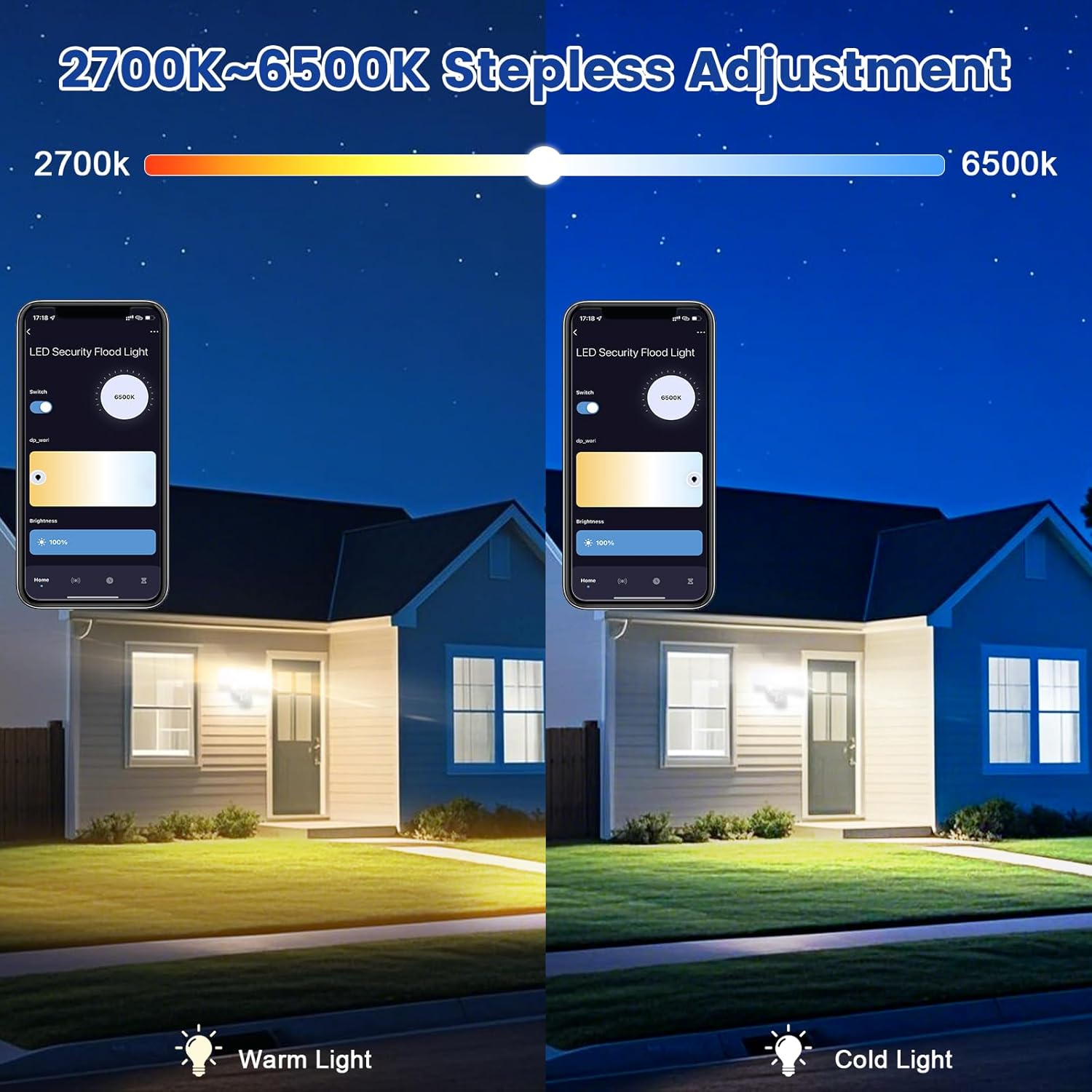
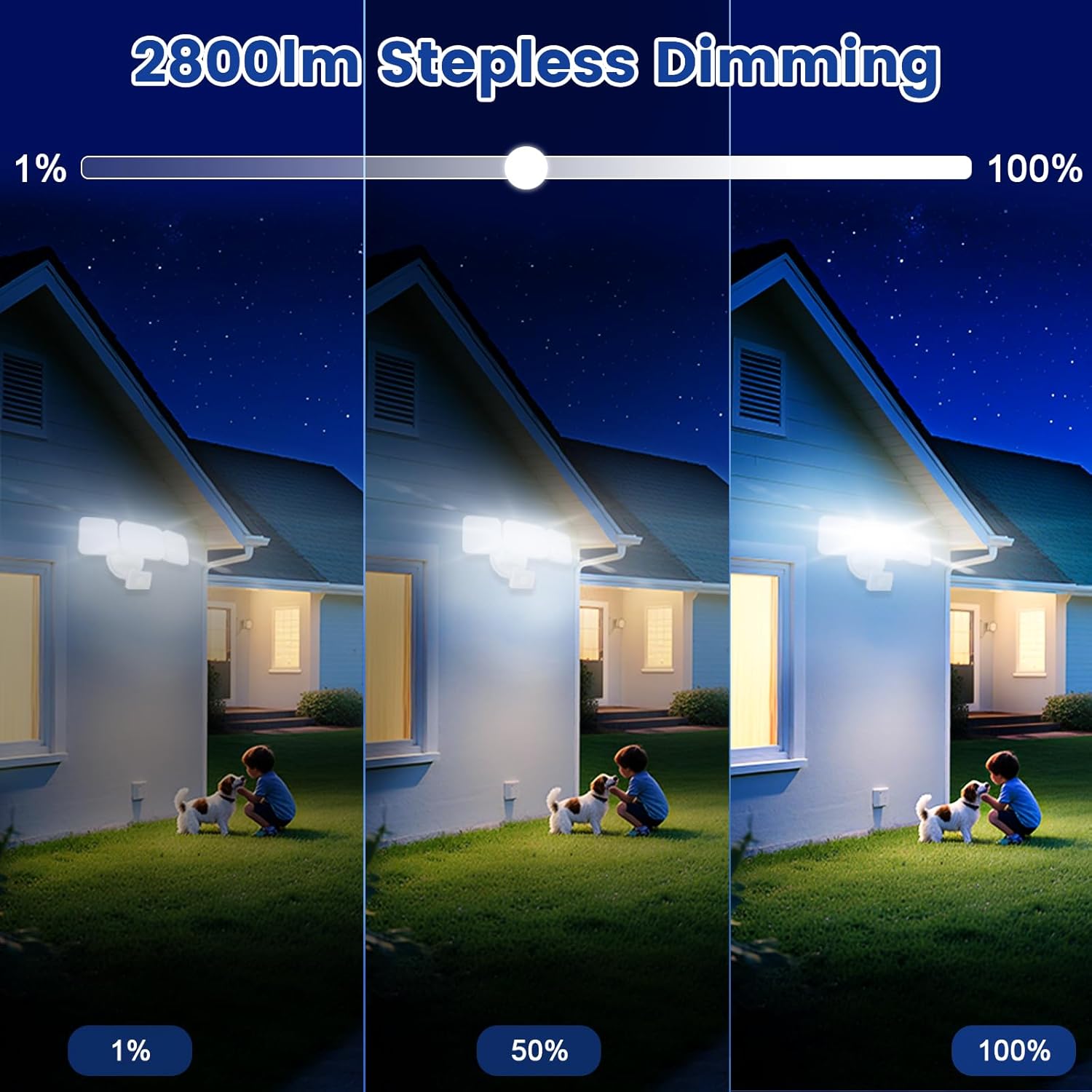
- Tunable White and Dimmable: Stepless adjustment of color temperature from 2700K (Warm White) to 6500K (Cool White). Brightness is adjustable from 1% to 100%. Features a memory function for preferred settings.
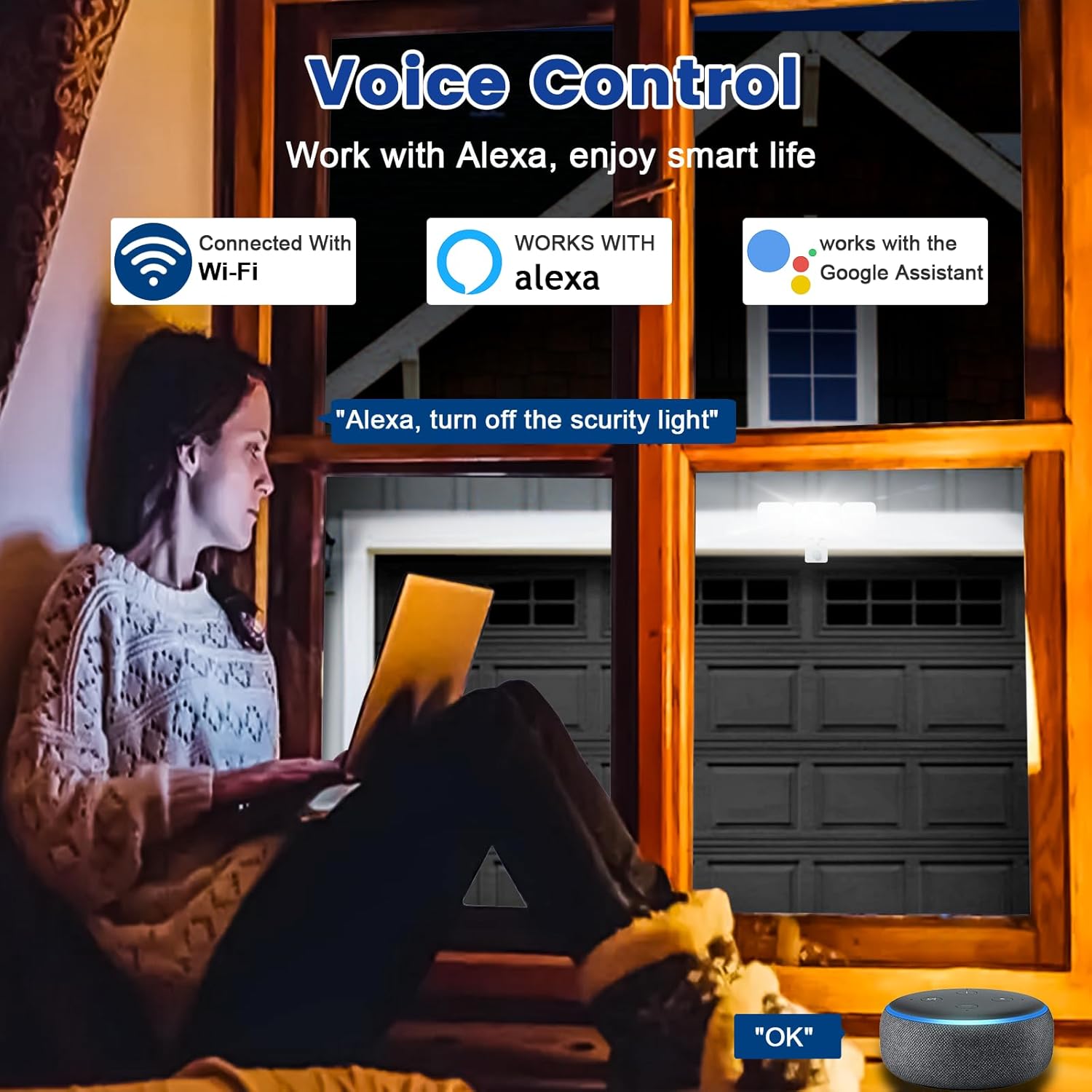
- Keserasian Kawalan Suara: Works seamlessly with Amazon Alexa (Echo/Dot/Tap) and Google Assistant for hands-free operation using simple voice commands.
- Two Operational Modes:
- Mod Manual: Functions as a normal light, can be set to turn on/off at specific times with adjustable brightness and color temperature.
- Mod Sensor: Activates the PIR motion sensor, allowing customization of sensor settings via the APP.
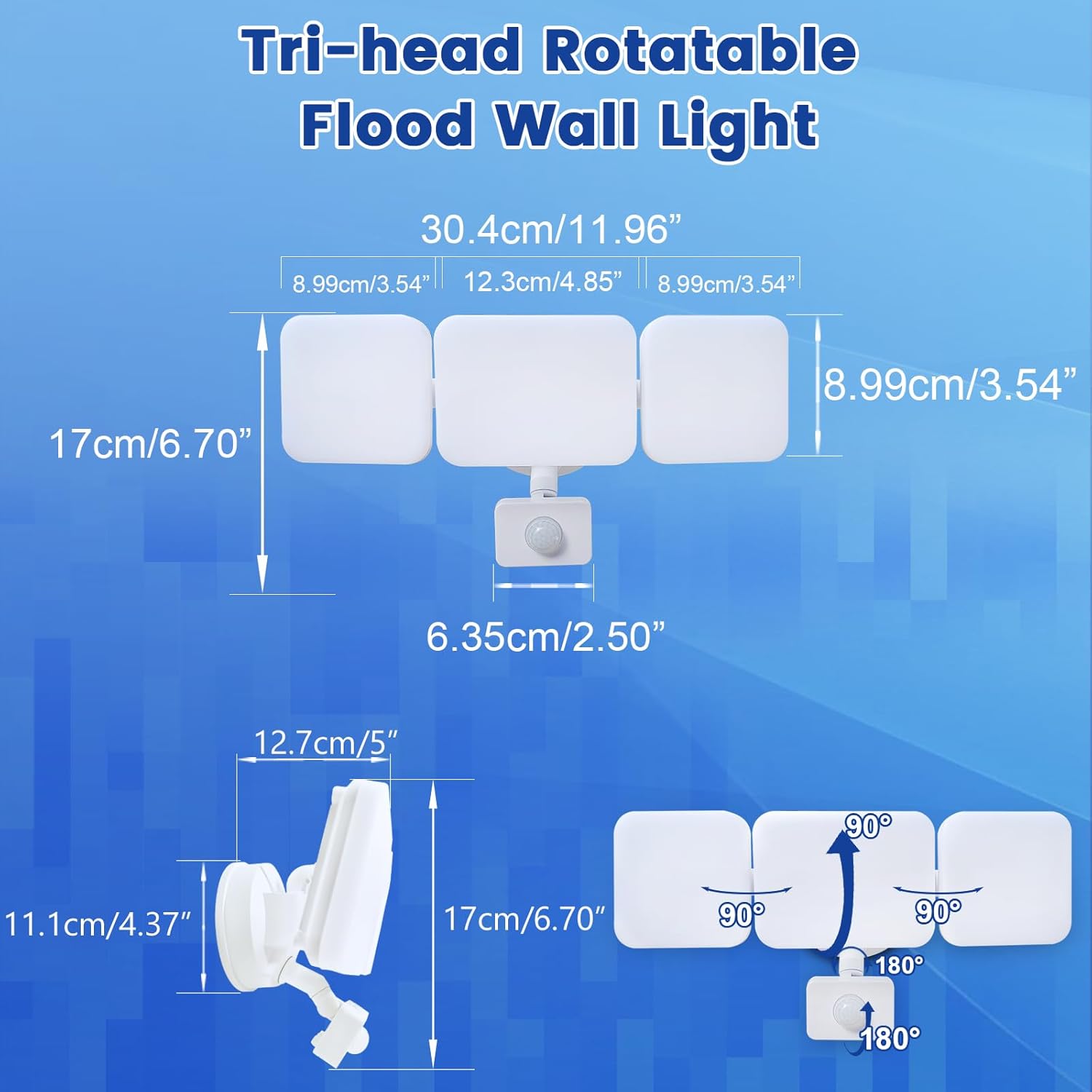
- Motion Sensor & Adjustable Design: PIR sensor detects motion up to 26ft. Full light duration is adjustable from 5 seconds to 60 minutes. The three light heads and motion detector head are flexibly adjustable to desired angles.
- Group Control & Linked Devices: Control multiple lights with one mobile phone and create connections for synchronized operation (e.g., one light activating another). Device pairing can be shared with family members.
- Sangat Cerah & Penjimatan Tenaga: Delivers a maximum of 2800 lumens at 28W, equivalent to a 150W halogen light, resulting in over 80% electricity savings.
- Easy Installation & Weatherproof: Simple wiring steps for wall, eave, or soffit mounting. IP65 waterproof rating ensures durability against rain, sleet, and snow for outdoor use.
Kandungan Pakej
The EMANER Smart Security Light Motion Sensor package includes the following items:
- EMANER Smart Security Light Motion Sensor (1 unit)
- Manual Arahan (Dokumen ini)
- Perkakasan Pemasangan (skru, nat wayar, dll.)
Spesifikasi
| Spesifikasi | Nilai |
|---|---|
| Jenama | EMANER |
| Jenis Cahaya | LED |
| Ciri Khas | Suhu Warna Boleh Laras |
| Wattage | 28 watt |
| Saiz Bentuk Mentol | PAR14 |
| Pangkalan Mentol | Bebibir |
| Wat Setara Pijartage | 280 Watt |
| Kegunaan Khusus Untuk Produk | Rumah |
| Warna Cerah | putih |
| Voltage | 120 Volt |
| Kiraan Unit | 1.0 Kiraan |
| Suhu Warna | 2700K-6500K (Boleh Laras) |
| Bilangan Item | 1 |
| Kecerahan | Max 2800 lumen (Dimmable) |
| bentuk | Reflector(R) |
| bahan | plastik |
| Nama Model | White 1Pack |
| Teknologi Ketersambungan | Wi-Fi (2.4Ghz) |
| Penggunaan Dalaman/Luar | Luar |
| Jenis Pengawal | Google Assistant, Amazon Alexa, App |
| Sumber Kuasa | Elektrik Bertali |
| Indeks Rendering Warna | 80 |
| Kekerapan | 60 Hz |
| Sudut Rasuk | 120 Darjah |
| Berat Barang | 2 paun |
| Dimensi Produk | 12"W x 6.7"H |
Panduan Pemasangan
Before beginning installation, ensure the power supply to the installation area is turned off at the circuit breaker to prevent electrical shock. It is recommended to consult a qualified electrician for installation if you are not familiar with electrical wiring.
- Sediakan Lokasi Pemasangan: Choose a suitable outdoor location such as a wall, under an eave, or soffit. Ensure the surface is stable and can support the light fixture.
- Pasang Lekapan: Use the provided mounting hardware to securely attach the light fixture to the chosen surface. Ensure all connections are tight and stable.
- Sambungan Wayar: Connect the light's wires to your household electrical wiring according to local electrical codes. Typically, this involves connecting live, neutral, and ground wires. Use appropriate wire nuts to secure connections.
- Seal the Base: For outdoor use and IP65 waterproofing, ensure the lamp base between the wall and the fixture is properly sealed to prevent water ingress.
- Adjust Light Heads and Sensor: Once mounted, adjust the three light heads and the motion detector head to cover the desired area. The heads are rotatable for flexible positioning.

Arahan Operasi
The EMANER Smart Security Light is primarily controlled via its dedicated mobile application. Basic operation involves powering on the device after installation.
Kuasa Awal Hidup
After successful installation and restoring power, the light will typically turn on. Proceed to the "App Control & Voice Control" section to pair your device and customize settings.
App Control & Voice Control
The EMANER Smart Security Light offers extensive control through the "Smart Life" or "Tu Ya Smart" mobile applications, available for both iOS and Android devices. It also integrates with popular voice assistants.
App Pairing and Setup
- Muat turun Apl: Cari untuk "Smart Life" or "Tu Ya Smart" in your device's app store and install it.
- Daftar/Log Masuk: Buat akaun baharu atau log masuk ke akaun sedia ada anda.
- Tambah Peranti: Follow the in-app instructions to add a new device. Ensure your phone is connected to a 2.4GHz Wi-Fi network. The app will guide you through the pairing process, which may involve putting the light into pairing mode (refer to app for specific steps).
- Sesuaikan Tetapan: Once paired, you can adjust all light settings, including:
- Brightness (1% to 100%)
- Color Temperature (2700K Warm White to 6500K Cool White)
- Operating Modes (Manual or Sensor)
- Motion Sensor Sensitivity and Duration
- Penjadualan dan Pemasa
- Group Control with other EMANER smart lights
Integrasi Kawalan Suara
To enable voice control, link your "Smart Life" or "Tu Ya Smart" account with Amazon Alexa or Google Assistant through their respective apps. Once linked, you can use commands such as:
- "Alexa, turn on the smart security light."
- "Hey Google, set the security light to warm white."
- "Alexa, dim the security light to 50%."
Official Product Video: Outdoor Security Lighting Motion Sensor Dusk to Dawn
Video 1: This video demonstrates the EMANER Smart Security Light's motion sensing capabilities and its performance in outdoor settings, showcasing its ability to illuminate areas from dusk till dawn.
Motion Sensor Configuration
The integrated PIR motion sensor can be configured to suit your security and lighting needs. All adjustments are made through the mobile application.
- Access Sensor Settings: In the "Smart Life" or "Tu Ya Smart" app, navigate to the device settings and select "Sensor Mode".
- Laraskan Jarak Penderiaan: Customize the detection range of the motion sensor. The maximum sensing range is approximately 26 feet.
- Set Full Light Duration: Determine how long the light stays on after motion is detected. This duration can be set from 5 seconds to 60 minutes.
- Pelarasan Sensitiviti: Some app versions may allow for sensitivity adjustments. If the light is triggering too frequently or not enough, adjust this setting.


Penyelenggaraan
Regular maintenance ensures the longevity and optimal performance of your EMANER Smart Security Light.
- Pembersihan: Bersihkan lekapan lampu dan kanta sensor gerakan secara berkala dengan kain lembutamp cloth. Do not use abrasive cleaners or solvents. Ensure the power is off before cleaning.
- Periksa Pendawaian: Annually inspect the wiring and connections for any signs of wear, damage, or corrosion. Ensure the lamp base remains properly sealed against the wall to maintain its IP65 rating.
- Kemas Kini Perisian: Keep the "Smart Life" or "Tu Ya Smart" app updated to the latest version to ensure compatibility and access to new features or bug fixes.
Menyelesaikan masalah
If you encounter issues with your EMANER Smart Security Light, refer to the following common troubleshooting steps:
| Masalah | Kemungkinan Punca | Penyelesaian |
|---|---|---|
| Cahaya tidak menyala. | Tiada bekalan elektrik, pendawaian longgar, lekapan rosak. | Check circuit breaker. Ensure all wiring connections are secure. If problem persists, contact support. |
| Light does not respond to app/voice commands. | Wi-Fi connectivity issue, app not paired, incorrect voice command. | Ensure light is connected to 2.4GHz Wi-Fi. Re-pair device in app. Verify voice command syntax with Alexa/Google Home. |
| Motion sensor not detecting or detecting too often. | Incorrect sensitivity setting, obstruction, environmental factors. | Adjust motion sensor sensitivity in the app. Clear any obstructions from the sensor's field of view. |
| Light flickers or changes brightness unexpectedly. | Unstable power supply, internal component issue. | Ensure stable power. If problem persists, contact EMANER support. |
Waranti dan Sokongan
EMANER products are designed for reliability and performance. For warranty information or technical assistance, please contact EMANER customer support.
You can typically find contact information on the EMANER brand store page or through the retailer where you purchased the product. Please have your model number (EMR-8030) and purchase details ready when contacting support.
For additional resources and product information, visit the official EMANER store: EMANER Store on Amazon.