
pengenalan
Thank you for choosing the Lepulse F4 Pro Smart Scale. This device is designed to provide comprehensive body composition analysis, helping you monitor your health and fitness progress. Please read this manual carefully before use to ensure proper operation and to maximize the benefits of your new scale. Keep this manual for future reference.
Maklumat Keselamatan
- Do not use this device if you are pregnant, have a pacemaker, or other internal medical devices.
- The scale is intended for household use only. It is not a medical device and should not be used for diagnosis or treatment of any medical condition.
- Sentiasa letakkan penimbang pada permukaan yang keras dan rata. Menggunakannya pada permukaan lembut seperti permaidani boleh menjejaskan ketepatan.
- The scale surface can be slippery when wet. Ensure the surface is dry before stepping on it.
- Jangan melompat ke atas penimbang atau menggunakannya untuk tujuan selain menimbang.
- Jauhkan penimbang daripada suhu ekstrem, cahaya matahari langsung dan kelembapan tinggi.
- Children should use the scale under adult supervision.
Kandungan Pakej
- Lepulse F4 Pro Smart Scale
- Kabel Pengecasan Jenis-C
- Manual Arahan
Produk Selesaiview
The Lepulse F4 Pro Smart Scale is designed with user convenience and accuracy in mind. It features a large color display and advanced ITO sensor technology for precise measurements.
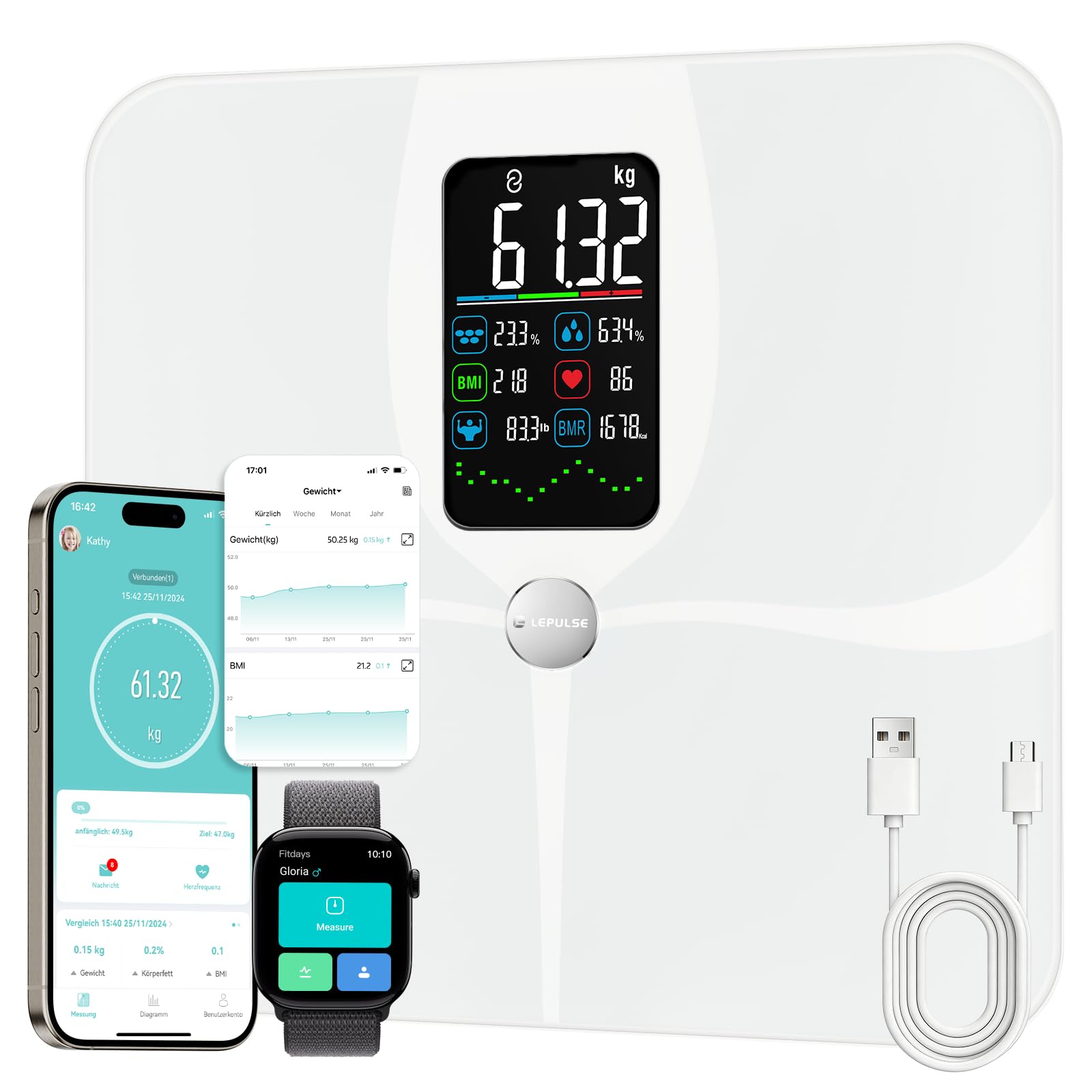
Image: The Lepulse F4 Pro Smart Scale, showcasinreka bentuknya yang anggun dan paparannya yang besar.
Ciri-ciri Utama
- 22 Body Composition Metrics: Measures weight, body fat, muscle mass, BMI, body water, bone mass, BMR, skeletal muscle, visceral fat, fat-free body weight, protein, heart rate, water content, fat mass, obesity level, body type, protein mass, body age, cardiac index, and more.
- Paparan Warna Besar: Directly shows 8 key data points and 7-day trend graphs for weight, body fat, and muscle mass.
- Ketepatan Tinggi: Utilizes ITO membrane electrodes for accurate measurements across various foot sizes, with a weighing range of 3 to 180 kg.
- Bateri boleh dicas semula: Equipped with a Lithium-polymer battery, rechargeable via the included Type-C cable.
- Penyepaduan Apl Pintar: Connects with the Fitdays app to track progress over days, weeks, months, and years. Syncs with Apple Health, Google Fit, and Samsung Health.
- Sokongan Berbilang Pengguna: Supports up to 24 user profiles with automatic recognition and a dedicated Baby Mode.

Image: The scale supports up to 24 users and features Standard, Athlete, and Baby modes, integrating with the Fitdays app and other health platforms.
Ciri-ciri Reka Bentuk
- Tikar Anti-gelincir: Ensures stability and safety during use.
- Sudut Bulat: Enhances safety and aesthetics.
- Kaca Terbaja: Permukaan tahan lama dan mudah dibersihkan.
- Perubahan Unit: Easily switch between kg, lb, and st via the app.

Image: Visual representation of the scale's user-friendly design, including anti-slip mat, rounded corners, tempered glass, and unit conversion options.
Persediaan
1. Caj Permulaan
- Before first use, ensure the scale is fully charged. Connect the provided Type-C cable to the charging port on the scale and to a USB power source.
- The display will indicate charging status. Charge until the battery indicator shows full.
2. Pemasangan & Penggandingan Aplikasi
- Muat turun Fitdays apl daripada Apple App Store atau Google Play Store.
- Dayakan Bluetooth pada telefon pintar anda.
- Open the Fitdays app and follow the on-screen instructions to create an account or log in.
- Step onto the scale to activate it. The app should automatically detect and pair with the scale. If not, manually add the device within the app's settings.
3. Pengguna Profile Penciptaan
- Within the Fitdays app, create your personal profile by entering your gender, height, and age. This information is crucial for accurate body composition analysis.
- For additional users, create separate profiles within the app. The scale can store data for up to 24 users.
Arahan Operasi
1. Mengambil Pengukuran
- Letakkan penimbang pada permukaan yang keras dan rata.
- Step onto the scale barefoot with dry feet, ensuring your feet are centered on the ITO electrodes.
- Stand still until your weight is displayed and stabilized. The scale will then proceed to measure other body composition metrics.
- The measurements will be displayed on the scale's screen and automatically synchronized with the Fitdays app if your phone is nearby with Bluetooth enabled.

Image: The scale's full ITO sensor technology ensures high precision and adapts to all foot sizes for accurate body composition analysis.
2. Memahami Bacaan Paparan
The large color display on the F4 Pro scale shows key metrics directly. After a measurement, you will see your weight, body fat percentage, peratus air badantage, BMI, BMR, and heart rate. The display also shows a 7-day trend graph for weight, body fat, and muscle mass.

Image: A close-up of the scale's display, showing weight, body fat, BMI, body water, muscle mass, BMR, heart rate, and weight trend at a glance.
3. Using the Fitdays App
The Fitdays app provides a detailed breakdown of all 22 body composition metrics and allows for long-term tracking of your health data.
- Detailed Analysis: View all 22 metrics, including those not shown on the scale's display.
- Penjejakan Kemajuan: Monitor trends over days, weeks, months, and years with intuitive graphs.
- Penyegerakan Data: Sync your data with Apple Health, Google Fit, and Samsung Health for a comprehensive health overview.
- Penukaran Unit: Change measurement units (kg/lb/st) directly within the app.

Image: The Fitdays app interface demonstrating smart tracking of unlimited data, showing trends for body fat, weight, and BMI over time (week, month, year).
4. Multiple Users & Baby Mode
- Berbilang Pengguna: The app automatically recognizes and assigns measurements to individual profiles based on weight similarity. Ensure each user has a profile sediakan dalam apl.
- Mod Bayi: To weigh a baby or pet, first weigh yourself, then hold the baby/pet and step on the scale again. The app will calculate the baby's/pet's weight by subtracting your initial weight.
Penyelenggaraan
Pembersihan
Lap permukaan skala dengan lembut, damp kain. Jangan gunakan pembersih yang kasar atau rendam kerak di dalam air.
Penyimpanan
Simpan penimbang di tempat yang sejuk dan kering. Elakkan meletakkan objek berat di atas penimbang apabila tidak digunakan.
Pengecasan Bateri
When the scale displays a "LO" or low battery indicator, recharge it using the provided Type-C cable. A full charge typically lasts for several months depending on usage.
Menyelesaikan masalah
- Skala tidak dihidupkan: Ensure the scale is charged. Connect it to a power source using the Type-C cable.
- Bacaan tidak tepat:
- Ensure the scale is on a hard, flat surface, not carpet.
- Step on the scale barefoot with dry feet.
- Pastikan pro andafile information (gender, height, age) in the app is correct.
- Calibrate the scale by stepping on it briefly, then stepping off, and waiting for it to display "0.0" before taking a measurement.
- App not connecting to scale:
- Pastikan Bluetooth didayakan pada telefon pintar anda.
- Make sure the Fitdays app has Bluetooth permissions.
- Step on the scale to activate it before opening the app.
- Try restarting your phone and the scale.
- "ERR" message on display: This usually indicates an overload. The maximum weight capacity is 180 kg (396 lbs).
Spesifikasi
| Nombor Model | F4 PRO |
| Kapasiti Berat | 3 kg - 180 kg (6.6 paun - 396 paun) |
| Unit | kg / lb / st |
| Dimensi (L x W x H) | 19.71 x 9.91 x 3.73 cm (7.76 x 3.90 x 1.47 inci) |
| Berat Produk | 1.9 kg (4.19 lbs) |
| bahan | Acrylonitrile Butadiene Styrene (ABS), Tempered Glass |
| Jenis Paparan | Digital Color Display |
| Jenis Bateri | 1 Litium-polimer (termasuk) |
| Port Pengecasan | Jenis-C |
| Ketersambungan | Bluetooth |
Waranti dan Sokongan
Lepulse products are manufactured with high-quality standards. For warranty information, technical support, or customer service inquiries, please refer to the contact information provided on the product packaging or visit the official Lepulse website. Please have your model number (F4 PRO) and purchase details ready when contacting support.