
1. Pengenalan
Thank you for choosing the CHiQ 22F650 22-inch FHD Monitor. This manual provides essential information for setting up, operating, and maintaining your monitor. Please read it thoroughly before use to ensure optimal performance and safety.
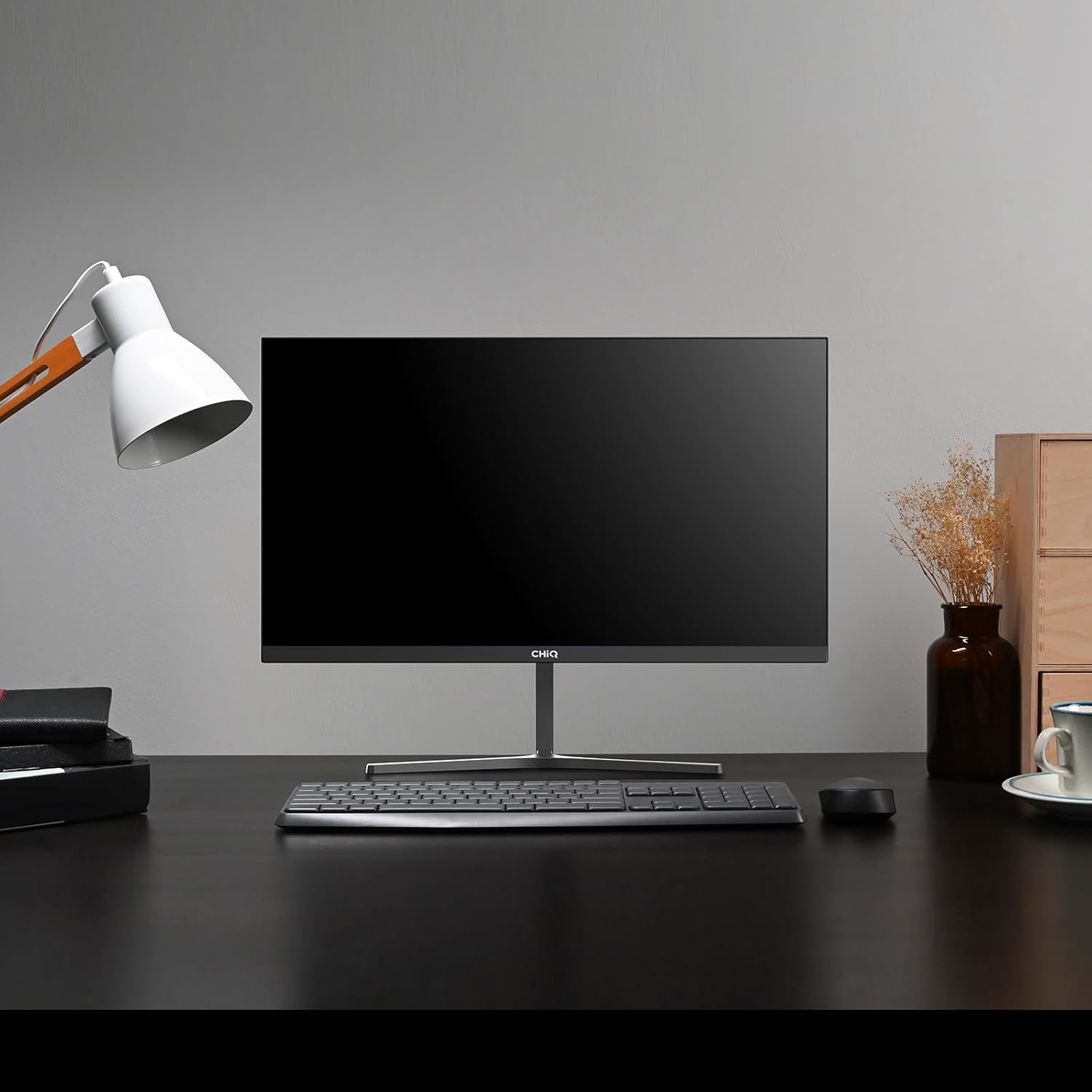
Image 1.1: The CHiQ 22F650 monitor set up on a desk.
The CHiQ 22F650 monitor features a 22-inch Full HD (1920 x 1080) display with a 100Hz refresh rate and AMD FreeSync technology for smooth visuals. Its ultra-thin, borderless design offers an immersive viewing experience, complemented by 100% sRGB color gamut and DC dimming for eye comfort.
2. Maklumat Keselamatan
Please observe the following safety precautions to prevent damage to the monitor and ensure your safety:
- Jangan dedahkan monitor kepada hujan, kelembapan atau suhu yang melampau.
- Pastikan pengudaraan yang betul di sekeliling monitor. Jangan sekat bukaan pengudaraan.
- Gunakan hanya penyesuai kuasa dan kabel yang disediakan atau disyorkan oleh pengilang.
- Elakkan meletakkan objek berat pada kord kuasa.
- Cabut palam kuasa dari soket jika monitor tidak akan digunakan untuk tempoh yang lama.
- Jangan cuba membaiki monitor sendiri. Rujuk semua servis kepada kakitangan yang berkelayakan.
3. Kandungan Pakej
Sahkan bahawa semua item terdapat dalam pakej anda:
- CHiQ 22F650 Monitor
- Stand Monitor (Asas dan Leher)
- Penyesuai Kuasa dan Kabel
- Kabel HDMI
- Manual Pengguna (dokumen ini)
4. Pemasangan dan Persediaan
4.1 Memasang Pendirian
- Tanggalkan monitor dari pembungkusannya dengan berhati-hati, pastikan skrinnya dilindungi.
- Pasangkan leher penyangga pada panel monitor.
- Pasangkan tapak penyangga pada leher penyangga menggunakan skru yang disediakan.
The monitor features a quick detachable Y-shaped metal stand for easy assembly.
4.2 Menyambung Monitor
Connect the monitor to your computer or other devices using the available ports:
- HDMI: Sambungkan kabel HDMI daripada output HDMI komputer anda ke input HDMI monitor.
- VGA: Sambungkan kabel VGA daripada output VGA komputer anda ke input VGA monitor.
- Audio: Connect headphones or external speakers to the 3.5mm headphone output jack.
- Kuasa: Connect the power adapter to the monitor's DC input and then plug it into a power outlet.

Image 4.1: Monitor connectivity ports (HDMI, VGA, Headphone Output).
4.3 Adjusting the Monitor Angle
The monitor's stand allows for tilt adjustment from +5° to -15° to achieve an optimal viewsudut ing.

Image 4.2: Monitor tilt adjustment and VESA mount points.
4.4 VESA Wall Mounting
The monitor is compatible with VESA 75x75mm wall mounts. To mount the monitor on a wall, remove the stand and attach a compatible VESA bracket (sold separately) to the mounting holes on the back of the monitor.
5. Arahan Operasi
5.1 Hidupkan/Mati Kuasa
Tekan butang kuasa yang terletak di belakang monitor untuk menghidupkan atau mematikannya.
5.2 Menu Paparan Pada Skrin (OSD).
The monitor features joystick-type buttons on the rear for navigating the OSD menu. Use these buttons to adjust various display settings:
- Kecerahan/Kontras: Laraskan pencahayaan keseluruhan dan perbezaan antara kawasan terang dan gelap.
- Tetapan Warna: Modify color temperature, gamma, and individual RGB values.
- Sumber Input: Pilih secara manual antara input HDMI dan VGA.
- Mod Gambar: Choose from preset display modes (e.g., Standard, Game, Movie).
- Audio: Adjust volume for the headphone output.

Image 5.1: Visual features of the CHiQ 22F650 monitor, including 100% sRGB and DC Dimming.
5.3 Teknologi FreeSync
The CHiQ 22F650 monitor supports AMD FreeSync technology, which synchronizes the monitor's refresh rate with your graphics card's frame rate. This helps eliminate screen tearing and stuttering, providing a smoother gaming and viewing experience. FreeSync is typically enabled automatically when connected to a compatible AMD graphics card.
Video 5.1: This video demonstrates the smooth performance of the CHiQ 22F650 monitor, highlighting features like 100Hz refresh rate and FreeSync technology, and its ultra-thin design.
6. Penyelenggaraan
6.1 Membersihkan Monitor
- Sentiasa cabut plag monitor dari salur keluar kuasa sebelum membersihkan.
- Gunakan kain lembut yang tidak berbulu dampdisapu dengan air atau pembersih skrin yang lembut dan tidak melelas.
- Jangan sembur pembersih terus ke skrin.
- Lap skrin dengan lembut untuk menghilangkan habuk dan kotoran.
- Untuk monitor casing, gunakan kain lembut dan kering.
6.2 Penyimpanan
If storing the monitor for an extended period, place it in its original packaging in a dry, cool environment to protect it from dust and damage.
7. Penyelesaian masalah
Jika anda menghadapi masalah dengan monitor anda, rujuk kepada masalah dan penyelesaian biasa berikut:
| Masalah | Kemungkinan Punca | Penyelesaian |
|---|---|---|
| Tiada gambar di skrin | Power cable disconnected, video cable loose/disconnected, incorrect input source selected. | Check power and video cable connections. Ensure the correct input source (HDMI/VGA) is selected in the OSD menu. |
| Imej kabur atau herot | Incorrect resolution, faulty video cable. | Set the display resolution to 1920 x 1080. Try a different video cable. |
| Warna tidak betul | Color settings in OSD, faulty video cable. | Adjust color settings in the OSD menu. Try a different video cable. |
| Skrin berkelip | Refresh rate mismatch, FreeSync issue, faulty cable. | Ensure your graphics card output matches the monitor's 100Hz refresh rate. Check FreeSync settings. Try a different video cable. |
| No audio from headphone output | Volume too low, incorrect audio output selected on computer. | Adjust volume in OSD. Ensure the monitor is selected as the audio output device on your computer. |
8. Spesifikasi
Detailed technical specifications for the CHiQ 22F650 monitor:
| Ciri | Spesifikasi |
|---|---|
| Jenama | CHiQ |
| Nombor Model | 22F650 |
| Pengeluar | Changhong |
| Saiz Skrin | 22 Inci |
| Resolusi | FHD 1080p (1920 x 1080 Piksel) |
| Nisbah Aspek | 16:9 |
| Permukaan Skrin | Anti-glare / Anti-slip |
| Nisbah Kontras | 3000:1 |
| Masa Tindak Balas | 6 milisaat |
| Kadar Segar Semula | 100 Hz |
| Penyegerakan Adaptif | FreeSync |
| Jenis Paparan | LCD |
| Viewsudut | 178 Darjah |
| Kecerahan | 250 candelas per square meter |
| Peningkatan Imej | DC Dimming, Anti-glare coating |
| Dimensi (D x W x H) | 13.9 x 49.3 x 37.7 cm |
| Berat badan | 1.92 Kilogram |
| Ketersambungan | 1x HDMI, 1x VGA, 1x Headphone Output |
| Gunung VESA | Wall mount (75x75mm) |
| Voltage | 220 Volt |
| warna | Hitam |
Image 8.1: Product Information Sheet with technical data. For more details, visit the Pangkalan data EPREL.
Image 8.2: EU Energy Label for the CHiQ 22F650 monitor. For more details, visit the Pangkalan data EPREL.
9. Waranti dan Sokongan
9.1 Maklumat Waranti
CHiQ monitors are protected by a Waranti 3 tahun. Sila simpan bukti pembelian anda untuk tuntutan waranti.
9.2 Sokongan Pelanggan
If you encounter any problems or have questions regarding your CHiQ 22F650 monitor, please do not hesitate to contact CHiQ customer service. An online hotline managed by professional staff is available on weekdays to assist you.
For further assistance, please visit the official CHiQ website or refer to the contact information provided with your product documentation.