
MISIRUN P4
Manual Pengguna untuk Jam Tangan Pintar MISIRUN P4
Model: P4
pengenalan
This manual provides comprehensive instructions for the operation, maintenance, and troubleshooting of your MISIRUN Smart Watch P4. Please read this manual carefully before using the device to ensure proper functionality and to maximize your user experience. This smart watch is designed to monitor various health metrics and track your fitness activities, compatible with both iOS and Android smartphones.

Figure 1: MISIRUN Smart Watch P4, showcasing reka bentuk anggun dan paparan digitalnya.
Maklumat Keselamatan
- Jangan cuba membuka atau mengubah suai peranti.
- Jauhkan peranti daripada suhu yang melampau dan cahaya matahari langsung.
- Elakkan mendedahkan peranti kepada hentaman atau jatuhan yang kuat.
- This device is IP67 waterproof, meaning it can withstand splashes and brief immersion. Do not use it for swimming or diving.
- The health monitoring data provided by this watch is for fitness reference only and should not be used for medical diagnosis or treatment. Consult a medical professional for any health concerns.
- Jauhkan daripada kanak-kanak.
Kandungan Pakej
Sila semak pakej untuk item berikut:
- MISIRUN Smart Watch P4 (with band/rem)
- Magnetic Charging Cable (USB-A)
- Manual Pengguna
Persediaan
1. Mengecas Peranti
Before first use, fully charge your smart watch. Connect the magnetic charging cable to the charging contacts on the back of the watch. Connect the USB-A end of the cable to a standard USB power adapter (not included) or a computer USB port. The watch display will indicate charging status.
2. Memuat turun Aplikasi
To unlock the full features of your smart watch, download the companion application. Cari untuk "Dafit" in your smartphone's app store (Google Play Store for Android or Apple App Store for iOS) and install it.
3. Berpasangan dengan Telefon Pintar Anda
- Pastikan Bluetooth didayakan pada telefon pintar anda.
- Open the Dafit app on your smartphone.
- Follow the on-screen instructions in the app to add your device. The app will search for available smart watches.
- Select "P4" or the corresponding device name from the list to initiate pairing.
- Sahkan permintaan pasangan pada jam tangan dan telefon pintar anda jika digesa.
- Setelah digandingkan, jam tangan akan menyegerakkan data dengan apl.
The smart watch is compatible with smartphones running Android 5.1 or higher, and iOS 8.0 or higher.
Arahan Operasi
Navigasi Asas
- Skrin sentuh: Swipe left/right, up/down to navigate through menus and screens. Tap to select items.
- Butang Sisi: Press the side button to wake up the screen or return to the main watch face.
- Angkat Pergelangan Tangan: The screen can be set to automatically turn on when you raise your wrist (enable this feature in the Dafit app).
Mod Senaman
The smart watch supports 7 training modes to track your exercise. These include walking, running, cycling, skipping rope, badminton, basketball, and football. Select your desired mode from the watch's sports menu to start tracking your activity, including steps, calories burned, and distance.

Figure 2: The smart watch displaying multi-sport mode, tracking activity metrics during exercise.
Pemantauan Kesihatan
The watch features built-in high-performance motion sensors to monitor your health metrics in real-time.
- Pemantau Kadar Jantung: Access the heart rate function on the watch to measure your current heart rate. The app provides historical data.
- Pengukuran SpO2: The watch can estimate your blood oxygen levels. Follow the on-screen instructions for accurate readings.
- Monitor Tidur: The watch automatically monitors your sleep patterns, including deep sleep, light sleep, and wakefulness. View detailed sleep data in the Dafit app to help improve your sleep quality.

Figure 3: The smart watch displaying heart rate data, indicating real-time measurement capabilities.

Figure 4: The smart watch displaying sleep tracking data, showing duration of deep and light sleep.
Note: This information is for fitness reference only, not for medical reference.
Pemberitahuan Pintar
Receive notifications directly on your watch for incoming calls, SMS messages, and alerts from social media applications (e.g., Facebook, Twitter). Enable notification permissions in the Dafit app for desired applications.

Figure 5: The smart watch displaying an incoming message notification, demonstrating its message push capability.
Custom Dial / Watch Faces
Personalize your watch by choosing from various pre-installed watch faces or by uploading your favorite pictures through the Dafit app to create a custom dial.
Kawalan Muzik
Control music playback on your smartphone directly from your watch. You can play, pause, skip tracks, and adjust volume without needing to take out your phone.

Figure 6: The smart watch displaying music player controls, allowing remote management of smartphone audio.
Weather Reminder
Once connected to your smartphone, the watch can display real-time weather forecasts for your location. Ensure location services are enabled for the Dafit app on your phone.

Figure 7: The smart watch displaying current weather conditions and forecast, providing a convenient weather reminder.
Ciri-ciri Tambahan
- Cari Telefon: Use this feature on your watch to make your paired smartphone ring, helping you locate it.
- Peringatan Sedentari: Set reminders in the app to prompt you to move if you've been inactive for too long.
- Jam randik: A built-in stopwatch function is available for timing activities.
Penyelenggaraan
Membersihkan Jam Tangan Anda
Bersihkan jam tangan dan tali anda secara berkala dengan kain lembut dan kering. Jika perlu, gunakan sedikit kain lapamp kain dan kemudian keringkan dengan teliti. Elakkan menggunakan bahan kimia yang keras atau bahan yang melelas.
Rintangan Air (IP67)
The MISIRUN Smart Watch P4 is rated IP67 waterproof. This means it is protected against dust ingress and can withstand immersion in water up to 1 meter for up to 30 minutes. It is suitable for daily use, such as hand washing or exposure to rain. However, it is not recommended for swimming, showering with hot water, or diving, as steam and prolonged immersion can damage the device.
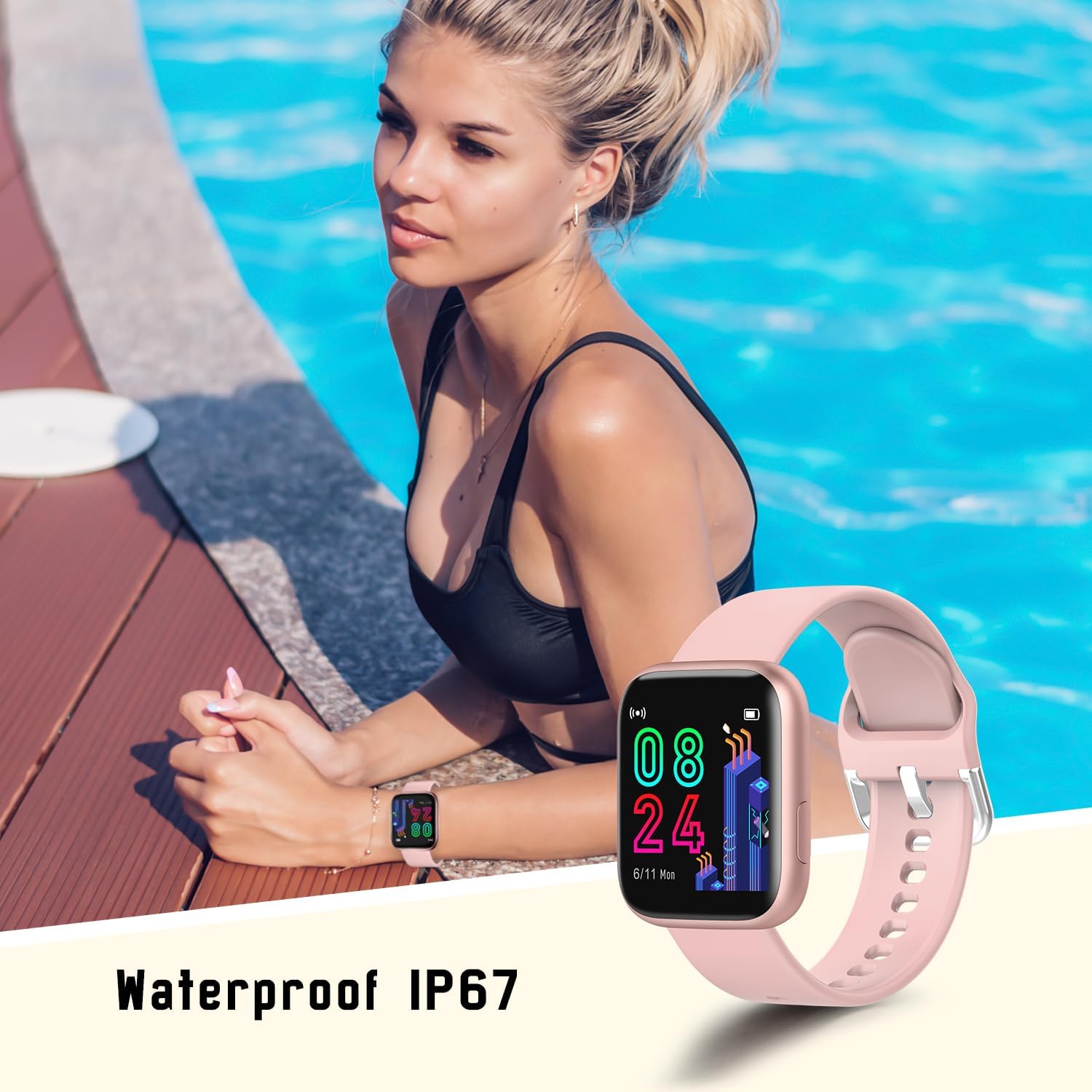
Figure 8: The smart watch being worn near water, illustrating its IP67 waterproof rating for everyday use.
Penjagaan Bateri
- Elakkan menyahcas sepenuhnya bateri dengan kerap.
- Cas jam tangan secara berkala, walaupun tidak digunakan setiap hari, untuk mengekalkan kesihatan bateri.
- Do not expose the watch to extreme temperatures during charging or storage.
- Typical battery life is 4-6 days with normal use, and up to 20 days on standby.
Menyelesaikan masalah
| Masalah | Kemungkinan Punca / Penyelesaian |
|---|---|
| Jam tangan tidak dihidupkan | Battery may be depleted. Charge the watch for at least 30 minutes. |
| Tidak boleh berpasangan dengan telefon pintar | Ensure Bluetooth is enabled on your phone. Make sure the watch is charged and within range. Restart both the watch and phone. Check app permissions. |
| Pemberitahuan tidak diterima | Check notification settings in the Dafit app and your phone's system settings. Ensure the app is running in the background. |
| Data kesihatan yang tidak tepat | Ensure the watch is worn snugly on your wrist, not too loose or too tight. Clean the sensor on the back of the watch. Note that data is for reference only. |
| Hayat bateri pendek | Frequent use of features like continuous heart rate monitoring, bright screen, and many notifications can drain the battery faster. Adjust settings in the app to optimize battery life. |
Spesifikasi
| Ciri | Perincian |
|---|---|
| Jenama | MISIRUN |
| Nama Model | P4 |
| Saiz Skrin | 1.4 Inci |
| Jenis Paparan | LCD or OLED |
| Sistem Operasi | AsteroidOS |
| Peranti Serasi | Android 5.1 atau lebih tinggi, iOS 8.0 atau lebih tinggi |
| Teknologi Ketersambungan | Bluetooth |
| Ciri Khas | Multisport Tracker, Accelerometer, Activity Tracker, Custom Activity Tracking, Music Player |
| Tahan Air | IP67 |
| Jenis Bateri | Polimer Litium (1 termasuk) |
| Hayat Bateri (Biasa) | 4-6 days (usage), 20 days (standby) |
| Dimensi Produk | 4 x 1.05 x 3.45 cm |
| Berat Barang | 33.5 g |
| Input Antara Muka Manusia | Skrin sentuh |
Waranti dan Sokongan
For warranty information and technical support, please refer to the contact details provided on the product packaging or the official MISIRUN webtapak. Simpan resit pembelian anda sebagai bukti pembelian untuk tuntutan waranti.
Ask a question about this manual
Ask about setup, troubleshooting, compatibility, parts, safety, or missing instructions. Manuals+ will review the question and use this page’s manual context to help answer it.