
Toputure TP8
Toputure TP8 Electric Treadmill User Manual
Brand: Toputure | Model: TP8
pengenalan
Thank you for choosing the Toputure TP8 Electric Treadmill. This manual provides essential information for the safe and efficient use, setup, operation, and maintenance of your new fitness equipment. Please read this manual thoroughly before first use and keep it for future reference.
Maklumat Keselamatan Penting
- Sentiasa berunding dengan profesional penjagaan kesihatan sebelum memulakan sebarang program senaman baharu.
- Pastikan treadmill diletakkan di atas permukaan yang rata dan stabil dengan kelegaan yang mencukupi di sekelilingnya.
- Jauhkan kanak-kanak dan haiwan peliharaan dari treadmill semasa operasi.
- Jangan kendalikan treadmill jika ia rosak atau tidak berfungsi.
- Always use the safety key/lanyard during operation. The treadmill will not start without it.
- Pakai kasut sukan yang sesuai.
Kandungan Pakej
Setelah membuka bungkusan, sila sahkan bahawa semua item berikut disertakan dalam pakej anda:
- Toputure TP8 Electric Treadmill
- Tool Kit (for minor adjustments)
- Kabel Kuasa
- Alat Kawalan Jauh
- Minyak Pelincir
- Manual Pengguna

Rajah 1: Included accessories with the Toputure TP8 Electric Treadmill.
Persediaan
The Toputure TP8 Electric Treadmill features a no-installation design, making it ready for use almost immediately after unboxing.
Unfolding and Positioning
- Keluarkan treadmill dari bungkusannya dengan berhati-hati.
- Place the treadmill on a flat, level surface. Ensure there is at least 0.6 meters (2 feet) of clear space on all sides and 2 meters (6.5 feet) behind the treadmill for safety.
- If using the handlebar, lift it into the upright position and secure it using the provided locking pins or screws.
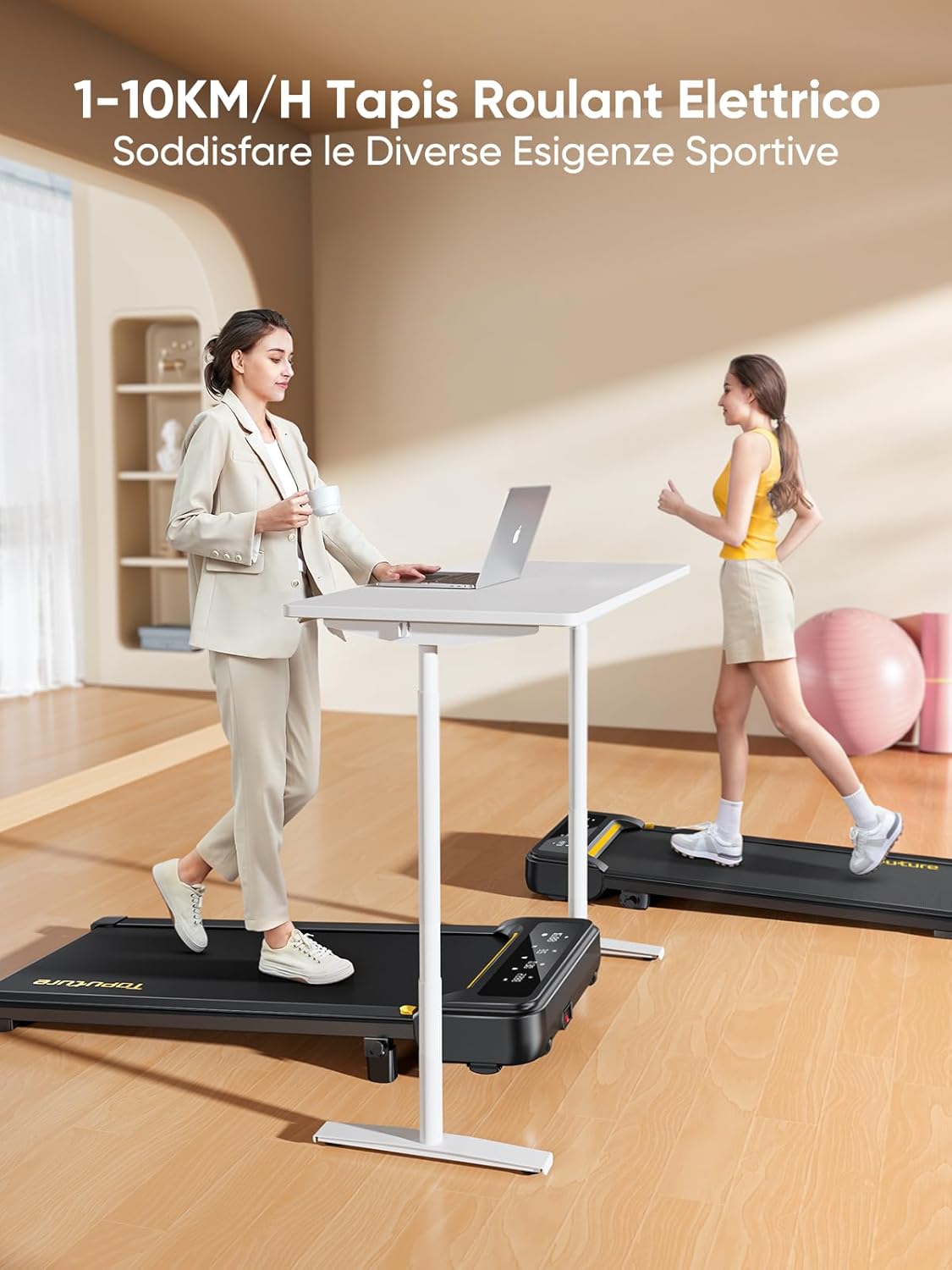
Rajah 2: Treadmill ready for use in a home environment.
Pelarasan Kecondongan
The treadmill offers a 10% incline feature, adjustable in 2 steps to simulate varied terrain and increase calorie burn. To adjust the incline:
- Locate the incline adjustment mechanism at the rear of the treadmill.
- Pull out the bolt and rotate the incline block to the desired position.
- Insert the bolt securely into the corresponding hole to lock the incline in place.

Rajah 3: Manual incline adjustment mechanism.
Sambungan Kuasa
Connect the power cable to the treadmill and then to a suitable power outlet. Ensure the power switch is in the 'OFF' position before plugging in.
Arahan Operasi
Memulakan Treadmill
- Ensure the safety key is properly inserted into its designated slot on the console. The treadmill will not operate without it.
- Melangkah ke tali pinggang treadmill.
- Press the 'Start' button on the console or remote control. The treadmill will begin at a low speed.
Adjusting Speed and Mode
The speed range is 1-10 km/h, suitable for walking, jogging, and running. You can adjust the speed using the console buttons or the remote control.
- Konsol: Use the '+' and '-' buttons to increase or decrease speed.
- Kawalan Jauh: The remote allows for easy speed adjustments and stopping the machine. It features magnets on the back for convenient attachment to the treadmill, preventing loss.
- Fungsi Jeda: The remote control includes a pause button. Pressing this button will temporarily stop the belt while preserving your workout data.

Rajah 4: Multifunction LED display and remote control storage.
Multifunction LED Display
The integrated LED display clearly shows real-time workout data, including time, distance, speed, and calories burned, providing a clear overview of your exercise progress.

Rajah 5: Clear display of workout metrics.
Kesambungan Apl Pintar
This walking pad can connect to multiple exercise apps, offering various training courses and allowing you to interact with other users online. Refer to the app's instructions for pairing and usage.

Rajah 6: Treadmill connected to a smart fitness app.
Stopping the Treadmill
To stop the treadmill, press the 'Stop' button on the console or remote control. For emergency stops, pull the safety key from its slot.
Penyelenggaraan
Regular maintenance ensures the longevity and optimal performance of your Toputure TP8 Electric Treadmill.
Pembersihan
- Sentiasa cabut plag treadmill sebelum membersihkan.
- Lap konsol dan permukaan luar dengan kain lembutamp kain. Elakkan pembersih atau pelarut yang melelas.
- Sembur vakum di bawah treadmill secara berkala untuk mengelakkan pengumpulan habuk dan serpihan.
Pelinciran
The unique lubrication hole design makes maintenance more convenient. Apply the provided lubrication oil to the running belt as instructed in the detailed manual or when the treadmill indicates it's needed. Proper lubrication reduces friction and extends belt life.
Pelarasan Tali Pinggang
If the running belt becomes misaligned or too loose/tight, refer to the detailed manual for instructions on how to adjust it using the included tool kit. Incorrect adjustment can damage the treadmill.
Menyelesaikan masalah
Bahagian ini menangani isu biasa yang mungkin anda hadapi dengan treadmill anda. Untuk masalah yang tidak disenaraikan di sini, sila hubungi sokongan pelanggan.
| Masalah | Kemungkinan Punca | Penyelesaian |
|---|---|---|
| Treadmill tidak bermula | Safety key not inserted; Power cable not connected; Power switch off. | Insert safety key; Check power connections; Turn power switch ON. |
| Belt slips or hesitates | Tali pinggang terlalu longgar; Pelinciran tidak mencukupi. | Adjust belt tension (refer to manual); Apply lubrication oil. |
| Bunyi luar biasa semasa operasi | Komponen longgar; Jajaran tali pinggang yang salah; Isu motor. | Check and tighten all bolts; Adjust belt alignment; Contact customer support. |
Spesifikasi
| Ciri | Perincian |
|---|---|
| Jenama | Toputure |
| Nombor Model | TP8 |
| Kelas Produk | Treadmill elektrik |
| warna | Hitam |
| bahan | Keluli Aloi |
| Dimensi Produk (L x W x H) | 130P x 60l x 14H cm (approx. 51.2 x 23.6 x 5.5 inches) |
| Berat Barang | 34.5 Kilogram (lebih kurang 76 paun) |
| Kelajuan Maksimum | 10 Kilometer sejam |
| Kelajuan Minimum | 1 Kilometer per hour |
| Peratus Kecondongan Maksimumtage | 9% (manual adjustment) |
| Kuasa Motor | 2.5 Kuasa kuda |
| Berat Maksimum Disyorkan | 130 kg (kira-kira 300 paun) |
| Running Deck Length | 100 Sentimeter (lebih kurang 39.4 inci) |
| Running Deck Width | 40 Sentimeter (lebih kurang 15.7 inci) |
| Jenis Paparan | LED |
| Teknologi Ketersambungan | Power Cable (App connectivity via Bluetooth) |
| Bilangan Program | 12 |
| Ciri Khas | Pre-installed workouts, Wheels for portability, Compact design, Manual incline, Portable |
| Penggunaan yang Disyorkan | Walking, jogging, running, home workouts, office workouts |
| Khalayak Sasaran | Dewasa |
| Perhimpunan Diperlukan | Tidak |
Waranti dan Sokongan
Waranti Produk
The Toputure TP8 Electric Treadmill comes with a Waranti 2 Tahun dari tarikh pembelian. Waranti ini meliputi kecacatan pembuatan dan kerosakan dalam penggunaan biasa. Sila simpan bukti pembelian anda untuk tuntutan waranti.
Sokongan Pelanggan
For any questions, technical assistance, or warranty claims, please contact Toputure customer support through the retailer's platform or the official Toputure website. Our support team is available to assist you with any issues you may encounter.
Sumber Tambahan
Produk Selesaiview Video
Video 1: Berakhirview of the WalkingPad foldable electric treadmill, demonstrating its compact design, ease of use, and various features. This video highlights how the treadmill can be easily stored and used in different home or office settings.
Ask a question about this manual
Ask about setup, troubleshooting, compatibility, parts, safety, or missing instructions. Manuals+ will review the question and use this page’s manual context to help answer it.