
pengenalan
Thank you for choosing the TECURS Wireless Backlit Keyboard. This manual provides detailed instructions for setting up, operating, and maintaining your keyboard. Designed for versatility, this 2.4G wireless keyboard features a comfortable QWERTY UK layout, quiet keys, adjustable white backlighting, and dedicated multimedia controls. It is compatible with a wide range of devices, including Mac, PC, PS4, and PS5.
Kandungan Pakej
Sila sahkan bahawa semua item yang disenaraikan di bawah disertakan dalam pakej anda:
- TECURS Wireless Backlit Keyboard
- USB 2.4G Wireless Receiver (Dongle)
- Kabel Pengecas USB
- Manual Pengguna
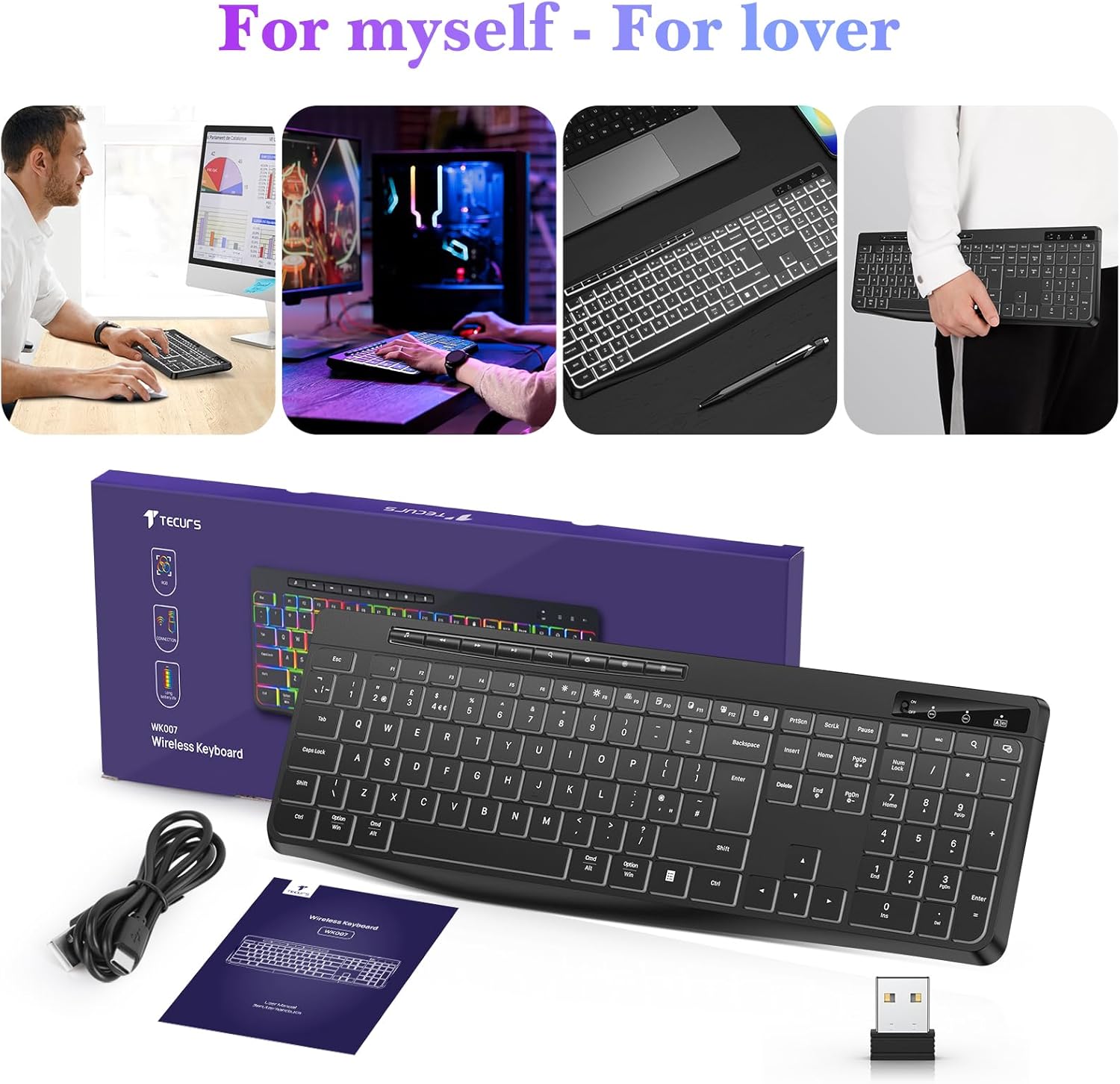
Image: Contents of the TECURS Wireless Backlit Keyboard package.
Arahan Persediaan
1. Mengecas Papan Kekunci
Before initial use, fully charge the keyboard. Connect the provided USB charging cable to the keyboard's charging port and to a USB power source (e.g., computer USB port, USB wall adapter). The charging indicator light will illuminate during charging and turn off when fully charged.
2. Menyambungkan Penerima Tanpa Wayar
- Locate the USB 2.4G wireless receiver (dongle) in the package.
- Insert the USB receiver into an available USB port on your computer or compatible device.
- Turn on the keyboard using the power switch, usually located on the top edge or underside of the keyboard.
- The keyboard should automatically connect to the receiver. No additional drivers are typically required for most operating systems.

Image: The TECURS Wireless Keyboard and its USB receiver, demonstrating a stable wireless connection range of 8-10 meters.
Arahan Operasi
Hidupkan/Mati Kuasa
Use the power switch on the keyboard to turn it on or off. Turning off the keyboard when not in use helps conserve battery life.
Sambungan Tanpa Wayar
The keyboard utilizes a 2.4G wireless connection, providing a stable and reliable link to your device within an 8-10 meter range. Ensure the USB receiver is securely plugged into your device for optimal performance.
Kawalan Lampu Latar
The keyboard features a soft white backlight with adjustable brightness levels. Use the dedicated backlight control keys (often Fn + specific keys) to cycle through brightness settings or turn the backlight off. The backlight is designed to automatically turn off after approximately 5 seconds of inactivity to conserve battery power.
Kekunci Multimedia
Dedicated multimedia keys are located on the keyboard for quick access to functions such as play/pause, volume control, and track skipping. These keys allow for convenient management of your media without interrupting your workflow.
Quiet Typing Experience
The keyboard is engineered with membrane technology and low-profile keys to provide a quiet and responsive typing experience, minimizing disturbance in shared environments.
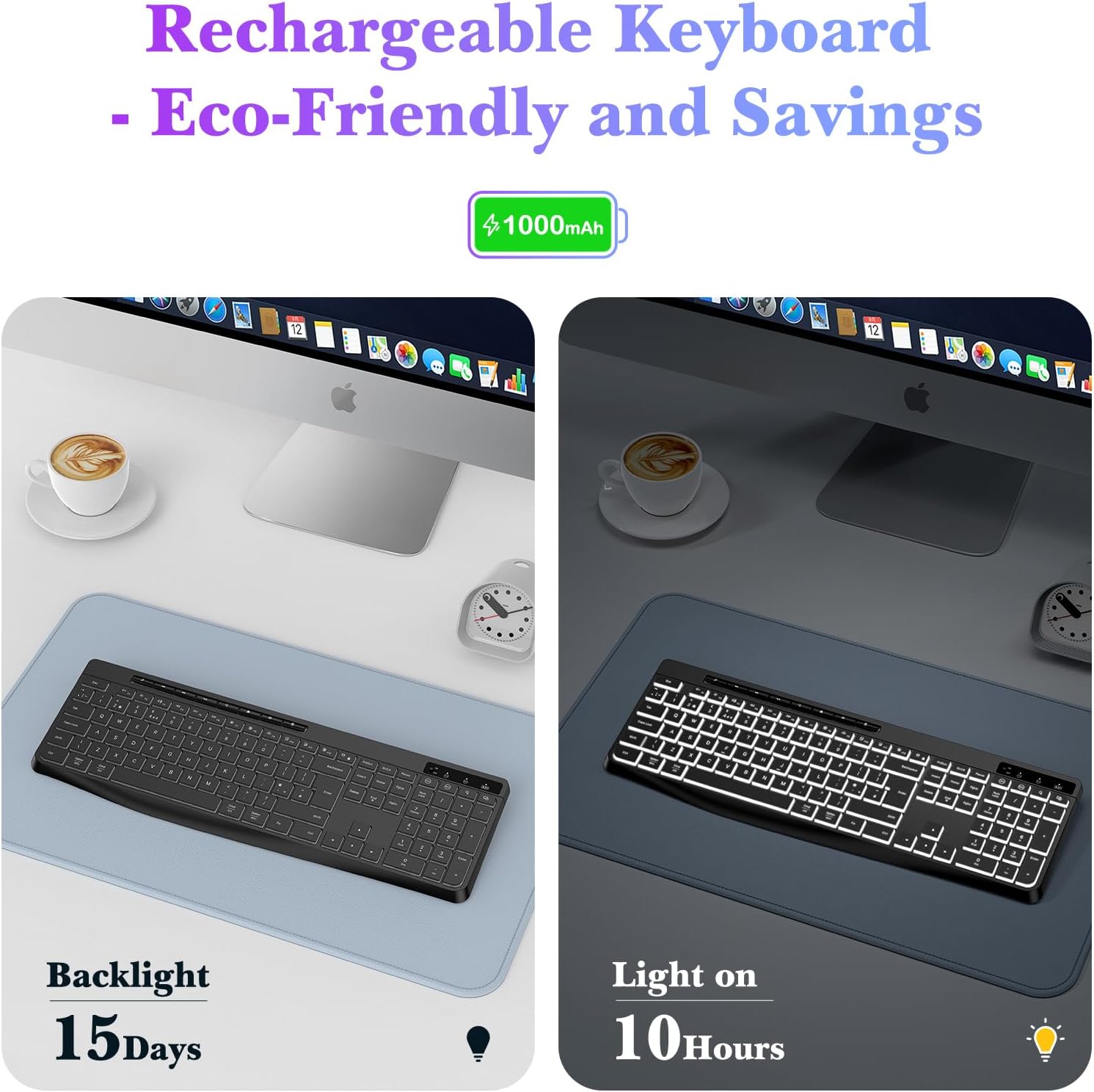
Image: Close-up of the TECURS keyboard showing individual multimedia buttons and the adjustable stand for ergonomic comfort.

Image: The TECURS keyboard being used in a quiet environment, emphasizing its low noise operation.
Pengecasan dan Hayat Bateri
The TECURS keyboard is equipped with a 1000mAh rechargeable lithium battery. To charge, connect the keyboard to a USB power source using the provided charging cable.
- Kapasiti Bateri: 1000mAh
- Usage with Backlight Off: Up to 15 days on a full charge.
- Usage with Backlight On: Kira-kira 10 jam dengan cas penuh.
- Penunjuk Pengecasan: Lampu penunjuk akan menunjukkan status pengecasan.

Image: Illustration of the keyboard's rechargeable nature and its battery performance with the backlight on for 10 hours and off for 15 days.
Keserasian
This keyboard is designed for broad compatibility with various operating systems and devices:
- Sistem Operasi: Windows (including Vista), Linux, macOS
- Peranti Serasi: PC, Laptop, Mac, PS4, PS5, Gaming Consoles
Penyelenggaraan
To ensure the longevity and optimal performance of your TECURS Wireless Backlit Keyboard, follow these maintenance guidelines:
- Pembersihan: Gunakan kain lembut dan kering untuk mengelap permukaan papan kekunci. Untuk kotoran degil, lap sedikitampen kain dengan air atau larutan pembersih lembut. Elakkan kelembapan berlebihan.
- Penyingkiran habuk: Gunakan udara termampat untuk mengeluarkan habuk dan serpihan dari antara kekunci.
- Storan: Simpan papan kekunci di tempat yang sejuk dan kering jauh dari cahaya matahari langsung dan suhu yang melampau.
- Elakkan Cecair: Do not expose the keyboard to liquids. In case of accidental spills, immediately power off the keyboard and allow it to dry completely before reuse.
Menyelesaikan masalah
If you encounter issues with your TECURS Wireless Backlit Keyboard, please refer to the following common problems and solutions:
| Masalah | Penyelesaian |
|---|---|
| Papan kekunci tidak bersambung |
|
| Lampu latar tidak berfungsi |
|
| Kunci tidak bertindak balas |
|
| Hayat bateri pendek |
|
Spesifikasi
| Ciri | Perincian |
|---|---|
| Jenama | TECURS |
| Model | B0CY2KWLMF |
| Ketersambungan | 2.4G Wayarles |
| Susun atur | QWERTY UK |
| Lampu latar | White, Adjustable Brightness |
| Bateri | Litium Boleh Dicas Semula 1000mAh |
| Jenis Kekunci | Membran |
| bahan | plastik |
| OS yang serasi | Linux, Windows Vista, macOS |
| Peranti Serasi | Gaming Console, Laptop, PC, Mac, PS4, PS5 |
| Ciri Khas | White Backlight, Wireless, Multimedia Keys, Quiet Operation |
Waranti dan Sokongan
TECURS products are designed for reliability and performance. For any questions, technical support, or warranty inquiries, please contact your retailer or the TECURS customer service team through the contact information provided with your purchase or on the official TECURS webtapak. Sila simpan bukti pembelian anda untuk tuntutan waranti.