
pengenalan
The RUIZHI Bluetooth 5.4 USB Dongle provides advanced Bluetooth connectivity for your PC. Utilizing the latest Bluetooth 5.4 + EDR and Bluetooth Low Energy (BLE) technology, this adapter offers stable, fast, and interference-resistant wireless communication. It is backward compatible with older Bluetooth versions (2.1/3.0/4.0/4.2/5.0/5.1/5.3) and supports dual-mode Bluetooth transmission.
Equipped with dual high-gain antennas, the dongle achieves a transmission range of up to 150 meters (492 feet) in open spaces, providing stronger and faster signals than traditional adapters. The antennas are rotatable, allowing for 90° vertical and 180° horizontal adjustment to optimize signal reception and stability.
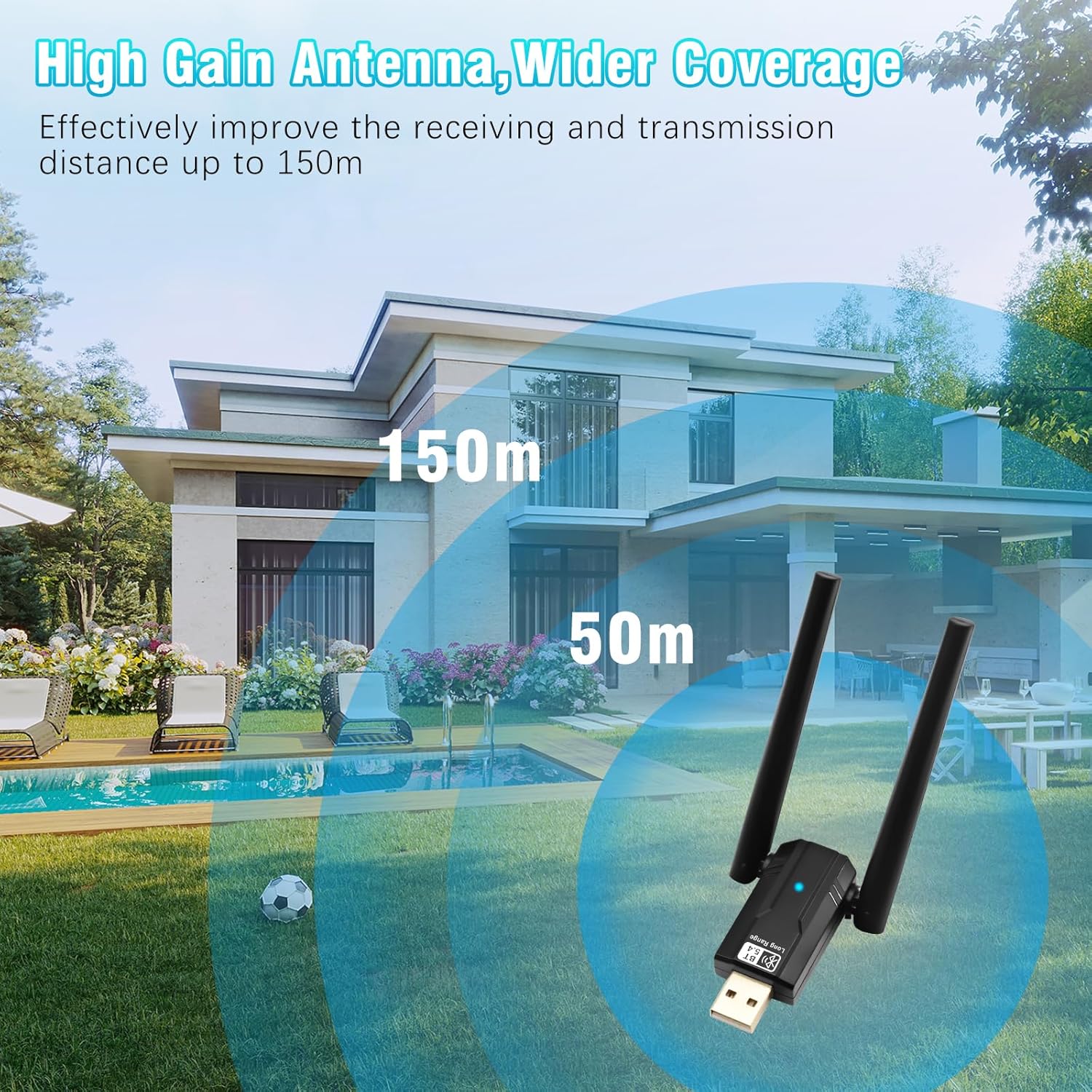
Image: The RUIZHI Bluetooth 5.4 USB Dongle demonstrating its extended range capabilities, showing effective signal transmission up to 150 meters in open environments.
Arahan Persediaan
- Untuk Windows 11/10/8.1: This device supports Plug and Play functionality. Simply insert the USB dongle into an available USB port on your desktop or laptop. The necessary drivers will install automatically within one minute. Ensure your computer is connected to the internet during this process.
- Untuk Windows 7: A driver download is required. Please ensure your computer is connected to the internet, then download the driver from the official source. The driver can typically be found at https://bit.ly/3Hqj8CC. After downloading, follow the on-screen instructions to install the driver, then insert the USB dongle.

Image: Visual representation of the RUIZHI Bluetooth 5.4 USB Dongle's compatibility with Windows 11, 10, 8.1, and 7, highlighting the Plug and Play feature for newer Windows versions and driver requirement for Windows 7.
Arahan Operasi
Once the RUIZHI Bluetooth 5.4 USB Dongle is successfully installed, your computer will have Bluetooth capabilities. You can now connect various Bluetooth devices simultaneously.
Menyambung Peranti Bluetooth:
- Ensure your Bluetooth device (e.g., headphones, speakers, mouse, keyboard, mobile phone) is in pairing mode. Refer to your device's manual for specific pairing instructions.
- Pada PC Windows anda, navigasi ke Tetapan > Peranti > Bluetooth & peranti lain.
- klik pada "Tambah Bluetooth atau peranti lain" dan pilih "Bluetooth".
- Your PC will scan for available Bluetooth devices. Select your device from the list and follow any on-screen prompts to complete the pairing process.
The adapter supports connecting up to 7 Bluetooth devices simultaneously, leveraging its full bandwidth for efficient multi-device usage.
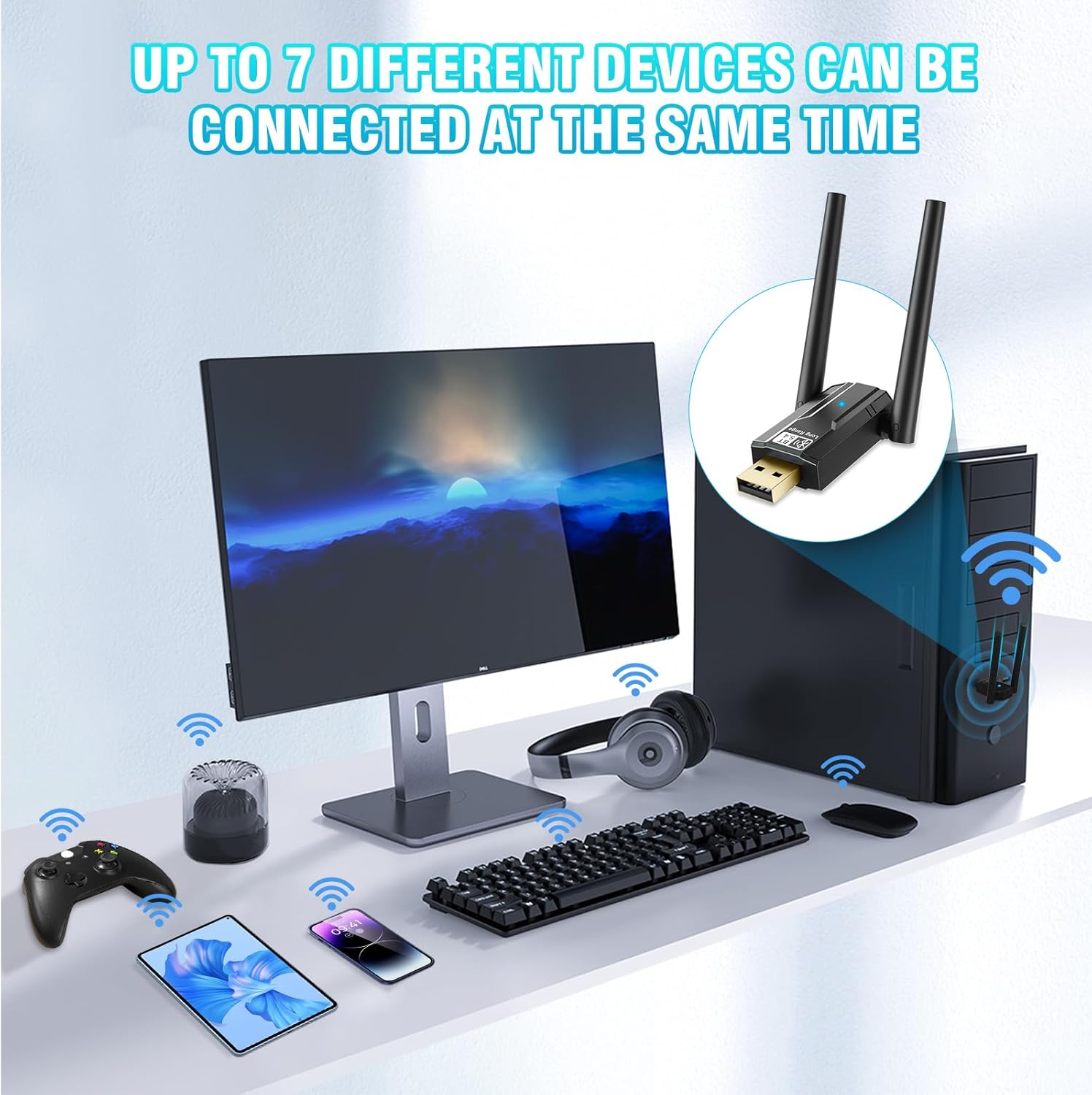
Image: The RUIZHI Bluetooth 5.4 USB Dongle facilitating simultaneous connections to various peripherals including a gamepad, speaker, tablet, smartphone, keyboard, mouse, and headphones, demonstrating its multi-device capability.
Penyelenggaraan
To ensure optimal performance and longevity of your RUIZHI Bluetooth 5.4 USB Dongle, follow these maintenance guidelines:
- Penjagaan Fizikal: Handle the dongle with care. Avoid dropping it or subjecting it to strong impacts.
- Pembersihan: Keep the USB connector free from dust and debris. Use a dry, soft cloth to gently wipe the device if needed. Do not use liquid cleaners.
- Pelarasan Antena: The dual antennas can be rotated 90° vertically and 180° horizontally. Adjust them as needed to achieve the best signal strength. Avoid excessive force when rotating to prevent damage.
- Storan: When not in use for extended periods, store the dongle in a cool, dry place away from direct sunlight and extreme temperatures.
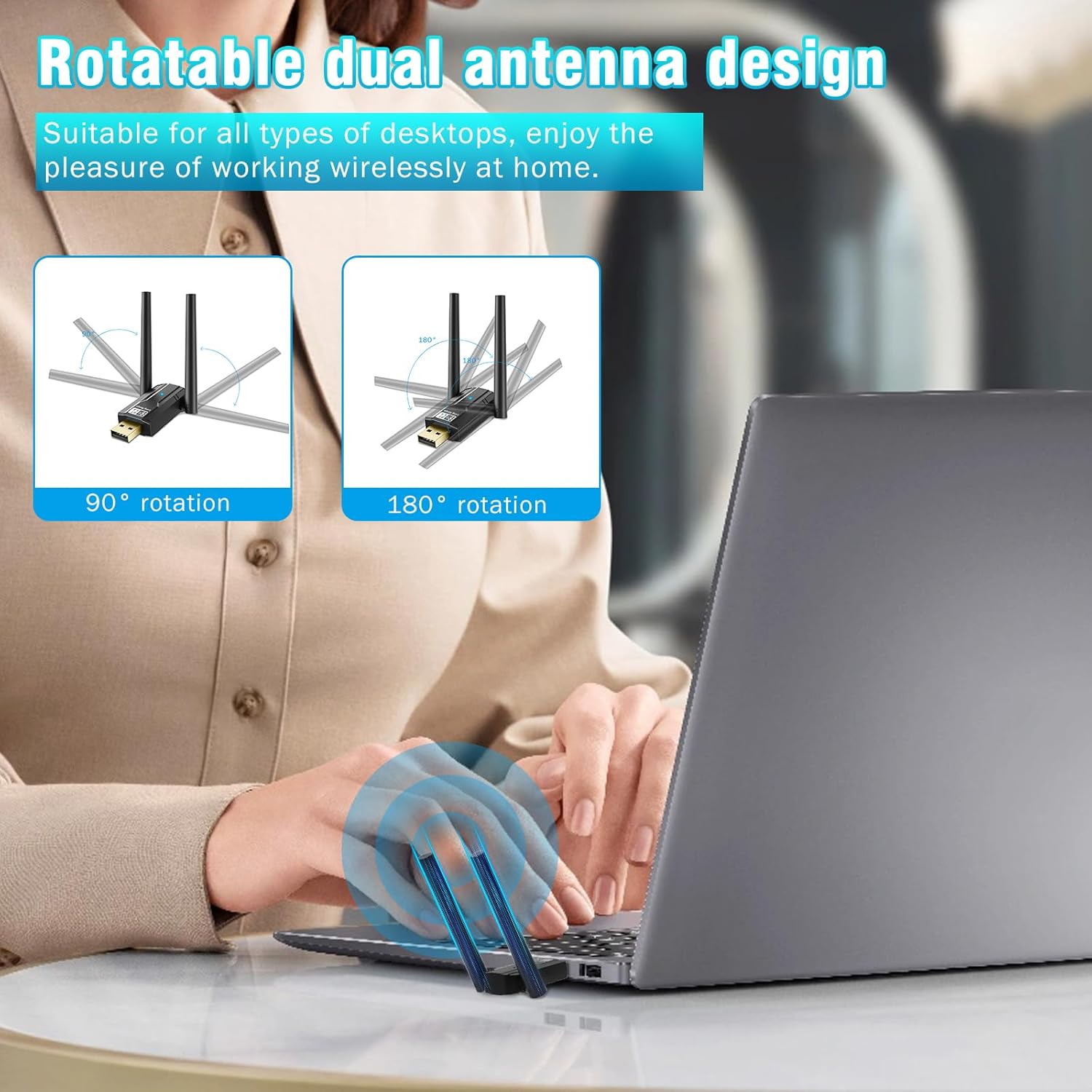
Image: The RUIZHI Bluetooth 5.4 USB Dongle highlighting its rotatable dual antenna design, illustrating the 90-degree vertical and 180-degree horizontal rotation capabilities for optimal signal positioning.
Menyelesaikan masalah
If you encounter issues with your RUIZHI Bluetooth 5.4 USB Dongle, refer to the following common solutions:
- Peranti Tidak Dikesan:
- Ensure the dongle is fully inserted into a functional USB port.
- Cuba port USB lain pada komputer anda.
- Mulakan semula komputer anda.
- For Windows 7, confirm that the correct driver has been installed.
- Unable to Connect to Bluetooth Device:
- Ensure your Bluetooth device is in pairing mode and within range.
- Check that Bluetooth is enabled in your Windows settings.
- Remove and re-add the Bluetooth device in Windows settings.
- Verify that the device you are trying to connect is compatible with a PC Bluetooth adapter (e.g., not Mac OS, Linux, car stereo, Xbox, PS4, or TV).
- Poor Signal or Disconnections:
- Adjust the position of the dongle's antennas for optimal signal reception.
- Reduce physical obstacles (walls, large furniture) between the dongle and your Bluetooth device.
- Minimize interference from other wireless devices (Wi-Fi routers, cordless phones, microwaves).
- Ensure your device is within the effective range (up to 150m in open spaces, but significantly less with obstacles).
- Isu Pemandu:
- Go to Device Manager in Windows, locate the Bluetooth adapter, right-click, and select "Update driver."
- If issues persist, uninstall the driver and then reinstall it, especially for Windows 7.
Spesifikasi
| Jenama | RUIZHI |
| Nombor Model | Bluetooth 5.4 150M |
| Antara Muka Perkakasan | Bluetooth, USB |
| Protokol Pautan Data | Bluetooth, USB |
| Versi Bluetooth | 5.4 + EDR (Enhanced Data Rate), BLE (Bluetooth Low Energy) |
| Keserasian Ke Belakang | Bluetooth 2.1/3.0/4.0/4.2/5.0/5.1/5.3 |
| Kelajuan Pemindahan Data | Up to 150 Megabits per second |
| Keserasian Sistem Pengendalian | Windows 11, Windows 10, Windows 8.1, Windows 7 |
| Minimum OS Requirement | Windows 7 |
| Peranti Serasi | Desktop PCs, Laptops (PC, Headset, Keyboard, Mouse, Bluetooth Stereo, Mobile Phone) |
| Sambungan Serentak | Sehingga 7 peranti |
| Julat Penghantaran | Up to 150m (492 ft) in open spaces (Note: Range may be affected by physical obstacles and radio interference) |
| Reka Bentuk Antena | Dual, Rotatable (90° vertical, 180° horizontal) |
| Kandungan Pakej | 1x Bluetooth Dongle |

Image: Detailed dimensions of the RUIZHI Bluetooth 5.4 USB Dongle, showing its height, width, and thickness for reference.
Maklumat Waranti
This RUIZHI Bluetooth 5.4 USB Dongle comes with a Waranti produk 6 bulan from the date of purchase. This warranty covers manufacturing defects under normal use. It does not cover damage caused by misuse, accidents, unauthorized modifications, or external factors. Please retain your proof of purchase for warranty claims.
Sokongan
For further assistance, technical support, or warranty inquiries regarding your RUIZHI Bluetooth 5.4 USB Dongle, please contact the manufacturer or your retailer. Refer to the product packaging or the point of purchase for specific contact details.