
ROBOTIME MI05P
ROBOTIME MI05P Warm Rose Pink Mechanical Butterfly Plastic Model Instruction Manual
Brand: ROBOTIME | Model: MI05P
1. Pengenalan
This manual provides detailed instructions for the assembly, operation, and maintenance of your ROBOTIME MI05P Mechanical Butterfly Plastic Model. Please read this manual thoroughly before beginning assembly to ensure a smooth and enjoyable building experience.
Kandungan Pakej:
- 79 Pieces 3D Puzzle Kit (ABS, PVC, Metal components)
- Instruction Manual with illustrations
- Required tools (e.g., tweezers, screwdriver - may vary)
- Pangkalan dengan petak bateri
2. Maklumat Keselamatan
- Cadangan Umur: This product is recommended for adults.
- Bahagian Kecil: Contains small parts. Keep out of reach of small children to prevent choking hazards.
- Keselamatan Bateri: Requires 2 "AAA/LR03/AM4 1.5V" batteries (not included). Ensure correct polarity when inserting batteries. Do not mix old and new batteries. Remove batteries if the product is not used for an extended period.
- Pengendalian Bahan: Handle plastic and metal components carefully to avoid injury.
3. Arahan Perhimpunan
Follow the numbered steps and illustrations in the provided manual. Carefully extract parts from their sheets and assemble them as indicated.
3.1. Membongkar dan Pengenalan Bahagian
Carefully unpack all components. Identify the different sheets of parts (ABS, PVC, Metal) and the base unit. Refer to the manual's part list to ensure all 79 pieces are present.

Gambar 3.1: Lebihview of the ROBOTIME MI05P kit components, including the butterfly parts, base, and tools. Note that 2 AAA batteries are required and not included.
3.2. Constructing the Butterfly Body and Wings
Begin by assembling the butterfly's body using the sturdy ABS material. The wings, crafted from flexible PVC, are designed for lifelike movement. Attach them according to the detailed illustrations.

Rajah 3.2: Terperinci view of the mechanical butterfly's bionic wings, exquisite biological texture, miniature planetary motor, and vintage bells. These components are integrated during assembly.
3.3. Assembling the Golden Rose Base
Assemble the golden rose structure and its base. This base houses the mechanism that allows the butterfly's wings to flutter and provides the gentle golden lighting.
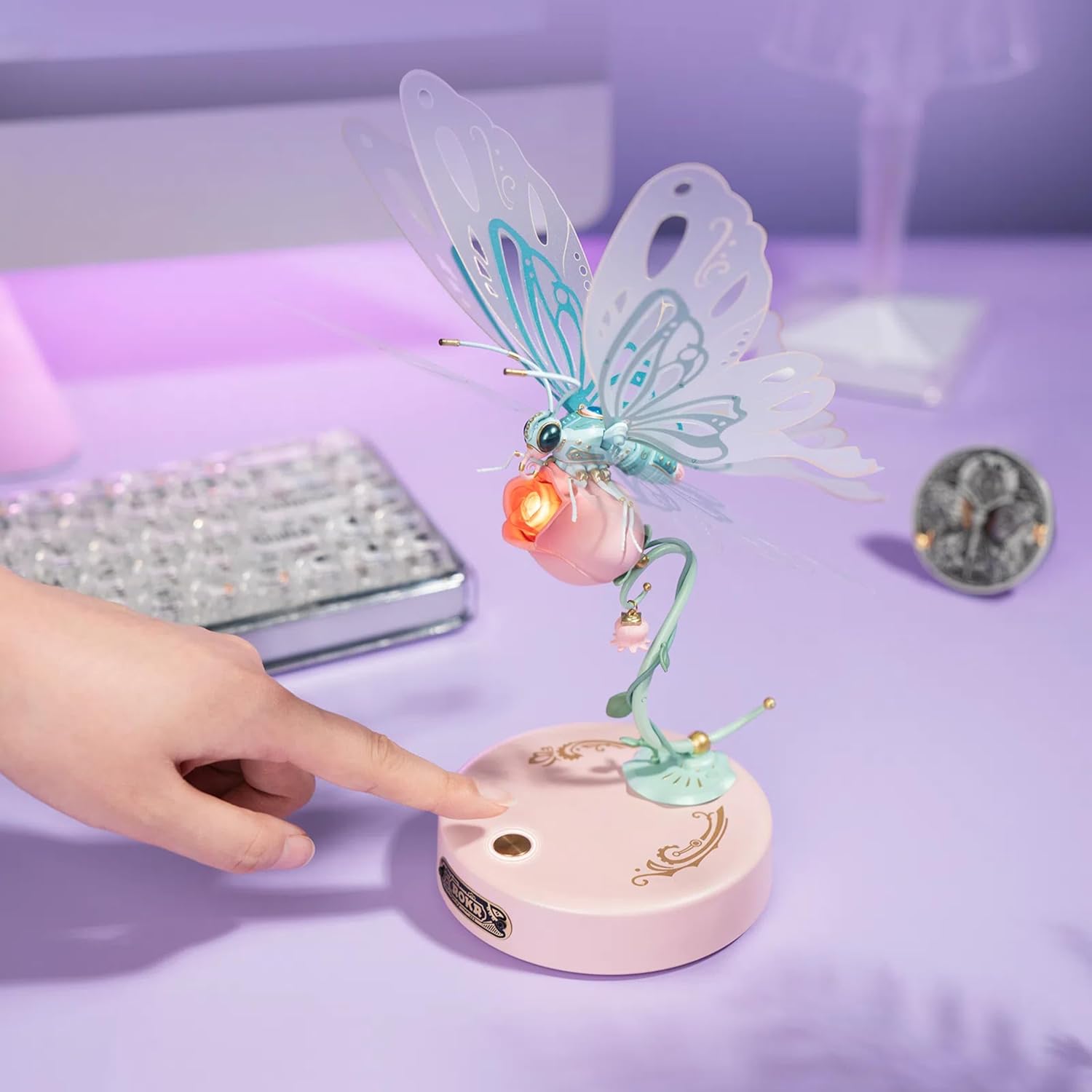
Figure 3.3: A hand activating the switch on the base of the mechanical butterfly, which initiates the fluttering wing motion and lighting effects.
3.4. Final Assembly and Battery Installation
Once the butterfly and base are separately assembled, connect them. Install 2 AAA batteries (not included) into the designated compartment in the base, ensuring correct polarity. The product is designed for easy, glue-free assembly.
Video 3.4: A demonstration of assembling a similar ROBOTIME 3D Wooden Flower Craft Kit, showcasing the general assembly process and attention to detail. This video provides a visual guide to the construction style.
4. Arahan Operasi
To activate your Mechanical Butterfly, ensure batteries are correctly installed in the base. Locate the power switch on the base and flip it to the "ON" position. The butterfly's wings will begin to flutter, and the golden rose will illuminate, creating a captivating display.

Figure 4.1: The fully assembled ROBOTIME MI05P Mechanical Butterfly, showcasing its fluttering wings and the illuminated golden rose base, creating an enchanting visual effect.
5. Penyelenggaraan
- Pembersihan: Use a soft, dry cloth to gently wipe dust from the model. Avoid using liquid cleaners or abrasive materials.
- Storan: Store the model in a dry place away from direct sunlight and extreme temperatures to prevent material degradation.
- Penggantian Bateri: Replace batteries when the fluttering motion weakens or the light dims. Refer to the "Safety Information" section for battery handling.
6. Penyelesaian masalah
- Wings not fluttering/Light not working:
- Periksa sama ada bateri dipasang dengan betul dengan kekutuban yang betul.
- Ensure batteries are not depleted; replace if necessary.
- Sahkan bahawa suis kuasa berada dalam kedudukan "ON".
- Inspect connections for any loose wires (if applicable and accessible).
- Bahagian tidak sesuai:
- Ensure you are using the correct parts for the current step by referring to the manual's illustrations.
- Apply gentle pressure; do not force parts together to avoid breakage.
7. Spesifikasi
| Ciri | Perincian |
|---|---|
| Jenama | ROBOTIME |
| Nama Model | RBT-MI05P |
| warna | Warm Rose Pink |
| Tema | rama-rama |
| Bilangan Kepingan | 79 |
| Bahan | ABS, PVC, Metal |
| Dimensi Item (L x W x H) | 6 x 5 x 0.1 inci (Saiz Produk) |
| Berat Barang | 1.19 paun (0.54 Kilogram) |
| Sumber Kuasa | 2 x bateri AAA/LR03/AM4 1.5V (tidak termasuk) |
8. Waranti dan Sokongan
For warranty information, technical support, or replacement parts, please contact ROBOTIME customer service through their official webtapak atau peruncit tempat produk dibeli. Simpan resit pembelian anda sebagai bukti pembelian.
Ask a question about this manual
Ask about setup, troubleshooting, compatibility, parts, safety, or missing instructions. Manuals+ will review the question and use this page’s manual context to help answer it.