
1. Arahan Keselamatan Penting
Please read all instructions carefully before using this dehumidifier and retain this manual for future reference. Failure to follow these instructions may result in electric shock, fire, or serious injury.
- Always unplug the dehumidifier from the power outlet before cleaning, performing maintenance, or when not in use.
- Do not operate the dehumidifier with a damaged cord or plug. If the power cord is damaged, it must be replaced by the manufacturer, its service agent, or similarly qualified persons to avoid a hazard.
- Perkakas ini hanya untuk kegunaan dalaman. Jangan gunakan di luar rumah.
- Ensure the dehumidifier is placed on a stable, level surface to prevent tipping and water spillage.
- Do not block the air inlet or outlet. Maintain at least 8 inches (20 cm) clearance from walls or other objects.
- Jangan rendam penyahlembap, kord kuasa atau palam dalam air atau cecair lain.
- Jauhkan kanak-kanak dan haiwan peliharaan dari dehumidifier semasa operasi.
- Jangan gunakan penyahlembap di kawasan di mana cecair atau gas mudah terbakar disimpan.
- Kosongkan tangki air dengan kerap untuk mengelakkan limpahan.
2. Produk Lebihview
The VEWIOR PC-450B Dehumidifier is designed to efficiently remove excess moisture from your indoor environment, improving air quality and comfort. It features a large water tank, quiet operation, and convenient functions like auto shut-off and a night light.
Pengenalan Komponen
- Panel Kawalan dengan Paparan Digital
- Saluran Masuk Udara
- Air Outlet
- Tangki Air Boleh Ditanggalkan
- Port Kabel Kuasa


3. Persediaan
Follow these steps to set up your dehumidifier for the first time.
- Bongkar: Keluarkan dehumidifier dengan berhati-hati daripada pembungkusnya. Simpan semua bahan pembungkusan untuk penyimpanan atau pengangkutan masa hadapan.
- penempatan: Place the dehumidifier on a firm, level surface in the desired location. Ensure there is at least 8 inches (20 cm) of clear space around the air inlet and outlet for optimal airflow. Avoid placing it directly against walls or furniture.
- Sambungan Kuasa: Plug the power adapter into the dehumidifier's power port, then plug the other end into a standard electrical outlet (100-240V AC, 50/60Hz).
- Operasi Awal: Unit kini sedia untuk beroperasi.

4. Arahan Operasi
Biasakan diri anda dengan panel kawalan dan fungsinya.
Fungsi Panel Kawalan
- Butang kuasa (⏻): Tekan untuk menghidupkan atau mematikan dehumidifier.
- Night Light Button (☀): Press to cycle through 7 different LED light colors or turn the night light off. This can create a warm ambiance.
- Butang Pemasa (◷): Press to set an auto-off timer from 1 to 24 hours. Each press increases the timer by one hour. The unit will automatically shut off after the set time.
- Speed/Sleep Mode Button (⇋): Press to switch between different fan speeds or activate Sleep Mode. In Sleep Mode, the unit operates at a lower fan speed for quieter operation (approximately 30dB).
- Paparan Digital: Shows the current humidity level in the room and timer settings.
Mod Pengendalian
- Standard Dehumidification: The unit will operate to reduce humidity based on its internal sensor.
- Mod tidur: Activates quiet operation, ideal for bedrooms or quiet environments.
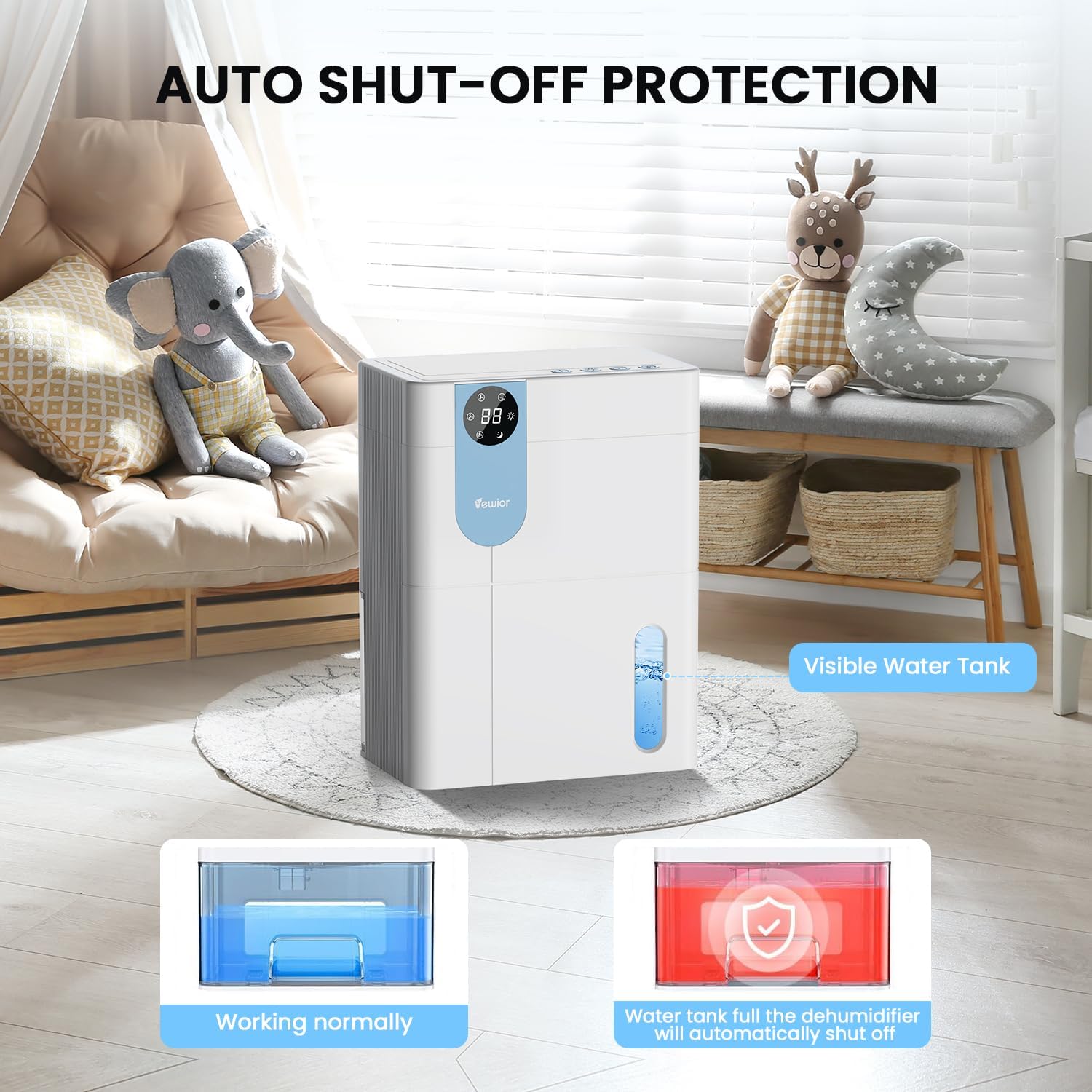
- Matikan Auto: The dehumidifier will automatically stop operating when the water tank is full to prevent overflow. The digital display may flash a red light to indicate the tank needs emptying.

5. Water Tank Management
The dehumidifier features a 4500ml (152 oz) water tank and an auto shut-off function when the tank is full.
Mengosongkan Tangki Air
- When the water tank is full, the dehumidifier will automatically stop operating, and the internal red light will flash to remind you to empty the water.
- Gently pull out the water tank from the side of the dehumidifier.
- Tanggalkan penutup tangki.
- Tuangkan air yang terkumpul.
- Pasang semula penutup tangki dengan selamat.
- Slide the empty water tank back into the dehumidifier until it clicks into place. The unit will resume operation automatically.

6. Penyelenggaraan
Penyelenggaraan tetap memastikan prestasi optimum dan jangka hayat dehumidifier anda.
Membersih Bahagian Luar
- Sentiasa cabut plag unit sebelum membersihkan.
- Lap bahagian luar dengan lembut, damp kain. Jangan gunakan pembersih atau pelarut yang melelas.
- Pastikan tiada air memasuki panel kawalan atau komponen elektrik yang lain.
Cleaning the Air Filter (Recommended Monthly)
- Locate the air filter (typically at the back or side air inlet).
- Keluarkan penapis.
- Clean the filter with a vacuum cleaner or wash it gently with warm, soapy water.
- Biarkan penapis kering sepenuhnya sebelum dipasang semula. Jangan dedahkan kepada cahaya matahari langsung atau haba yang tinggi.
- Pasang semula penapis kering ke dalam unit.
Storan Jangka Panjang
- Kosongkan dan bersihkan tangki air dengan teliti.
- Bersihkan penapis udara.
- Cabut palam kord kuasa dan gulungkannya dengan kemas.
- Store the dehumidifier in a cool, dry place, preferably in its original packaging, away from direct sunlight and extreme temperatures.
7. Penyelesaian masalah
If you encounter issues with your dehumidifier, refer to the following common problems and solutions.
| Masalah | Kemungkinan Punca | Penyelesaian |
|---|---|---|
| Dehumidifier tidak dihidupkan. | No power supply. Power button not pressed. | Pastikan kord kuasa dipasang dengan selamat ke soket yang berfungsi. Tekan butang kuasa. |
| Unit berjalan tetapi tidak mengumpul air. | Room humidity is too low. Temperature is too low. Air filter is clogged. | Dehumidifiers are most effective in higher humidity. Ensure room temperature is above 41°F (5°C). Clean the air filter. |
| Water tank full indicator (red light) is on, but tank is not full. | Water tank not properly seated. Float sensor malfunction. | Remove and reinsert the water tank, ensuring it is correctly aligned. If the issue persists, contact customer support. |
| Unit bising. | Unit tidak berada di atas permukaan yang rata. Penapis udara tersumbat. | Place the unit on a flat, stable surface. Clean the air filter. Ensure no objects are obstructing the fan. |
| Humidity level not decreasing significantly. | Room size exceeds capacity. High external humidity. Doors/windows open. | Ensure the dehumidifier is suitable for the room size. Close all doors and windows. Consider running the unit for longer periods. |
If the problem persists after trying these solutions, please contact VEWIOR customer support.
8. Spesifikasi
Detailed technical specifications for the VEWIOR PC-450B Dehumidifier.
| Ciri | Spesifikasi |
|---|---|
| Jenama | VEWIOR |
| Nama Model | PC-450B |
| Kapasiti Dehumidifikasi | Up to 1060ml (36oz) per day (at 86°F, 80% RH) |
| Kapasiti Tangki Air | 4500 Milliliters (152 OZ) |
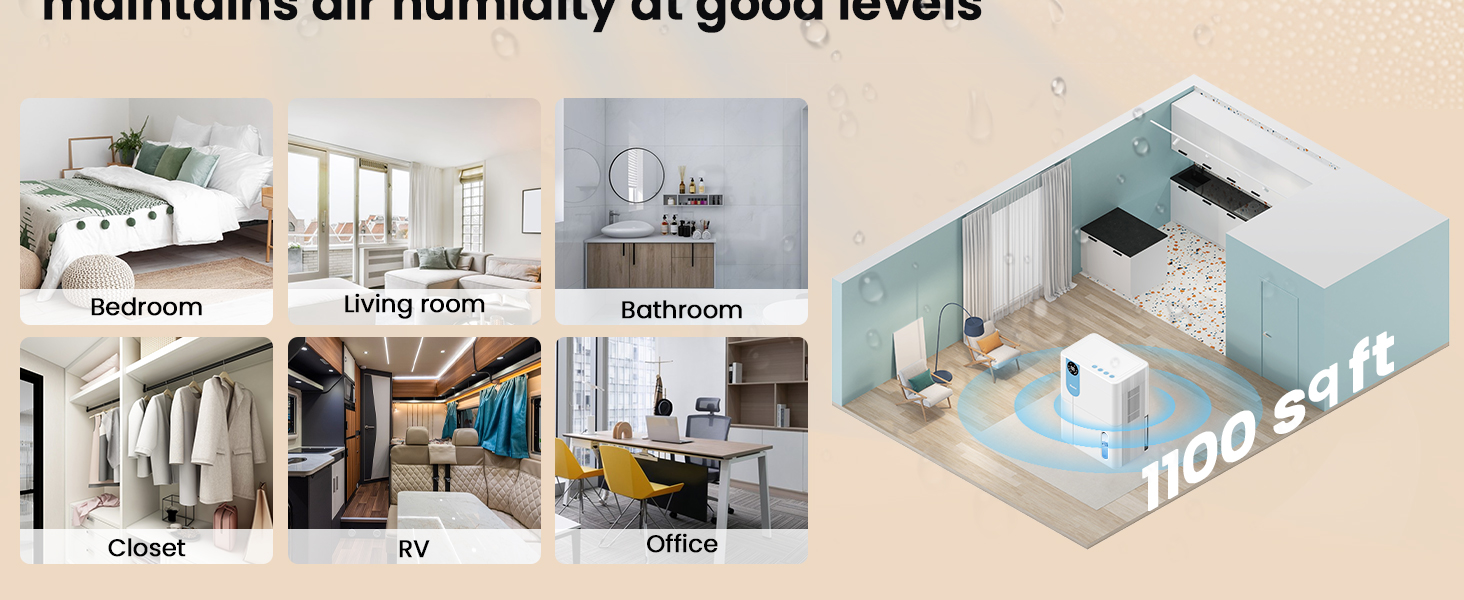
| Kawasan Liputan | Sehingga 1100 Kaki Persegi |
| Dimensi Produk (D x W x H) | 6.3" x 9.84" x 12.6" |
| Berat Barang | 2.27 paun |
| Ciri Khas | Automatic Shutoff, Colorful Lights, Digital Display, Removable Tank, Timer |
| Mod Operasi | tidur |
| Kapasiti Aliran Udara | 900 Kaki Kubik Sejam |
| Sumber Kuasa | Elektrik Bertali |

9. Waranti dan Sokongan
VEWIOR is committed to providing quality products and customer satisfaction.
Maklumat Waranti
- Penggantian Percuma 3 Tahun: Your VEWIOR PC-450B Dehumidifier is covered by a 3-year free replacement policy for manufacturing defects.
- Sokongan Sepanjang Hayat: VEWIOR offers lifetime technical support and satisfied solutions for its products.
Sokongan Pelanggan
For any questions, troubleshooting assistance, or warranty claims, please contact VEWIOR customer service:
- e-mel: [Insert VEWIOR Support Email Here]
- telefon: [Insert VEWIOR Support Phone Number Here]
- dalam talian: Visit the official VEWIOR webtapak untuk Soalan Lazim dan sumber sokongan.
Our customer service team is available for quick service via phone or email within 24 hours.
Polisi Pemulangan: A 30-day no-reason return policy is available for purchases.