
pengenalan
This manual provides comprehensive instructions for the ASWEE P4 Smart Watch, a versatile fitness tracker with call capabilities, a 1.85" TFT display, and various health monitoring features. Please read this manual thoroughly before using your device.
Apa yang ada dalam Kotak
- ASWEE P4 Smart Watch
- Kabel Pengecasan
- Manual Pengguna
Produk Selesaiview
The ASWEE P4 Smart Watch features a rectangular 1.85-inch TFT-LCD display with a 240x280 resolution. It includes a physical button on the side for navigation and interaction. The watch is designed for comfortable wear and easy access to its functions.
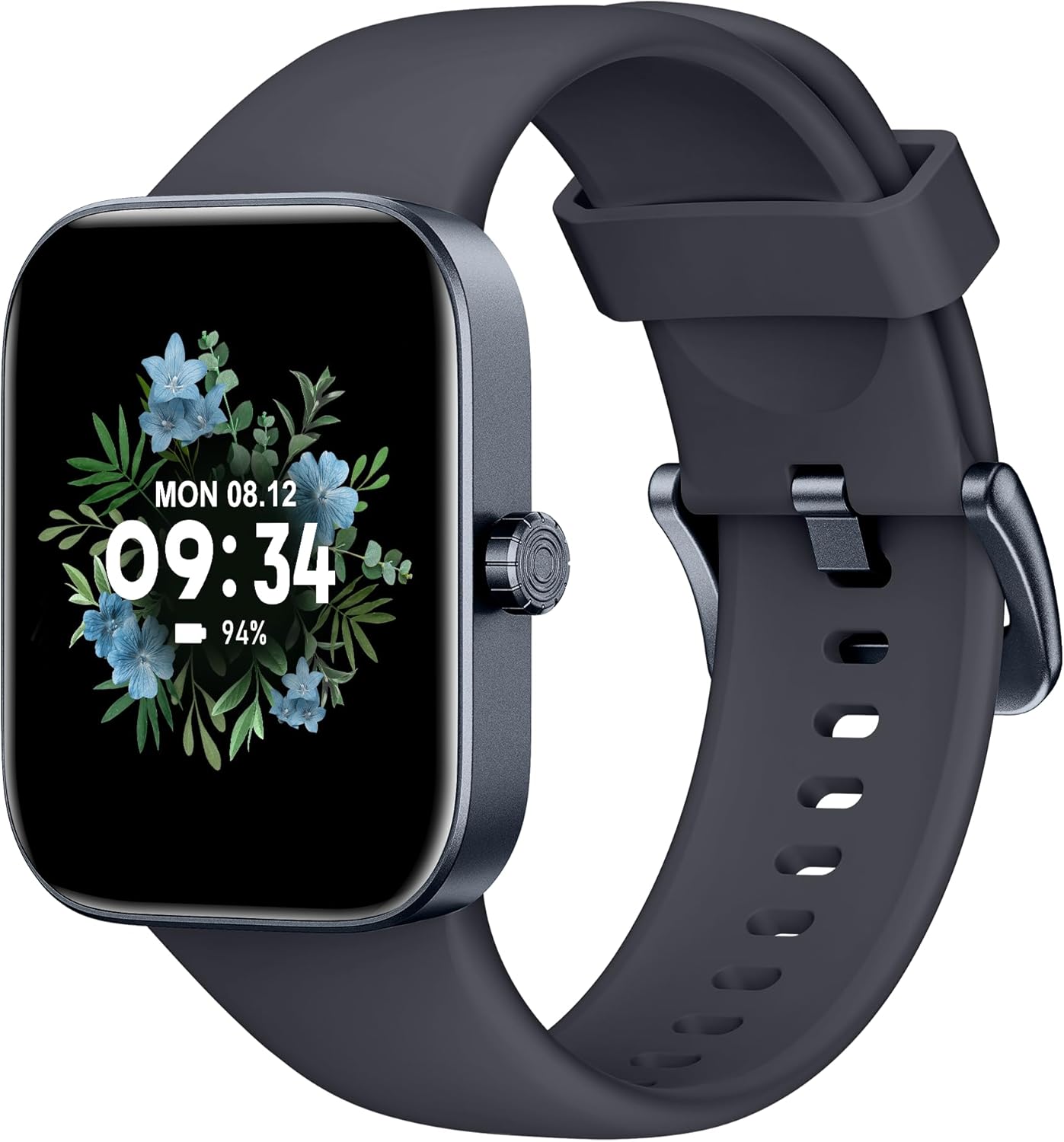
Depan view of the ASWEE P4 Smart Watch, displaying time and date with a floral background.
Persediaan
Mengecas Peranti
The ASWEE P4 Smart Watch comes with a magnetic charging cable. Align the magnetic end of the cable with the charging contacts on the back of the watch. The watch will indicate when it is charging. A full charge typically takes approximately 2 hours and provides up to 7 days of active use or 15 days on standby.

Illustration showing the magnetic charging cable connected to the back of the ASWEE P4 Smart Watch, highlighting battery life indicators.
Pemasangan dan Penggandingan Apl
To utilize all features of your ASWEE P4 Smart Watch, you need to download and install the "FitPro" application on your smartphone. Scan the QR code provided in the watch's packaging or search for "FitPro" in your device's app store.
Berpasangan dengan iPhone
Follow these steps to pair your watch with an iPhone:
- Pastikan Bluetooth didayakan pada iPhone anda.
- Open the "FitPro" app.
- Navigate to "Setting" and then "Bind device".
- Select your watch (e.g., KM13Pro) from the scan results.
- Confirm the pairing request by clicking "Pair" and then "Allow" for notifications.
- Go to your iPhone's Bluetooth settings and connect to "KM13Pro Audio" for call functionality.
Video tutorial demonstrating how to bind the ASWEE P4 Smart Watch to an iPhone and how to unbind it.
Pairing with Android Phone
Follow these steps to pair your watch with an Android phone:
- Ensure Bluetooth is enabled on your Android phone.
- Open the "FitPro" app.
- Navigate to "Set" and then "Bind device".
- Select your watch (e.g., KM13Pro) from the scan results.
- Confirm the pairing request by clicking "Pair".
Video tutorial demonstrating how to bind the ASWEE P4 Smart Watch to an Android phone and how to unbind it.
Arahan Operasi
Navigasi Asas
The watch features a touch-sensitive screen for navigation. Swipe left/right or up/down to access different functions and menus. The side button typically serves as a home or back button.
Call and Text Functionality
With its built-in speaker and microphone, the ASWEE P4 allows you to answer/dial calls directly from your wrist when connected via Bluetooth. You can also receive SMS text and SNS messages (Facebook, Twitter, WhatsApp, etc.) with vibration alerts.

Image showing the ASWEE P4 Smart Watch on a wrist, with notification icons for various messaging apps, indicating Bluetooth 5.0 connectivity for calls and texts.
Penjejakan Kesihatan
The watch provides comprehensive health monitoring:
- Kadar Jantung: 24-hour tracking with a high-precision PPG sensor. Stores 7 days of resting heart rate data.
- Oksigen Darah: Measures SpO2 levels using a reflective-light based sensor.
- Pemantauan Tidur: Tracks sleep quality through Awake, Light, and Deep sleep stages, helping to improve sleep duration and quality.
- Pemantauan Tekanan: Memberikan pandangan tentang tahap tekanan.

Image illustrating the ASWEE P4 Smart Watch's 24-hour data tracking capabilities, including heart rate, stress level, and blood oxygen monitoring.

Image depicting the ASWEE P4 Smart Watch's sleep health assistant feature, showing sleep duration and patterns.
Mod Kecergasan
The ASWEE P4 supports multiple workout modes, including running, bike riding, basketball, and tennis. It accurately monitors data points like heart rate, time, and calories burned to enhance workout efficiency.

Tayangan imejcasing the ASWEE P4 Smart Watch's various sports modes, including running, bike riding, basketball, and jumping jack, with activity data like steps, distance, and calories.
Penyesuaian
Choose from over 100 stylish watch faces or create your own using photos from your phone gallery.
Penyelenggaraan
Pembersihan
Kerap bersihkan jam tangan dan tali pinggang anda dengan lembut, damp kain. Elakkan menggunakan bahan kimia yang keras atau bahan yang melelas.
Penyimpanan
Simpan jam tangan di tempat yang sejuk dan kering apabila tidak digunakan.
Menyelesaikan masalah
Jam Tangan Tidak Dihidupkan
- Pastikan jam tangan dicas sepenuhnya. Sambungkannya ke kabel pengecas dan sumber kuasa selama sekurang-kurangnya 30 minit.
Isu Berpasangan
- Pastikan Bluetooth didayakan pada telefon anda dan jam tangan berada dalam julat.
- Mulakan semula telefon dan jam tangan anda.
- If previously paired, try "forgetting" the device in your phone's Bluetooth settings and re-pairing through the FitPro app.
- Ensure the FitPro app has necessary permissions (Bluetooth, location).
Data Kesihatan Tidak Tepat
- Pastikan jam tangan dipakai dengan kemas di pergelangan tangan anda, tidak terlalu ketat atau terlalu longgar.
- Bersihkan penderia di belakang jam tangan.
- Faktor persekitaran dan fisiologi individu boleh mempengaruhi bacaan.
Pemberitahuan Tidak Muncul
- Check app permissions for FitPro to ensure it can access notifications.
- Verify that notification push settings are enabled within the FitPro app for desired applications.
- Pastikan jam tangan disambungkan ke telefon anda melalui Bluetooth.
Spesifikasi
| Ciri | Perincian |
|---|---|
| Nama Model | P4 |
| Jenama | ASWEE |
| Saiz Skrin | 1.85 Inci |
| Teknologi Paparan | TFT-LCD |
| Resolusi | 240 x 280 PPI |
| Sistem Operasi | Pakai OS |
| Ketersambungan | Bluetooth 5.3 |
| Tahan Air | IP68, 5 ATM |
| Hayat Bateri (Penggunaan Biasa) | Sehingga 7 hari |
| Masa Tunggu Sedia | Sehingga 15 hari |
| Masa Mengecas | lebih kurang 2 jam |
| Ciri Khas | Fitness Tracker, Sleep Monitor, Reminders, Multimedia control, Answer/Dial Call, Heart Rate Monitor, Blood Oxygen Monitor, Stress Monitor |
| Berat Barang | 2.89 auns |
Nota: Spesifikasi tertakluk kepada perubahan tanpa notis terlebih dahulu.
Waranti dan Sokongan
For warranty information and technical support, please refer to the official ASWEE webtapak atau hubungi perkhidmatan pelanggan mereka. Simpan resit pembelian anda sebagai bukti pembelian.