
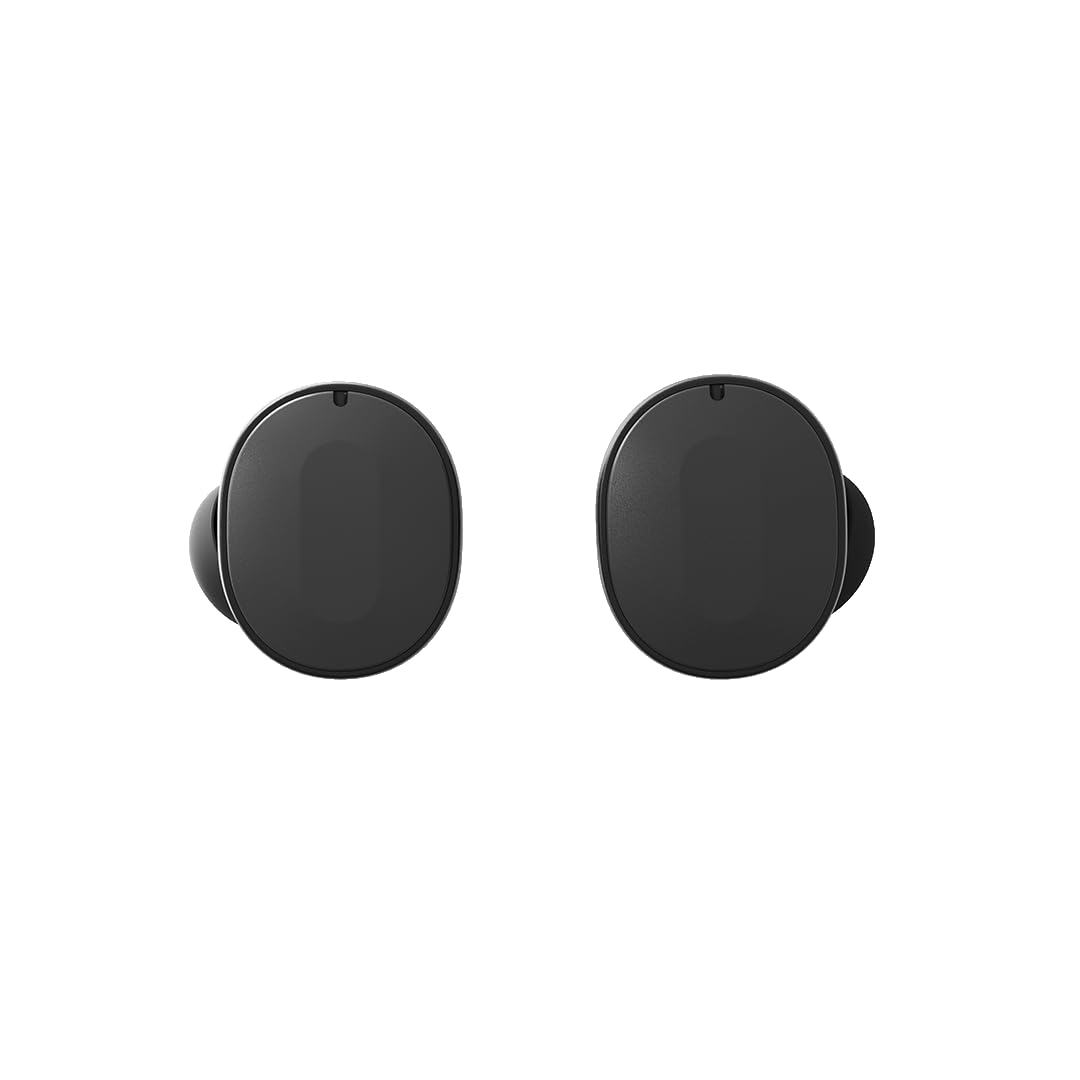
Image: A pair of Fairphone Fairbuds True Wireless Earbuds in black.
1. Persediaan
1.1 Membuka Kotak dan Caj Permulaan
Before first use, ensure the Fairbuds and their charging case are fully charged. The earbuds come with a charging case and include rechargeable Lithium Ion batteries.
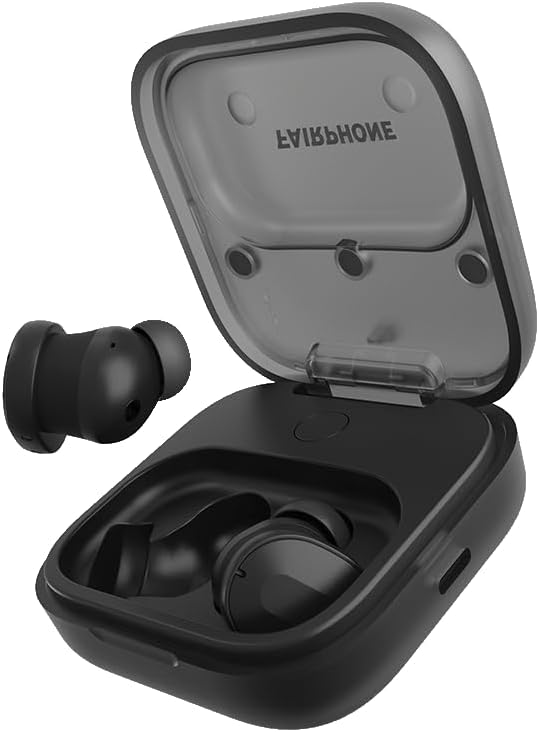
Image: Fairbuds True Wireless Earbuds placed inside their open charging case, ready for charging.
Place the earbuds into the charging case. Connect the charging case to a power source using a compatible USB-C cable (not always included, check packaging). A full charge takes approximately 6 hours for the case and earbuds combined.
1.2 Berpasangan dengan Peranti Anda
- Ensure the Fairbuds are in the charging case with the lid open, or are powered on and in pairing mode.
- Pada peranti anda (telefon pintar, tablet, komputer riba), navigasi ke tetapan Bluetooth.
- Select "Fairbuds" from the list of available devices.
- Sahkan permintaan pasangan jika digesa.
The Fairbuds support Bluetooth 5.3 for a stable connection and multipoint connectivity, allowing simultaneous connection to multiple devices.
1.3 Fairbuds App Installation
For full customization and control, download the Fairbuds companion app from your device's app store. The app allows for an 8-band EQ adjustment and other settings.
1.4 Memakai Fon Telinga
Select the appropriate ear tips for a comfortable and secure fit. Gently insert each earbud into your ear canal and twist slightly to ensure a snug seal. A proper fit is crucial for optimal sound quality and Active Noise Cancellation (ANC) performance.

Image: A pair of Fairbuds True Wireless Earbuds shown from the side, highlighting their in-ear design.
2. Operating the Fairbuds
2.1 Hidupkan/Mati Kuasa
The Fairbuds automatically power on when removed from the charging case and power off when placed back into the case with the lid closed.
2.2 Kawalan Sentuhan
The Fairbuds feature touch-sensitive controls on each earbud for media playback, call management, and noise control. Specific gestures (tap, double-tap, long press) can be customized via the Fairbuds app.
Kawalan Biasa:
- Main/Jeda: Ketik sekali pada salah satu fon telinga.
- Lagu Seterusnya: Ketik dua kali pada fon telinga kanan.
- Trek Sebelumnya: Ketik dua kali pada fon telinga kiri.
- Jawab/Tamatkan Panggilan: Ketik sekali pada salah satu fon telinga.
- Tolak Panggilan: Tekan lama pada kedua-dua fon telinga.
- Toggle ANC/Ambient Sound/Off: Long press on the left earbud (customizable).
2.3 Pembatalan Bunyi Aktif (ANC) dan Mod Bunyi Ambien
The Fairbuds feature Active Noise Cancellation to reduce ambient noise and an Ambient Sound mode to allow you to hear your surroundings. These modes can be toggled using the touch controls or through the Fairbuds app.
2.4 Membuat dan Menerima Panggilan
The Fairbuds are equipped with 6 microphones for clear call quality, even in outdoor environments. Use the touch controls to manage calls.
2.5 Hayat Bateri
The earbuds provide up to 6 hours of listening time on a single charge. The charging case provides an additional 20 hours of battery life, extending total playtime to 26 hours.
3. Penyelenggaraan
3.1 Pembersihan
Regularly clean your Fairbuds and charging case to ensure optimal performance and hygiene. Use a soft, dry, lint-free cloth. For ear tips, remove them and clean with mild soap and water, then dry thoroughly before reattaching.
3.2 Rintangan Air dan Peluh
The Fairbuds have an IP54 rating, making them resistant to sweat and light splashes of water. They are not waterproof and should not be submerged in water.
3.3 Komponen Boleh Ganti
A key feature of the Fairbuds is their repairability. The earbuds and case are designed with modular components, including replaceable batteries. For replacement parts and instructions, refer to the official Fairphone support webtapak.

Image: An exploded diagram illustrating the modular design of the Fairbuds and their charging case, highlighting replaceable parts like the battery.
4. Penyelesaian masalah
4.1 Connection Instability
If you experience unstable Bluetooth connection, try the following:
- Ensure your device is within range (typically 10 meters) and there are no major obstructions.
- Disconnect and re-pair the Fairbuds with your device.
- Restart your device and the Fairbuds (by placing them in the case and closing/opening the lid).
- Update the Fairbuds firmware via the Fairbuds app, if available.
4.2 Isu Kualiti Bunyi
If sound quality is poor or inconsistent:
- Ensure the earbuds are properly seated in your ears with a good seal. Try different ear tip sizes.
- Clean the earbud grilles and ear tips to remove any debris.
- Adjust the EQ settings in the Fairbuds app.
4.3 Earbuds Draining in Case
If earbuds lose charge while stored in the case:
- Pastikan kes pengecasan dicas.
- Verify that the earbuds are correctly seated in the charging contacts within the case.
- Bersihkan sesentuh pengecasan pada kedua-dua fon telinga dan sarung.
- Ensure the case lid is fully closed.
4.4 Unwanted Touch Control Activation
If touch controls are too sensitive or activate unintentionally:
- Check the Fairbuds app for options to adjust touch sensitivity or disable specific gestures.
- Ensure your hair or clothing is not constantly brushing against the touch surface.
4.5 General Reset
If issues persist, a factory reset may resolve them. Refer to the Fairbuds app or Fairphone support website for specific instructions on how to perform a factory reset.
5. Spesifikasi
| Ciri | Perincian |
|---|---|
| Nama Model | Fairbuds True Wireless Earbuds |
| Nombor Model | AUFEAR-1ZW-WW1 |
| Teknologi Ketersambungan | Wayarles (Bluetooth 5.3) |
| Kawalan Bunyi | Pembatalan Bunyi Aktif |
| Penempatan Telinga | Di Telinga |
| Faktor Bentuk | Wayarles Benar |
| Tahap Ketahanan Air | IP54 (Sweat and Weather Resistant) |
| Hayat Bateri (Earbud) | Sehingga 6 Jam |
| Jumlah Hayat Bateri (dengan Sarung) | Sehingga 26 Jam |
| Masa Mengecas | Approx. 6 Hours (for full charge) |
| Berat Barang | 78 Gram |
| Dimensi Produk | 2.87 x 2.46 x 2.1 cm |
| bahan | plastik |
| Ciri Khas | Modular & Repairable Design, Multipoint Bluetooth Connection |
6. Waranti dan Sokongan
6.1 Maklumat Waranti
The Fairphone Fairbuds come with a 3-year extended warranty, covering manufacturing defects and ensuring long-term support for your product. This warranty reflects the durable and repairable design of the Fairbuds.
For detailed warranty terms and conditions, please visit the official Fairphone webtapak.
6.2 Sokongan Pelanggan
For further assistance, troubleshooting, or inquiries regarding replacement parts, please contact Fairphone customer support through their official website or the Fairbuds app.
Manufacturer: FairPhone B.V.