
1. Pengenalan
Thank you for choosing the Andis inCRED Cordless Hair Clipper Kit. This 18-piece set is engineered to provide professional-quality haircuts in the comfort of your home. Featuring a powerful, quiet high-speed motor, a durable titanium-coated stainless steel blade, and a long-lasting lithium-ion battery, this clipper offers precision and versatility for various hair cutting styles, including fades and blending.
Please read this instruction manual thoroughly before using your new clipper kit to ensure safe operation and optimal performance. Keep this manual for future reference.
2. Maklumat Keselamatan Penting
Untuk mengurangkan risiko kejutan elektrik, terbakar, kebakaran atau kecederaan:
- Always keep blades away from eyes and other sensitive body parts.
- Do not use on infants or other delicate surfaces.
- Keep blades clean and dry to maintain hygiene and performance.
- Always unplug the clipper and allow the blades to stop completely before cleaning, attaching/detaching accessories, or storing the unit.
- Jangan rendamkan penggunting rambut di dalam air atau cecair lain.
- Do not operate the clipper with a damaged cord or plug.
- Jauhkan perkakas daripada kanak-kanak.
3. Apa yang ada di dalam Kotak
Your Andis inCRED Cordless Hair Clipper Kit includes the following items:
- Andis inCRED Hair Clipper
- Charging Adapter with interchangeable EU/UK/BR/AUS plugs
- Soft Storage Case
- Gunting Keluli Tahan Karat
- Tukang Gunting Rambut
- Berus Bilah
- Pengawal Bilah
- 10 Attachment Combs: #0 (1/16"), #1 (1/8"), #2 (1/4"), #3 (3/8"), #4 (1/2"), #6 (3/4"), #8 (1")


4. Persediaan
4.1 Pengecasan Awal
- Before first use, fully charge the clipper for approximately 90 minutes.
- Connect the charging adapter to the clipper and plug it into a suitable electrical outlet.
- The charging indicator light will illuminate to show that the clipper is charging.
- Once fully charged, the indicator light may change color or turn off, depending on the model.
4.2 Memasang Sisir Panduan
To attach a guide comb:
- Pastikan pemotong dimatikan.
- Select the desired attachment comb for your preferred hair length.
- Align the comb with the clipper blade and firmly push it down until it clicks into place.
To remove a guide comb:
- Pastikan pemotong dimatikan.
- Gently pull the comb upwards from the back of the blade until it detaches.

5. Arahan Operasi
5.1 Petua Umum Menggunting Rambut
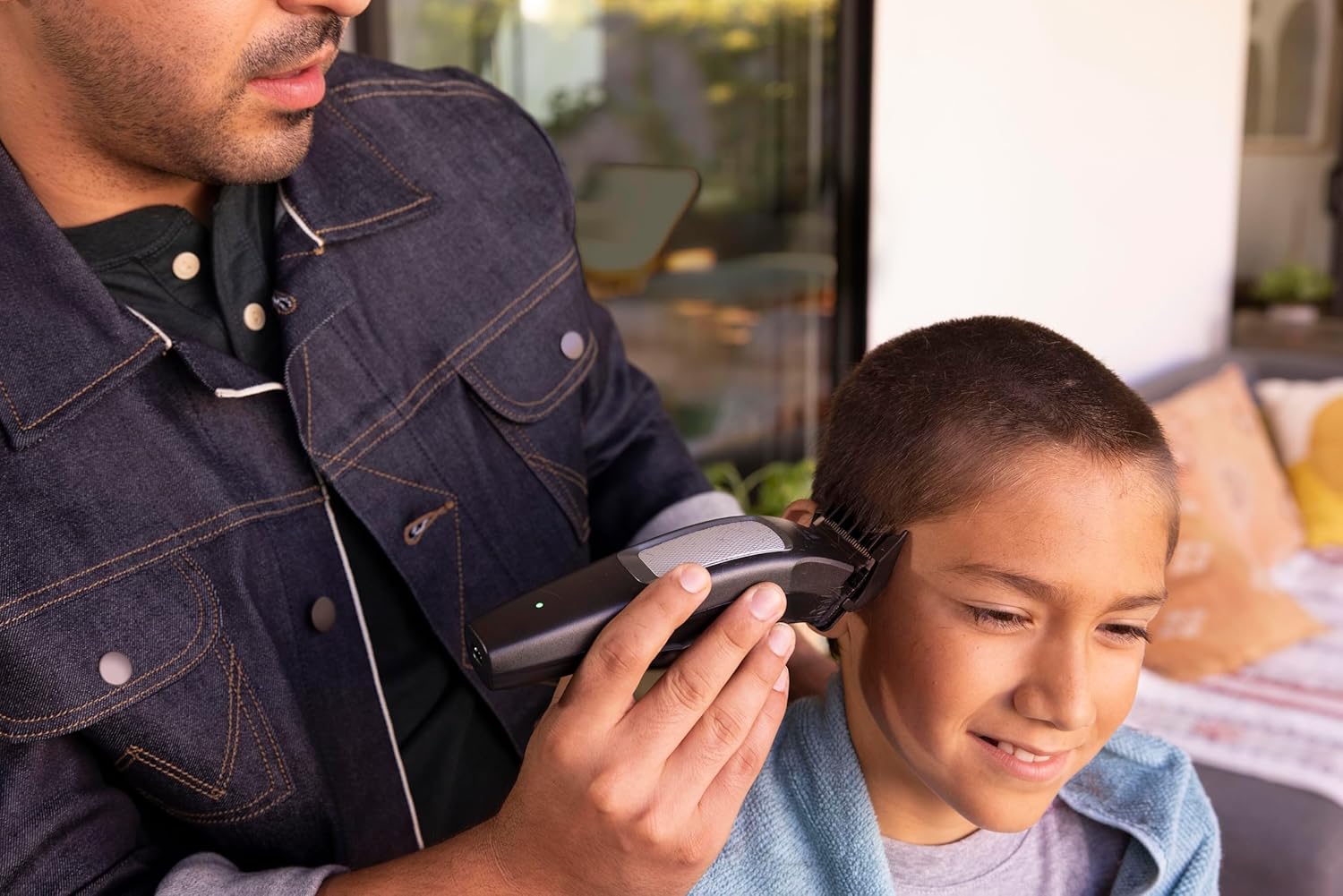
- Always start with clean, dry hair.
- For best results, cut hair against the direction of hair growth.
- Use the barber comb to lift hair away from the scalp before cutting.
- Take small, even strokes for a consistent cut.
- Regularly check the hair length as you cut.
5.2 Using the Adjustable Blade
The Andis inCRED clipper features an adjustable blade lever, allowing you to fine-tune cutting lengths without changing guide combs. Move the lever up for a shorter cut and down for a longer cut. This is ideal for blending and creating fades.
5.3 Cordless and Corded Operation
The clipper operates cordlessly for up to 90 minutes on a full charge. For extended use or if the battery is low, you can plug the clipper directly into a power outlet and continue using it in corded mode.

6. Penyelenggaraan
6.1 Membersihkan Bilah
After each use, it is crucial to clean the blades to ensure optimal performance and longevity:
- Matikan dan cabut palam pemotong.
- Use the provided blade brush to remove any loose hair from the blades and the area around them.
- For a more thorough cleaning, you may carefully detach the blade set (refer to the manufacturer's specific instructions for blade removal if available).
6.2 Meminyaki Bilah
To maintain cutting efficiency and prevent rust, oil the blades regularly:
- Apply a few drops of clipper oil (included in the kit) to the teeth and friction points of the blades.
- Hidupkan penggunting rambut selama beberapa saat untuk membolehkan minyak diagihkan secara sekata.
- Wipe off any excess oil with a clean, dry cloth.
6.3 Penyimpanan
Store the clipper and all accessories in the provided soft storage case in a cool, dry place, away from direct sunlight and moisture.
7. Penyelesaian masalah
| Masalah | Kemungkinan Punca | Penyelesaian |
|---|---|---|
| Clipper tidak menyala | Battery is discharged; Power cord not properly connected | Charge the battery; Ensure power cord is securely plugged in |
| Clipper menarik rambut atau memotong dengan teruk | Bilah rambut kusam, kotor atau tidak berminyak; Rambut tidak bersih/kering | Clean and oil blades; Ensure hair is clean and dry; Consider blade replacement if dull |
| Bunyi atau getaran yang berlebihan | Blades are misaligned or loose; Internal mechanism issue | Check blade alignment; If problem persists, contact customer support |
| Masa penggunaan bateri adalah singkat | Battery not fully charged; Battery life diminishing | Ensure full charge; Battery may need replacement after extended use |
If you encounter issues not listed here or if problems persist, please contact Andis customer support.
8. Spesifikasi
- Nombor Model: 560585
- Dimensi: 22.5 x 16.51 x 6.99 cm
- Berat: 670 gram
- Sumber Kuasa: Dikuasakan Bateri (Litium-ion Boleh Dicas Semula)
- Hayat Bateri: Up to 90 minutes cordless runtime
- Bahan Bilah: Titanium-coated stainless steel
- Ciri Khas: Cordless operation, Adjustable blade
- Sikat Panduan yang disertakan: 10 (1/16" to 1")
- Negara Asal: USA
- UPC: 040102004377
9. Maklumat Waranti
The Andis inCRED Cordless Hair Clipper Kit is covered by a Waranti pengilang selama 2 tahun from the date of purchase. This warranty covers defects in materials and workmanship under normal use. It does not cover damage resulting from misuse, abuse, accidents, unauthorized service, or normal wear and tear.
Sila simpan bukti pembelian anda untuk tuntutan waranti.
10. Sokongan Pelanggan
For further assistance, troubleshooting, or warranty inquiries, please contact Andis customer support through their official webtapak atau peruncit tempat produk itu dibeli.
Andis Official Webtapak: www.andis.com
11. Video Produk
No official product videos from the seller were available for embedding in this manual. Please refer to the manufacturer's weblaman web untuk sebarang tutorial atau demonstrasi video yang tersedia.