
Peski K-51
Peski Karaoke Machine User Manual
Model: K-51 | Brand: Peski
pengenalan
Thank you for choosing the Peski Portable Bluetooth Mini Karaoke Machine. This compact and versatile system is designed to bring joy and entertainment to your home parties, family gatherings, and outdoor events. Featuring astonishing sound, long battery life, Bluetooth 5.0 TWS technology, magic voice effects, and colorful lights, it's perfect for all ages. This manual provides detailed instructions for setup, operation, and maintenance to ensure you get the most out of your new karaoke machine.
Apa yang ada dalam Kotak
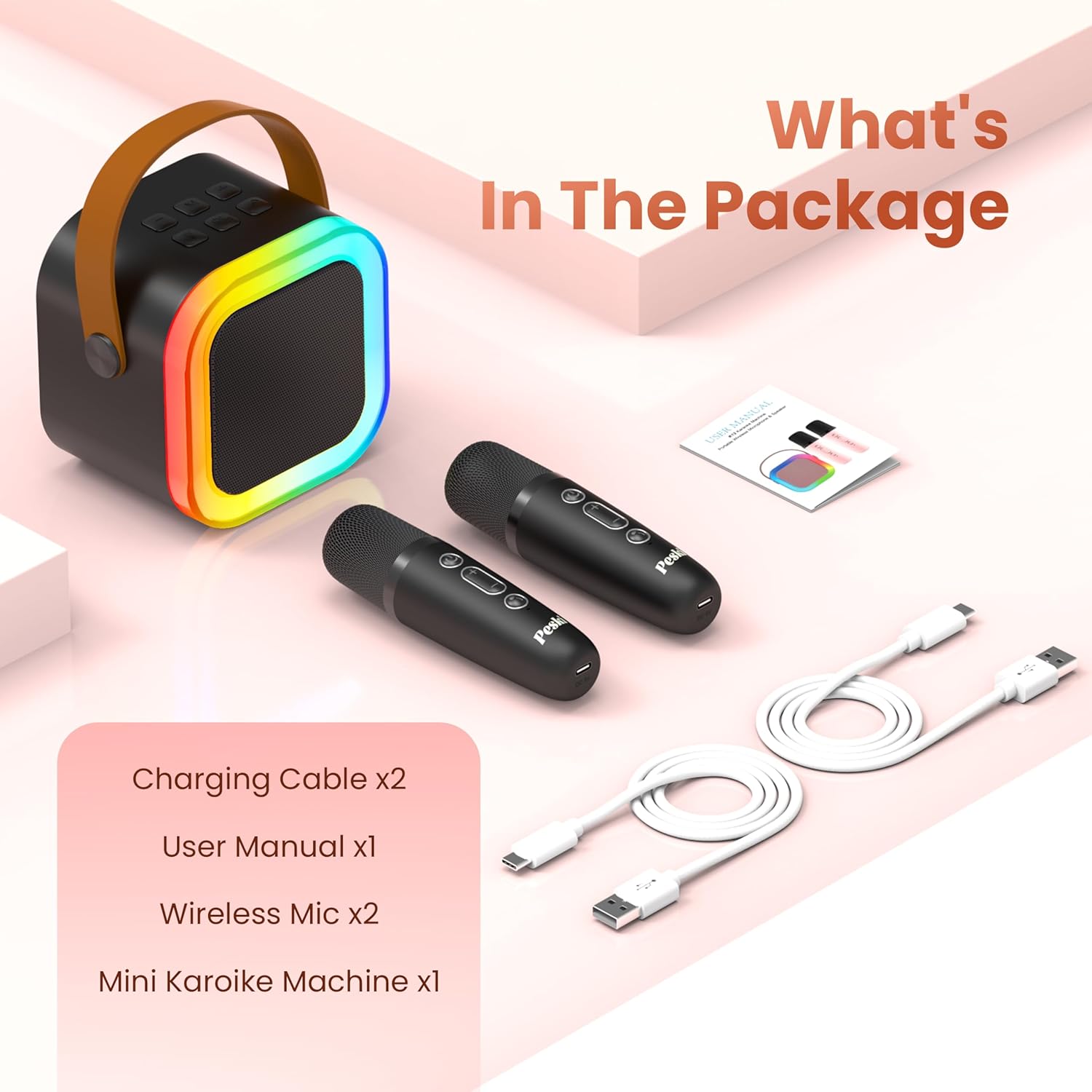
Image: All components included in the Peski Karaoke Machine package.
- Mini Karaoke Machine x1
- Mikrofon Wayarles x2
- Kabel USB x2
- Manual Pengguna x1
Produk Selesaiview
Main Unit (Speaker)
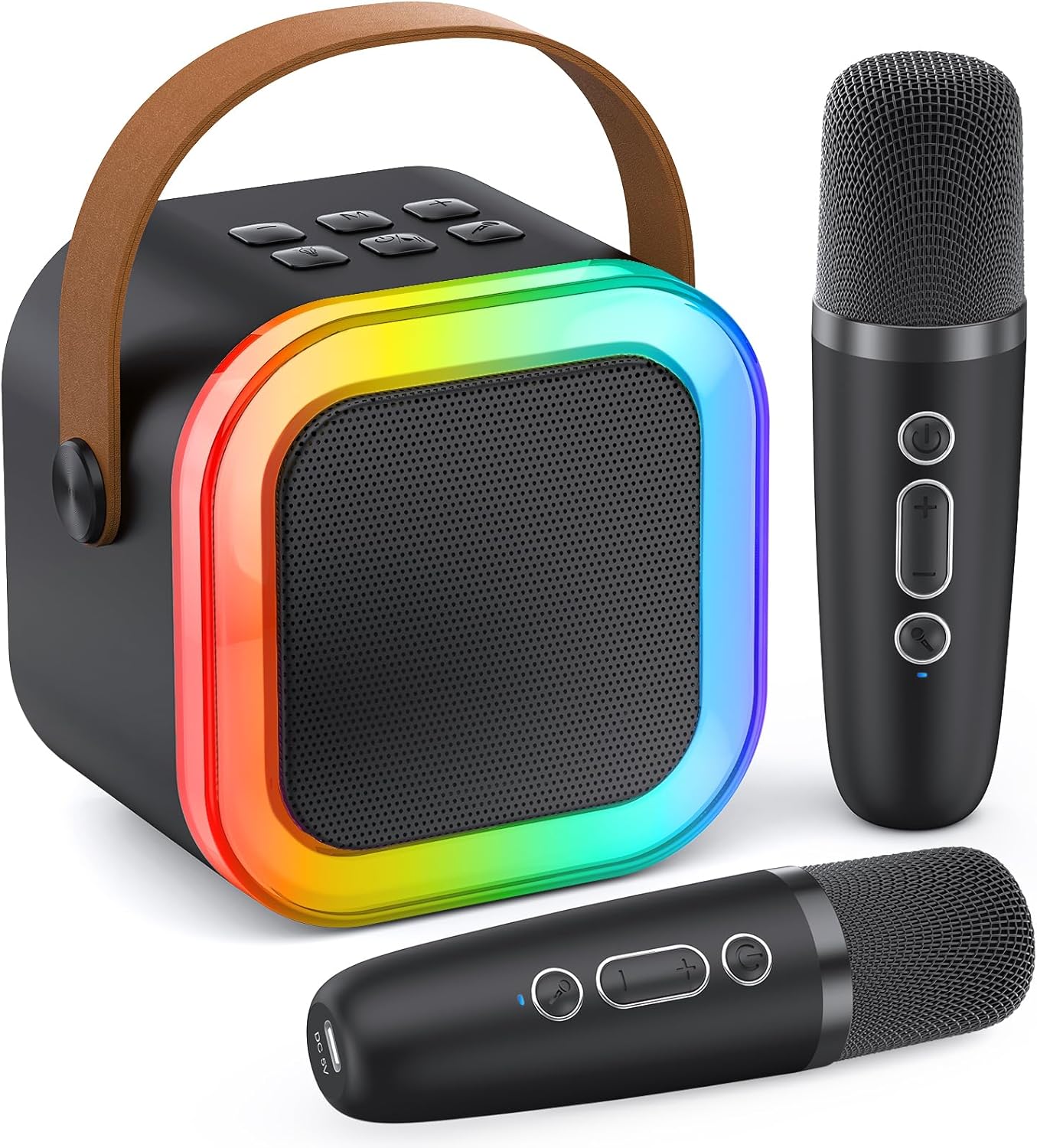
Image: The Peski Mini Karaoke Machine speaker, showcasing its compact design and vibrant LED light ring.
The main unit features a professional tuning grade speaker with subwoofers and tweeters for clear, powerful stereo sound. It includes a dynamic colorful LED light show that can sync with your music.
Control Panel & Ports

Image: Detailed diagram showing the control buttons on both the speaker and the wireless microphones.

Image: Diagram illustrating the various input and output ports on the back of the speaker unit, including USB, Micro SD, Headphone, and Type-C charging port.
The speaker features intuitive controls for volume, play mode, echo, power, and lights. It also includes multiple input options: TF card slot, USB port, AUX input, and a Type-C charging port.
Mikrofon Tanpa Wayar
The system comes with two wireless microphones that automatically pair with the speaker. Each microphone has controls for power, volume, and magic voice effects. They are also rechargeable via USB-C.

Image: Two children holding microphones, with illustrations of the five magic voice effects: Monster, Baby, Female, Male, and Original/Accompaniment.
Persediaan
1. Mengecas Peranti
Before first use, fully charge the karaoke machine speaker and both wireless microphones. Use the provided USB cables for charging.
- Penceramah: Connect the Type-C USB cable to the speaker's charging port and a compatible USB power adapter (not included). The charging indicator light will show charging status.
- Mikrofon: Connect the USB cables to the charging port on the bottom of each microphone and a compatible USB power adapter.
Note: The speaker can provide 6-10 hours of playtime on a 2-3 hour charge. Playtime may vary based on volume and light usage.

Image: Visual representation of the speaker's battery life (6-10 hours playtime) and charging time (2-3 hours for 1500mAh battery).
2. Berpasangan Bluetooth
- Power on the karaoke machine speaker by pressing the ON/OFF button.
- Power on the wireless microphones. They will automatically connect to the speaker.
- Dayakan Bluetooth pada telefon pintar, tablet anda atau peranti lain yang serasi.
- Cari untuk "K-51" (or similar product name) in the Bluetooth device list and select it to pair.
- Once paired, you will hear a confirmation sound from the speaker. You can now play music from your device through the karaoke machine.
The Bluetooth 5.0 technology ensures stable transmission up to 50 feet without obstacles.

Image: Illustration of the speaker's Bluetooth 5.0 connectivity, showing a 50-foot wireless range and compatibility with various devices and music/karaoke applications like Starmaker, Spotify, Sing Karaoke, YouTube, and Smule.
3. Kaedah Sambungan Lain
- Kad TF: Insert a TF (Micro SD) card into the designated slot on the speaker. The machine will automatically switch to TF card playback mode.
- USB: Insert a USB drive into the USB port on the speaker. The machine will automatically switch to USB playback mode.
- Input AUX: Connect an external audio device (e.g., TV, PC) to the AUX input port using a 3.5mm audio cable (not included).
Arahan Operasi
Kawalan pembesar suara:
- HIDUP/MATI (7): Press to power on/off the speaker.
- Vol - / Previous (1): Short press for previous track, long press to decrease speaker volume.
- Play Mode (2): Press to switch between Bluetooth, TF card, USB, and AUX modes.
- Vol + / Next (3): Short press for next track, long press to increase speaker volume.
- ECHO (4): Press to adjust the echo effect level.
- ON/OFF-PLAY/PAUSE (5): Tekan untuk memainkan atau menjeda muzik.
- LIGHTS (6): Press to cycle through different colorful disco light effects or turn them off.
Kawalan Mikrofon:
- Microphone VOL + (8): Press to increase microphone volume (5 levels).
- Microphone VOL - (9): Press to decrease microphone volume (5 levels).
- Magic Sounds (10 - Short Press): Short press to cycle through 5 magic voice effects: monster, baby, female, male, original/accompaniment.
- Remove/Restore Music Vocals (10 - Long Press): Long press to remove or restore the vocals from the playing music, turning it into an accompaniment track.
Using Two Microphones:
The two wireless microphones automatically pair with the speaker and can be used simultaneously for duets or group performances.
Penyelenggaraan
- Pastikan peranti kering. Jangan dedahkan kepada air atau kelembapan berlebihan.
- Bersihkan permukaan dengan kain lembut dan kering. Jangan gunakan pembersih atau pelarut yang kasar.
- Simpan di tempat yang sejuk dan kering jauh dari cahaya matahari langsung dan suhu yang melampau.
- Elakkan daripada menjatuhkan atau meletakkan peranti kepada kesan yang kuat.
- Apabila tidak digunakan untuk tempoh yang lama, cas bateri secara berkala untuk mengekalkan jangka hayatnya.
Menyelesaikan masalah
| Masalah | Kemungkinan Punca | Penyelesaian |
|---|---|---|
| Tiada bunyi dari pembesar suara. | Speaker is off; Volume is too low; Not paired via Bluetooth; Incorrect input mode. | Ensure speaker is on; Increase speaker volume; Re-pair Bluetooth; Switch to correct input mode (Bluetooth, TF, USB, AUX). |
| Mikrofon tidak berfungsi. | Microphone is off; Microphone battery is low; Microphone volume is too low. | Power on microphone; Charge microphone; Increase microphone volume. |
| Sambungan Bluetooth tidak stabil. | Device too far from speaker; Obstacles between devices; Interference. | Move device closer to speaker (within 50ft); Remove obstacles; Avoid strong electromagnetic interference. |
| Lampu tidak berfungsi. | Lights feature is off. | Press the LIGHTS button (6) on the speaker to activate or change light modes. |
Spesifikasi
| Ciri | Perincian |
|---|---|
| Nombor Model | K-51 |
| Jenama | Peski |
| Sumber Kuasa | Dikuasakan Bateri |
| Teknologi Ketersambungan | Bluetooth 5.0 |
| Bilangan Saluran | 2 (for 2 microphones) |
| Kiraan Speaker | 1 |
| Berat Barang | 1.26 paun |
| Dimensi Produk (L x W x H) | 5.71 x 3.94 x 4.53 inci |
| Peranti Serasi | Laptop, Television, Tablet, Headphone, Smartphone |
| Magic Voice Effects | 5 (Monster, Baby, Female, Male, Original/Accompaniment) |
| Kesan Cahaya | Dynamic Colorful Disco Lights |
Waranti dan Sokongan
Peski provides every customer with a LIFETIME AFTERSALES dan NO REASON REPLACEMENT service. If you encounter any issues during the use of your karaoke machine, please do not hesitate to contact our customer support. We are available to assist you and will resolve any issues within 24 hours.
For support, please refer to the contact information provided in your product packaging or visit the official Peski store on Amazon: Peski Store