
pengenalan
This manual provides detailed instructions for the setup, operation, maintenance, and troubleshooting of your ZTE MC888 Ultra 5G Router. The MC888 Ultra is a high-performance 5G router designed to deliver fast and reliable internet connectivity. It supports download speeds up to 3.8 Gbps and upload speeds up to 280 Mbps, features dual Gigabit LAN/WAN ports, and includes an RJ11 port for voice calls via VoIP, VoLTE, or VoNR.
Maklumat Keselamatan
- Baca semua arahan dengan teliti sebelum menggunakan peranti.
- Do not open or modify the device. Unauthorized modifications can void your warranty and create safety hazards.
- Use only the power adapter and accessories supplied with the router.
- Jauhkan peranti daripada air, kelembapan dan suhu yang melampau.
- Pastikan pengudaraan yang betul di sekitar penghala untuk mengelakkan terlalu panas.
- Elakkan meletakkan penghala berhampiran medan elektromagnet yang kuat.
Kandungan Pakej
Sahkan bahawa semua item terdapat dalam pakej anda:
- Penghala ZTE MC888 Ultra 5G
- Penyesuai Kuasa
- Kabel Ethernet
- Panduan Mula Pantas (tidak disertakan dalam manual ini)
Peranti Lebihview
Familiarize yourself with the ports and indicators on your ZTE MC888 Ultra 5G Router.
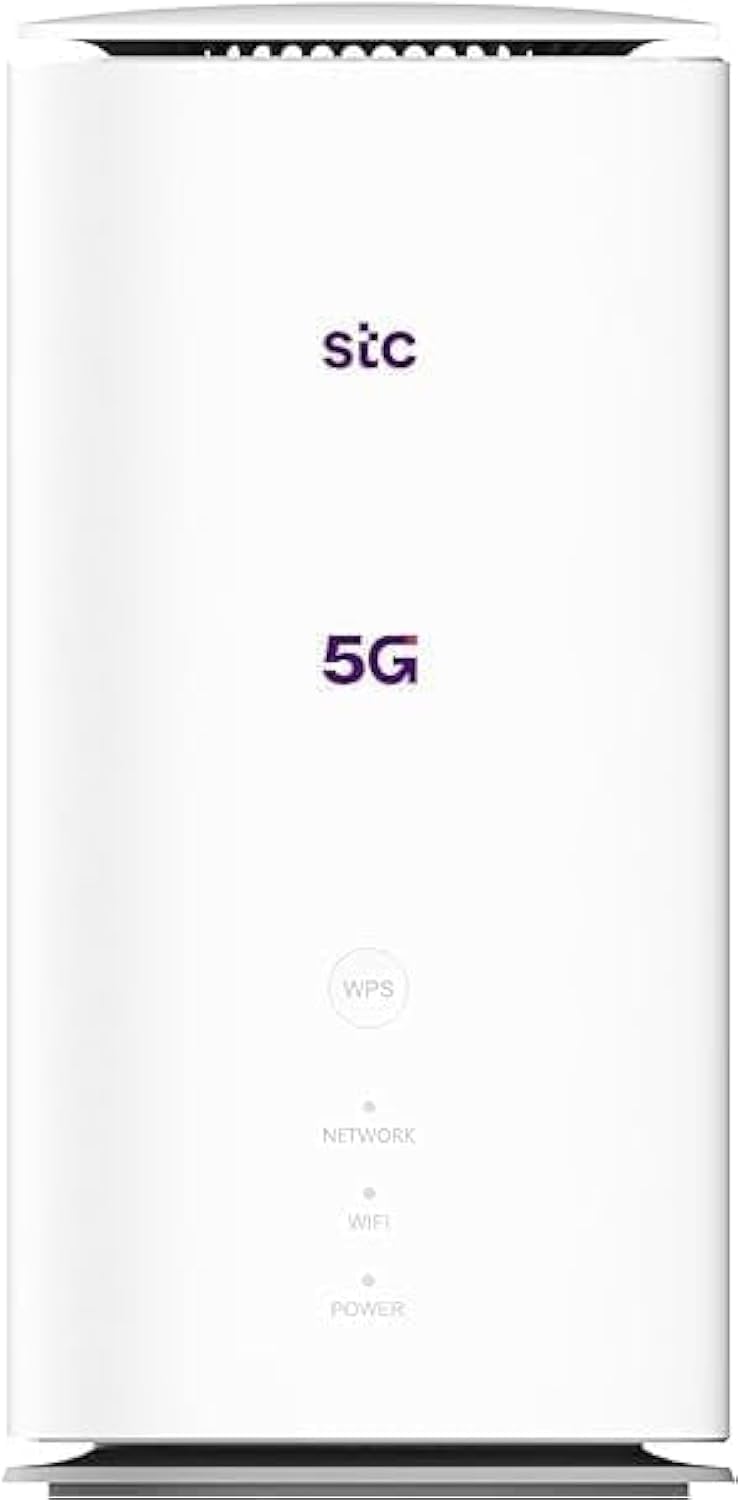
Imej: Depan dan belakang view of the ZTE MC888 Ultra 5G Router, showing LED indicators, SIM card slot, power port, LAN/WAN ports, and RJ11 port.
Petunjuk Panel Depan:
- LED kuasa: Menunjukkan status kuasa.
- LED rangkaian: Menunjukkan status sambungan rangkaian 5G/4G.
- LED Wi-Fi: Menunjukkan aktiviti Wi-Fi.
Port Panel Belakang:
- Pelabuhan Kuasa: Menyambung kepada penyesuai kuasa.
- LAN/WAN Ports (x2): Gigabit Ethernet ports for wired connections or WAN input.
- Pelabuhan RJ11: For connecting a telephone for VoIP, VoLTE, or VoNR calls.
- Slot Kad SIM: Untuk memasukkan kad SIM 5G/4G anda.
- Butang Tetapkan Semula: Digunakan untuk memulihkan tetapan lalai kilang.
Persediaan
1. Masukkan Kad SIM
- Pastikan penghala dimatikan.
- Cari slot kad SIM pada panel belakang.
- Insert a standard Nano-SIM card into the slot with the gold contacts facing down and the notched corner oriented correctly. Push until it clicks into place.
2. Sambungkan Kuasa
- Connect the supplied power adapter to the router's power port.
- Palamkan hujung satu lagi penyesuai kuasa ke dalam salur keluar dinding.
3. Hidupkan kuasa
- The router will automatically power on. Wait for the Power LED to turn solid, and the Network LED to indicate a stable 5G/4G connection. This may take a few minutes.
4. Sambungkan Peranti
- Sambungan Wi-Fi: Find the Wi-Fi network name (SSID) and password printed on the label at the bottom of the router. Select this network on your device (smartphone, laptop, etc.) and enter the password.
- Sambungan Ethernet: Use the provided Ethernet cable to connect your computer or other network device to one of the LAN/WAN ports on the router.
Beroperasi
Mengakses ke Web Antara muka
- Buka a web pelayar pada peranti yang disambungkan ke penghala.
- Enter the router's default IP address (e.g., 192.168.0.1 or 192.168.1.1) into the address bar and press Enter. The exact IP address is usually found on the router's label.
- Enter the default username and password (also found on the router's label) to log in.
Changing Wi-Fi Settings
daripada web interface, navigate to the Wi-Fi settings section to change your SSID, password, security type, or enable/disable guest networks.
RJ11 Voice Call Functionality
The RJ11 port allows you to connect a standard analog telephone. You can manage sending and receiving calls via a configured VoIP account, or through VoLTE or VoNR, depending on your mobile operator's compatibility and SIM card support. Refer to your service provider for specific setup details.
Mod Titik Akses
The router supports Access Point (AP) mode, allowing it to extend an existing wired network wirelessly. This feature can be configured through the web interface under network settings.
Penyelenggaraan
Kemas kini Perisian Tegar
Periksa penghala secara berkala web interface for available firmware updates. Keeping your firmware up-to-date ensures optimal performance, security, and access to new features. Follow the on-screen instructions for safe updating.
Pembersihan
Clean the router with a soft, dry cloth. Do not use liquid cleaners or aerosols. Ensure the device is powered off before cleaning.
Tetapan Semula Kilang
If you experience persistent issues or forget your login credentials, you can perform a factory reset. With the router powered on, use a pin to press and hold the Reset button on the rear panel for approximately 5-10 seconds until the indicators flash. The router will restart with default settings.
Menyelesaikan masalah
- Tiada sambungan internet: Check the Network LED. If it's off or red, ensure the SIM card is correctly inserted and has an active data plan. Try restarting the router.
- Kelajuan Wi-Fi Perlahan: Ensure your devices are within range. Reduce interference from other electronic devices. Try changing the Wi-Fi channel in the web antara muka.
- Tidak Boleh Akses Web Antara muka: Verify your device is connected to the router via Wi-Fi or Ethernet. Double-check the IP address and login credentials. Try clearing your browser's cache.
- Wi-Fi Disconnections: Update router firmware. Ensure the router is placed in a central location. Check for conflicting Wi-Fi networks.
Spesifikasi
| Jenama | ZTE |
| Nama Model | MC888 Ultra |
| Nombor Model | MC888 ULTRA |
| Teknologi Ketersambungan | Wi-Fi, 5G/4G Cellular |
| Standard Tanpa Wayar | 802.11ac |
| Kelas Band Kekerapan | Dwi-Jalur |
| Kelajuan Muat Turun Maks | 3.8 Gbps |
| Kelajuan Muat Naik Maks | 280 Mbps |
| Lebar Jalur Pelabuhan LAN | 1000 Mbps (Gigabit) |
| Bilangan Pelabuhan | 2 x Gigabit LAN/WAN, 1 x RJ11 |
| Jenis Antena | Dalaman |
| Protokol Keselamatan | WPS |
| Ciri Khas | Access Point Mode, RJ11 for VoIP/VoLTE/VoNR |
| RAM | 4 GB |
| Peranti Serasi | PC, Laptop, Smartphone, Tablet, Gaming Console, Smart TV, Surveillance Camera, Printer, Ethernet-enabled devices |
| Komponen yang Disertakan | Router, Ethernet Cable, Charger |
Waranti dan Sokongan
Maklumat Waranti
The ZTE MC888 Ultra 5G Router comes with a 2-year agent warranty. Please retain your proof of purchase for warranty claims. The warranty covers manufacturing defects and malfunctions under normal use. It does not cover damage caused by misuse, accidents, unauthorized repairs, or acts of nature.
Sokongan Pelanggan
For technical assistance, warranty service, or further inquiries, please contact your local ZTE authorized service center or the retailer from whom you purchased the product. You may also visit the official ZTE weblaman web untuk sumber sokongan dan Soalan Lazim.