
pengenalan
This manual provides detailed instructions for setting up and operating your Majority Frameo Snap10 WiFi Digital Picture Frame. This 10.1-inch digital frame allows you to display photos and videos shared via the Frameo app, offering a convenient way to share memories with family and friends. It features a touchscreen, 32GB of internal storage, auto-rotate functionality, and a motion sensor for efficient use.

The Majority Frameo Snap10 Digital Picture Frame, showcasing a family photo on its 10.1-inch screen.
Apa yang ada dalam Kotak
Sila semak kandungan pakej untuk memastikan semua item ada:
- Majority Frameo Snap10 Digital Picture Frame
- Kickstand
- Penyesuai Kuasa
- Alat Kawalan Jauh
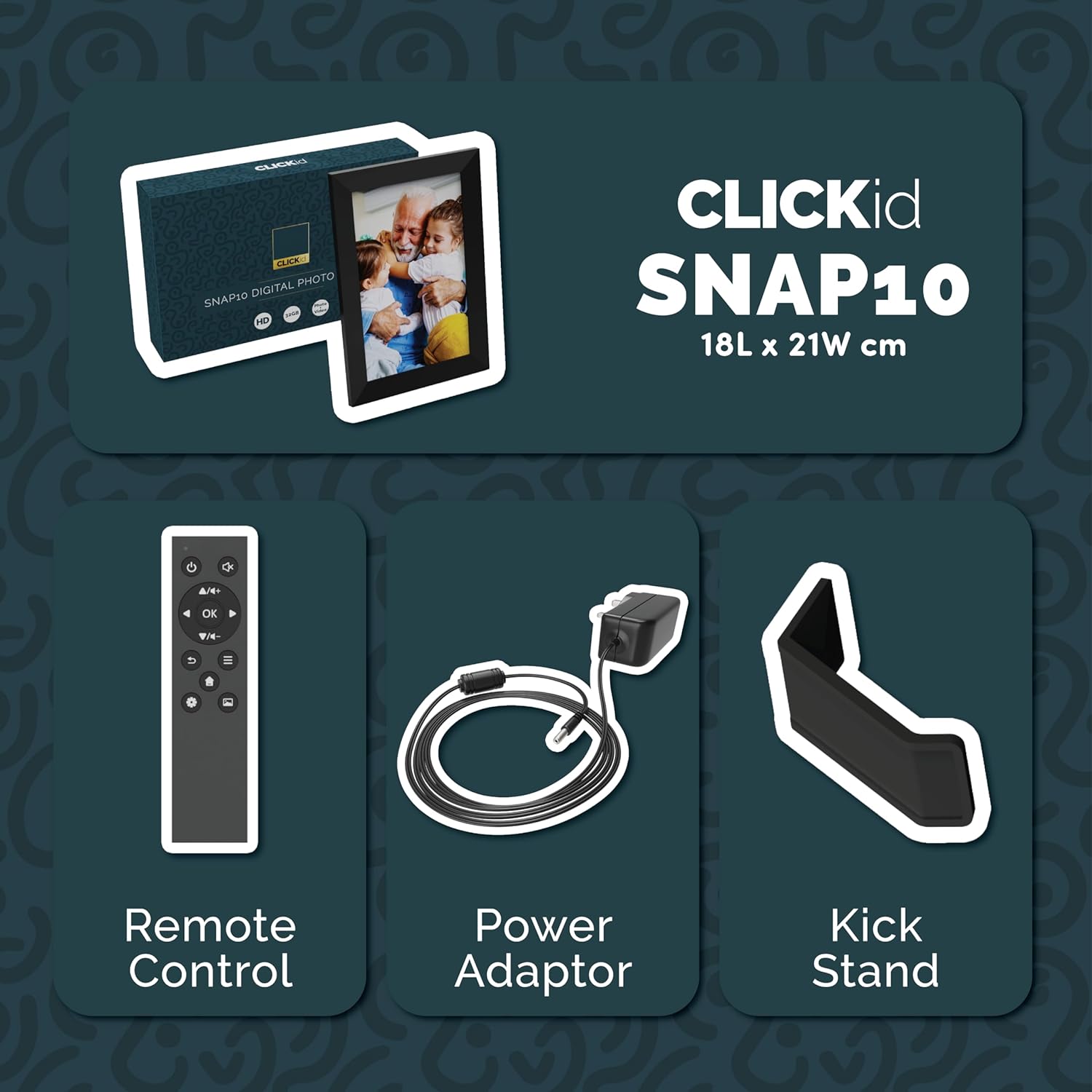
Included accessories: Remote Control, Power Adapter, and Kickstand.
Panduan Persediaan
- Buka Bingkai: Tanggalkan bingkai gambar digital dan semua aksesori daripada pembungkusan dengan berhati-hati.
- Attach the Kickstand: Insert the kickstand into the designated slot on the back of the frame. The frame supports both horizontal and vertical orientations.
- Sambungkan Kuasa: Plug the power adapter into the DC port on the back of the frame, then connect it to a power outlet. The frame will automatically power on.
- Persediaan Awal: Follow the on-screen instructions to select your language, time zone, and connect to a Wi-Fi network.
- Install Frameo App: Download the "Frameo" app from your smartphone's app store (available for iOS and Android).
- Connect Frame to App: Open the Frameo app and create an account. On your digital frame, tap "Add Friend" to get a unique code. Enter this code into the Frameo app on your smartphone to link the devices.

The back of the frame features essential ports for power, USB, and Micro SD card.
Arahan Operasi
Menghantar Foto dan Video
Once your frame is connected to the Frameo app, you can easily send photos and short videos from your smartphone.
- Buka aplikasi Frameo pada telefon pintar anda.
- Pilih foto atau video yang ingin anda hantar.
- Choose the connected digital frame as the recipient.
- Add a caption if desired, then tap "Send."

The Frameo app simplifies photo and video uploads from your smartphone.
Menggunakan Skrin Sentuh
The 10.1-inch LCD touchscreen allows for intuitive navigation. Swipe left or right to browse photos, tap to view options, and pinch to zoom.
Fungsi Kawalan Jauh
The included remote control provides convenient access to various frame functions from a distance.
- Navigasi: Use arrow keys to move through menus and photos.
- OK/Masukkan: Sahkan pilihan.
- Belakang: Kembali ke skrin sebelumnya.
- Main/Jeda: Control slideshows or video playback.
- Kelantangan: Adjust audio for videos.

Alat kawalan jauh yang disertakan untuk operasi yang mudah.
Penderia Pergerakan
The integrated motion sensor can be enabled to automatically turn the display on when movement is detected and off when the area is vacant, conserving energy. This setting can be adjusted in the frame's system settings.
Fungsi Auto Putar
The frame automatically adjusts the photo orientation (portrait or landscape) based on how the frame is positioned. Ensure the auto-rotate feature is enabled in the settings for optimal display.

The auto-rotate feature adjusts display based on frame orientation.
Ciri Lebihview
- Skrin Sentuh LCD 10.1-inci: Provides a clear display and interactive control.
- Storan Dalaman 32GB: Ample space to store thousands of photos and videos.
- Kesambungan Wi-Fi: Enables seamless photo and video sharing from anywhere via the Frameo app.
- Frameo App Integration: Manage your frame, send media, and invite friends/family to share their moments.
- Penderia Gerakan: Automatically turns the screen on/off to save energy.
- Auto-Putar: Adjusts photo orientation automatically.
- Weather and Calendar Display: Integrated widgets provide current weather and calendar information.
- Slot Kad Memori: Supports Micro SD cards for additional storage or direct media import.
Penyelenggaraan
- Pembersihan: Gunakan kain lembut dan kering untuk membersihkan skrin dan bingkai. Elakkan pembersih yang kasar atau semburan terus pada skrin.
- Kemas Kini Perisian: The frame may receive automatic software updates via Wi-Fi. Ensure your frame is connected to the internet to receive the latest features and improvements.
- Pengurusan Storan: Semula secara berkalaview your stored photos and videos. You can delete unwanted media directly from the frame or through the Frameo app to free up space.
Menyelesaikan masalah
- Bingkai tidak dihidupkan:
- Ensure the power adapter is securely connected to both the frame and a working power outlet.
- Tidak dapat menyambung ke Wi-Fi:
- Verify your Wi-Fi password. Ensure the frame is within range of your Wi-Fi router. Try restarting your router and the frame.
- Foto tidak muncul pada bingkai:
- Confirm that the frame is connected to Wi-Fi and linked to your Frameo app account. Check the Frameo app to ensure photos were successfully sent. Allow some time for photos to download, especially large batches.
- Frame is stuck on a white screen with a loading bar:
- This may indicate a software issue. Try performing a soft reset by disconnecting the power for 30 seconds and then reconnecting. If the issue persists, a factory reset might be necessary (refer to the frame's settings for this option, noting it will erase all data).
- Alat kawalan jauh tidak berfungsi:
- Check if the batteries in the remote control need replacement. Ensure there are no obstructions between the remote and the frame's IR receiver.
Spesifikasi
| Jenama | Majoriti |
| Nombor Model | Snap10 |
| warna | Hitam |
| Saiz Skrin | 10.1 Inci |
| Resolusi | 800*1280 |
| Nisbah Aspek | 2.10:1 |
| Kapasiti Penyimpanan Memori | 32 GB |
| Teknologi Ketersambungan | Wi-Fi |
| Kaedah Kawalan | App, Touchscreen, Remote |
| Sumber Kuasa | Elektrik Bertali |
| Berat Barang | 491 Gram |
| Dimensi Item (L x W) | 7.08" L x 8.26" W |
Waranti dan Sokongan
The Majority Frameo Snap10 Digital Picture Frame comes with a Waranti Lanjutan 2 Tahun. Registration is required to activate the extended warranty. Please refer to the product packaging or the manufacturer's weblaman web untuk butiran tentang cara mendaftarkan produk anda.
For technical support, troubleshooting assistance, or warranty claims, please contact Majority customer service through their official webtapak atau maklumat hubungan yang diberikan dalam dokumentasi produk anda.
Video Produk
This video demonstrates the ease of sharing photos and videos with the Frameo app and viewing them on the digital picture frame, highlighting its use for connecting family members.