
pengenalan
Thank you for choosing the HiFuture Yacht TWS Qualcomm Bluetooth 5.2 Earbuds. This manual provides essential information for setting up, operating, and maintaining your earbuds to ensure optimal performance and longevity. Please read these instructions carefully before use.
Kandungan Pakej
- HiFuture Yacht TWS Earbuds (Left and Right)
- Kes Pengecasan
- USB Type-C Charging Cable (not explicitly listed but standard)
- Manual Pengguna (dokumen ini)
- Eartips (various sizes, not explicitly listed but standard)
Persediaan
1. Mengecas Fon Telinga dan Sarung
Before first use, fully charge the earbuds and the charging case. Connect the provided USB Type-C cable to the charging port on the case and a compatible USB power source. The charging indicators on the case will show the charging status. A full charge typically takes approximately 2 hours.
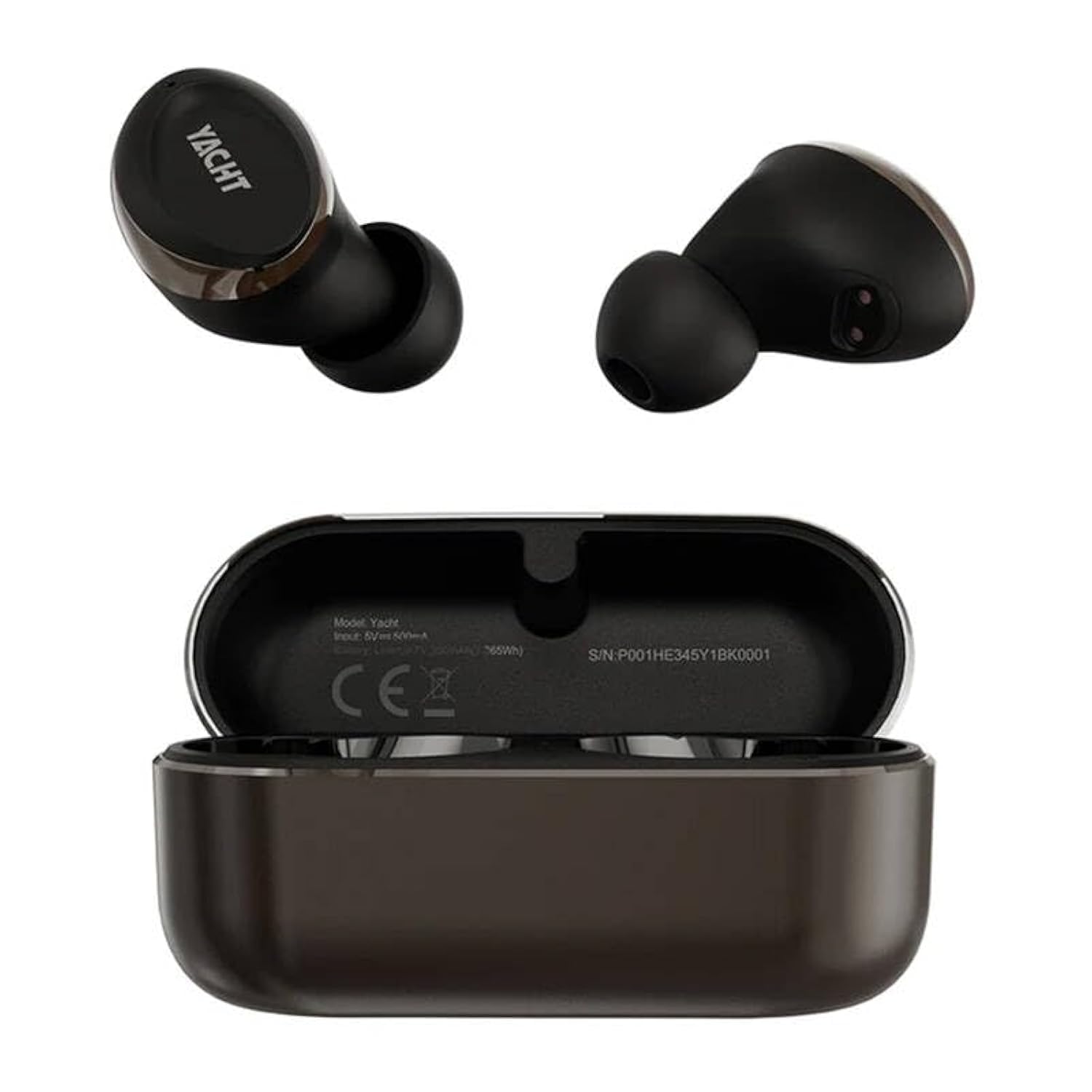
Image: The HiFuture Yacht TWS earbuds, one removed from the charging case and one placed inside the open charging case. The earbuds and case are black and gold. The charging case displays model information and a serial number.
2. Berpasangan dengan Peranti
- Pastikan fon telinga dicas.
- Open the charging case. The earbuds will automatically enter pairing mode, indicated by a flashing LED light (specific color/pattern not provided, refer to LED behavior section if available).
- Pada telefon pintar, tablet anda atau peranti berdaya Bluetooth lain, pergi ke tetapan Bluetooth.
- Cari untuk available devices and select "HiFuture Yacht" from the list.
- Setelah disambungkan, penunjuk LED pada fon telinga akan berhenti berkelip dan anda akan mendengar nada pengesahan.
Fon telinga akan menyambung semula secara automatik ke peranti gandingan terakhir apabila dialih keluar daripada sarung, jika Bluetooth didayakan pada peranti.
3. Memakai Earbud
Gently insert the earbuds into your ears. Adjust them for a comfortable and secure fit. A proper fit is crucial for optimal sound quality and noise isolation.
Arahan Operasi
Hidupkan/Mati Kuasa
- Hidupkan kuasa: Buka bekas pengecasan dan fon telinga akan dihidupkan secara automatik.
- Matikan: Letakkan semula fon telinga ke dalam bekas pengecasan dan tutup penutupnya. Ia akan dimatikan secara automatik dan mula dicas.
Touch Controls (Remote Control Method)
The HiFuture Yacht earbuds feature touch-sensitive controls on each earbud. Specific functions may vary, but common controls include:
- Main/Jeda: Ketik sekali pada salah satu fon telinga.
- Lagu Seterusnya: Ketik dua kali pada fon telinga kanan.
- Trek Sebelumnya: Ketik dua kali pada fon telinga kiri.
- Jawab/Tamatkan Panggilan: Ketik sekali pada sama ada fon telinga semasa panggilan masuk atau panggilan aktif.
- Tolak Panggilan: Tekan dan tahan salah satu fon telinga selama 2 saat semasa panggilan masuk.
- Aktifkan Pembantu Suara: Ketik tiga kali pada salah satu fon telinga.
Fungsi Panggilan
The CVC8.0 wind noise cancellation feature enhances call clarity by reducing background wind noise.
- Answer/End calls using the touch controls as described above.
- Ensure the microphone on the earbuds is not obstructed for clear communication.
Penyelenggaraan
Pembersihan
- Bersihkan fon telinga dan bekas pengecas dengan kerap menggunakan kain yang lembut, kering dan tidak berbulu.
- Jangan gunakan bahan kimia yang keras, pelarut pembersih atau detergen yang kuat.
- Perlahan-lahan keluarkan sebarang tahi telinga atau serpihan dari hujung telinga dan jaring pembesar suara menggunakan berus kecil yang lembut atau sapu kapas.
Penyimpanan
Apabila tidak digunakan, simpan fon telinga di dalam bekas pengecasannya untuk melindunginya daripada habuk, kerosakan dan memastikan ia sentiasa dicas.
Rintangan Air (IPX5)
The earbuds are rated IPX5 water resistant, meaning they can withstand splashes of water and sweat. They are not designed for submersion in water. Avoid exposing them to heavy rain, showering, or swimming.
Menyelesaikan masalah
- Fon telinga tidak berpasangan:
- Pastikan kedua-dua fon telinga dicas.
- Matikan Bluetooth pada peranti anda, kemudian hidupkan semula.
- Forget/delete "HiFuture Yacht" from your device's Bluetooth list and try pairing again.
- Place earbuds back in the case, close the lid, wait a few seconds, then open to re-initiate pairing mode.
- Hanya satu fon telinga berfungsi:
- Pastikan kedua-dua fon telinga dicas.
- Try resetting the earbuds (refer to specific reset instructions if available, otherwise, place them back in the case and re-pair).
- Bersihkan sesentuh pengecasan pada kedua-dua fon telinga dan di dalam sarung.
- Tiada bunyi atau kelantangan rendah:
- Semak tahap kelantangan pada kedua-dua peranti anda dan fon telinga.
- Pastikan fon telinga disambungkan dengan betul ke peranti anda.
- Clean the speaker mesh for any obstructions.
- Isu pengecasan:
- Pastikan kabel pengecasan disambungkan dengan selamat pada kedua-dua bekas dan sumber kuasa.
- Cuba kabel USB Jenis-C dan penyesuai kuasa yang berbeza.
- Bersihkan sesentuh pengecasan pada fon telinga dan dalam sarung.
Spesifikasi
| Nama Model | Kapal layar |
| Versi Bluetooth | 5.2 |
| Teknologi Ketersambungan | Tanpa wayar |
| Jenis Pemacu Audio | Pemandu Dinamik |
| Hayat Bateri (Earbud + Sarung) | Sehingga 32 Jam |
| Masa Mengecas | lebih kurang 2 Jam |
| Tahap Ketahanan Air | IPX5 (Tahan Air) |
| Kaedah Kawalan | Jauh (Kawalan Sentuh) |
| bahan | plastik |
| Berat Barang | 80 Gram |
| Dimensi Produk (LxWxH) | 10 x 5 x 1.3 Sentimeter |
| Ciri Khas | Lightweight, Qualcomm Chipset, APTX Adaptive, CVC8.0 Wind Noise Cancellation |
Waranti dan Sokongan
HiFuture products are designed for reliability and performance. For warranty information, please refer to the warranty card included with your purchase or visit the official HiFuture website. For technical support or further assistance, please contact HiFuture customer service through their official channels.
Anda boleh mendapatkan lebih banyak maklumat dan sokongan di HiFuture Store on Amazon.