
1. Pengenalan
Thank you for choosing the AOFAR HX1000 Hunting Laser Rangefinder. This device is designed to provide accurate distance, angle, and speed measurements for hunting and outdoor activities. Featuring a high-transparency multi-coated lens with 6x magnification, a measurement range of up to 1000 yards, and a durable IPX4 waterproof design, the HX1000 offers reliable performance in various conditions. This manual provides essential information for the proper setup, operation, maintenance, and troubleshooting of your device.
2. Maklumat Keselamatan
The AOFAR HX1000 is a Class 1 laser product. Please read and adhere to the following safety guidelines:
- Jangan merenung terus ke pancaran laser. Direct exposure to the laser beam may cause eye damage.
- Do not aim the device at anyone's eyes.
- Avoid disassembling or modifying the device. Unauthorized modifications can lead to laser radiation exposure and void the warranty.
- Jauhkan peranti daripada suhu ekstrem, cahaya matahari langsung dan kelembapan yang tinggi.
- Handle the device with care to prevent drops or impacts that could damage internal components.
- Jauhkan daripada kanak-kanak.
3. Kandungan Pakej
Sahkan bahawa semua item terdapat dalam pakej anda:
- AOFAR HX1000 Laser Rangefinder (x1)
- Handbag (x1)
- Carabiner (x1)
- Lanyard (x1)
- Kain Pembersihan (x1)
- Kabel Pengecas USB Jenis-C (x1)
- Manual Pengguna (x1)

Figure 3.1: Included accessories with the AOFAR HX1000 Laser Rangefinder.
4. Produk Lebihview
Familiarize yourself with the components of your AOFAR HX1000 Laser Rangefinder.
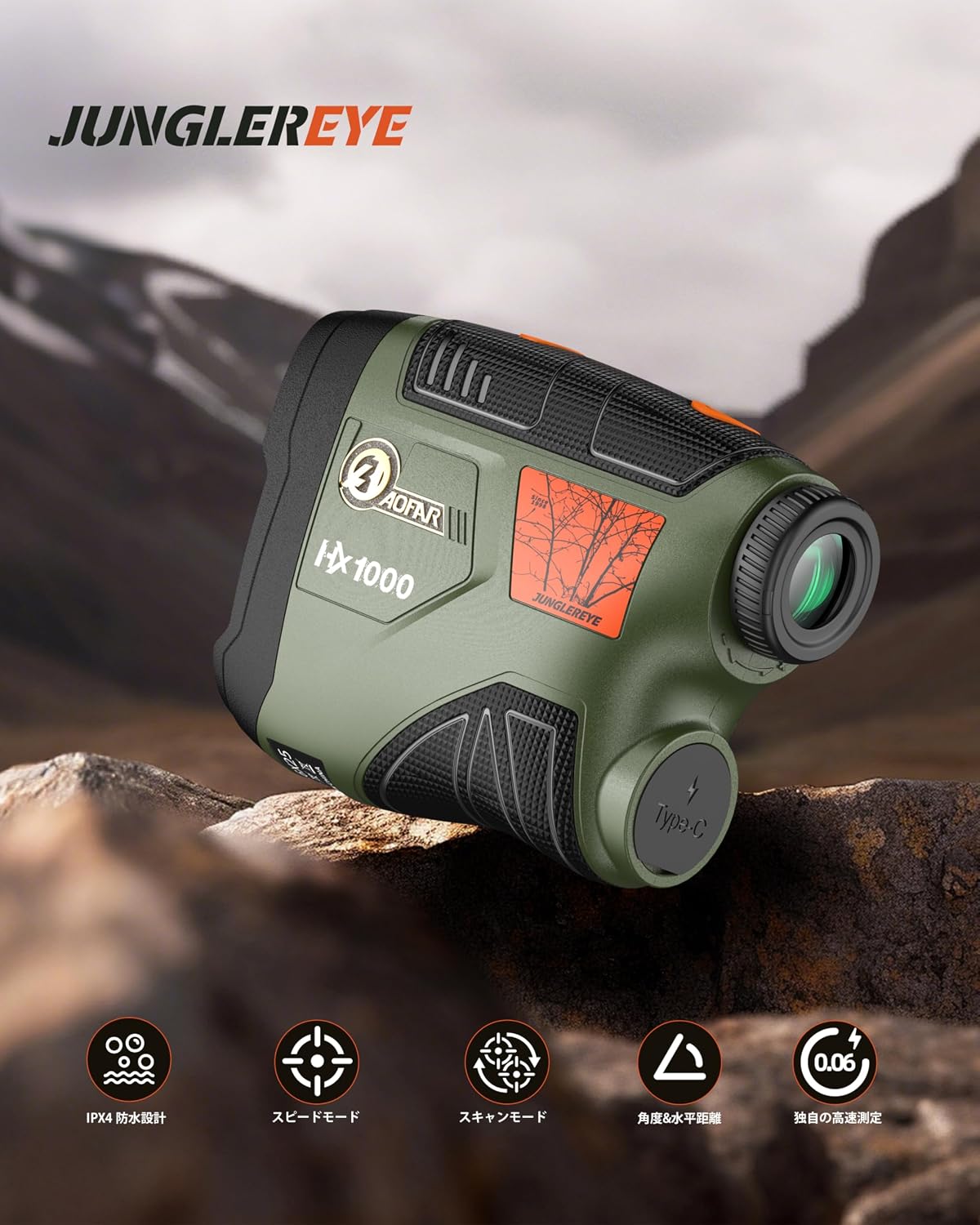
Rajah 4.1: Depan view of the AOFAR HX1000 Laser Rangefinder.
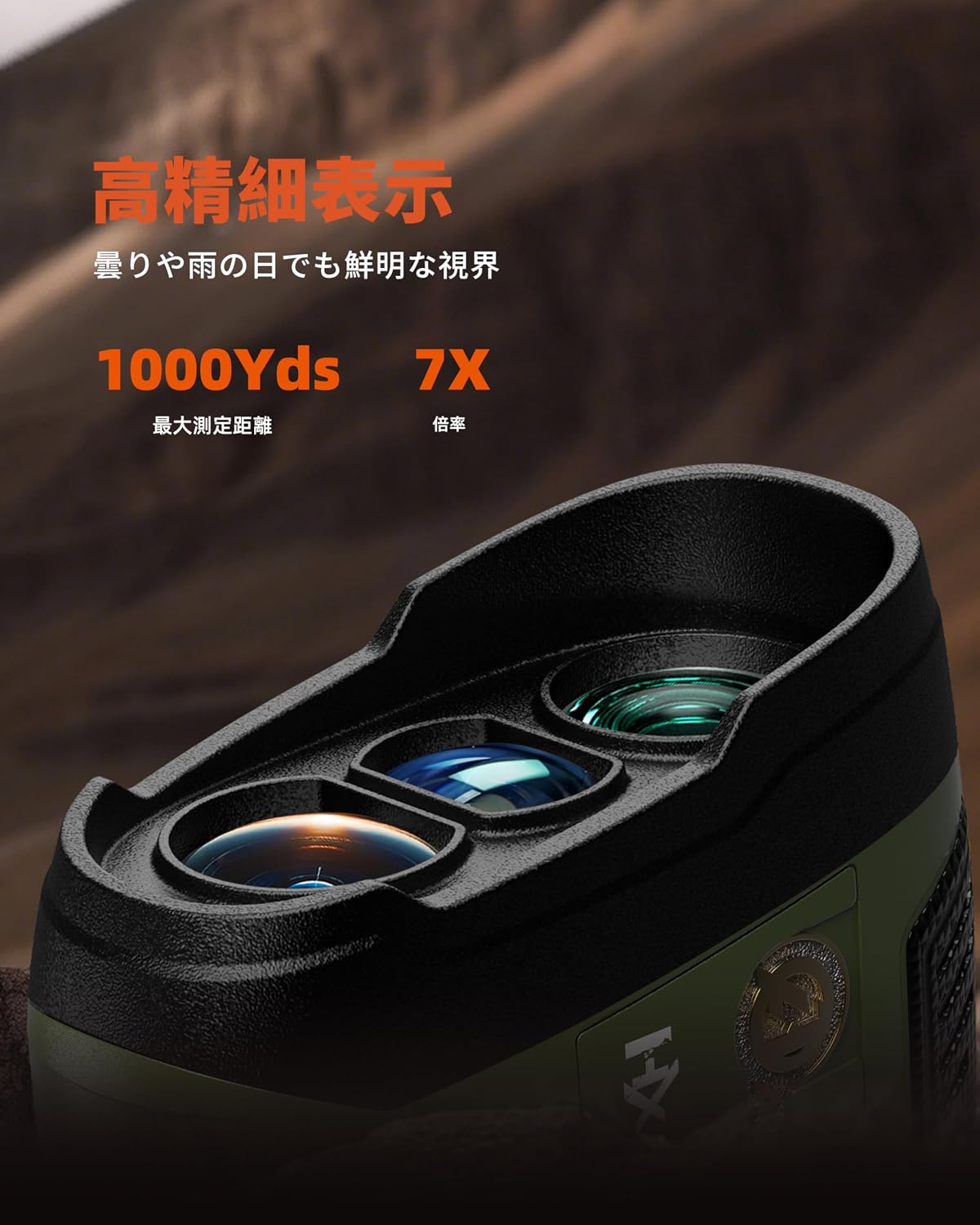
Figure 4.2: Close-up of the objective and eyepiece lenses.
Komponen Utama:
- Kanta Objektif: The front lens through which the laser is emitted and received.
- kanta mata: The lens you look through to view the target and display.
- Butang Kuasa/Pengukuran: Used to power on the device and initiate measurements.
- Butang Mod: Used to switch between different measurement modes.
- Port Pengecasan USB Jenis-C: Untuk mengecas semula bateri dalaman.
- Cincin Pelarasan Diopter: Located on the eyepiece, used to adjust focus for clear viewing.
5. Persediaan
5.1 Mengecas Peranti
The AOFAR HX1000 features a built-in rechargeable lithium-ion battery. Before first use, fully charge the device.
- Locate the USB Type-C charging port on the side of the rangefinder.
- Connect the provided USB Type-C cable to the rangefinder and the other end to a compatible USB power source (e.g., computer, wall adapter).
- The charging indicator will show the charging status. A full charge provides approximately 12,000 measurements.
- Avoid charging in high-temperature environments. Do not use the device while charging.
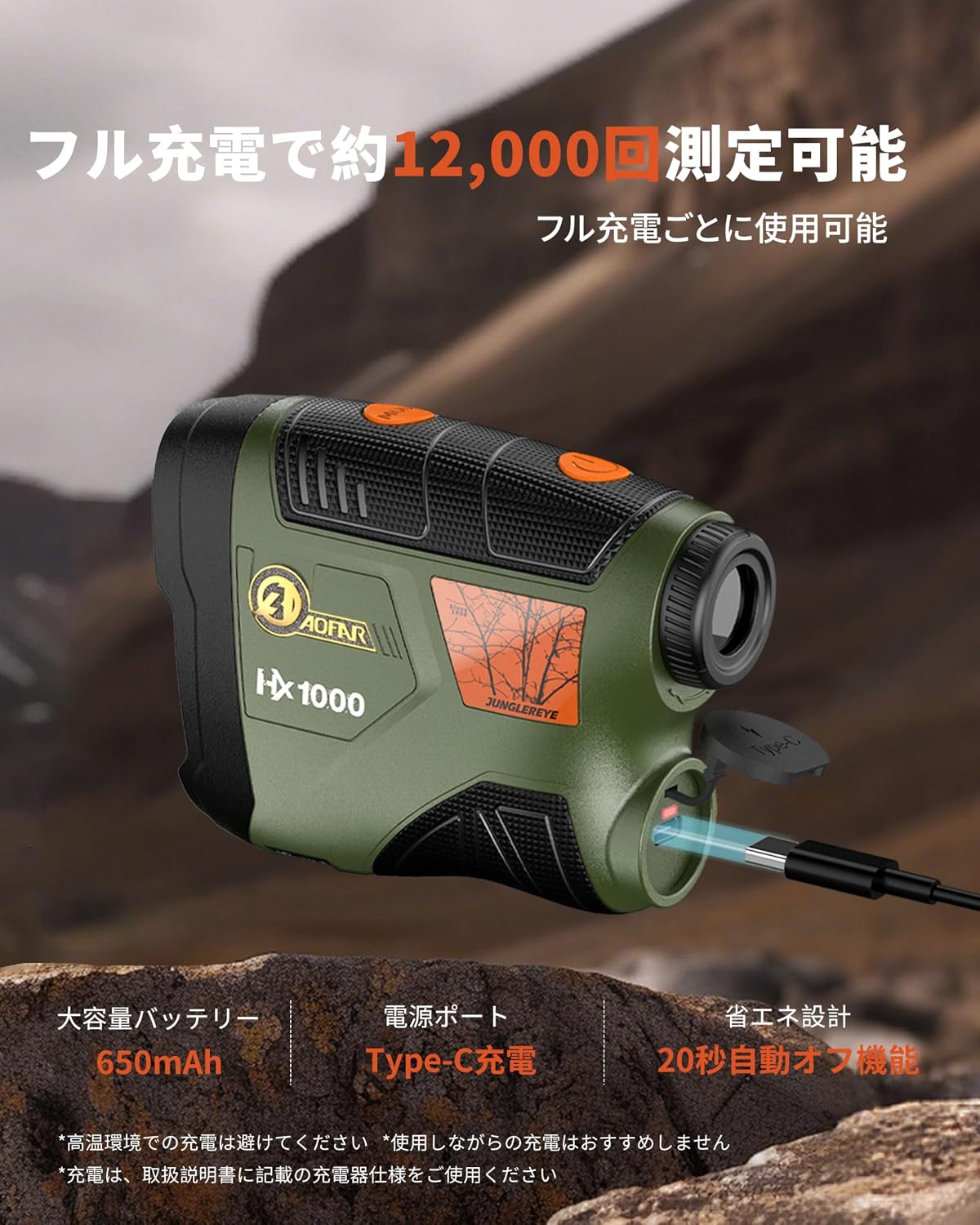
Figure 5.1: Charging the AOFAR HX1000 via USB Type-C.
5.2 Adjusting the Eyepiece
Untuk jelas viewing, adjust the diopter:
- Lihat melalui kanta mata.
- Rotate the diopter adjustment ring until the display and target appear sharp and clear.
5.3 Menghidupkan/Mematikan
- Hidupkan kuasa: Press the Power/Measurement button once. The display will activate.
- Matikan: The device will automatically power off after 20 seconds of inactivity to conserve battery. You can also press and hold the Power/Measurement button to manually turn it off.
6. Arahan Operasi
The AOFAR HX1000 offers multiple measurement modes to suit various needs.

Gambar 6.1: Lebihview of measurement modes.
6.1 Basic Measurement (Distance Mode)
This is the default mode for measuring linear distance to a stationary target.
- Power on the device by pressing the Power/Measurement button.
- Halakan palang pada sasaran yang anda inginkan.
- Press the Power/Measurement button again. The measured distance will be displayed instantly.
6.2 Pemilihan Mod
To switch between measurement modes, press the Mode button while the device is powered on.
6.3 Mod Pengukuran Kelajuan
This mode allows you to measure the speed of a moving target.
- Press the Mode button until 'Speed Mode' is indicated on the display.
- Aim at the moving target.
- Press the Power/Measurement button. The speed of the target will be displayed.
Video 6.1: Demonstration of AOFAR rangefinder operation, including speed measurement. Note: The model shown in this video is HX2000, but the general operational principles apply to the HX1000.
6.4 Mod Pengimbasan
For continuous measurement of multiple targets or a moving target, use the scanning mode.
- Press the Mode button until 'Scanning Mode' is indicated.
- Press and hold the Power/Measurement button while sweeping the rangefinder across different targets.
- The display will continuously update with real-time distances to objects in the field of view.
6.5 Multi-functional Measurement
The HX1000 can automatically calculate horizontal distance and angle. These values are displayed alongside the linear distance in certain modes.
6.6 Unit Switching (Meter/Yard)
To switch between meters (m) and yards (yd):
- While the device is powered on, press and hold the Mode button for a few seconds until the unit changes.
7. Penyelenggaraan
Proper care ensures the longevity and accuracy of your rangefinder.
- Kanta Pembersihan: Use the provided cleaning cloth or a soft, lint-free cloth to gently wipe the lenses. Avoid using abrasive materials or harsh chemicals.
- Pembersihan Badan: Lap badan dengan lembut, damp cloth. Do not use solvents or immerse the device in water.
- Storan: Store the rangefinder in its protective handbag in a cool, dry place when not in use. Avoid prolonged exposure to direct sunlight or extreme temperatures.
- Penjagaan Bateri: Cas semula bateri secara berkala, walaupun peranti tidak digunakan dengan kerap, untuk mengekalkan kesihatan bateri.
8. Penyelesaian masalah
If you encounter issues with your AOFAR HX1000, refer to the following common problems and solutions:
| Masalah | Kemungkinan Punca | Penyelesaian |
|---|---|---|
| Peranti tidak dihidupkan. | Bateri rendah atau peranti dimatikan. | Charge the battery using the USB Type-C cable. Press the Power/Measurement button to turn on. |
| Pengukuran yang tidak tepat. | Unstable grip, dirty lenses, or target is too small/reflective. | Ensure a steady grip. Clean the lenses. Aim at a larger or less reflective part of the target. |
| Paparan adalah kabur. | Diopter tidak dilaraskan dengan betul. | Rotate the diopter adjustment ring on the eyepiece until the display is clear. |
| Tidak boleh menukar mod. | Mode button not pressed correctly or device is frozen. | Ensure a firm press on the Mode button. If unresponsive, power off and on the device. |
If the problem persists after attempting these solutions, please contact AOFAR customer support.
9. Spesifikasi
Detailed technical specifications for the AOFAR HX1000 Laser Rangefinder:
| Ciri | Spesifikasi |
|---|---|
| Model | HX1000 |
| Julat Pengukuran | 5 - 1000 yards |
| Ketepatan Pengukuran | ±1 ela |
| Pembesaran | 6X |
| Salutan Lensa | Multi-coated LCD lens |
| Jenis Bateri | Litium-ion boleh dicas semula (650mAh) |
| Port Pengecasan | USB Jenis-C |
| Tahap Kalis Air | IPX4 (kalis percikan) |
| Dimensi (L x W x H) | 10.5 x 2.5 x 7.5 cm |
| Berat badan | 140g |
| bahan | ABS, Getah |
| warna | Military Green |
10. Waranti dan Sokongan
The AOFAR HX1000 Laser Rangefinder comes with a Waranti 2 tahun dari tarikh pembelian. Waranti ini meliputi kecacatan pembuatan dan memastikan operasi yang boleh dipercayai di bawah penggunaan biasa.
For any questions, technical assistance, or warranty claims, please contact AOFAR customer support. When contacting support, please have your order number ready for faster service.
Maklumat Hubungan: Please refer to the contact details provided on the AOFAR official website or your purchase platform for the most up-to-date support information.