
Auusda T152A
Auusda Windows Laptop Computer User Manual
Model: T152A
pengenalan
Welcome to the user manual for your new Auusda Windows Laptop Computer. This manual provides essential information to help you set up, operate, maintain, and troubleshoot your device. Please read it thoroughly to ensure optimal performance and longevity of your laptop.

Imej: Depan view of the Auusda Windows Laptop Computer, showcasing reka bentuknya yang anggun dan paparan yang bertenaga.
Apa yang ada dalam Kotak
Upon unboxing your Auusda laptop, please verify that all the following items are included:
- Auusda Windows Laptop Computer
- Laptop Charger (Power Adapter)
- Laptop Manual (this document)
- (Optional) Transparent Keyboard Cover
- (Optional) Spanish Keyboard Cover
Produk Selesaiview
Ciri-ciri Utama
The Auusda T152A laptop is designed for efficiency and performance, featuring:
Fast & Secure Fingerprint Reader
Enjoy instant and secure access to your laptop with the integrated fingerprint recognition technology, allowing login within 1 second.

Image: Detail of the laptop's fingerprint reader, highlighting its quick and secure login capability.
Ultimate Performance: RAM, SSD, and CPU
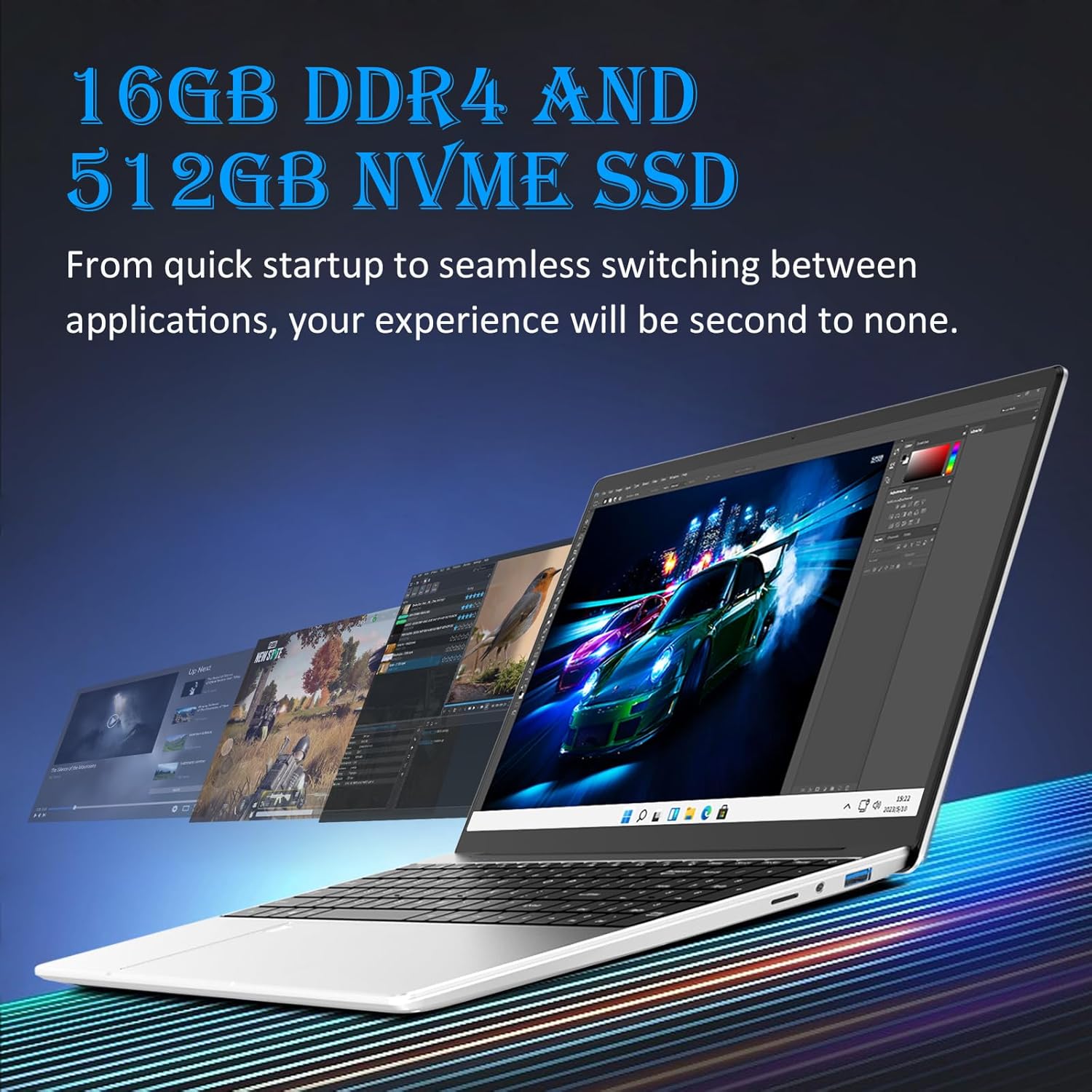
Dilengkapi dengan 16GB DDR4 RAM for seamless multitasking and a 512GB M.2 PCIe NVMe SSD for rapid data transfer and application loading. The 1.7-3.4GHz Intel N95 processor provides enhanced processing power, suitable for various computing tasks including video editing.

Image: Visual representation of the laptop's performance, showcasing multiple applications running smoothly, enabled by its 16GB DDR4 RAM and 512GB NVMe SSD.

Image: A chart comparing the Intel N95 processor's performance, emphasizing its 3.40GHz burst frequency and 4 cores.
Visual Masterpiece: Display
The laptop features a stunning 15.6" Full HD (1920x1080) IPS LCD display, offering vibrant colors and wide viewsudut-sudut. The 180-degree hinge provides flexibility for various viewing and sharing scenarios.

Image: The laptop's display showcasing its 15.6-inch Full HD IPS screen with vivid visuals.

Image: The laptop's 180-degree hinge in action, illustrating its flexibility for diverse viewsudut-sudut.
Efficient Typing & Long-Lasting Power: Keyboard and Battery
The papan kekunci berlampu latar allows comfortable typing in low-light conditions, complemented by a numeric keypad for efficient data entry. Quick-access shortcut keys are available, and brightness can be adjusted with Fn+F5. A robust 44892mWh battery ensures extended use.

Image: A user typing on the laptop's backlit keyboard, demonstrating its visibility in low-light settings.
Comprehensive Connectivity & Expansion
The laptop offers a versatile array of ports including dual USB-A 3.0, Mini HDMI for video output, and a Slot MicroSD. It also features a 3.5mm charging port and a 3.5mm audio jack. Storage can be expanded with up to 1.5TB MicroSD cards dan an 8TB M.2 SSD.
Imej: Bahagian terperinci view of the laptop, illustrating its comprehensive connectivity options including USB-A, Mini HDMI, and MicroSD ports.

Image: A visual demonstrating the laptop's connectivity, including its ability to connect to external displays via Mini HDMI.
Panduan Persediaan
- Buka bungkusan Laptop: Keluarkan komputer riba dan semua aksesori dengan berhati-hati dari pembungkusan.
- Sambungkan Kuasa: Plug the laptop charger into the charging port (3.5mm x 1.35mm round 12V 3A) on the laptop and then into a power outlet.
- Kuasa Awal Hidup: Open the laptop lid and press the power button. The laptop will typically power on automatically or prompt you to press the power button.
- Persediaan Windows: Follow the on-screen instructions to complete the Windows 11 setup process. This includes selecting your region, language, connecting to a Wi-Fi network, accepting terms, and creating a user account.
- Persediaan Cap Jari (Pilihan): During or after Windows setup, you can configure the fingerprint reader for quick and secure login. Navigate to Tetapan > Akaun > Pilihan log masuk to set up Windows Hello Fingerprint.
- Pasang Kemas Kini: After initial setup, it is recommended to check for and install any pending Windows updates to ensure your system is secure and up-to-date. Go to Tetapan > Kemas Kini Windows.
Arahan Operasi
Operasi Asas
- Hidupkan/Mati Kuasa: Tekan butang kuasa untuk menghidupkan. Untuk mematikan, klik butang Mula, kemudian Kuasa dan pilih "Matikan".
- Mod tidur: Tutup penutup atau klik butang Mula, kemudian Kuasa dan pilih "Tidur".
- Lampu Latar Papan Kekunci: Adjust brightness using the Fn + F5 key combination.
- Peranti penyambungan: Use the USB-A 3.0 ports for external devices like mice, keyboards, or external drives.
- Paparan luaran: Connect an external monitor using the Mini HDMI port.
- Audio: Use the 3.5mm audio jack for headphones or external speakers.
Peluasan Storan
Your laptop supports storage expansion:
- Kad MicroSD: Insert a MicroSD card into the dedicated slot for additional storage, supporting up to 1.5TB.
- M.2 SSD: The laptop allows for an additional M.2 SSD upgrade, supporting up to 8TB for significant storage capacity. Consult a qualified technician for M.2 SSD installation if you are unsure.
Penyelenggaraan
Proper maintenance ensures the longevity and optimal performance of your Auusda laptop:
- Pembersihan: Gunakan kain lembut dan tidak berbulu untuk membersihkan skrin dan bahagian luar. Untuk calitan degil, sedikit dampen kain dengan air atau pembersih selamat skrin. Elakkan bahan kimia yang keras.
- Pengudaraan: Pastikan bukaan pengudaraan komputer riba tidak disekat untuk mengelakkan terlalu panas. Gunakan komputer riba pada permukaan yang keras dan rata.
- Penjagaan Bateri: Elakkan menyahcas sepenuhnya bateri dengan kerap. Untuk penyimpanan jangka panjang, cas bateri kepada kira-kira 50-60%.
- Kemas Kini Perisian: Regularly install Windows updates and driver updates to maintain system stability and security.
- Sandaran Data: Sandarkan data penting secara berkala ke pemacu luaran atau storan awan untuk mengelakkan kehilangan data.

Image: Illustration of the laptop's cooling system, emphasizing the importance of clear ventilation for optimal performance.
Menyelesaikan masalah
Berikut ialah penyelesaian kepada isu biasa yang mungkin anda hadapi:
| Masalah | Kemungkinan Punca | Penyelesaian |
|---|---|---|
| Komputer riba tidak dihidupkan. | Bateri lemah, isu penyesuai kuasa. | Ensure charger is properly connected and power outlet is working. Allow laptop to charge for at least 30 minutes before attempting to power on again. |
| Prestasi perlahan. | Too many applications running, low disk space, outdated drivers. | Tutup aplikasi yang tidak diperlukan. Kosongkan ruang cakera. Kemas kini pemacu Windows dan peranti. |
| Isu sambungan Wi-Fi. | Router issues, incorrect Wi-Fi settings, driver problems. | Restart your router and laptop. Check Wi-Fi settings in Windows. Update Wi-Fi drivers. |
| Fingerprint reader not working. | Finger dirty, sensor dirty, software glitch. | Ensure your finger and the sensor are clean and dry. Restart the laptop. Re-register your fingerprint in Windows Hello settings. |
| Lampu latar papan kekunci tidak berfungsi. | Disabled or brightness set to minimum. | Press Fn + F5 to adjust backlight brightness. Ensure the feature is enabled in system settings if applicable. |
Spesifikasi
| Ciri | Perincian |
|---|---|
| Jenama | Auusda |
| Nama Model | T152A |
| Sistem Operasi | Windows 11 |
| Saiz Skrin | 15.6 Inci |
| Resolusi Skrin | 1920 x 1080 piksel (HD Penuh IPS) |
| Pemproses | Intel N95 (1.7-3.4GHz) |
| RAM | 16 GB DDR4 |
| Pemacu Keras | 512 GB M.2 PCIe NVMe SSD |
| Pemproses bersama Grafik | Grafik Intel UHD (Bersepadu) |
| Jenis Wayarles | Frekuensi Radio 5 GHz (Wi-Fi) |
| Port USB | 2 x USB 3.0 |
| Output Video | Mini HDMI |
| Bicu Audio | 3.5mm |
| Slot MicroSD | Yes (supports up to 1.5TB) |
| Bateri | 44892mWh Lithium Ion |
| Berat Barang | 5.09 paun (lebih kurang 2.31 kg) |
| Dimensi Produk | 14.17 x 9.06 x 0.71 inci |
| warna | Silver Denarius |
| Ciri Khas | Papan Kekunci Berlampu Belakang, Pembaca Cap Jari |
Waranti dan Sokongan
Your Auusda laptop comes with a 2-year assured performance and safety warranty. This product has been thoroughly tested and is UL certified, ensuring reliable operation and superior safety measures.
For technical support, warranty claims, or any inquiries, please refer to the contact information provided on the Auusda official website or your purchase documentation. Please have your model number (T152A) and purchase date ready when contacting support.
Ask a question about this manual
Ask about setup, troubleshooting, compatibility, parts, safety, or missing instructions. Manuals+ will review the question and use this page’s manual context to help answer it.