
R1
G-TIDE Smart Watch R1 User Manual
Model: R1
pengenalan
Thank you for choosing the G-TIDE Smart Watch R1. This smart watch is designed to enhance your daily life with its comprehensive health monitoring, communication features, and sports tracking capabilities. Please read this manual carefully to ensure proper use and optimal performance of your device.
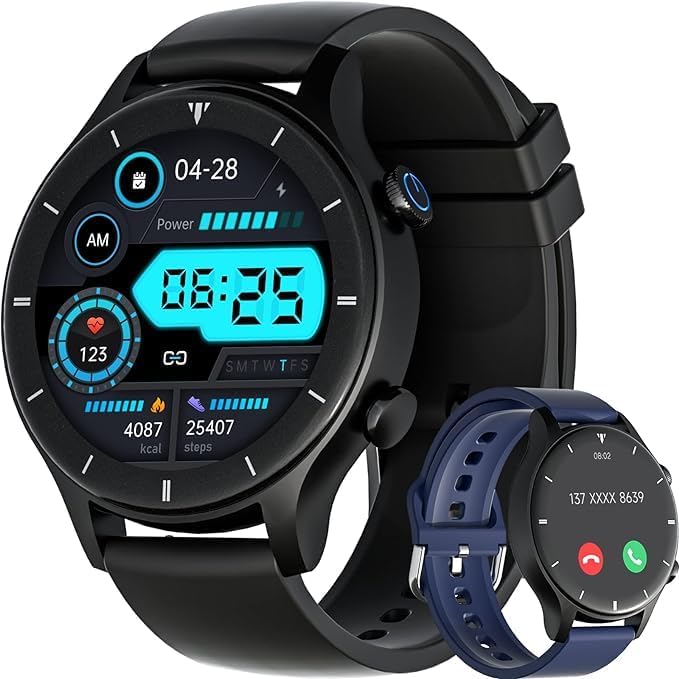
Image: The G-TIDE Smart Watch R1, showcasing its round black dial, digital display, and a black silicone strap. A secondary blue strap is also visible, suggesting customization options. The watch face displays time, date, heart rate, calories, and steps.
Maklumat Keselamatan
- Jangan cuba membuka atau mengubah suai peranti.
- Jauhkan peranti daripada suhu yang melampau dan cahaya matahari langsung.
- Elakkan daripada mendedahkan peranti kepada medan magnet yang kuat.
- This device is not a medical device. Health data is for reference only and should not be used for medical diagnosis.
- Pastikan sesentuh pengecasan bersih dan kering sebelum mengecas.
Persediaan
1. Mengecas Peranti
Before first use, fully charge your G-TIDE Smart Watch R1. Connect the magnetic charging cable to the charging contacts on the back of the watch and plug the USB end into a power adapter (not included) or a computer's USB port. The watch display will indicate charging status.
2. Downloading the GT FIT Pro APP
To unlock the full potential of your smart watch, download the GT FIT Pro APP from your smartphone's app store (Apple App Store for iOS or Google Play Store for Android). The app is compatible with iOS 9.0 and above, and Android 4.4 and above.
3. Berpasangan dengan Telefon Pintar Anda
- Pastikan Bluetooth didayakan pada telefon pintar anda.
- Open the GT FIT Pro APP on your smartphone.
- Follow the on-screen instructions in the app to search for and connect to your G-TIDE R1 smart watch. The watch uses Bluetooth 5.2 for stable connection.
- Once connected, the app will synchronize data with your watch.
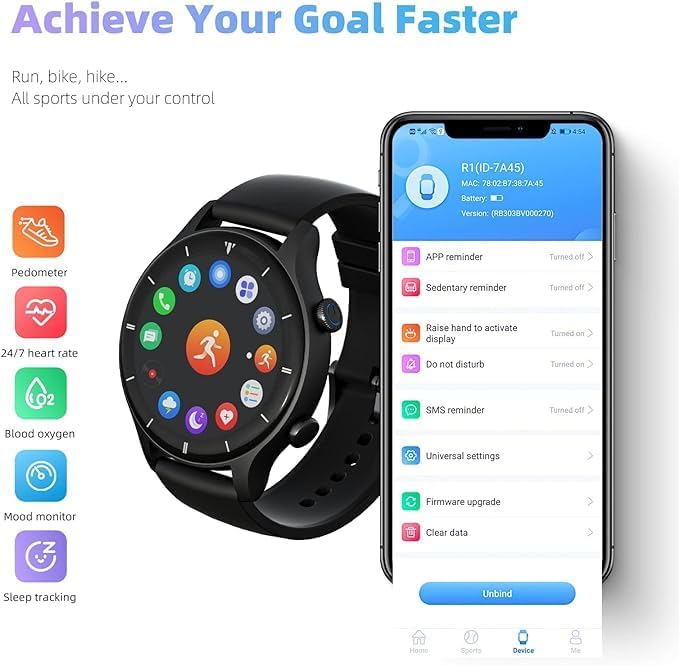
Image: A smartphone screen displaying the GT FIT Pro app interface alongside the G-TIDE Smart Watch R1. The app shows options for APP reminder, Sedentary reminder, Raise hand to activate display, Do not disturb, SMS reminder, Universal settings, Firmware upgrade, and Clear data. The watch face shows various health metrics icons.
Arahan Operasi
Navigasi Asas
The G-TIDE R1 features a 1.3-inch full touch screen. Swipe left/right, up/down, and tap to navigate through menus and select functions. Press the side button to return to the home screen or wake the device.
- Raise Hand to Activate Display: Enable this feature in the GT FIT Pro APP to automatically wake the screen when you raise your wrist.
- Custom Background: Personalize your watch face by setting a custom background through the GT FIT Pro APP.

Image: The G-TIDE Smart Watch R1 displaying a vibrant flamingo image on its screen, highlighting its 1.3-inch full touch screen, 360*360 HD resolution, zinc alloy frame, and custom background capabilities.
Ciri-ciri Komunikasi
- Fungsi Panggilan: With its built-in Bluetooth 5.2, you can directly make and answer calls on the watch screen after connecting to your smartphone.
- Pemberitahuan: Receive real-time notifications for texts (SMS) and various app alerts (Facebook, Twitter, Instagram, WhatsApp) directly on your watch. Ensure notification permissions are granted in the GT FIT Pro APP.
Pemantauan Kesihatan
The G-TIDE R1 provides comprehensive health tracking features:
- Pemantau Kadar Jantung: 24/7 real-time heart rate monitoring.
- Oksigen Darah (SpO2): Ukur tahap oksigen darah anda.
- Pemantauan Tekanan dan Mood: Track your stress levels and mood.
- Penjejakan Tidur: Analyze your sleep quality, including deep sleep, light sleep, and wake times.
- Note: All health data is for reference only and should not be used for medical diagnosis.
Mod Sukan
The watch supports 24 sports modes, including outdoor running, cycling, rope skipping, swimming, and more. During exercise, the watch can track calories burned, steps taken, and distance covered, helping you monitor your fitness progress.
Fungsi Berguna Lain
- Pengawal Muzik: Control music playback on your smartphone directly from your watch.
- Jam loceng: Set alarms to wake you up or remind you of important tasks.
- Keadaan Cuaca: Dapatkan kemas kini cuaca masa nyata di pergelangan tangan anda.
- Kamera Jauh: Gunakan jam tangan anda sebagai pengatup jauh untuk kamera telefon pintar anda.
- Peringatan Sedentari: Receive vibrations to remind you to move after periods of inactivity.

Image: A person wearing the G-TIDE Smart Watch R1 during exercise, with the watch display showing a music control interface (play/pause, skip tracks). This highlights the watch's music control capabilities and its use during physical activity.
Penyelenggaraan
Rintangan Air (IP68)
The G-TIDE R1 Smart Watch is IP68 waterproof, meaning it is resistant to dust and can be submerged in water up to 1.5 meters for up to 30 minutes. You can swim with this smart watch. However, please note the following:
- It is not applicable for diving activities at a depth of more than 10m.
- After use in seawater, please rinse the watch with fresh water and dry it thoroughly to prevent corrosion.
- Avoid exposing the watch to hot water, steam, or strong currents.
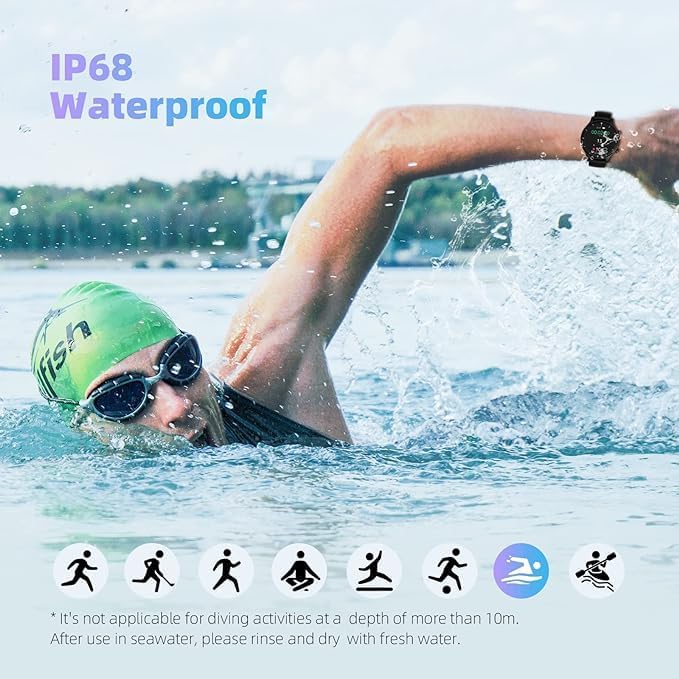
Image: A person swimming with the G-TIDE Smart Watch R1 on their wrist, illustrating the watch's IP68 waterproof rating and suitability for swimming. Text on the image clarifies limitations regarding diving depth and the need to rinse after seawater exposure.
Pembersihan dan Penjagaan
- Lap jam tangan dan tali dengan kerap dengan lembut, damp kain.
- Jangan gunakan bahan kimia atau pembersih kasar.
- Pastikan kenalan pengecas bersih dan bebas daripada serpihan.
Menyelesaikan masalah
| Masalah | Penyelesaian yang Mungkin |
|---|---|
| Tonton tidak dihidupkan | Pastikan jam tangan dicas sepenuhnya. Sambungkannya ke pengecas selama sekurang-kurangnya 30 minit. |
| Tidak dapat dipasangkan dengan telefon pintar |
|
| Pemberitahuan tidak diterima |
|
| Data kesihatan yang tidak tepat | Ensure the watch is worn snugly on your wrist, about one finger's width from your wrist bone. Keep the sensor clean. Remember, data is for reference only. |
Spesifikasi
| Ciri | Perincian |
|---|---|
| Nama Model | R1 |
| Jenama | Generic (G-TiDE) |
| Saiz Paparan | 1.3 Inci (Skrin Sentuh) |
| Resolusi Paparan | 360*360 HD |
| Kapasiti Bateri | 300mAh |
| Masa Bekerja | Sehingga 10 hari (penggunaan biasa) |
| Penilaian Kalis Air | IP68 (up to 10 meters, suitable for swimming) |
| Ketersambungan | Bluetooth 5.2, GPS (Built-in GPS) |
| Keserasian | Android 4.4 dan ke atas, iOS 9.0 dan ke atas |
| Ciri Khas | Heart Rate Monitor, Blood Oxygen, Stress/Mood Monitor, Sleep Tracking, Call/Answer Device, 24 Sports Modes, Music Controller, Alarm, Weather, Remote Camera, Sedentary Reminder |
| Berat Barang | 50 g |
| Bentuk Barang | Segi empat |
Waranti dan Sokongan
G-TiDE provides a Waranti 12 bulan tanpa bimbang for your Smart Watch R1. If you encounter any issues or have questions regarding your device, please do not hesitate to contact our official customer support. You can find our official mailbox on the back of the product packaging. G-TiDE is always by your side to assist you.
For further assistance, please refer to the contact information provided with your product or visit the official G-TiDE webtapak.
Ask a question about this manual
Ask about setup, troubleshooting, compatibility, parts, safety, or missing instructions. Manuals+ will review the question and use this page’s manual context to help answer it.