
pengenalan
The Yesido YSP13 Air Conduction Bluetooth Earphones are designed to provide a comfortable and secure audio experience without blocking your ear canals. Featuring Bluetooth 5.3 for stable connectivity, an ear hook design for active use, and IPX4 waterproofing, these earphones are suitable for various activities. The included charging case offers extended battery life and a digital display for convenience.
Persediaan
1. Mengecas Fon Telinga dan Bekas Pengecasan
Sebelum penggunaan pertama, cas sepenuhnya fon telinga dan bekas pengecas.
- Place the earphones into the charging case. Ensure they are correctly seated to initiate charging.
- Sambungkan bekas pengecasan kepada sumber kuasa menggunakan kabel USB yang disediakan.
- The digital display on the charging case will indicate the battery level.
- Charging time for the earphones is approximately 1 hour. The charging case takes approximately 2.5 hours to fully charge.
- A fully charged earphone battery provides about 6 hours of music/call time. The charging case has a capacity of 600mAh, allowing for multiple earphone recharges.

Imej: Earphones inside the charging case, showing the digital battery display. This display indicates the current charge level of the case and the charging status of the earbuds.
2. Berpasangan Bluetooth
Follow these steps to pair your Yesido YSP13 earphones with your device:
- Pastikan fon telinga dicas.
- Buka bekas pengecas. Fon telinga akan memasuki mod berpasangan secara automatik.
- Pada telefon pintar atau peranti berdaya Bluetooth anda, pergi ke tetapan Bluetooth.
- Cari untuk available devices and select "YSP13" (or similar name) from the list.
- Sebaik sahaja disambungkan, bunyi pengesahan akan dimainkan dan fon telinga akan sedia untuk digunakan.
- The earphones utilize Bluetooth 5.3 for a fast and stable connection.
Imej: Earphones shown next to a smartphone, illustrating quick connection and readiness for music playback.
Arahan Operasi
1. Memakai Fon Telinga
The Yesido YSP13 earphones feature a rotatable ear hook design for a secure and comfortable fit.
- Gently place the earphone over your ear, positioning the main body in front of your ear canal.
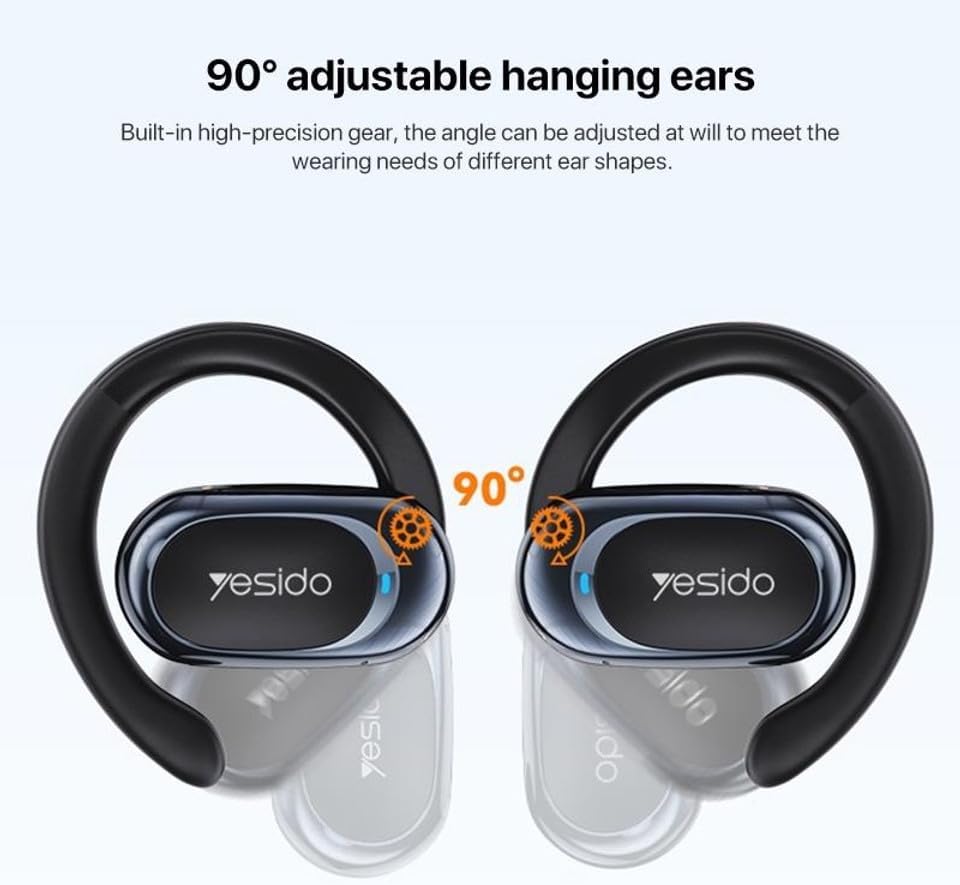
- Adjust the ear hook to fit snugly and comfortably around the back of your ear. The ear hooks are 90° adjustable to accommodate different ear shapes.
- The air conduction technology allows you to hear your audio while remaining aware of your surroundings.

Imej: Illustration showing the 90° adjustable ear hooks, highlighting their flexibility for a custom fit.

Imej: An earphone positioned on an ear, illustrating the adaptive directional sound transmission technology.
2. Kawalan Sentuh
The earphones feature intuitive touch controls for managing audio playback and calls. The specific touch functions are typically:
- Main/Jeda: Ketukan sekali pada mana-mana fon telinga.
- Lagu Seterusnya: Ketik dua kali pada fon telinga kanan.
- Trek Sebelumnya: Ketik dua kali pada fon telinga kiri.
- Jawab/Tamatkan Panggilan: Ketukan sekali pada fon telinga semasa panggilan masuk atau panggilan aktif.
- Tolak Panggilan: Tekan dan tahan pada mana-mana fon telinga semasa panggilan masuk.
- Pembantu Suara: Triple tap on either earphone (functionality may vary by device).
Note: Specific touch control mappings may vary slightly. Refer to the quick start guide included in your product packaging for precise instructions.
3. Sound Quality and Calls
The Yesido YSP13 earphones deliver HiFi sound quality through master-level tuning, providing a balanced audio experience with clear highs, rich mids, and strong lows. The built-in microphone ensures clear voice transmission for hands-free calls.

Imej: An exploded diagram illustrating the internal components responsible for the high-fidelity sound production.
Penyelenggaraan
1. Pembersihan
To maintain optimal performance and hygiene, regularly clean your earphones.
- Lap fon telinga dan bekas pengecas dengan kain lembut, kering dan tidak berbulu.
- Untuk kotoran degil, sedikit damp cloth can be used, ensuring no moisture enters any openings.
- Elakkan menggunakan bahan yang kasar, pelarut atau bahan kimia yang keras.
2. Tahan Air
The Yesido YSP13 earphones feature an IPX4 waterproof design, providing protection against splashing water from any direction.
- This makes them suitable for workouts and light rain.
- Do not submerge the earphones in water or expose them to strong jets of water.
- Ensure the earphones are dry before placing them back into the charging case to prevent damage.
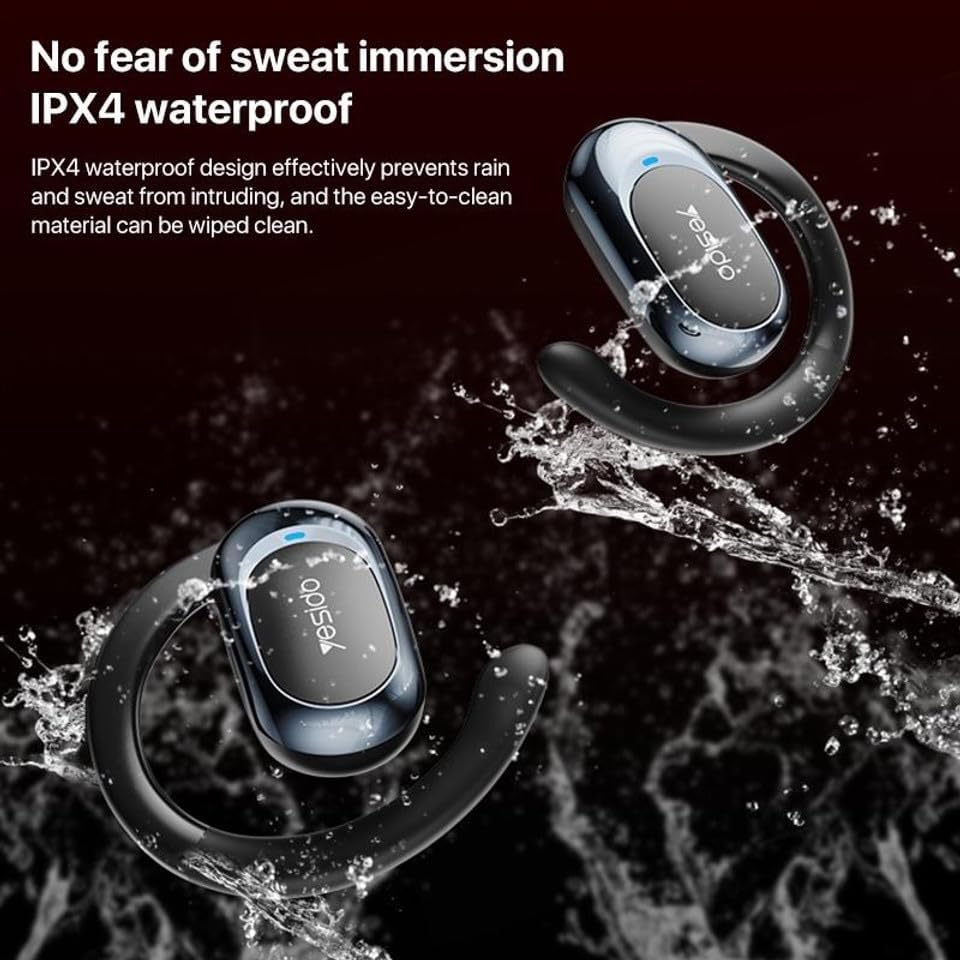
Imej: Earphones shown with water splashing, demonstrating their IPX4 waterproof capability against sweat and light rain.
3. Penyimpanan
Store the earphones in their charging case when not in use to protect them from dust, damage, and to keep them charged.
Menyelesaikan masalah
If you encounter issues with your Yesido YSP13 earphones, try the following solutions:
- No Sound/Cannot Connect:
- Pastikan fon telinga dicas.
- Pastikan Bluetooth didayakan pada peranti anda.
- Check if the earphones are paired with another device. Disconnect and re-pair if necessary.
- Try resetting the earphones (refer to specific reset instructions if available in the product's quick start guide, otherwise, place them in the case and close/open).
- Bergerak lebih dekat ke peranti anda untuk memastikan anda berada dalam julat Bluetooth 10 meter.
- Satu Fon Telinga Tidak Berfungsi:
- Place both earphones back into the charging case and then take them out again.
- Pastikan kedua-dua fon telinga dicas.
- Cuba pasangkan semula fon telinga dengan peranti anda.
- Isu Pengecasan:
- Verify the charging cable and adapter are working correctly.
- Ensure the charging contacts on the earphones and inside the case are clean and free of debris.
- Check the digital display on the charging case for charging indicators.
- Kualiti Panggilan Lemah:
- Pastikan mikrofon tidak terhalang.
- Beralih ke persekitaran yang lebih tenang.
- Periksa isyarat rangkaian peranti anda.
Spesifikasi
| Jenama | YESIDO |
| Nama Model | YSP13 (Model Number: BUF58) |
| Teknologi Ketersambungan | Wayarles (Bluetooth 5.3) |
| Versi Bluetooth | BT8926B2 V5.3 |
| Julat Bluetooth | Sehingga 10 meter |
| Kapasiti Bateri Fon Telinga | 50mAh x 2 |
| Kapasiti Bateri Kotak Pengecasan | 600mAh |
| Muzik/Masa Panggilan | Lebih kurang 6 jam |
| Masa Mengecas Fon Telinga | Lebih kurang 1 jam |
| Kotak Pengecasan Masa Mengecas | Lebih kurang 2.5 jam |
| Tahap Ketahanan Air | IPX4 (kalis air) |
| Kaedah Kawalan | Sentuh |
| bahan | PC+ABS+Electroplating UV |
| Faktor Bentuk | On Ear (Ear Hook Design) |
| Ciri-ciri Tambahan | Air Conduction Technology, Digital Display, Built-in Microphone |
Maklumat Waranti
The product comes with a manufacturer's warranty. For detailed information regarding the warranty period and terms, please refer to the warranty card included in your product packaging or contact your retailer. Please retain your proof of purchase for any warranty claims.
Sokongan Pelanggan
For further assistance, technical support, or inquiries, please visit the official YESIDO website or contact the customer service department of your retailer.