
pengenalan
The Radioshack Smart IP Camera Bulb Z5 is an intelligent security camera designed to provide comprehensive surveillance with ease of use. Featuring a high-resolution sensor, infrared night vision, and two-way audio, it offers clear monitoring day and night. Its smart functions like automatic tracking and motion detection ensure you stay informed about your surroundings. This manual provides essential information for setting up, operating, and maintaining your camera bulb.
Ciri-ciri Utama
- Video Resolusi Tinggi: Equipped with an impressive 3MP (2304 x 1296p) resolution, capturing every detail with clarity.
- Penglihatan Malam yang Dipertingkatkan: Features IR support and LED light for unparalleled surveillance in low light conditions, providing clear images day and night.
- Audio Dua hala: Communicate with your environment bidirectionally, allowing you to listen and speak through the camera.
- Penjejakan Automatik: Ensures no detail escapes by adjusting its position to keep focus on moving objects.
- Pengesanan Gerakan & Makluman: Instantly activates recording and sends real-time notifications upon detecting suspicious activity.
- Storan Fleksibel: Supports MicroSD card for convenient storage and access to video files.
Komponen Produk
Your Radioshack Smart IP Camera Bulb Z5 package includes the following:
- Smart IP Camera Bulb (Foco Camara)
- Manual Pengguna (dokumen ini)

Image: The Radioshack Smart IP Camera Bulb Z5 shown alongside a smartphone displaying its app interface.

Image: The Radioshack Smart IP Camera Bulb positioned next to a standard light bulb socket adapter, illustrating its installation method.
Panduan Persediaan
Follow these steps to set up your Radioshack Smart IP Camera Bulb Z5:
- Install the Camera Bulb: Screw the camera bulb into a standard E27 light bulb socket. Ensure the power is off before installation.
- Hidupkan kuasa: Turn on the power to the light socket. The camera bulb will power on and enter pairing mode.
- Muat turun Apl: Download the "Radioshack Home" app from your mobile device's app store (compatible with iOS and Android).
- Cipta Akaun/Log Masuk: Buka apl dan buat akaun baharu atau log masuk jika anda sudah memilikinya.
- Tambah Peranti: Follow the in-app instructions to add your new camera bulb. This typically involves scanning a QR code on the device or selecting it from a list of nearby devices. Ensure your phone is connected to a 2.4GHz Wi-Fi network during setup.
- Konfigurasikan Tetapan: Once connected, you can configure various settings such as Wi-Fi connection, motion detection sensitivity, recording preferences, and notification alerts.

Image: A smartphone screen showing the Radioshack Home application, illustrating the user interface for managing the smart camera.
Arahan Operasi
Once your camera bulb is set up, you can utilize its various features through the Radioshack Home app:
- Langsung View: Access real-time video feed from your camera anytime, anywhere.
- Audio Dua hala: Use the microphone and speaker icons in the app to communicate with people near the camera.
- Pengesanan Pergerakan: Enable motion detection to receive instant alerts on your phone when movement is detected. You can adjust sensitivity levels in the app settings.
- Penjejakan Automatik: When enabled, the camera will automatically pan and tilt to follow detected motion, ensuring the subject remains in view.
- Penglihatan Malam: The camera automatically switches to infrared night vision in low light conditions, providing clear black and white images. The integrated LED light can also be activated for color night vision or as a regular light source.
- Video Recording & Playback: Videos triggered by motion detection or manually recorded are saved to the inserted MicroSD card (if installed). You can review dirakam footage terus daripada aplikasi.

Image: The Radioshack Smart IP Camera Bulb providing surveillance of an outdoor area during nighttime, demonstrating its low-light capabilities.
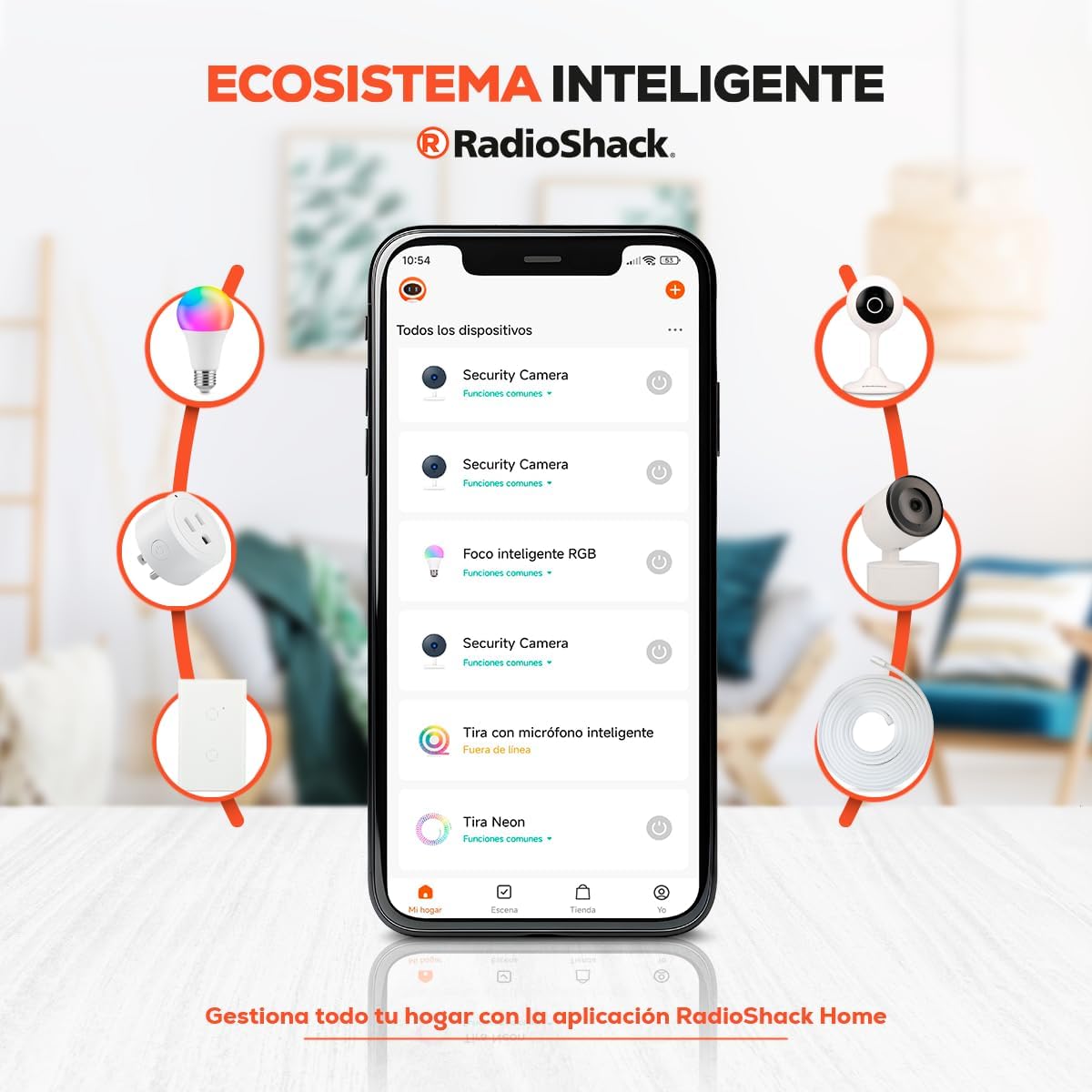
Image: The Radioshack Smart IP Camera Bulb installed in a ceiling fixture, monitoring a baby's crib indoors, highlighting its use for indoor surveillance.
Spesifikasi
| Ciri | Perincian |
|---|---|
| Jenama | Radioshack |
| Nama Model | Smart IP Camera Z5 Radioshack |
| Nombor Model Produk | 100126698 |
| ASIN | B0CW2427PB |
| Resolusi Tangkapan Video | 2304 x 1296p (3MP) |
| Ciri Khas | Two-way audio, Motion detection, Automatic tracking, Infrared night vision, LED light |
| Protokol Ketersambungan | Wi-Fi |
| Jenis Pengawal | Amazon Alexa (via app) |
| Jenis Pemasangan | In socket |
| Sumber Kuasa | Kabel elektrik |
| Penggunaan Dalaman/Luar | Dalaman |
| bahan | plastik |
| Dimensi Item (L x W x H) | 17.8 x 10 x 8.9 cm (7 x 3.93 x 3.5 inci) |
| Berat Produk | 340 g |
| Bateri Diperlukan? | Tidak |

Imej: Belakang view of the Radioshack Smart IP Camera Bulb, displaying the QR code for setup and various product information labels.
Penyelenggaraan
To ensure optimal performance and longevity of your Radioshack Smart IP Camera Bulb Z5, follow these maintenance guidelines:
- Pembersihan: Gently wipe the camera lens and body with a soft, dry cloth. Do not use liquid cleaners or abrasive materials, as they may damage the device.
- Kemas Kini Perisian: Regularly check the Radioshack Home app for firmware updates. Keeping your camera's software up-to-date ensures you have the latest features and security enhancements.
- Keadaan Persekitaran: Ensure the camera is used within its specified operating temperature and humidity ranges. Avoid exposing it to extreme temperatures, direct water, or high humidity.
- Kitaran Kuasa: If the camera experiences minor issues, try power cycling it by turning off the light switch for a few seconds and then turning it back on.
Menyelesaikan masalah
If you encounter issues with your Radioshack Smart IP Camera Bulb Z5, refer to the following common problems and solutions:
- Kamera Tidak Menyambung ke Wi-Fi:
- Pastikan rangkaian Wi-Fi anda ialah 2.4GHz. Kamera ini tidak menyokong rangkaian 5GHz.
- Semak kata laluan Wi-Fi anda untuk ketepatannya.
- Gerakkan kamera lebih dekat dengan penghala Wi-Fi anda untuk meningkatkan kekuatan isyarat.
- Mulakan semula penghala anda dan kamera.
- Kualiti Video Lemah:
- Check your internet connection speed. A stable and fast connection is crucial for high-resolution streaming.
- Pastikan lensa kamera bersih dan bebas daripada habuk atau kotoran.
- Sahkan bahawa kamera menerima kuasa yang mencukupi.
- Pengesanan Pergerakan Tidak Berfungsi:
- Check the motion detection settings in the Radioshack Home app. Ensure it is enabled and sensitivity is set appropriately.
- Pastikan tiada halangan yang menghalang kamera view.
- Consider environmental factors like strong light changes or moving objects (e.g., tree branches) that might trigger false alarms or prevent detection.
- Isu Audio Dua Hala:
- Ensure your phone's microphone and speaker permissions are granted to the Radioshack Home app.
- Check the volume settings on both your phone and within the app.
- Pastikan tiada bunyi latar belakang yang berlebihan berhampiran kamera atau telefon anda.
Waranti dan Sokongan
Radioshack products are designed for reliability and performance. For warranty information and technical support, please refer to the official Radioshack webtapak atau hubungi perkhidmatan pelanggan mereka. Simpan resit pembelian anda sebagai bukti pembelian untuk sebarang tuntutan waranti.
Manufacturer: Radioshack
Product on Amazon.com.mx since: February 20, 2024